

Introduction
Power Apps is a powerful tool for creating custom business applications. One common requirement is to concatenate dynamic column values in a gallery. This article will guide you through the process of using the Concatenate function in Power Apps to achieve this. We'll cover the steps to create a blank canvas app, insert necessary components, and apply the Concatenate function effectively.
Features of the Concatenate Function
- Combines Multiple Strings: The Concatenate function allows you to combine multiple strings into one.
- Supports Dynamic Data: You can concatenate dynamic data from different columns in a gallery.
- Flexible Formatting: Customize the concatenated string with additional text and formatting.
Advantages
- Simplifies Data Presentation: Easily combine and display data from multiple columns.
- Reduces Redundancy: Avoids the need for multiple labels or text inputs.
- Enhances User Experience: Provides a cleaner and more organized display of information.
Disadvantages
- Complexity: This may require a good understanding of Power Apps formulas.
- Performance: Concatenating large amounts of data can impact app performance.
Steps to Apply the Concatenate Function
- Login to Power Apps.
- Open Power Apps and log in with your credentials.
- Click on Create on the Left Navigation.

- Navigate to the left-hand menu and click on "Create".
- Select Blank App.

- Choose "Blank App" from the available options.
- Choose Blank Canvas App.

- Select "Blank Canvas App" and proceed.
- Name Your App and Choose Format.
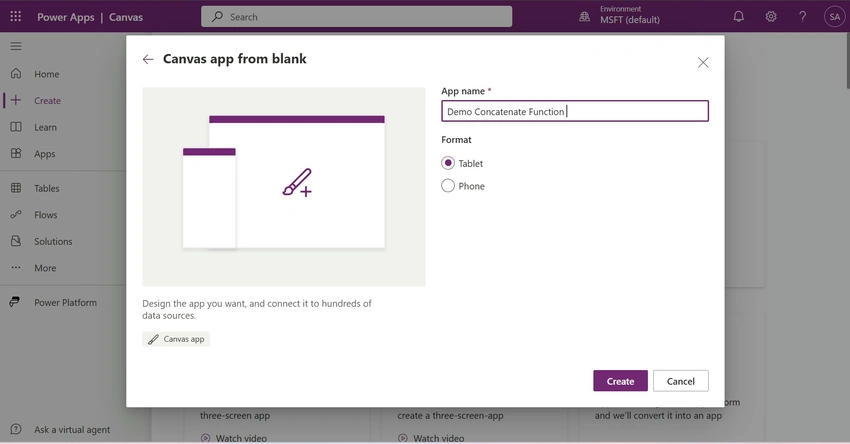
- Enter a name for your app and select the format (Mobile or Tablet).
- Insert Modern Screen Header and Gallery.


- Add a modern screen header and a gallery to your app.
- Select Your SharePoint List.

- Connect your app to the SharePoint list that contains the data you want to use.
- Insert Text Input and Remove Image Icon: Add a text input control to the gallery and remove the image icon if not needed.
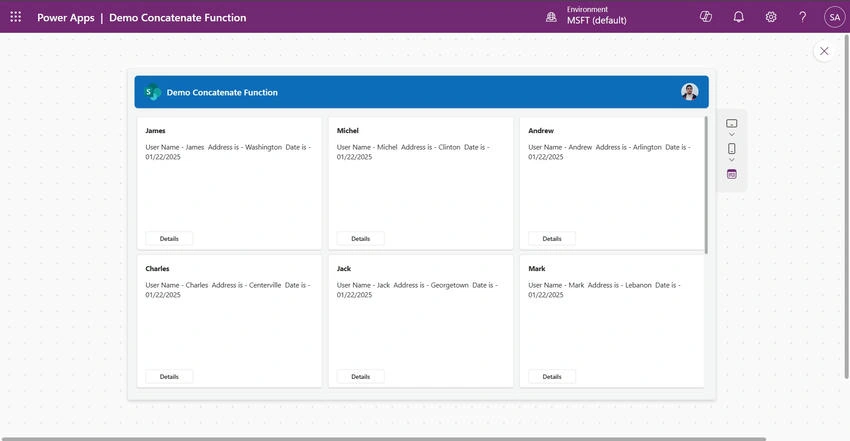
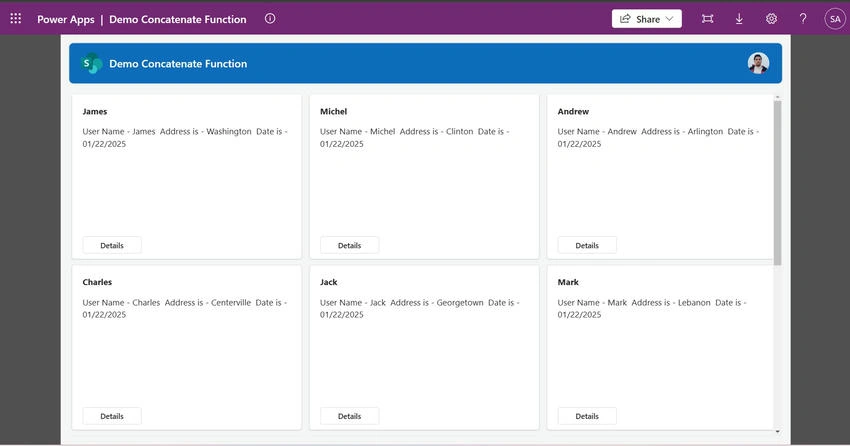
- Use the Concatenate Function: Apply the Concatenate function to combine the user name with additional text and other dynamic fields. For example:

Concatenate(
    "User Name - ", ThisItem.EmployeeName,
    " Address is - ", ThisItem.EmployeeAddress,
    " Date is - ", Text(Today(), "[$-en-US]mm/dd/yyyy")
)
Conclusion
The Concatenate function in Power Apps is a versatile tool for combining dynamic data into a single string. By following the steps outlined in this article, you can effectively use this function to enhance your app's data presentation. While it offers many advantages, it's important to be aware of its potential complexities and performance considerations. With practice, you'll be able to leverage the Concatenate function to create more efficient and user-friendly Power Apps.
Join the conversation! Your thoughts help the community grow.