

In this article we learn how to configure a Business Data Connectivity Service in SharePoint 2013. Business Connectivity Services (BCS) was introduced in SharePoint Server 2010 as an evolution of the Business Data Catalog released in Office SharePoint Server 2007. BCS enables SharePoint 2013 to work with data that is hosted externally. Possible sources can include databases, web services, Windows Communication Foundation (WCF) services, Open Data Protocol (OData) sources, and other proprietary data that is accessed by using custom .NET assemblies.
With BCS, you can bring information into SharePoint from a variety sources. For example, you can bring data from an external SQL Server database, a traditional web service, a WCF service, proprietary systems, and OData services.
To start the Business Data Connectivity service:
- Open the SharePoint Central Administration website for the server farm that contains your BCS solution.
- On the Quick Launch, click System Settings.
- On the System Settings page, under Servers, click "Manage services on server".
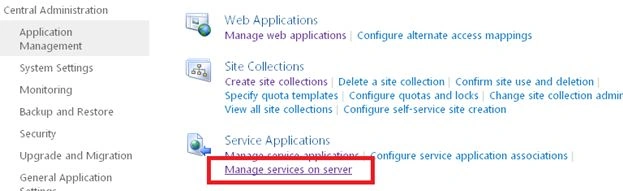
- Check the value in the Server field. If the server name shown there is not the server that you want to run the Business Data Connectivity Service, click on the down arrow, click Change Server and select the correct server.
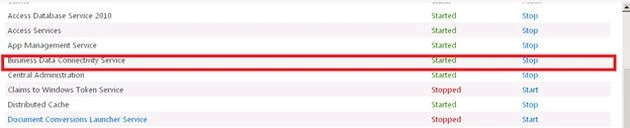
- If necessary, next to Business Data Connectivity Service, under the Action column, click Start.
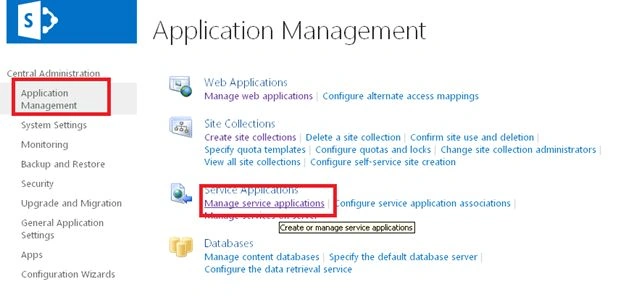
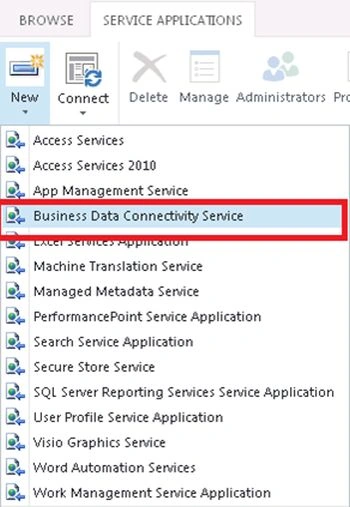
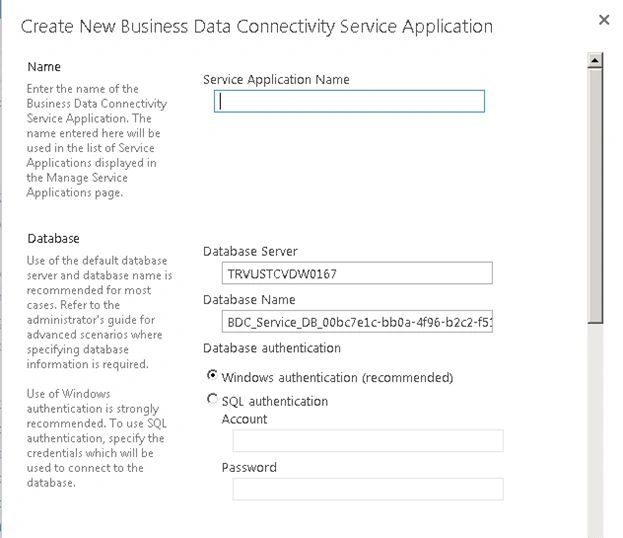
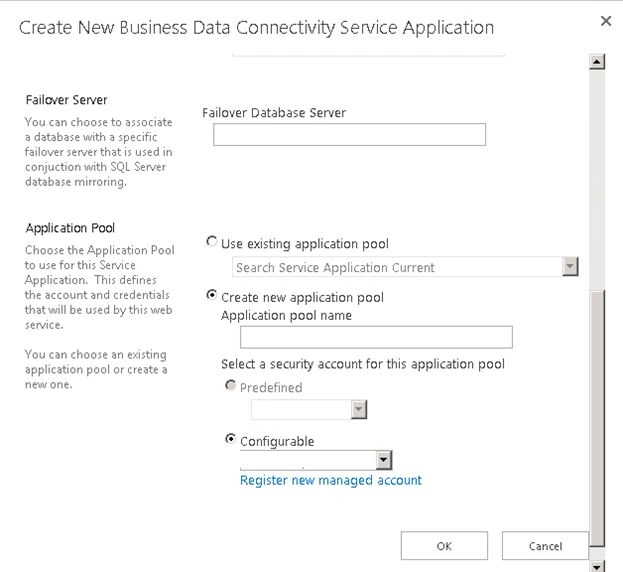
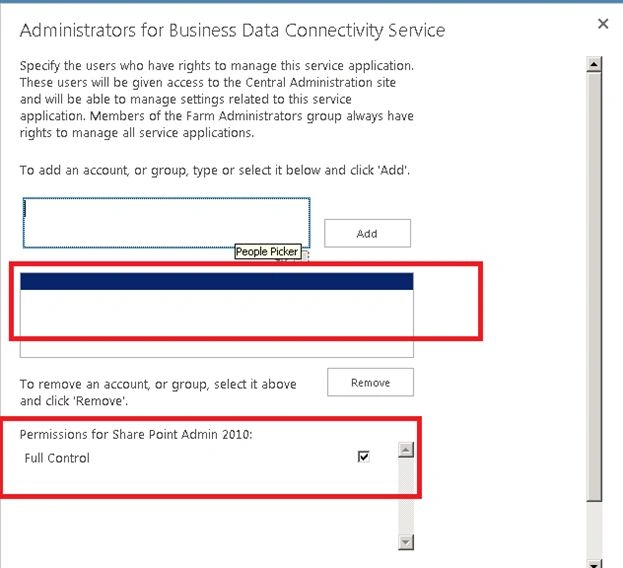
Create a new Business Data Connectivity Services service application

Join the conversation! Your thoughts help the community grow.