

In this article, we will see how to configure document conversions in SharePoint 2013 Central Admin.
This configuration will help to convert the file types like InfoPath form to a Web page or Word document to a Web page, Word document with macros to a Web page or an XML to the web pages on a Web application; which you select and configure on Central Admin.
How to configure?
Let’s open Central Admin of SharePoint on your machine. On your Windows desktop screen, click Start >> Administrative Tools >> SharePoint 2013 Central Administration.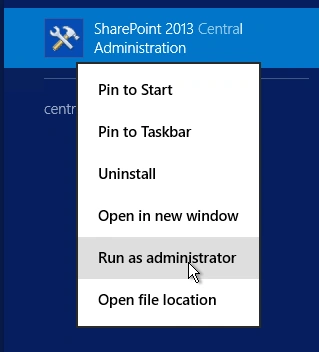
- Run it as an administrator to have the elevated privileges.
- You will see the screenshot given below.
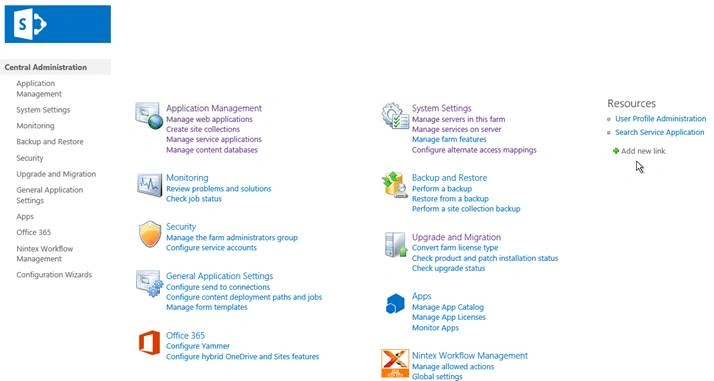
- Central Admin is configured under the categories given above.
- Click General Application Settings.
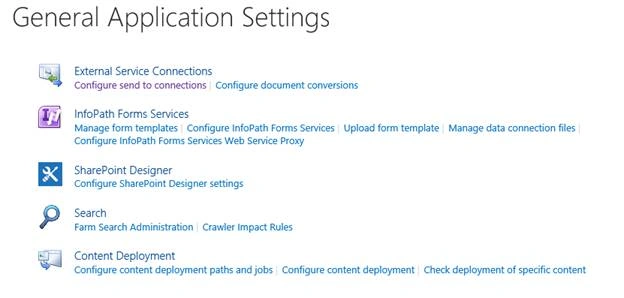
- Go to External Service Connections.
- Click Configure document conversions.
- You will see the screen given below.
Configure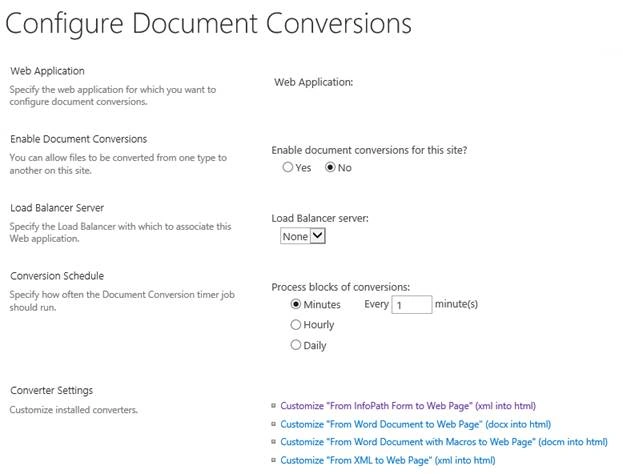
- Web Application
Choose a Web Application, where you want to have the conversion configuration done. - Enable Document Conversions
Choose whether you want to enable or disable document conversions on this site. - Load Balancer Server
Here, you can choose one of the load balancer Servers on your Farm to configure. - Conversion Schedule
Here, you can specify when the timer job for the document conversion should run for a minute, an hour, or daily. - Converter Settings
In this part of the article, we will see how to configure the conversion from XML to the Web page as in XML to HTML. - Click it.
- You will see the screen given below.
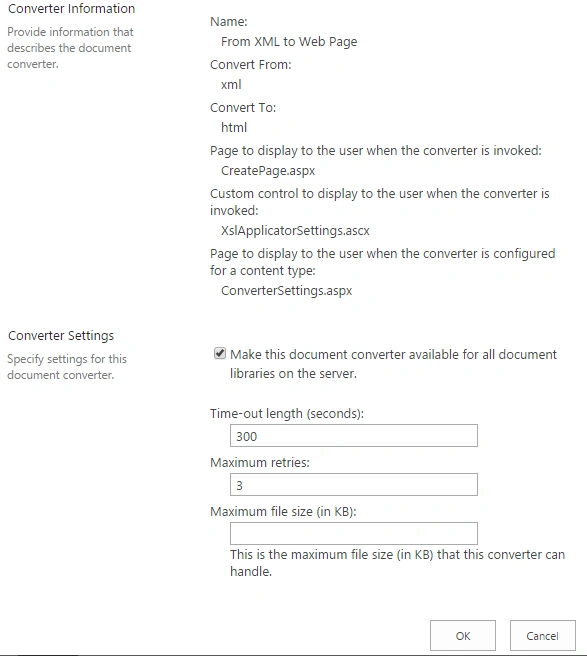
Configuration
- Provide information that describes the document converter
Under this category, you can see the details like name of the conversion, conversion from and to a category, page controls for new creation or when a custom page is hit or even when it is configured from the content type. - Converter Settings
Here, you can configure whether you want this converter in all the document libraries on the Server or not.
You can specify the following.- Time-Out length - You can specify the time in seconds in which there should be a time out if the file is not converted.
- Maximum Retries - Here you can specify the maximum number of retries allowed.
- Maximum file size - Here you can specify the maximum size in kb which can be converted using the converter.
Once you complete the configuration, click on Apply and OK and then that the following configuration is applied to all the sites on the web application.
This configuration of XML to web page is helpful to resolve a lot of conversion issues between the components within SharePoint modules.
In this article, we saw how to configure document conversions in SharePoint 2013 Central Administration. There are more articles to come on Central Administration. Until then, keep reading and keep learning.
Join the conversation! Your thoughts help the community grow.