

In this article I will show you how to configure SharePoint Workspace 2010. It allows you to take your complete SharePoint environment offline, continue your work without a connection to the server and synchronize the whole thing when you are connected again.
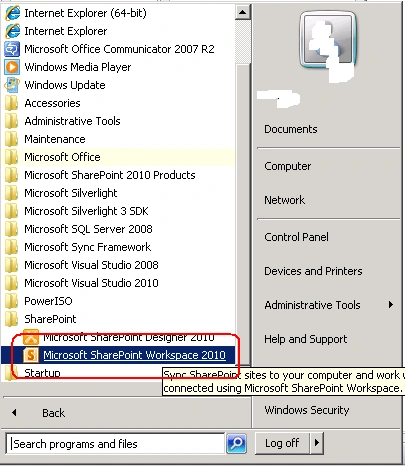
- First you have to open the Microsoft SharePoint Workspace 2010
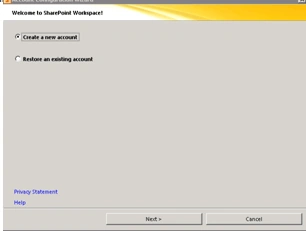
- You will get a screen as shown below. You have two options either to Create a
new Account or use an Existing Account. I am going to create an Account
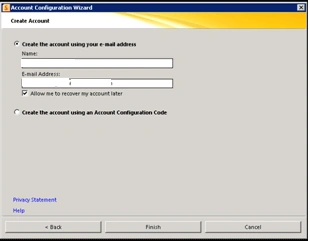
- Give your Name and Email Address and click Finish
- You will get a window as shown below
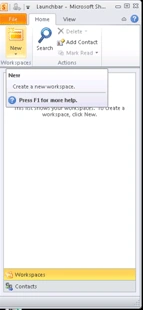
- Click on New point to SharePoint work Space
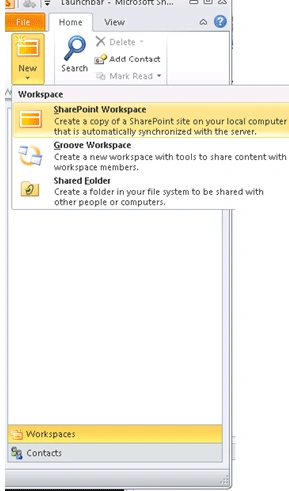
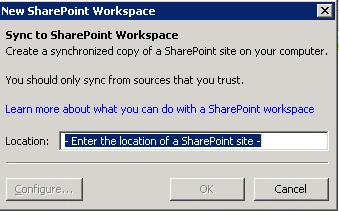
- You have to give your SharePoint site address in the next window and click
OK
- It will take some time to configure. Once over you will get a screen like
below
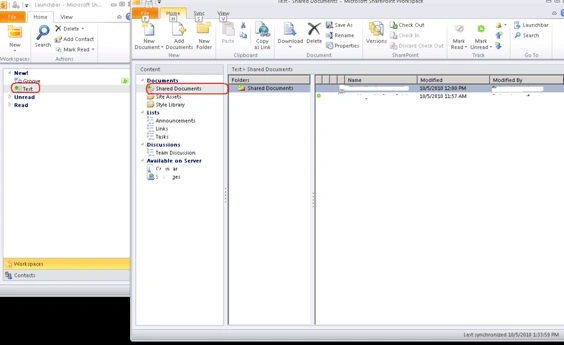
- You can see the document currently available in the document library.
- You can even add an announcement in the announcement list, it will be added
as offline.
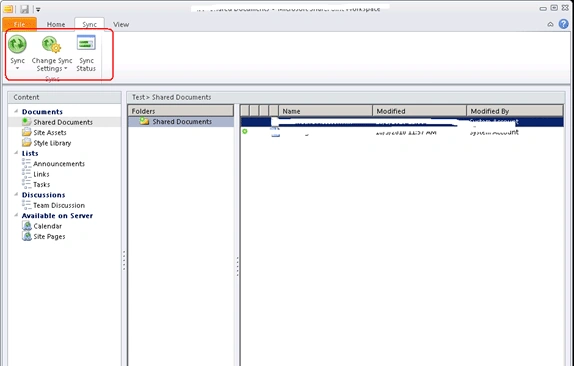
- You can click on Sync button to sync with sharepoint
Anne NatixisPosted Jun 22, 2012, 11:03 AM
This is usefull. But when the upload is pending or failed, the MS Upload Center opens, which is not mentionned in your post. And resolving an issue can be very tricky. For example, in our environment (2 domains trusted), on one domain everything works fine, on the other one, everything works fine except the upload. We get a "upload failed, sign in required" error all the time. And can not be resolved. Unless anyone has an idea... Thanks.