

Introduction
Azure VMware Solution (AVS) provides a seamless way to run VMware workloads natively on Azure. One of the key benefits of AVS is its ability to connect to other Azure services, such as Azure Virtual Networks (VNets). This connectivity enables you to leverage the full power of Azure's networking capabilities while still running your VMware workloads in a familiar environment. In this article, we'll explore how to connect AVS to Azure VNet, allowing you to integrate your VMware workloads with Azure services.
Here's a paraphrased version of the steps outlined in the article:
To set up a new Azure VNet, Virtual Network Gateway, and connection to the AVS ExpressRoute circuit, follow these steps:
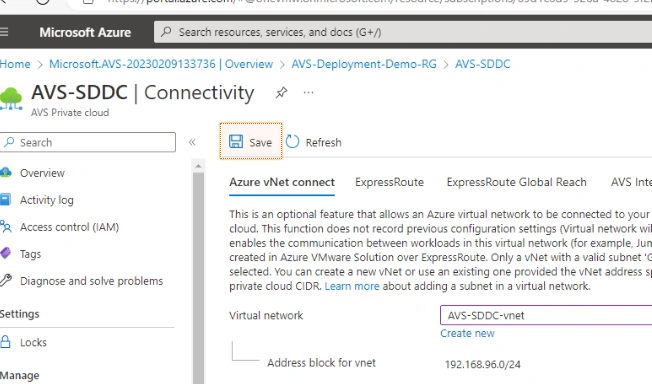
- Go to "Connectivity" under the "Manage" heading.
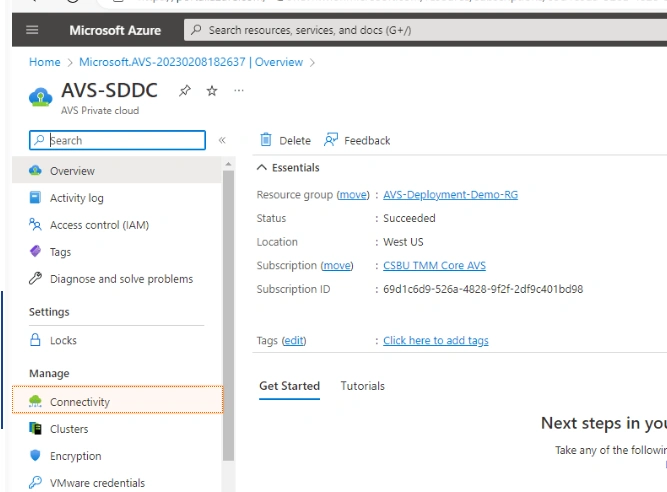
- Click "Create new" on the "Azure vNet connect" tab.
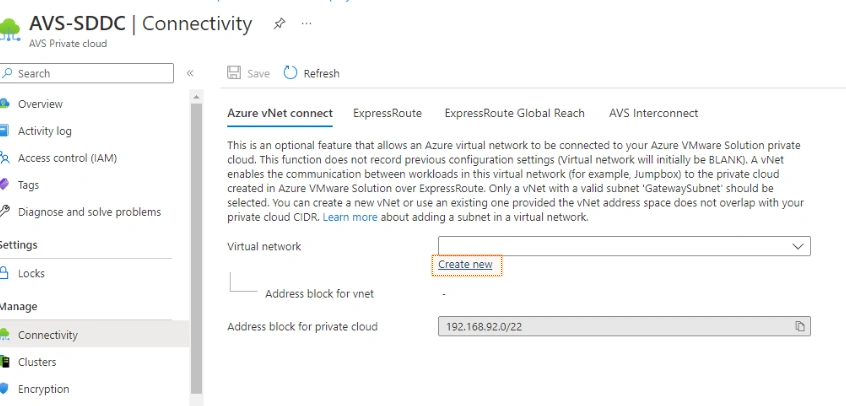
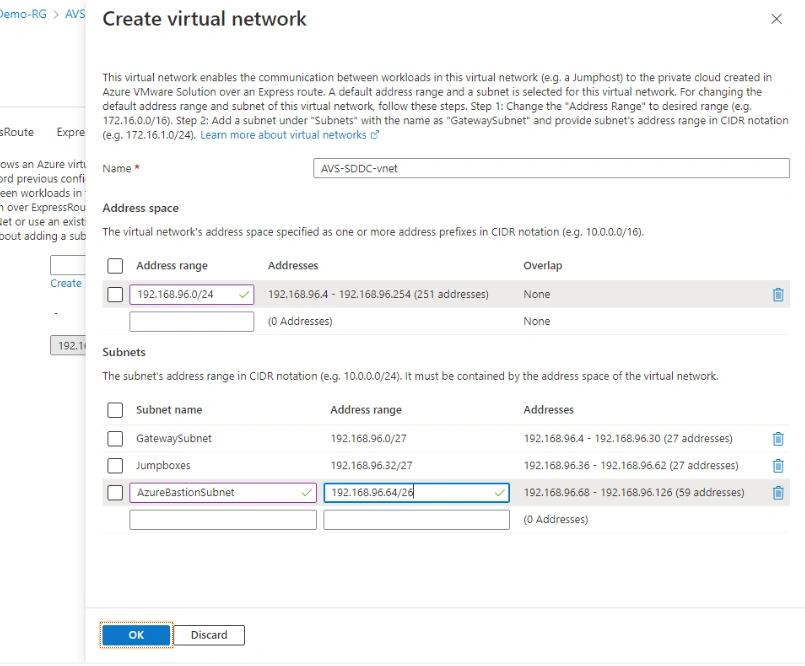
- Select all in the address range field and enter "192.168.96.0/24".
- Enter "GatewaySubnet" as the subnet name and "192.168.96.0/27" as the address range.
- Enter "Jumpboxes" as the subnet name and "192.168.96.32/27" as the address range.
- Enter "AzureBastionSubnet" as the subnet name and "192.168.96.64/26" as the address range.
- Click "OK" and then "Save".
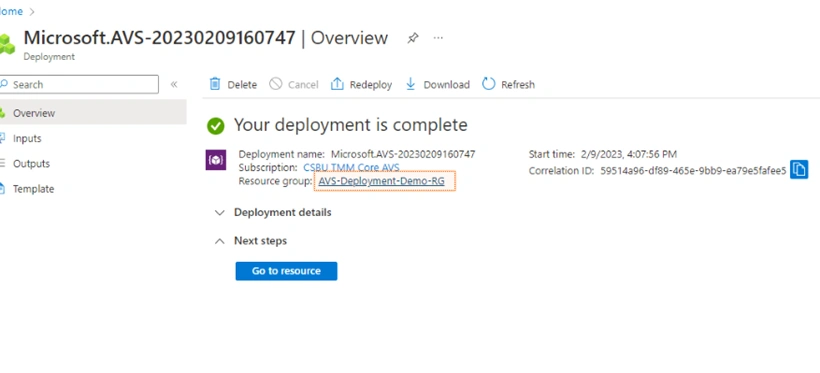
- Once deployment is complete, click the "AVS-Deployment-Demo-RG" resource group link.
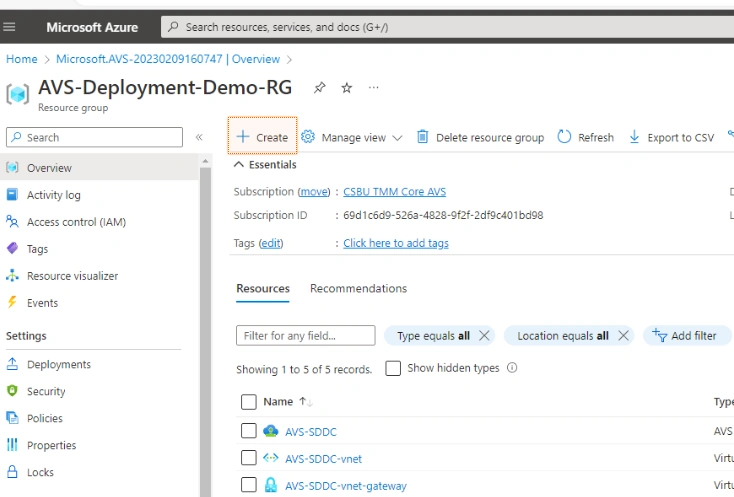
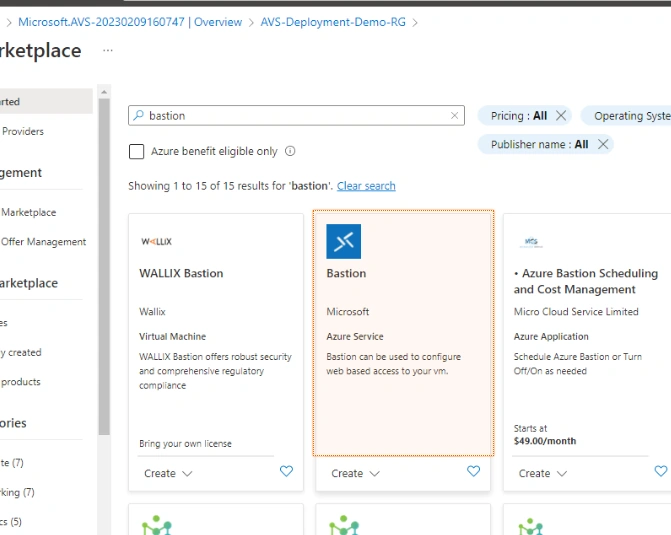
- Click "+ Create" and search for "bastion" in the Marketplace.
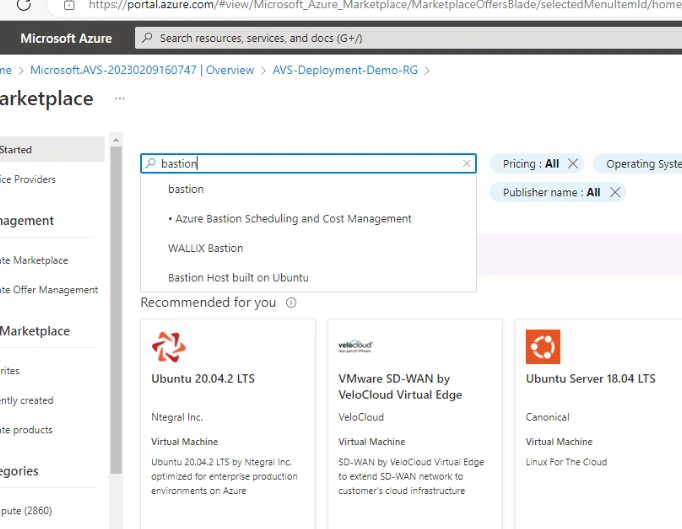
- Select the Bastion icon and click "Create".
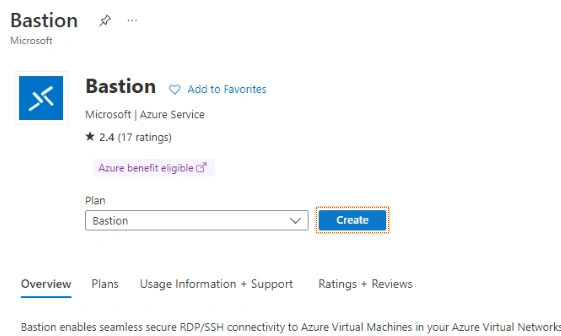
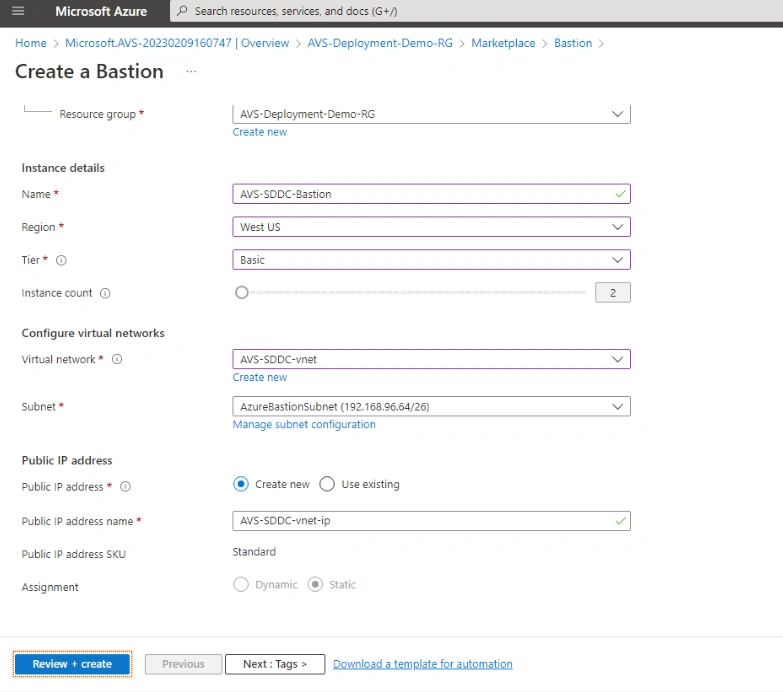
- Enter "AVS-SDDC-Bastion" as the name, select "West US" as the region, and choose "Basic" as the tier.
- Select "AVS-SDDC-vnet" as the virtual network, and then click "Review + create" and "Create".
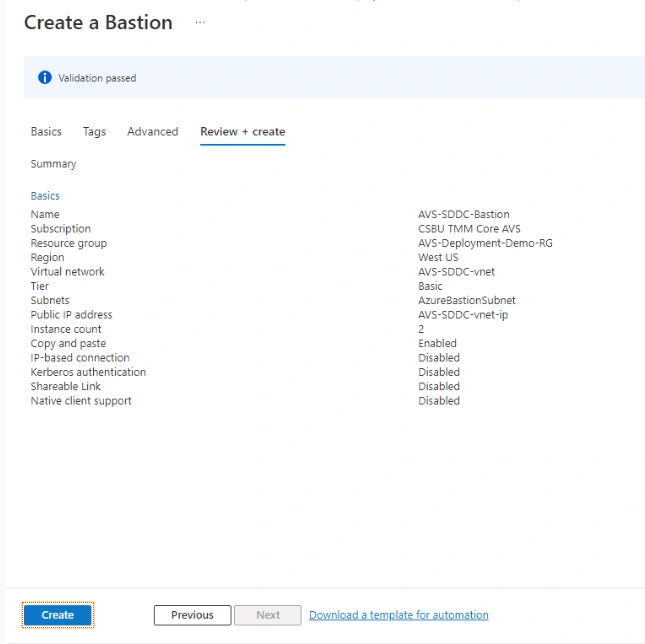
- Once the Bastion service is provisioned, click the "AVS-Deployment-Demo-RG" resource group link again.
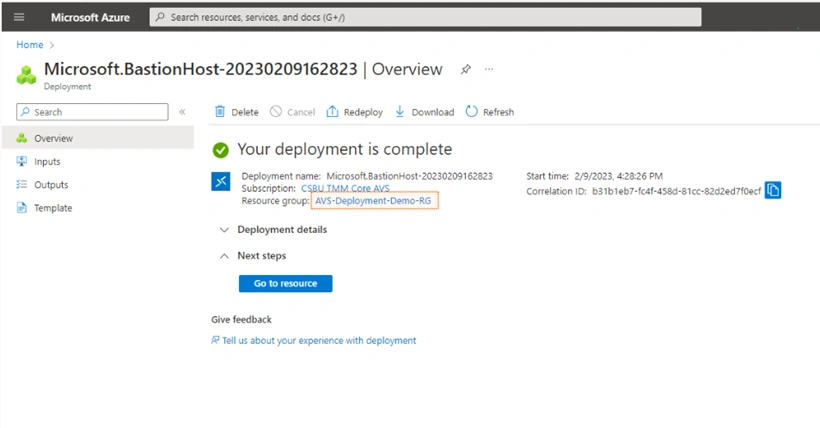
- Click "+ Create" and search for "windows 11" in the Marketplace.
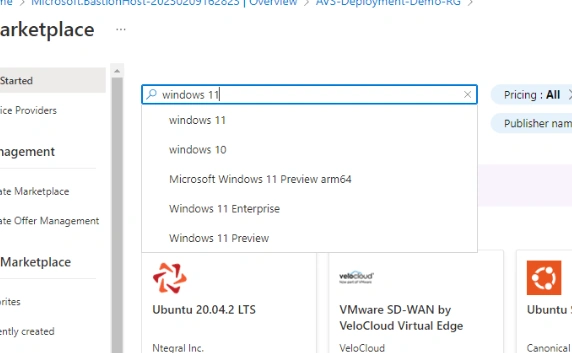
- Select the "Windows 11" icon and click "Create".
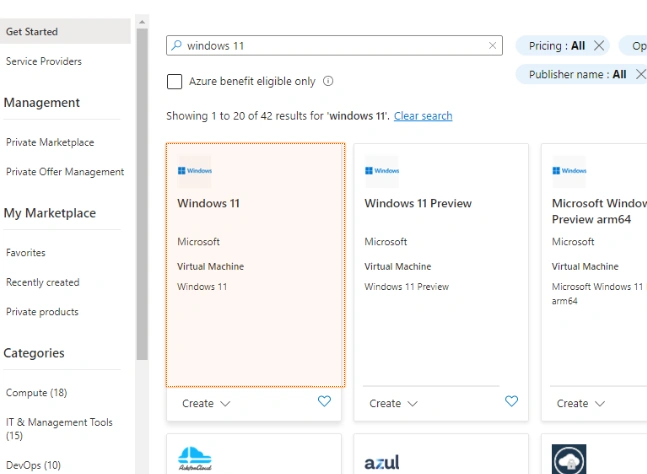
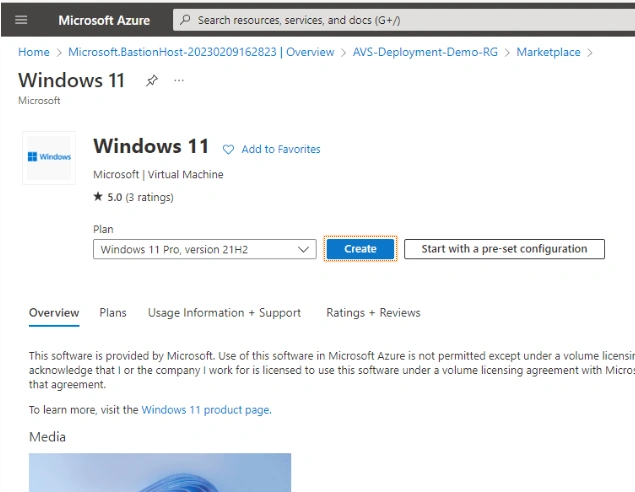
- Enter "AVS-SDDC-Jumpbox" as the virtual machine name, and select "(US) West US" as the region.
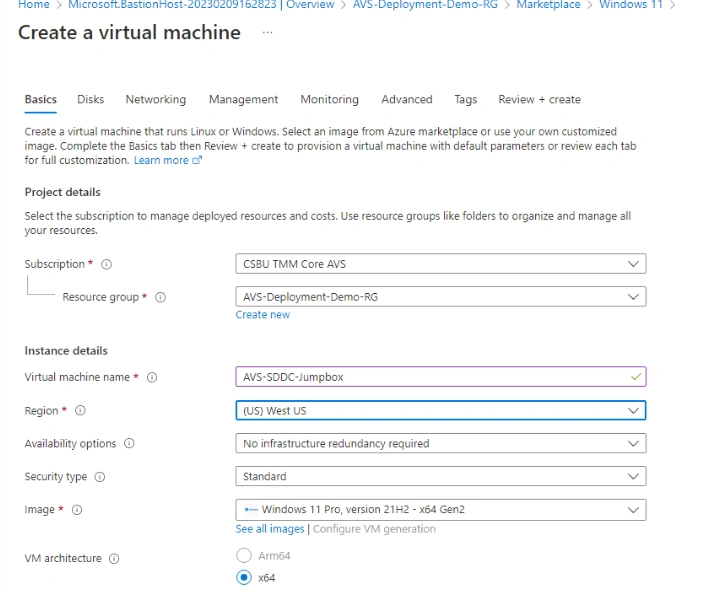
- Enter "avslab" as the username, "VMware1!VMware1!" as the password, and select "None" for public inbound ports.
- Check the box confirming an eligible Windows 10/11 license, and then click through the remaining settings.
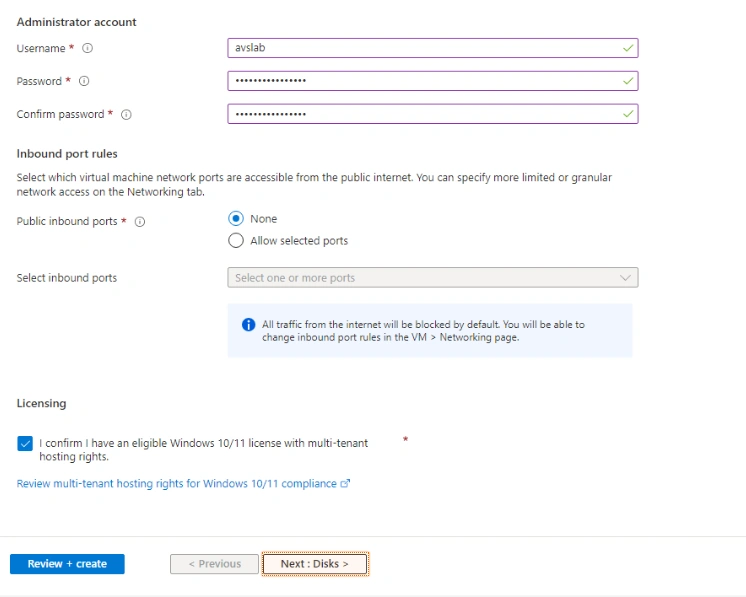
- Proceed to the next steps for disk and networking configuration, then review and create the VM.
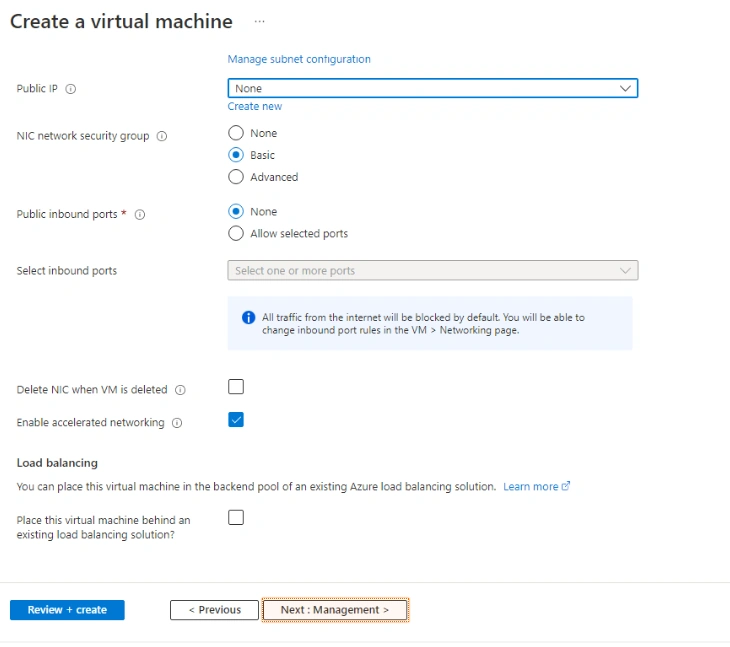
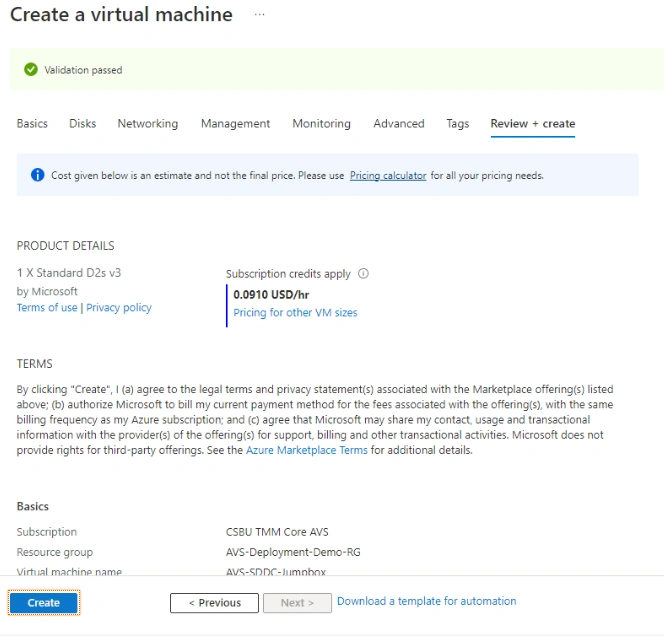
- Once the VM deployment succeeds, go to the resource.
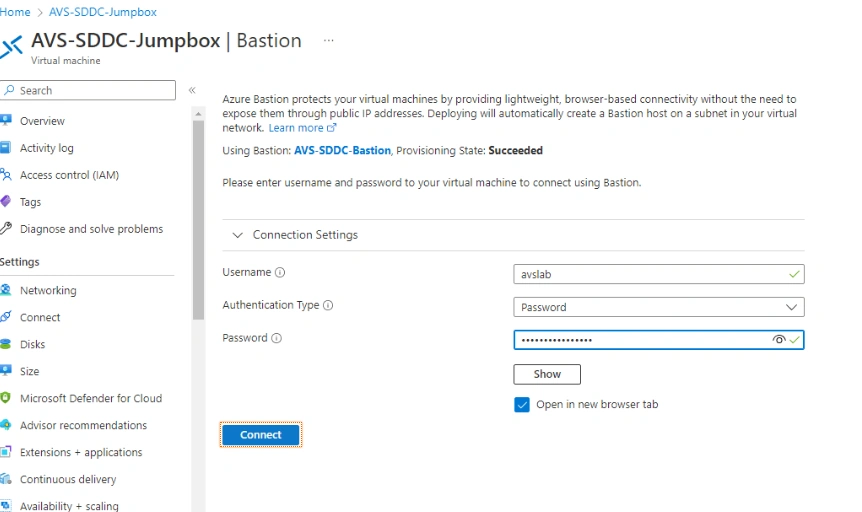
- Use the "Connect" drop-down and select "Bastion".
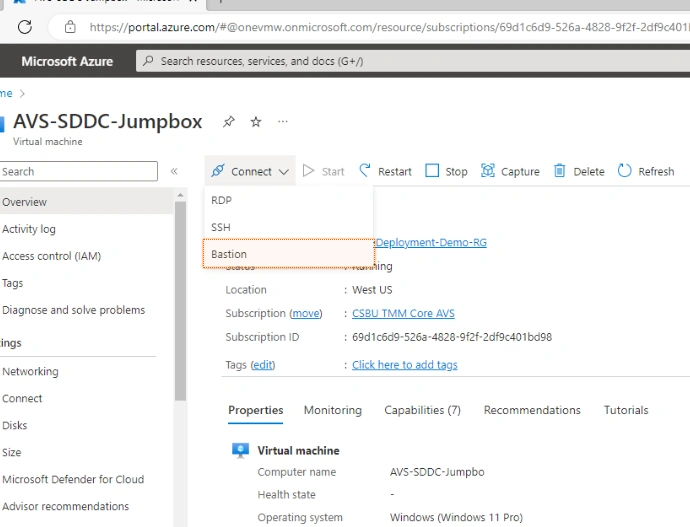
- Enter the username and password ("avslab" and "VMware1!VMware1!").
- Click "Connect" and allow clipboard sharing.
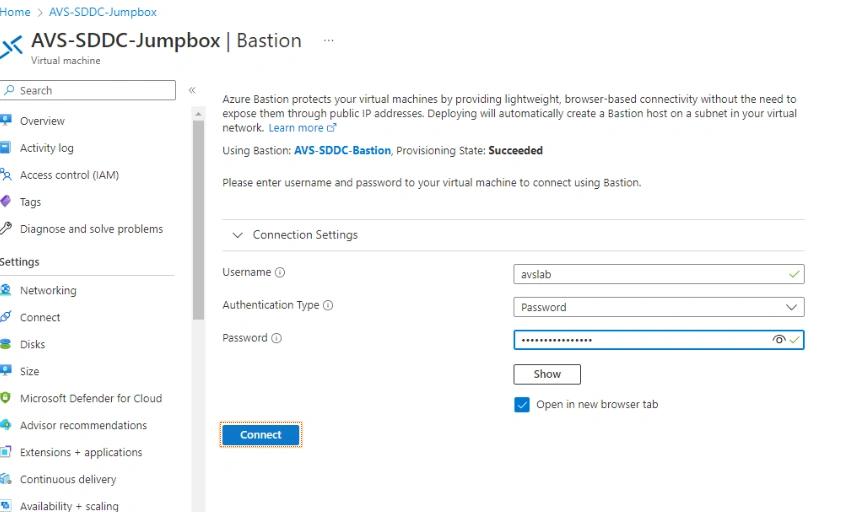
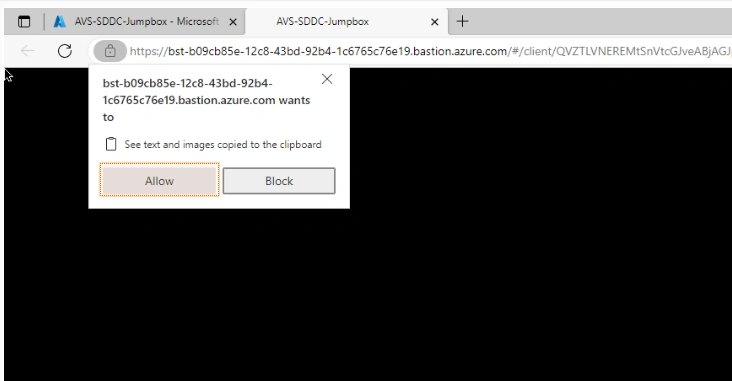
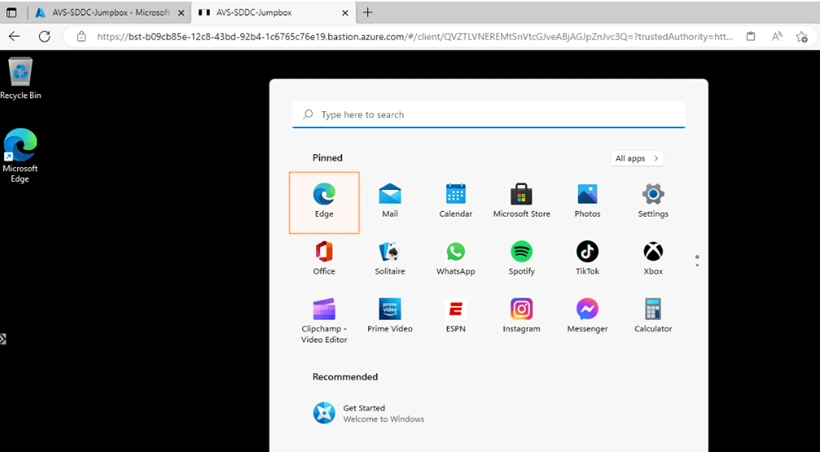
- Open the Edge browser and navigate to the AVS-SDDC-Jumpbox tab.
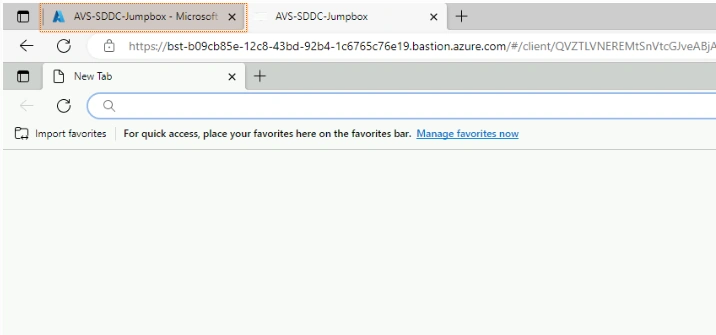
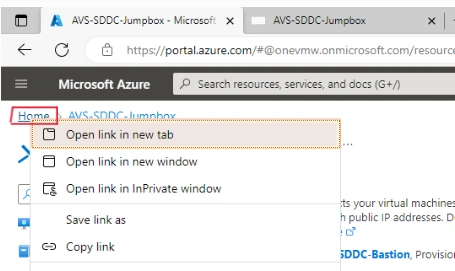
- Right-click the "Home" link and open it in a new tab.
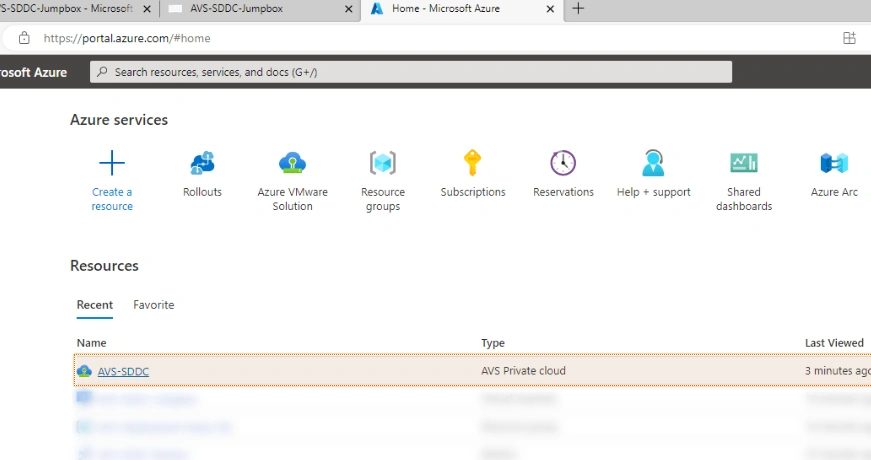
- In the new tab, click on the "AVS-SDDC" object under the "Recent" heading.
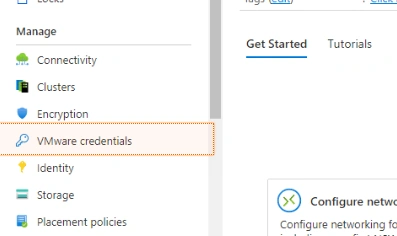
- Go to "VMware credentials" under the "Manage" heading.
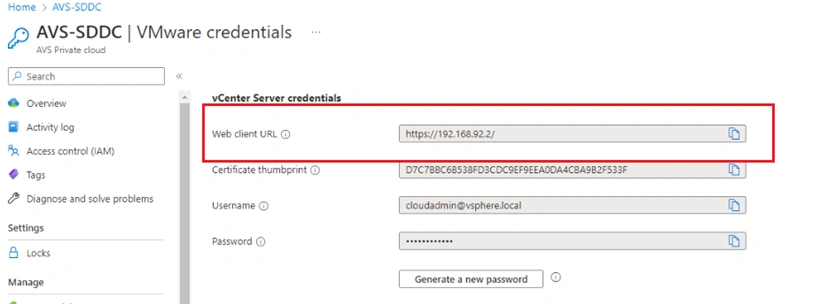
- Click the "Copy to clipboard" icon next to the "Web Client URL" field.
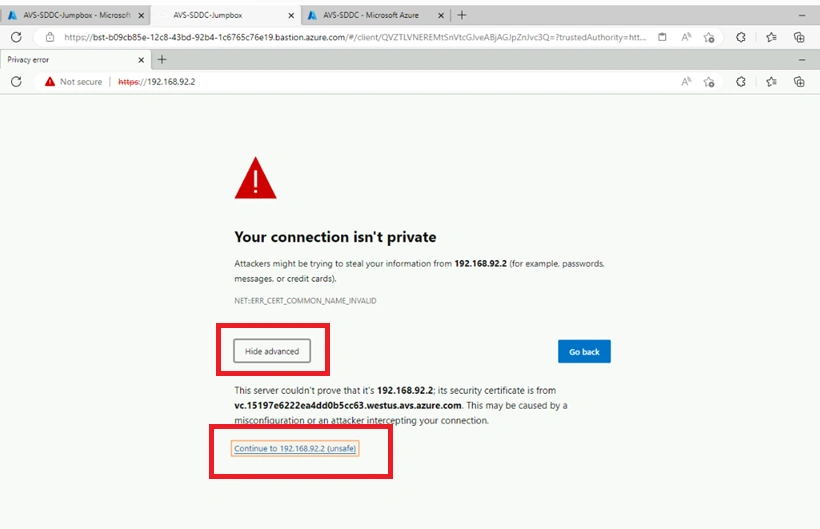
- Return to the AVS-SDDC-Jumpbox tab, right-click in the Edge address bar, and select "Paste and go to https://192.168.92.2".
- Click "Advanced", then "Continue to 192.168.92.2 (unsafe)".
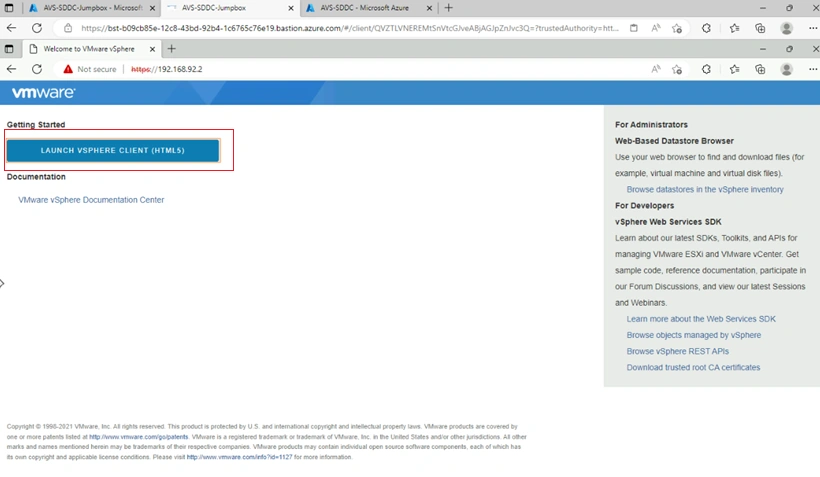
- Click "Launch vSphere Client (HTML5)".
- Click on the "AVS-SDDC - Microsoft Azure" tab.
- Click the "Copy to clipboard" icon next to the "Username" field under the "vCenter Server credentials" heading.
- Return to the AVS-SDDC-Jumpbox tab, right-click the username field, and select "Paste".
- Click the "AVS-SDDC - Microsoft Azure" tab again.
- Click the "Copy to clipboard" icon next to the "Password" field under the "vCenter Server credentials" heading.
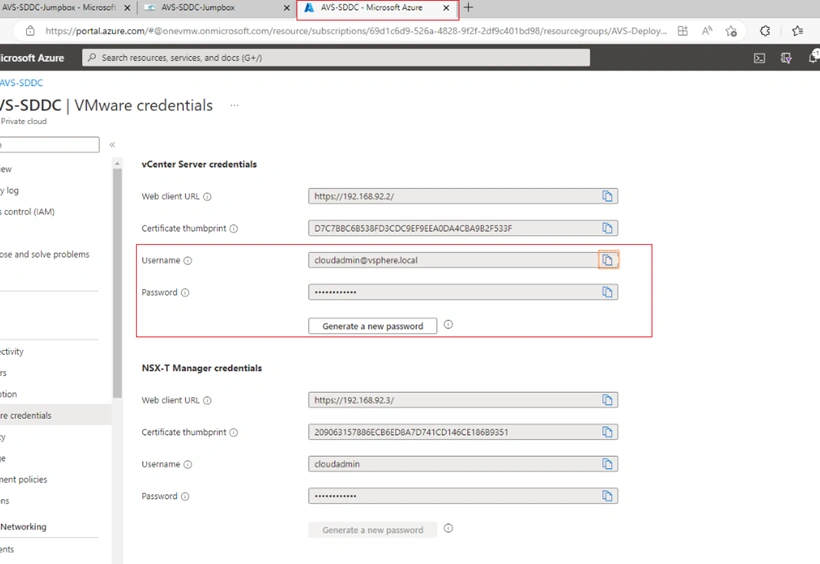
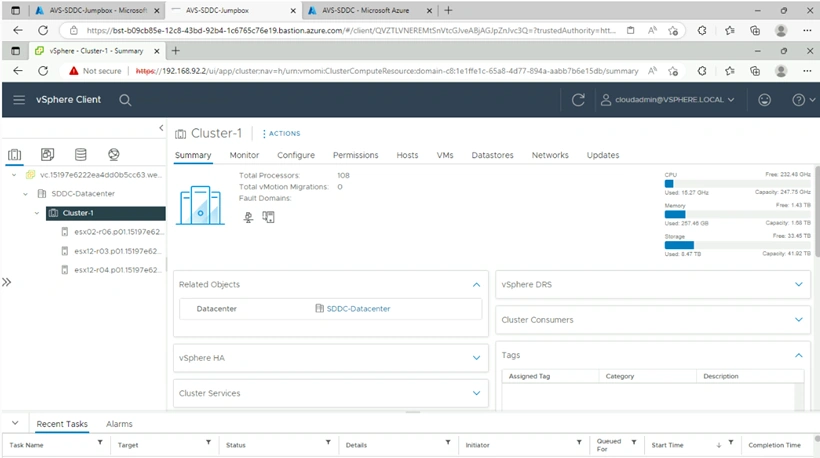
Return to the AVS-SDDC-Jumpbox tab, right-click the password field, select "Paste", and then click "Login". The vSphere Web Client will load. The next module will cover configuring ExpressRoute Global Reach to connect the on-premises data center to the AVS private cloud.
Conclusion
Connecting Azure VMware Solution to Azure VNet provides a powerful way to integrate your VMware workloads with Azure services. By following the steps outlined in this article, you can easily establish a secure and reliable connection between your AVS private cloud and an Azure VNet, enabling you to take full advantage of Azure's networking capabilities while still running your VMware workloads in a familiar environment.
Join the conversation! Your thoughts help the community grow.