

Introduction
If you want any device to connect with your systems then you follow these steps.
Step 1
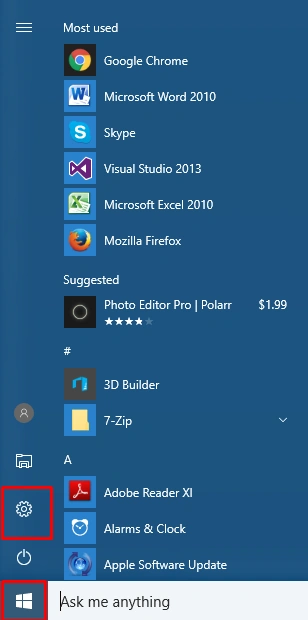
For connecting the devices first you will press the click on Start Menu and select the settings options as shown in the below figure.
Step 2
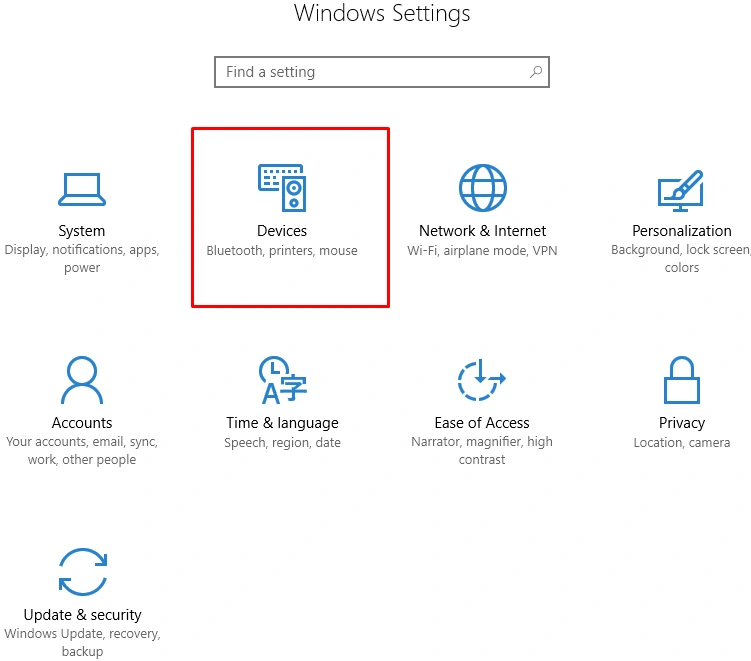
When you select the settings you will see the new dialogue box for selecting your settings section and you will choose the devices section as shown in the below figure.
Step 3
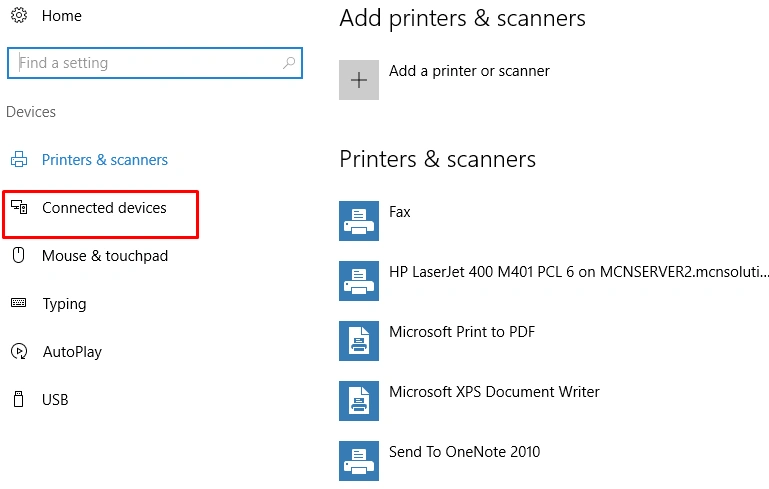
When you will select the device section then the new settings are open and you will select the connected device as shown in the below figure.
Step 4
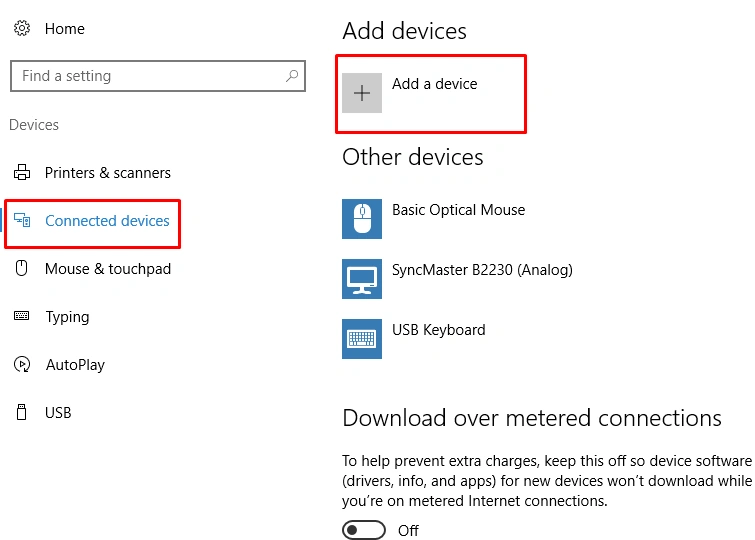
After selecting the connected devices you will get an option -- add device now you click on this option as shown in the given figure.
Step 5
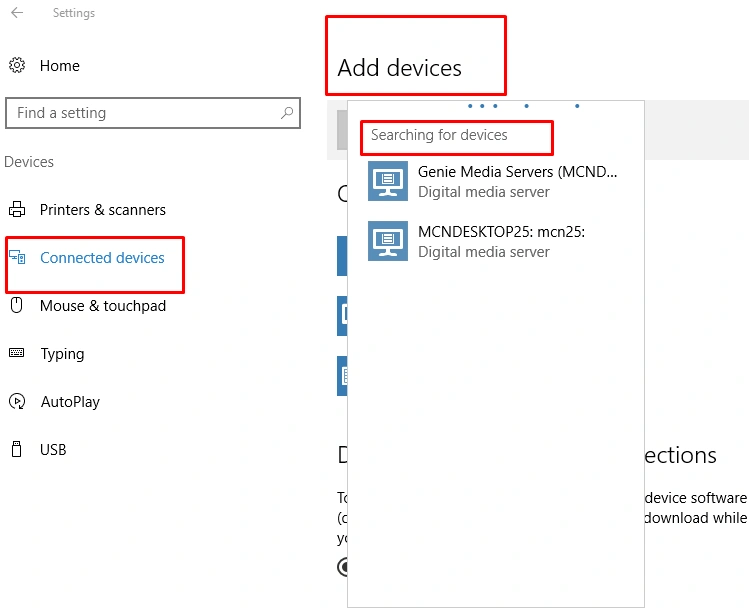
Now you will see an add device option and you will click on this; then it will search devices for connecting the systems as shown in the below figure.
Step 6
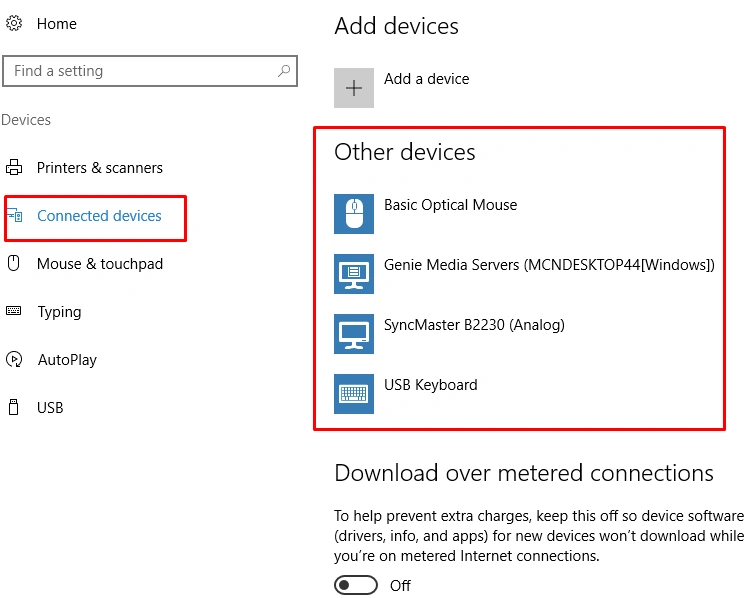
After searching the device you will connect the search device and after connecting the device you will see that its device is shown in other devices option as shown in the below figure.
SubashPosted Sep 22, 2016, 12:37 AM
Thanks bro good info