

Introduction:
Business Connectivity Services (BCS) is a new service introduced with SharePoint
2010 to allow SharePoint sites to connect to and manipulate external data.
SharePoint 2007 had a similar facility in the form of Business Data Catalog (BDC)
which made external data available within its site. However, a major problem
with BDC was the difficulty in creating solutions as there was no support in the
2007 designer. Most BDC solutions were simply for accessing external data,
manipulating external data sources was extremely difficult.
With SharePoint 2010, BCS ships with out-of-box features such as solutions,
services, and tools which may connect to external data an easy task. Whether you
want to retrieve Outlook contacts in a list offline or edit the contents of your
document file or share your excel sheet online or reuse data from dynamic
InfoPath forms or just update your business presentation, BCS enables deep
content sharing, editing and integration in SharePoint 2010 with SharePoint
Designer and Visual Studio tools. To connect to the SQL database we can use
either SharePoint designer (where we can connect directly to the SQL or using
WCF or through .Net Assembly) or using Visual Studio (BDC Model). In case of
connecting to the Oracle database we don't have direct option in the SharePoint
designer, so we can use BCS Meta Man to create an external content type.
Prerequisites:
I. A local installation of either SharePoint Foundation 2010 or SharePoint
Server 2010,
ii. Oracle Client (Version: 10g),
iii. Visual Studio 2010 and
iv. BCS Meta Man.
Oracle Database:
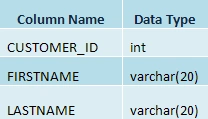
Table Name: HR.CUSTOMERS
Note:
In the above table CUSTOMER_ID is the Primary Key.
Creating a BCS External Content Type:
Steps Involved:
The following steps should be followed to create a BCS External Content Type
using Visual Studio 2010.
v. Open Visual Studio 2010.
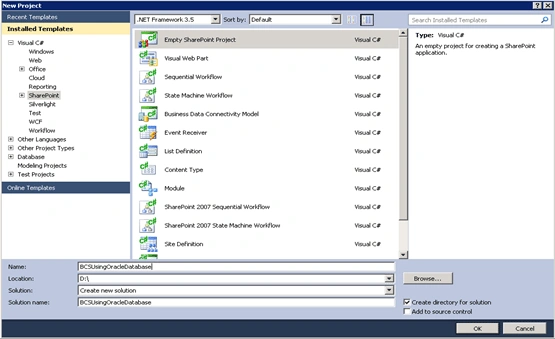
vi. Go to File => New => Project.
vii. Select Empty SharePoint Project under installed template category
SharePoint 2010 and name it as BCSUsingOracleDatabase.
viii. Click OK.
ix. Check "Deploy as a farm solution".
x. Click Finish.
xi. Right click the Solution Explorer and add a New Item.
xii. Select BCSMetaMan under installed template category Lightning Tools and
name it as BCSMetaManForOracle.
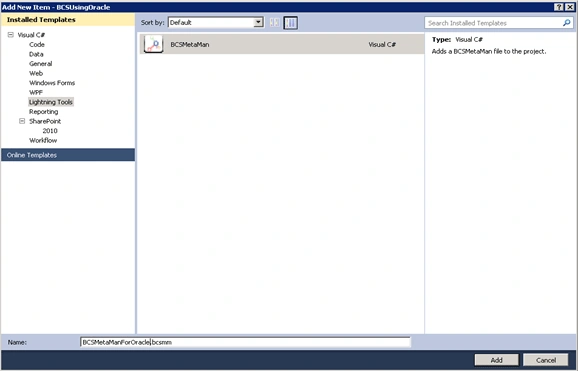
xiii. Click ADD.
xiv. Add System.Data.OracleClient reference to your project.
xv. Connect to the Oracle Database.
-
Go to Tools => Connect to Database.
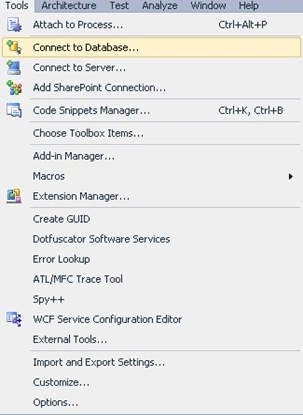
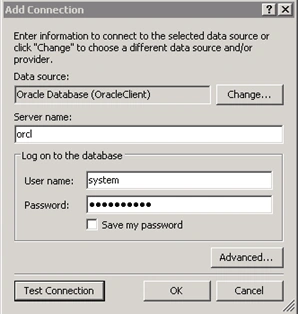
- Add Connection wizard will pop up.
-
Choose the Data Source as Oracle Database (Oracle Client).
-
Enter the Server Name, User Name and Password as shown below.
-
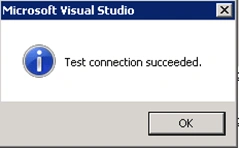
Click on Test Connection.
-
Click OK.
-
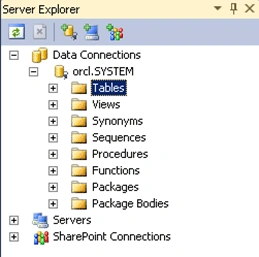
In the Server Explorer you can view the Oracle Database as shown below.
xvi. Create an External Content Type Using BCS Meta Man.
-
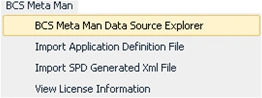
You will find the BCS Meta Man menu item in the menu bar.
-
Click on BCS Meta Man - > BCS Meta Man Data Source Explorer.
-
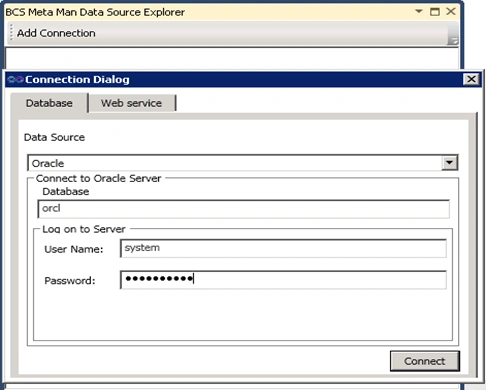
Click on the "Add Connection" button of the data source explorer.
-
In the Connection Dialog choose the Data Source as Oracle.
-
Enter the Database Name, User Name and Password.
-
Click Connect.
-
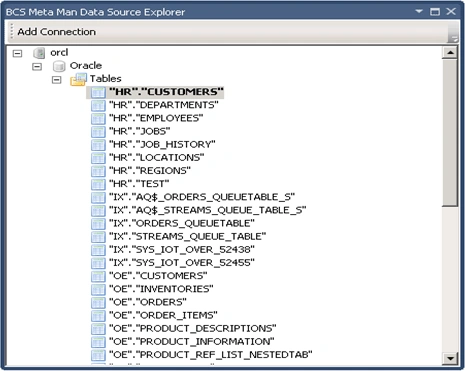
Oracle Database will be displayed with all tables.
-
Drag and drop the HR.CUSTOMERS table in the BCS Meta Man design surface.
-
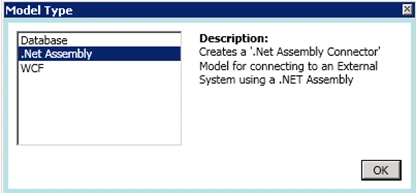
In the Model Type wizard select .Net assembly and click OK.
-
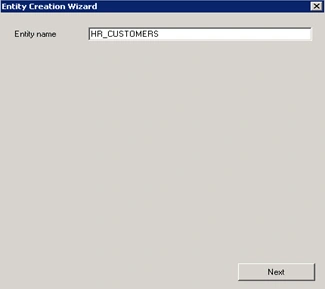
Entity Creation wizard will pop up, click next.
-
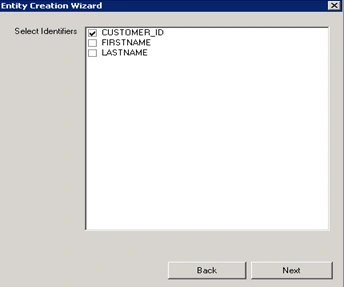
By default CUSTOMER_ID will be selected as identifier.
-
Click Next.
-
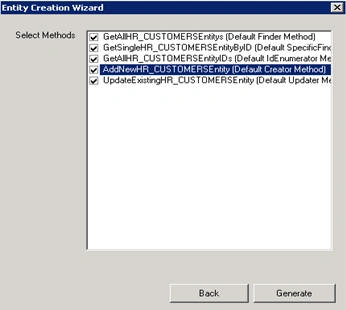
Select all the methods that are available and click Generate.
-
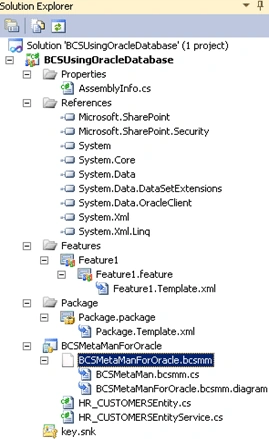
BCS Meta Man will add new files to the project which contain generated C#
code.
-
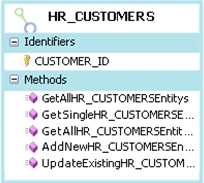
You'll also see the External Content Type on the design surface as shown
below.
xvii. Build the Project.
xviii. Once it is build successfully, Deploy the project.
Configure Business Data Connectivity access
rights:
I. Go to Central Administration -> Application Management -> Manage Service
Applications.
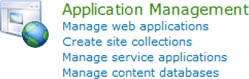
ii. Click on Business Data Connectivity Service.

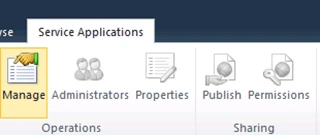
iii. In the top Ribbon click on Manage.
iv. In Service Application Information check the External Content Type
HR_CUSTOMERS.
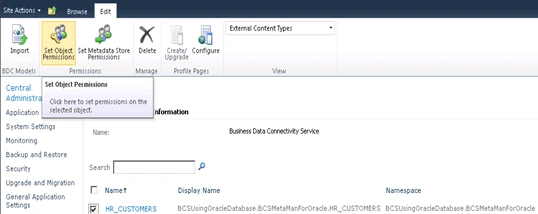
v. In the top Ribbon click the Site Object Permissions.
vi. Site Object Permissions wizard will pop up add the account (Group or Users)
and assign the permissions.
Creating an External List in the SharePoint Site:
I. Open the SharePoint Site.
ii. Go to Site Actions => More Options.
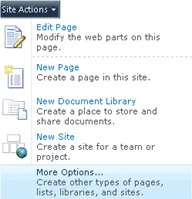
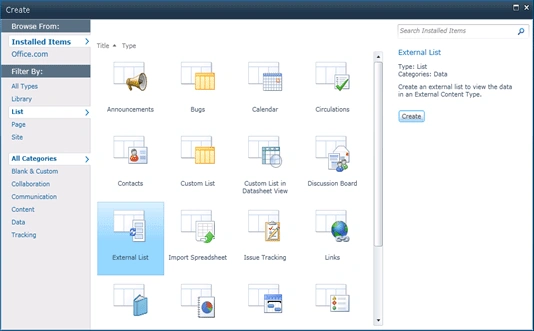
iii. On the Create Wizard, from the Installed Templates Select List.
iv. In the List Type select External List and click Create.
v. Enter the Name as BCS for OracleDB and choose the External Content Type as
shown below.
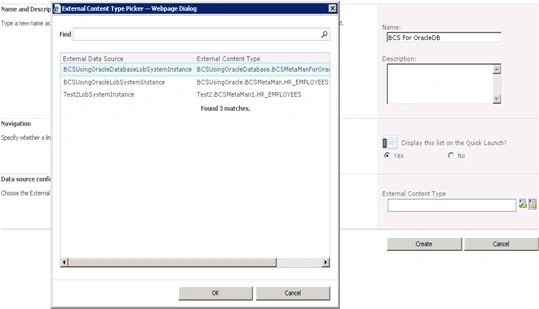
vi. Click OK.
vii. External List is created successfully.
Testing:
Creating a new item:
I. Click on Add new item option in the ribbon.
ii. Enter the values as shown below.
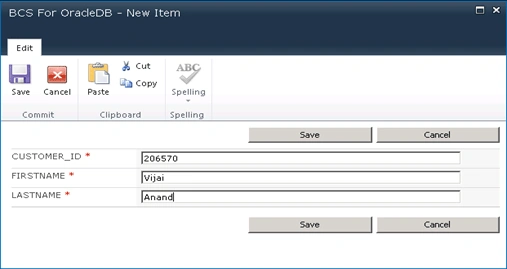
iii. Click OK.
iv. New item will be created in the SharePoint External List.

Update in the Oracle DB:
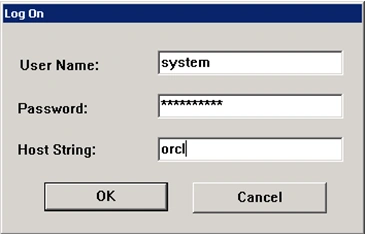
I. Go to Oracle – OraClient10g home => Application Management => SQL Plus.
ii. Enter the User Name, Password and Host String as shown below.
iii. Select the table to see the changes as shown below.
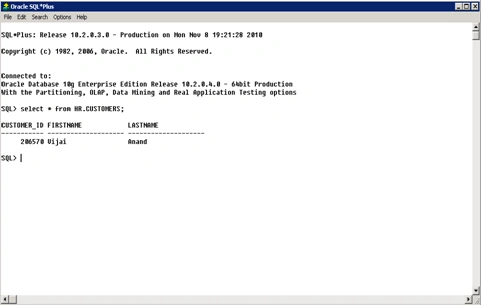
iv. A new item has been added to the HR.CUSTOMERS table.
Summary:
Thus an external content type is created for oracle database using BCS Meta Man
and an external list is created based on that external content type to display
the Oracle data.
scot dalePosted Nov 3, 2011, 7:44 PM
Hello Vijay, thanks for good article, my question is can we access sharepoint list(external conent type created thru meta man for oracle database) thru infopath 2010 for read/write? instead of just updating data sharepoint list. please reply , even if it is short reply would be fine. scot
scot daleeditedPosted Nov 1, 2011, 9:04 PMEdited Nov 2, 2011, 6:03 AM
Hello Vijay, your step-by-step instructions very helpful, and thanks. we don't have metaman, can you provide us article with instructions how to connect oracle database for both read/write from sharepoint or infopath. Many thanks Scot
Srikanth GuthaPosted Jan 29, 2011, 2:22 AM
Hello Vijai, I have followed your blog post and created an external list.. and receiving the error - "Attempt to load Oracle Client Libraries threw BadImageFormatException + This problem will occur when running in 64 bit mode with the 32 bit Oracle client components installed". Earlier, I have tried folllowing the same steps mentioned in your post with Oracle 64 bit client, but couldn't establish a connection to the Oracle DB using VS 2010. After looking at the comment from BDCMetaman as in this post towards the end, http://lightningtools.com/blog/archive/2010/01/21/business-connectivity-services-and-oracle-with-bcs-meta-man.aspx, I have uninstalled 64 bit client and installed Oracle 32 bit client, and was able to connect to Oracle DB from VS 2010 with no issues. But now that I am stuck at the error "Attempt to load Oracle Client Libraries threw BadImageFormatException + This problem will occur when running in 64 bit mode with the 32 bit Oracle client components installed" when configuring External list. Any idea what is the fix for this? Thanks in advance..