

In this article I will explain how to consume OData service using jQuery in Visual Studio 2012.
Getting Started
- Open Visual Studio 2012.
- Go to "File" => "New" => "Project..."
- Select "Visual C#" in installed templates.
- Select "ASP.NET Web Application".
- Enter the Name and choose the location.
- Click "OK".
This is my OData service URL:
http://localhost:8958/ConsumeODataInJQuery/CustomersDataService.svc/
<?xml version="1.0" encoding="UTF-8" standalone="true"?>
-<service xmlns="http://www.w3.org/2007/app" xmlns:app="http://www.w3.org/2007/app" xmlns:atom="http://www.w3.org/2005/Atom" xml:base="http://localhost:8958/ConsumeODataInJQuery/CustomersDataService.svc/">
-<workspace>
<atom:title>Default</atom:title>
-<collection href="Customers">
<atom:title>Customers</atom:title>
</collection>
</workspace>
</service>
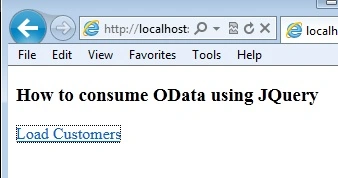
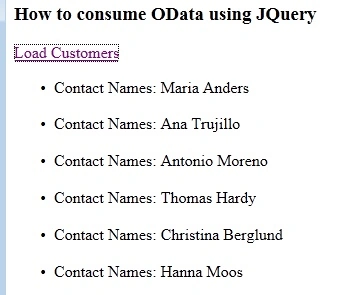
Now add a new HTML page for the application and add a few tags, such as:
<h3>How to consume OData using jQuery</h3>
<a href="#" id="LoadCustomers">Load Customers</a>
<div id="StatusDiv"></div>
<ul id="CustomersList"></ul>
Tausif AlamPosted May 14, 2013, 2:54 PM
Thanks a lot for sharing....