

Introduction
For this Tech Tip we will create a simple WCF Service and consume it in a sample SSIS package. A Web Service can simply be defined as a piece of functionality hosted over the web. It is a platform independent technology that can be leveraged using XML messages.
Let's go through the steps one by one.
Step 1
Create a WCF service using the “WCF Service Application” template in Visual Studio and add a method GetCustomerName to the WCF service as shown below.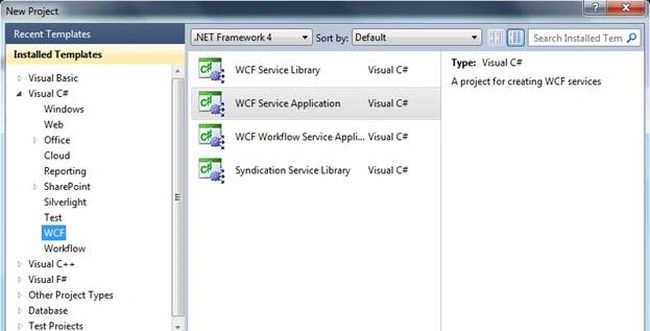
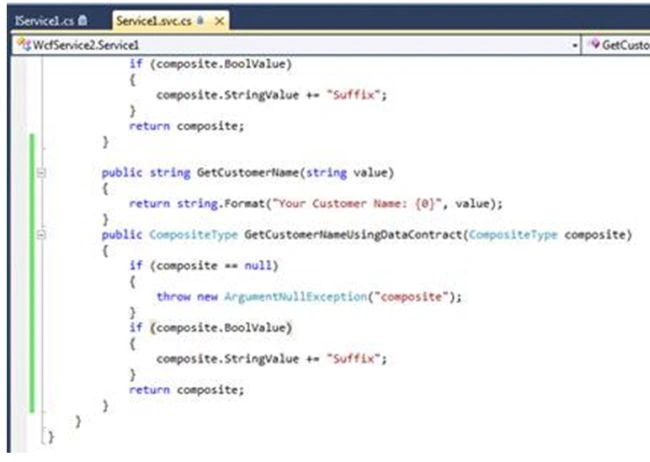
Step 2
You can test the service by pressing F5.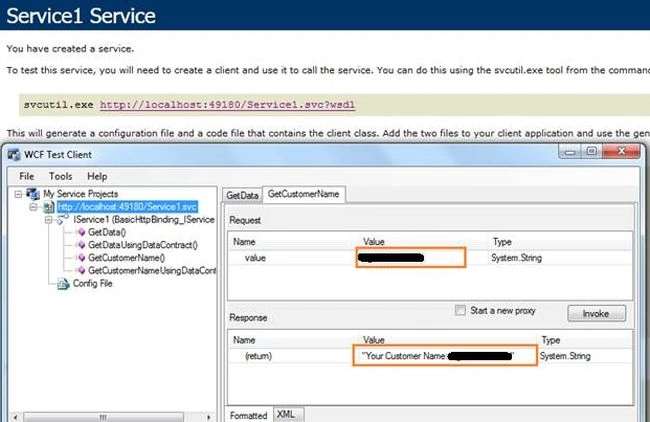
Step 3
So, our WCF service is up and running. Now let's create the SSIS package to consume the service. Open SSDT or BIDS and create a new SSIS Project.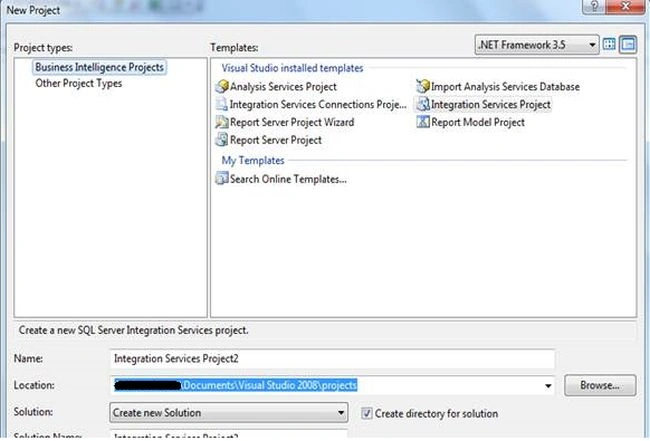
Step 4
Drag and drop the Web Service Task onto the Design pane.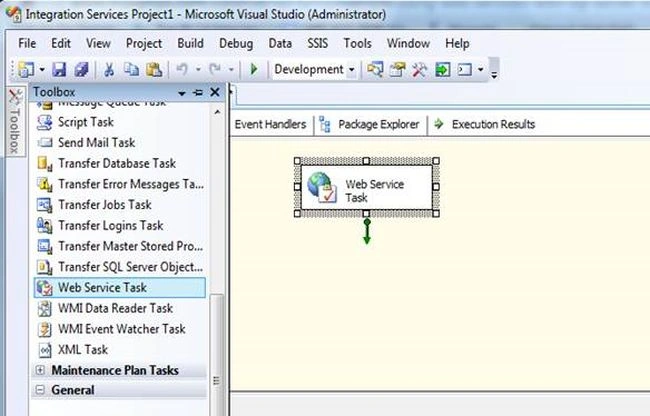
Step 5
Double-click on the Web Service Task to open the “Web Service Task Editor”. In the General tab set the HTTPConnection option by creating a new connection.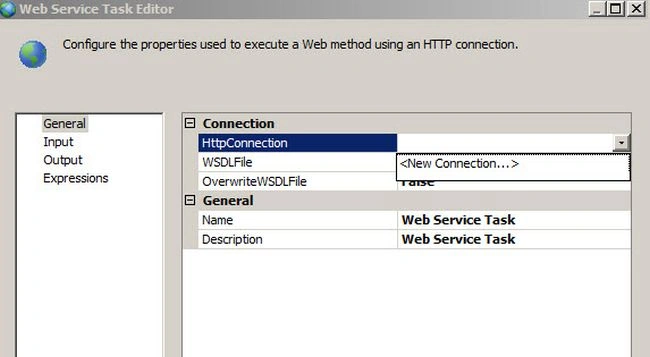
Step 6
In the Server URL TextBox, specify the WCF service address that we created earlier and press the “Test Connection” button.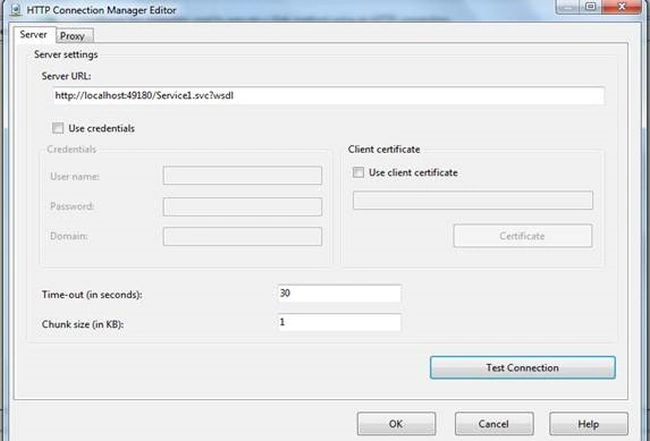
Step 7
Create an empty WSDL file in Notepad and specify the path to this file in the WSDLFile property. Make sure that the OverwriteWSDLFile option is set to true and press the “Download WSDL” button. 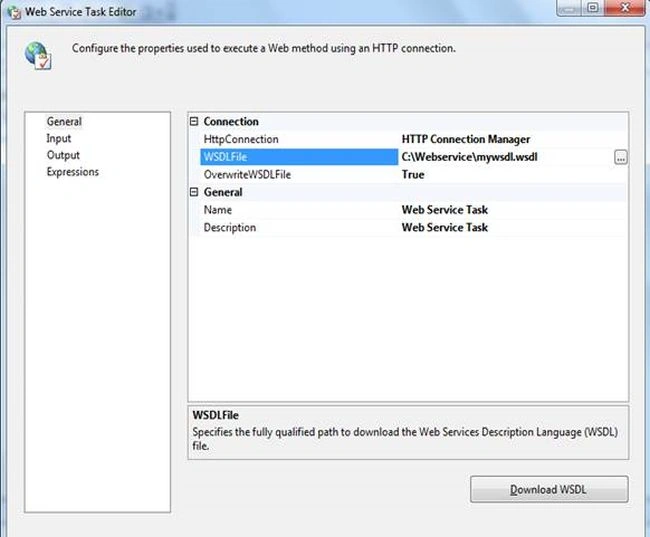
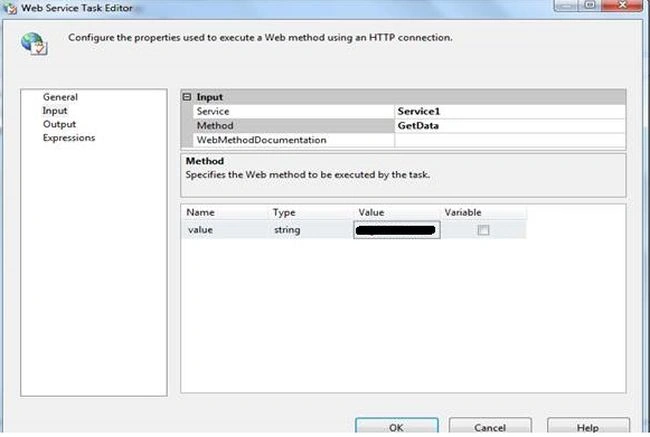
Step 8
For the purposes of this exercise, I have taken the web service output in a text file however we can use the response received from the WCF service in a variety of ways, for example:
- Saving to the database.
- Creating/Passing a JSON object.
- Sending it to another application.
For now, just go to the Output tab, in the File properties, select "New Connection". 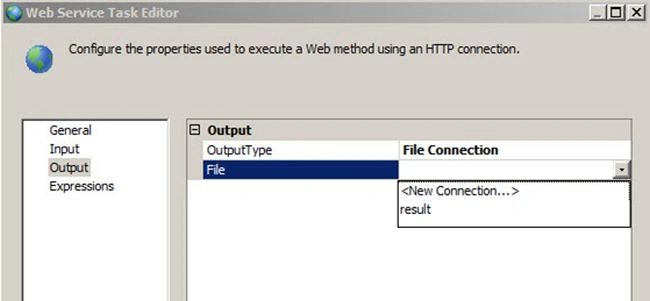
Step 9
Select the "Create file" option in the Usage type.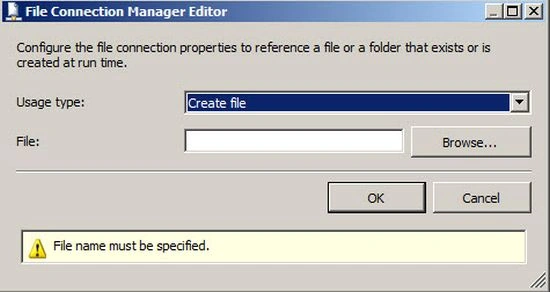
Step 10
In the File TextBox, specify the path of the file to store the results of the Web Service and press OK. This is the file where the XML data will be written to when the package is run and the web service is called.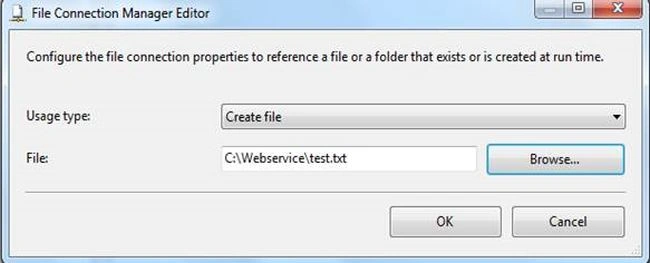
Step 11
Run the SSIS project.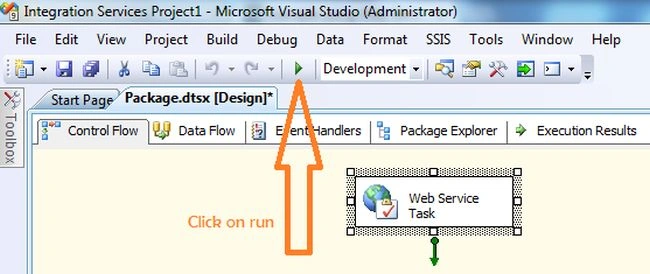
Step 12
Open the file created in the path specified in Step 10 and you can see the XML output that was created from the web service.
Kumaresh RajalingamPosted Apr 24, 2016, 9:35 PM
Nice share
Ketak BhalsingPosted Apr 24, 2016, 1:40 PM
Thanks Bhuvanesh
Ketak BhalsingPosted Apr 24, 2016, 1:40 PM
Thanks Pankaj
Ketak BhalsingPosted Apr 24, 2016, 1:40 PM
Thanks Humayun
Ketak BhalsingPosted Apr 24, 2016, 1:40 PM
Thanks Vignesh
Vignesh ManiPosted Apr 24, 2016, 10:20 AM
Nice
Humayun Kabir MamunPosted Apr 24, 2016, 12:35 AM
Nice...
Pankaj Kumar ChoudharyPosted Apr 23, 2016, 8:36 PM
nice explain.......
Bhuvanesh MohankumarPosted Apr 23, 2016, 5:58 PM
Good