

Requirement
If we don't know about JSON string/objects and how many columns there are or the column names, then we won't be able to create a C# class for an object deserializeObject, and I mean wrapper class. Here, the requirement is to bind GridView from JSON object without AJAX/jQuery and loop in C# also without wrapper class.
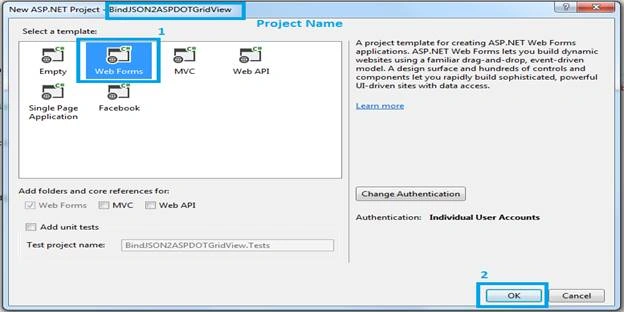
- Create a Web Application in Visual Studio.
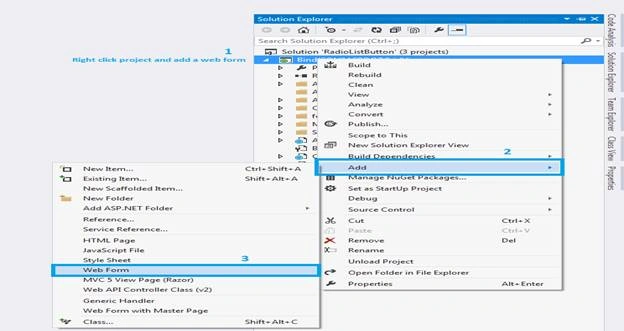
- Right click on the project and add a Web form by clicking Web Form.
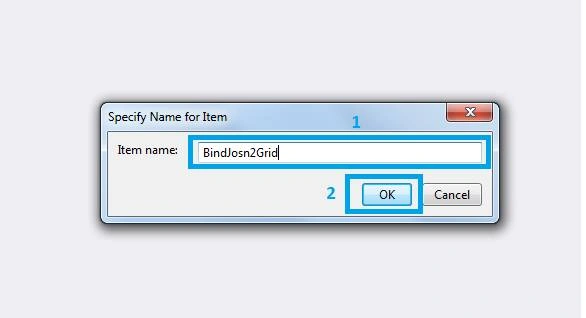
- Afterwards, open a Windows popup. In this, enter your Web Form name and click Add button.
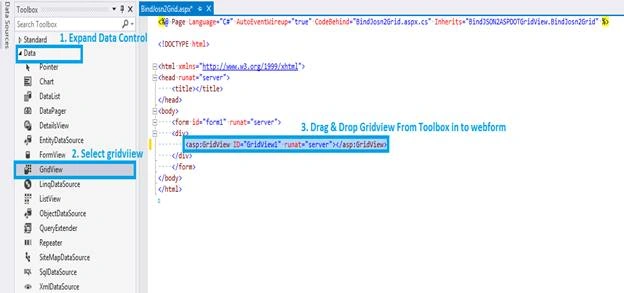
- Open your Web form .aspx source/design part and go to ToolBox. Drag and drop ASP.NET GridView control in to the Web form and set GridView style, as per your requirement.
- Here, a way to bind GridView from JSON is given below.
- Use dynamic keyword with JsonConvert.DeserializeObject. Here, you need to import Newtonsoft.Json.
- Use DataTable with JsonConvert.DeserializeObject. Here, you need to import, using System.Data.
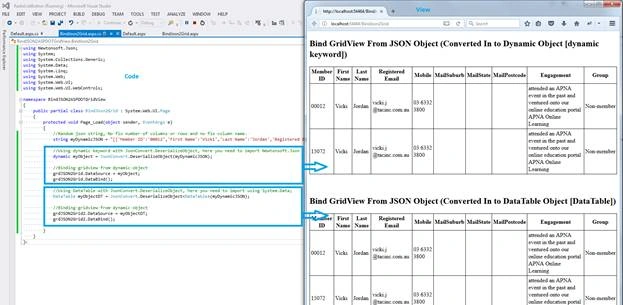
Dynamic
This is a data type, dynamic data type introduced since .NET Framework 4.0. The dynamic data type allows you to perform any operation and will be resolved at the run time. It does not require explicit type casting for any operation at run-time, because it identifies the types at run-time only. Dynamic type can be passed as a function argument and function can also return an object type. It is useful when coding , using reflection or dynamic language support or with the COM objects, because we need to write less code. [http://www.c-sharpcorner.com/blogs/variable-object-and-dynamic-data-type-in-c-sharp1]
DataTable
In .NET, it's a class, which represents a table of in-memory data.
CODE
.ASPX
Vijaykumar NagulaPosted Feb 4, 2020, 11:35 PM
//we can use listList<Products> myObjectDT = JsonConvert.DeserializeObject<List<Products>>(myDynamicJSON); //class Properties should be same as json keys public class Products { public string Member_ID { get; set; } public string First_Name { get; set; } public string Last_Name { get; set; } }
pankaj singhPosted Nov 23, 2019, 12:00 AM
The data source for GridView with id 'grdJSON2Grid' did not have any properties or attributes from which to generate columns. Ensure that your data source has content.
aravind vPosted May 29, 2018, 7:33 AM
The data source for GridView with id 'grdJSON2Grid' did not have any properties or attributes from which to generate columns. Ensure that your data source has content."
Dipankar DeyPosted May 16, 2018, 1:26 AM
Its showing expection message "The data source for GridView with id 'grdJSON2Grid' did not have any properties or attributes from which to generate columns. Ensure that your data source has content."
Rajan PandeyPosted May 15, 2018, 2:35 AM
The code working fine but need one updation on it Please add AutoGenerateColumns=true" in the property attribute of grid.
Deepak VermaPosted May 2, 2018, 7:09 AM
Nice article sir..................