

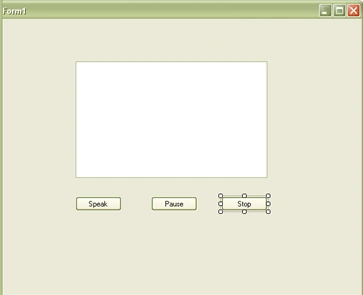
When entering text into the textbox and the speak button is clicked then this program will read out the text in the textbox.
Solution:
After designing the form, the button click event must be raised. Use the following code for it.
Speak:
string text = textBox1.Text;
SpeechController.Instance.Speech(text);
Create a new class with the name SpeechController and add the following namespaces:
using System.Speech.Synthesis;
using System.Speech.AudioFormat;
And use the following code for it:
public static SpeechController Instance
{
get {return msInstace; }
}
private static SpeechController msInstace=new SpeechController();
private SpeechSynthesizer mySys = new SpeechSynthesizer();
public void Speech(string text)
{
mySys.SpeakAsync(text);
}
Riyaz MokashiPosted Feb 25, 2013, 7:00 AM
This is nice one.But can u please send me the source code of this? because i am looking for the same task.
ehab lotfyPosted Feb 23, 2011, 10:17 AM
but i can't use namespaces defined in visual studio 2008 because the program not be able to defined this namespaces sender :- Ehab Lotfy
Manish TewatiaPosted Feb 16, 2011, 5:36 AM
Hi Dinkar, Is it possible to set the spoken language according to choice....?