
Basically, the Task Scheduler allows computer jobs to be executed when a pre-determined trigger occurs. Now we will learn more about the scheduler step-by-step.
Step 1: Click on the Start Menu then enter "task" then the Task Scheduler will be in the results as in the following: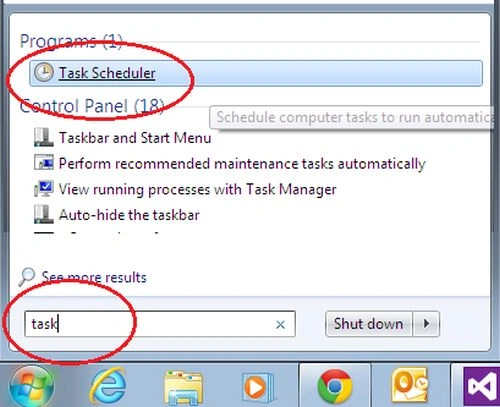
Image 1
Or you can go the Start -> All Programs -> Accesories -> System Tools.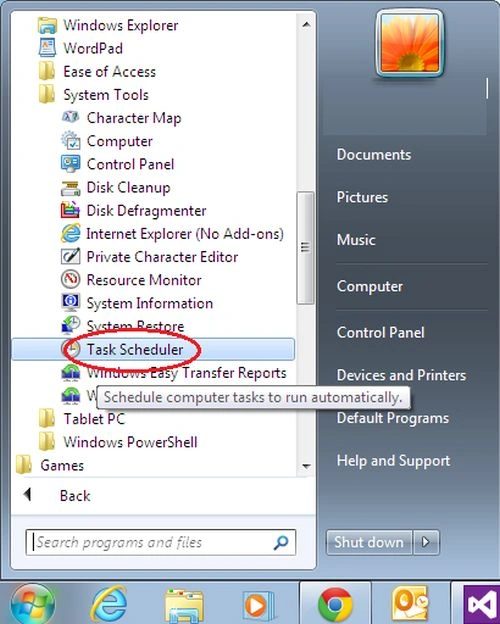
Image 2
Step 2: Now select Action -> Create Basic Task.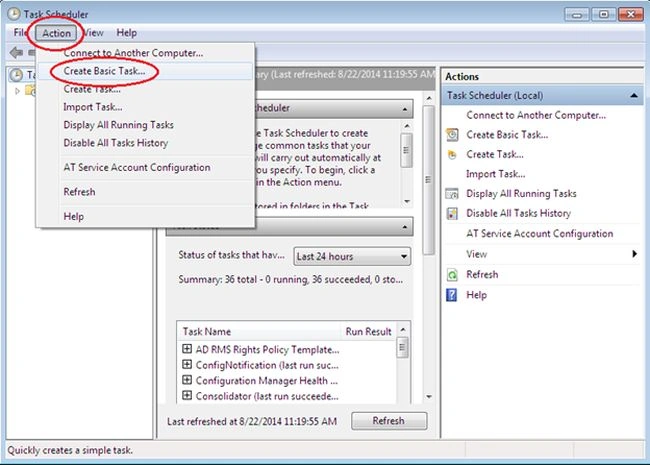
Image 3
Step 3: A wizard will open. Provide a name and description here.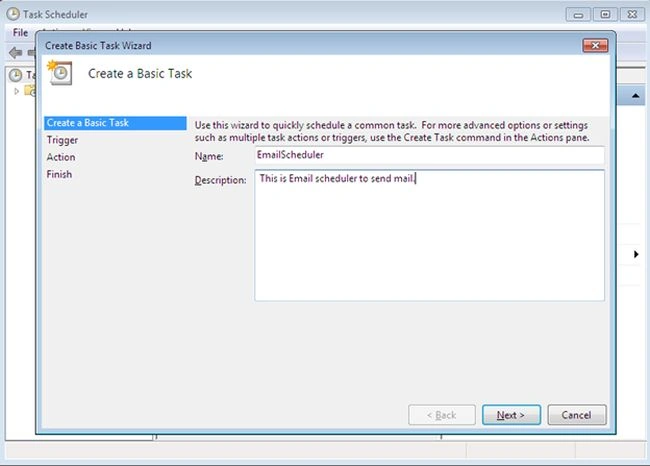
Image 4
Step 4: Now set the trigger.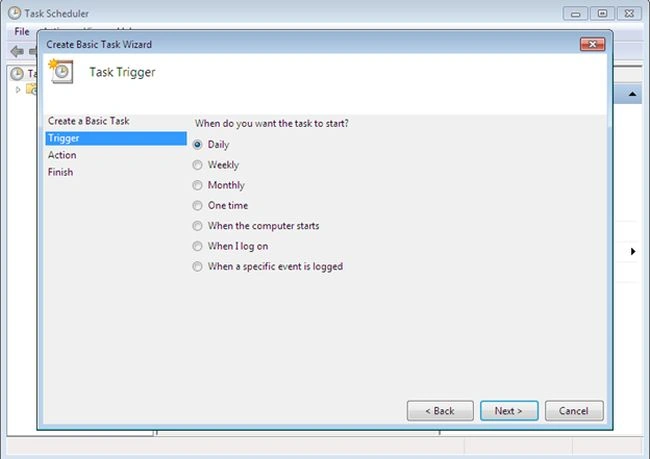
Image 5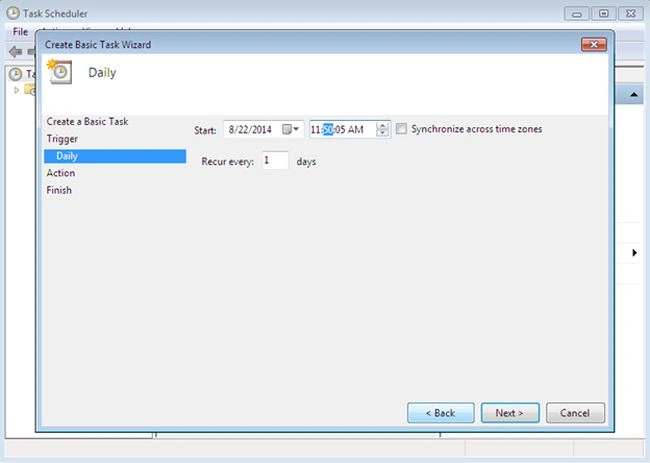
Image 6
Step 5: Set you the action here.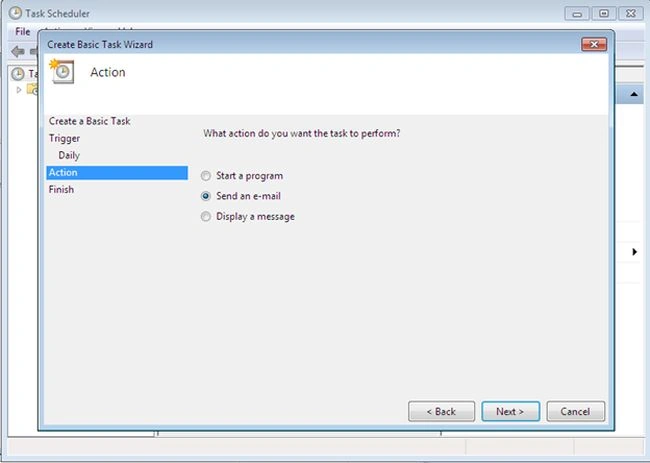
Image 7
Step 6: Set the Action Property.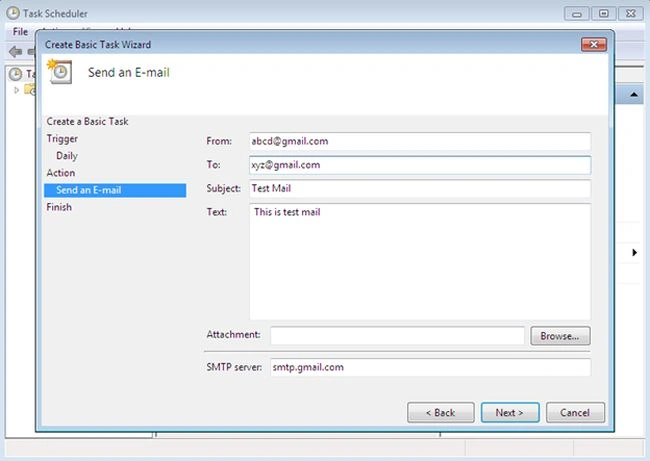
Image 8
Step 7: Now click Finish. Your scheduler is ready for action.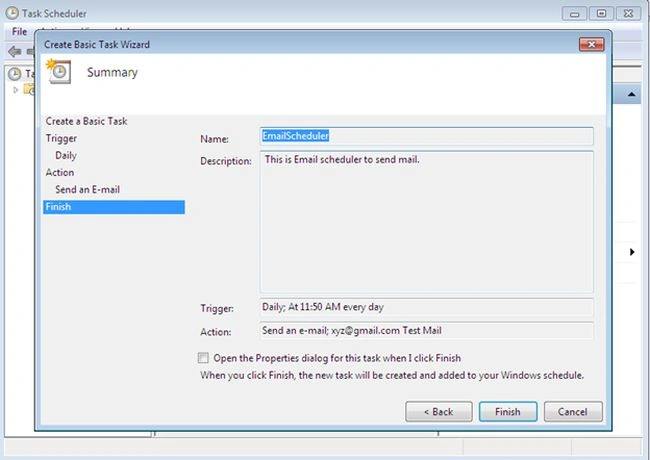
Image 9

How to Create a task in Task Scheduler in Windows
Join the conversation! Your thoughts help the community grow.
Sign in to leave a comment
It is the same account you read, post and publish with — and you will come straight back to this page.
Chandradev PrasadPosted Nov 9, 2014, 3:36 AM
Nice article. Have you tested with live gmail id ?