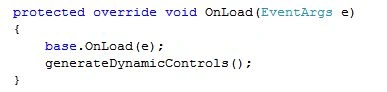
I have searched for and found many websites but they do not show how to read values of dynamically created controls, only how to create dynamic controls in ASP.Net.
So today I will show to how to create dynamic controls in ASP.Net and how to read the dynamically created control values using ASP.NET. In this article, I have dynamically created "TextBox", "DropDownList", "RadioButtonList" and "CheckBoxList" contorls.
For better understand, please download the source code form this article.
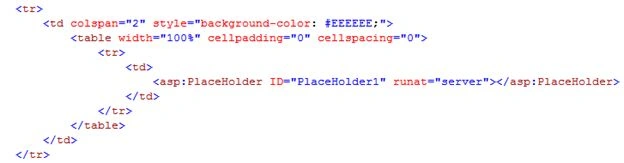
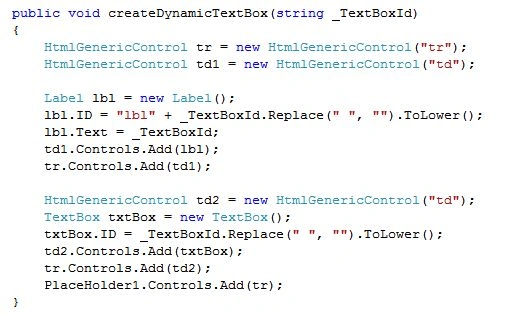
The following shows how to to create a dynamic TextBox and read its value.
.ASPX Code
C# Code
Read TextBox Value![]()

Example
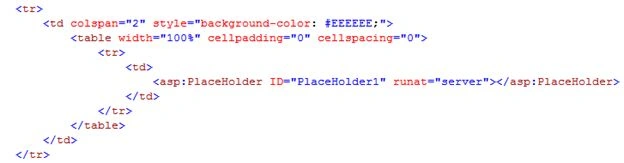
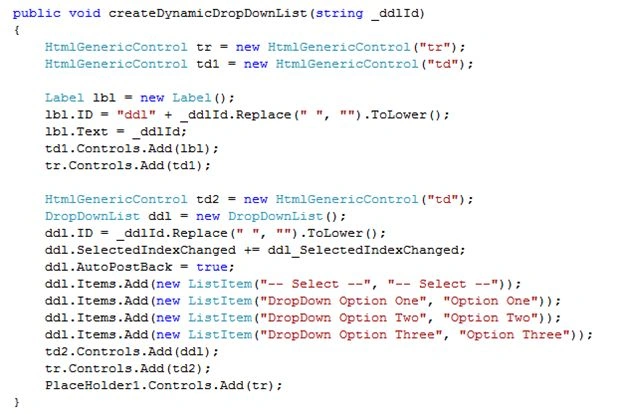
The following shows how to to create a dynamic DropDownList and read its value.
.ASPX Code
C# Code
Read DropDownList Value

![]()
Assign SelectedIndexChange Event to DroupDownList
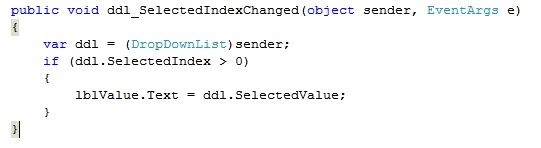
Add the "ddl_SelectedIndexChanged" event to the droupdownlist dynamically using the following code:

Example
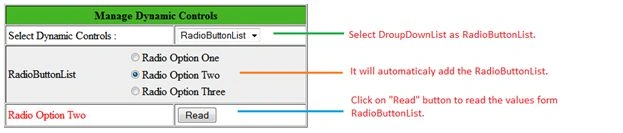
The following shows how to to create a dynamic RadioButtonList and read its value.
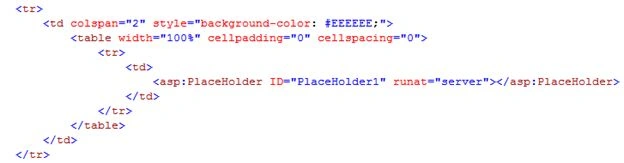
.ASPX Code
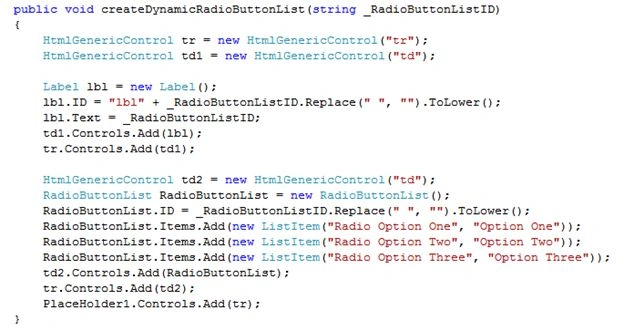
C# Code
Read RadioButtonList Value
Example
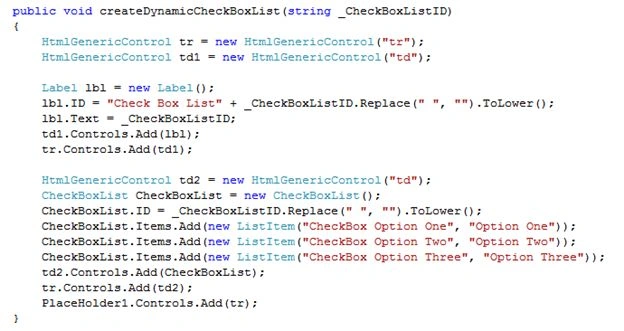
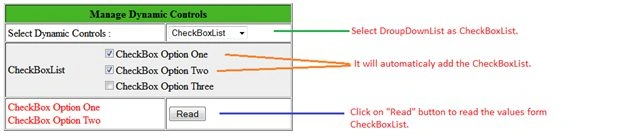
Create dynamic CheckBoxList and read their value:
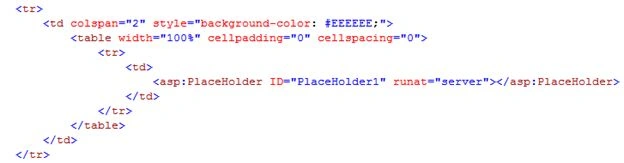
.ASPX Code
C# Code
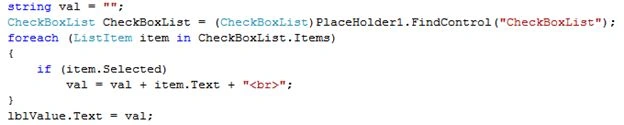
Read CheckBoxList Value
Example
Dynamically Created Controls Losing Data After Post-back or Retaining State for Dynamically Created Controls in ASP.NET Applications
Before we proceed, we need to keep in mind one thing. When you create a dynamic control in a page and if you do a post-back then the created control will be lost. I mean to say that "When using dynamic controls, you must remember that they will exist only until the next post-back. ASP.NET will not re-create a dynamically added control". You need to recreate all dynamically created controls on every post-back (in load event at the latest). You also need to ensure that they get the same ID as before to trigger events and maintain View State.
To show this issue I have used the following code:

rob kniepPosted Jun 8, 2017, 2:00 PM
Nice example. Thanks.
Imran HassanPosted Apr 1, 2017, 7:46 AM
Thanks brother....
Md Almajid KoushikPosted Jun 27, 2016, 3:46 PM
Great and Thanks for Share!!!!!
ismail imaniPosted Nov 21, 2015, 5:24 AM
Thanks a lot it's very helpful
Said KhalilPosted Jan 3, 2015, 3:07 AM
Excellent and very useful article.