

In this article we are going to create custom column using visual studio 2010.
Steps Involved:
Creating Empty SharePoint Project:
- Open Visual Studio 2010.
- Go to File => New => Project.
- Select 2010 from the installed templates SharePoint and choose Empty SharePoint Project.
- Name it as CustomColumn.
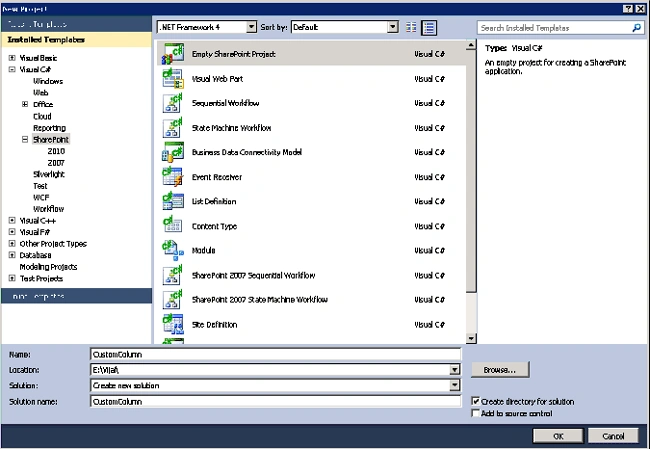
- Click Add.
- Enter the SharePoint server farm URL.
- Select 'Deploy it as a Farm Solution".
- Click Finish.
Adding an Empty Element:
- Right click the Solution Explorer and select Add a new item.
- Select Empty Element from the installed templates SharePoint and name it as CustomColumn.
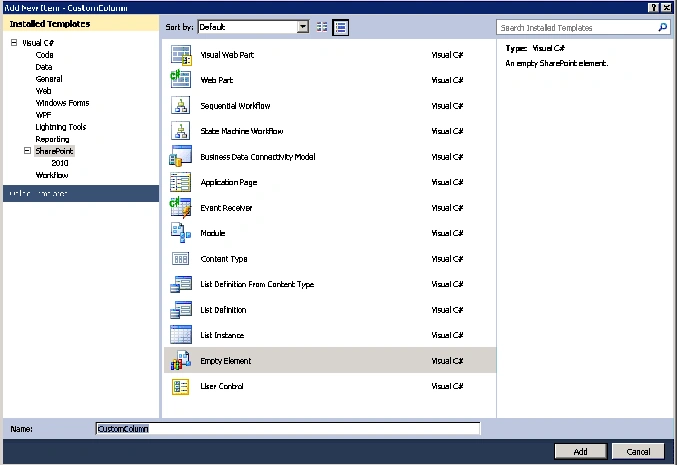
- Double click the Elements.xml file.
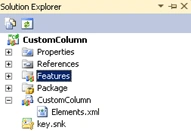
- Replace the code with the below one.
<?xml version="1.0" encoding="utf-8"?>
<Elements xmlns="http://schemas.microsoft.com/sharepoint/">
<Field ID="{4678C6A2-F296-432C-A4CA-8C4D96DA6B46}"
Name="CustomColumn"
DisplayName="Custom Column"
Type="Text"
Group="Custom Columns">
</Field>
</Elements> - In the above code, we are adding a custom column with the Type "Text" and with the group name as "Custom Columns".
- Build the solution.
- Deploy the solution.
Testing:
- Go to the SharePoint site.
- Go to Site Actions => Site Settings =>Galleries =>Site Columns.
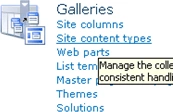
- You will see the custom column that we have created in the group "Custom Columns".

ManfredPosted Dec 27, 2010, 11:34 AM
How can I add the Custom SharePoint 2010 List Column to DefaultView "All Documents" (AllItems.aspx)? I want do this declarative. Is it possible that I can define this within the field element with an attribute? For example Viewable="TRUE" (Optional Boolean. TRUE to specify that the field is added to the default view. The default value is TRUE.) doesn't work. Thx in advance. Manfred