

Getting Started
- Open Visual Studio 2015 and create a new project.
- Go to "File" -> "New" -> "Project".
- Select "SQL Server" in the installed templates.
- Select "SQL Server Database Project".
- Enter the Name and choose the location.
- Click "OK"
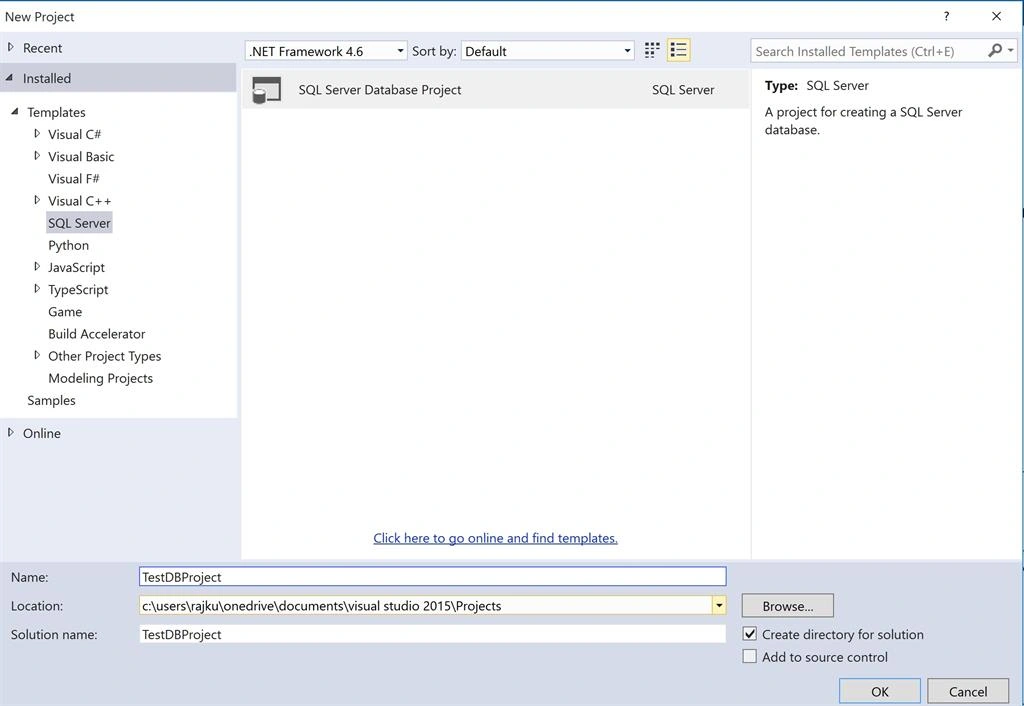
Figure 1
Next thing is you need to right click on solutions and click Add. Here you can add many things like Table, View, Script, Stored Procedure, table valued function, Scaler valued function, etc.
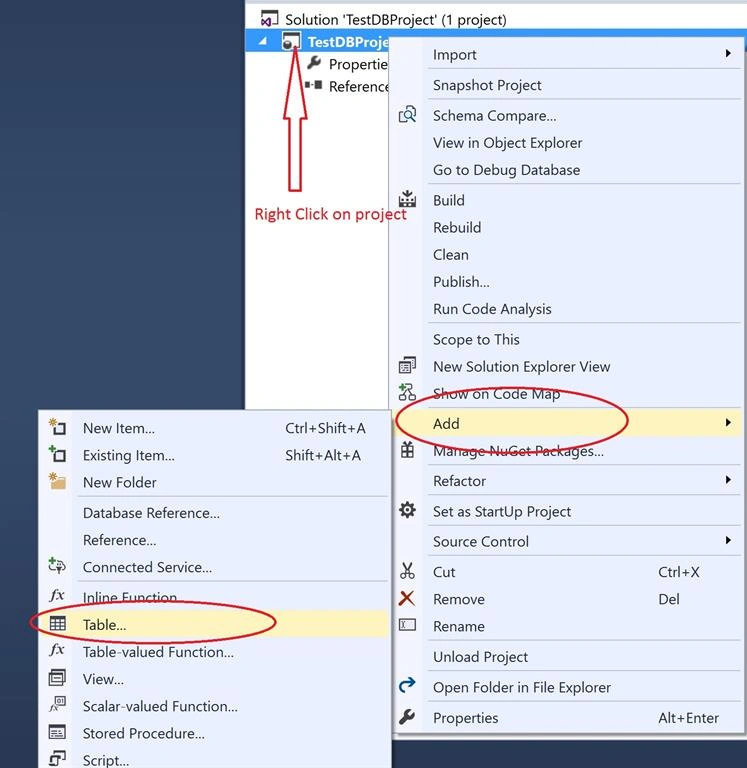
Figure 2
Once you click on create new Table, that gives you a bunch of options there in Tables and Views template. Give proper table name and click Add button.
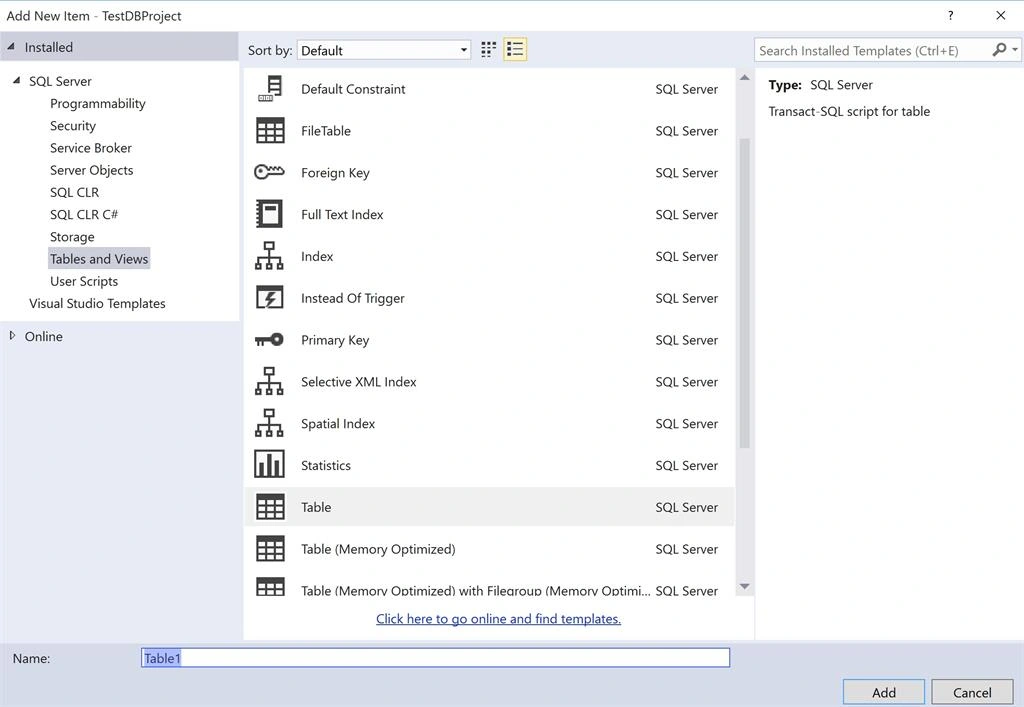
Figure 3
Once you done with adding table, you will see the following design like, here you can add columns with datatype.
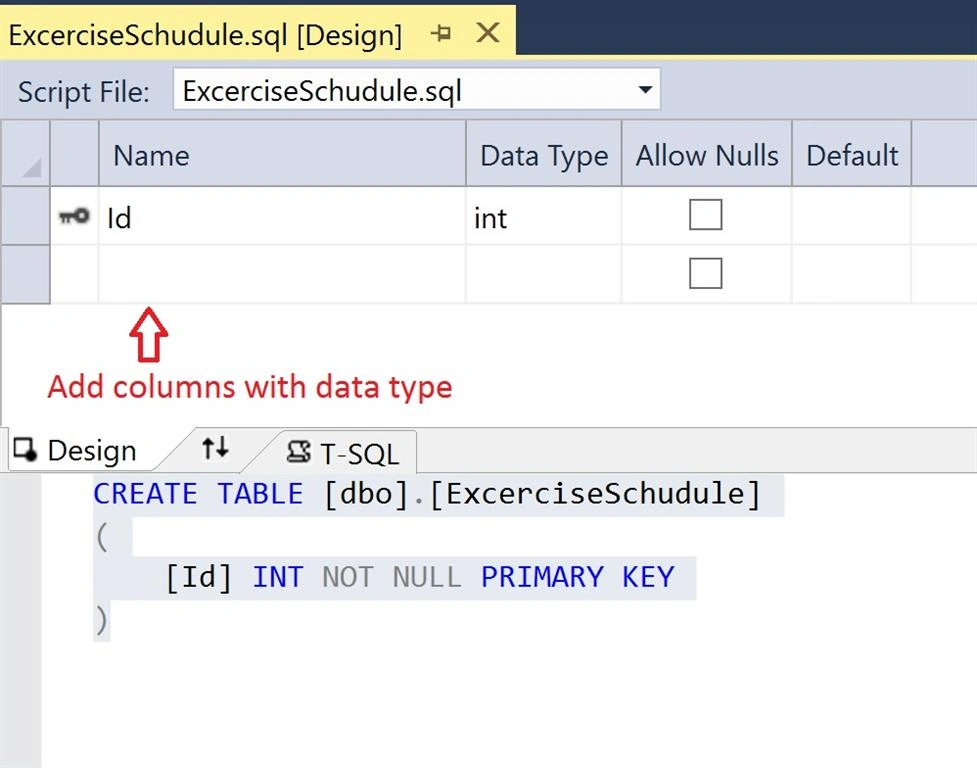
Figure 4
This is my table script.
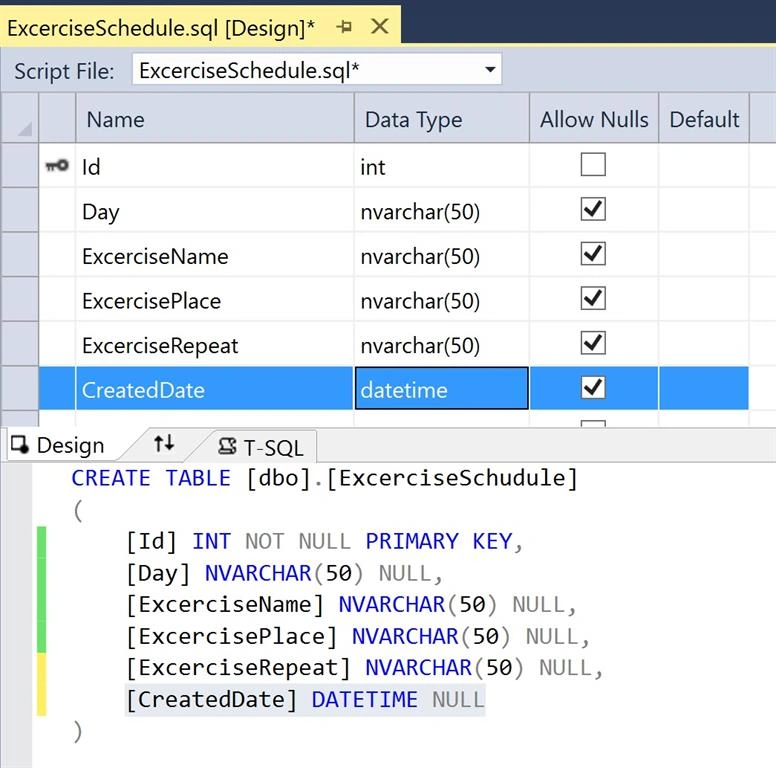
Figure 5
Publish The Database
Right click on solutions explorer and click on properties.
You can select SQL server version from Project Settings tab.
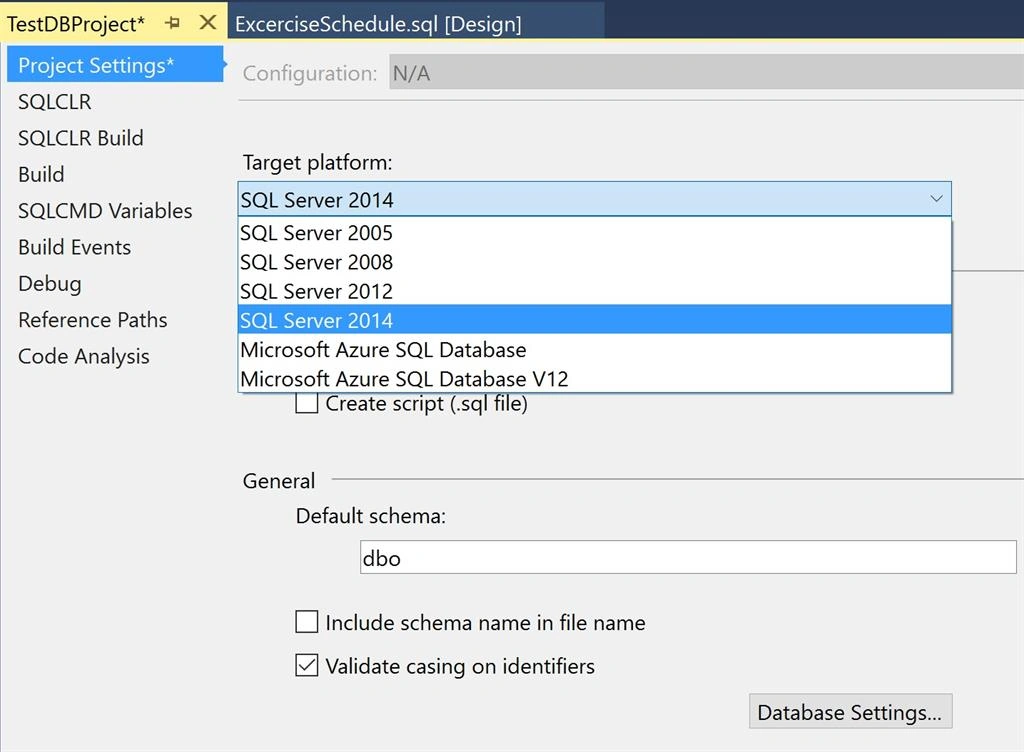
Figure 6
Now you can change default connection from Debug Tab. Click Edit button.
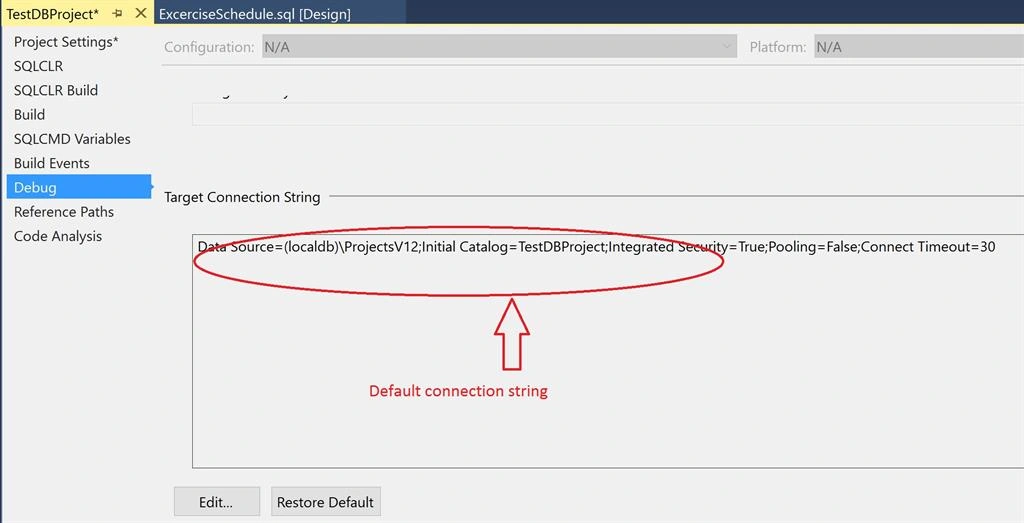
Figure 7
Now change connection properties and enter server name, user name, password and select database and click OK.
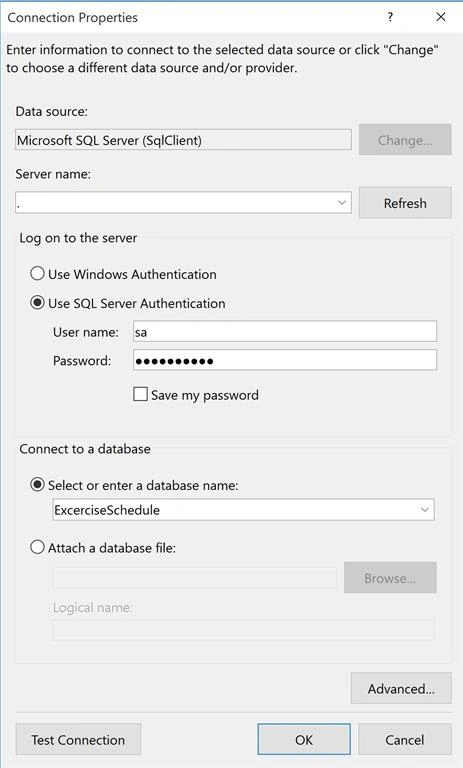
Figure 8
Don’t forget to save changes.
Now right click on solutions and click Publish.
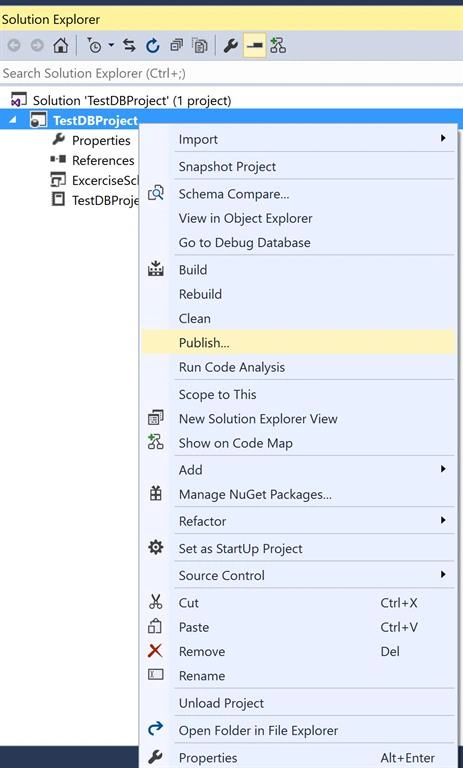
Figure 9
Edit target database setting.
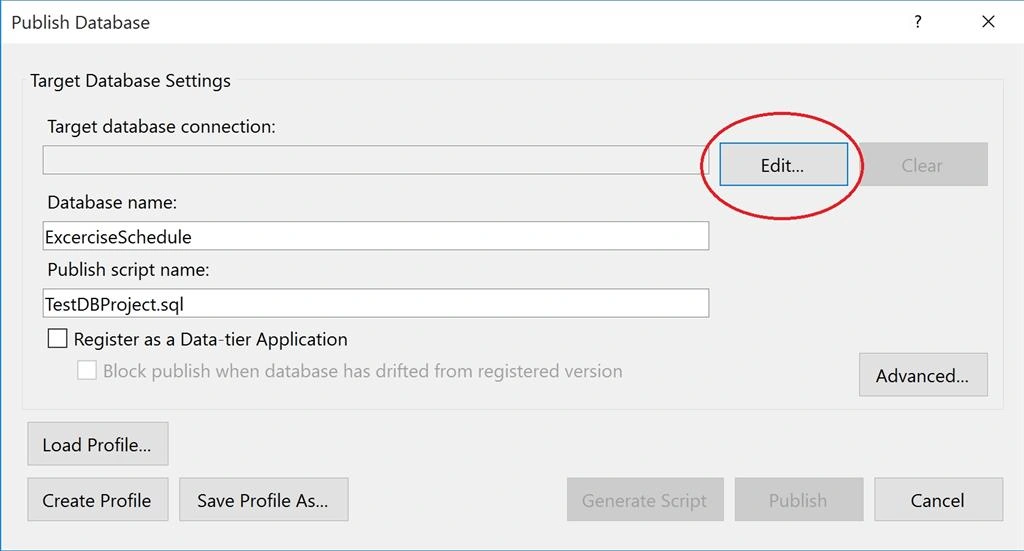
Figure 10
Enter connection properties and click OK.
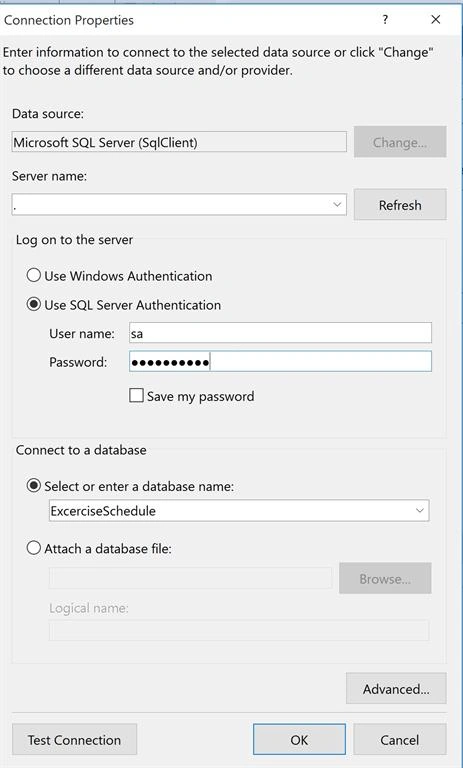
Figure 11
And now click on Publish button.
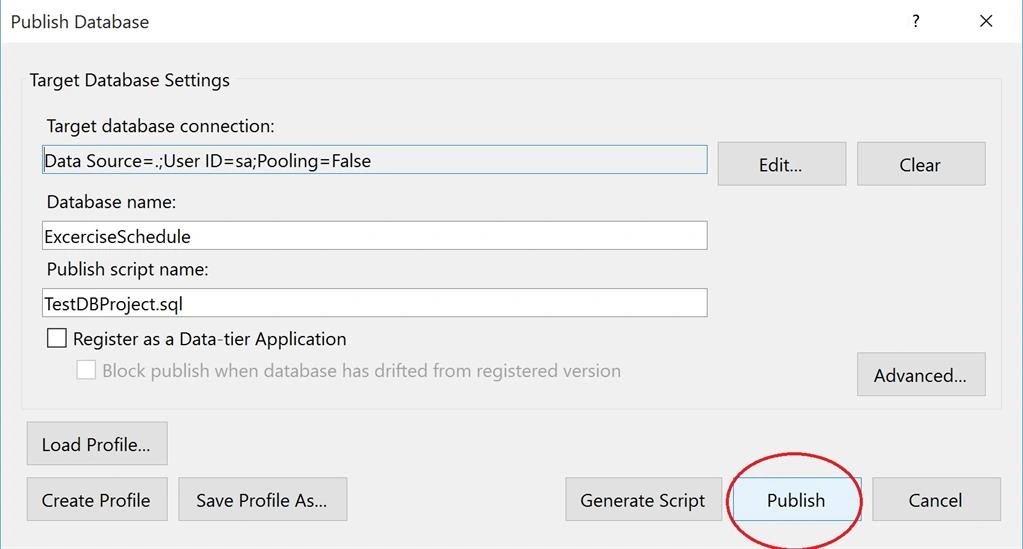
Figure 12
Wait until database published.
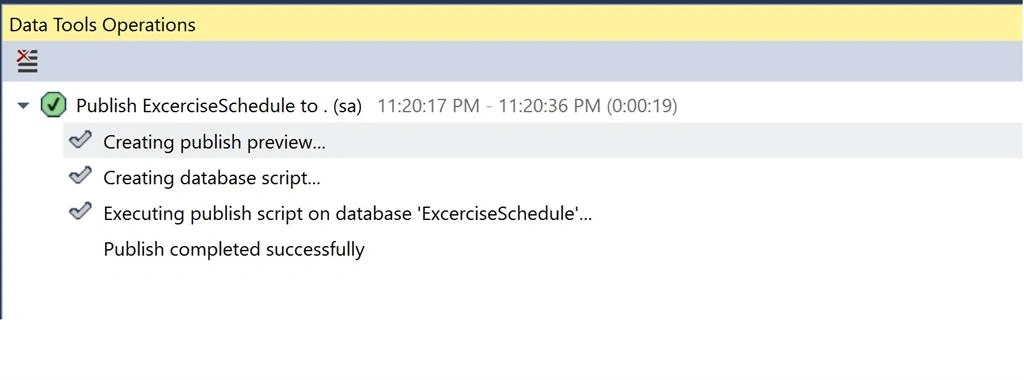
Figure 13
Once you see published completed successfully. Now connect SQL Server Management Studio and check database.
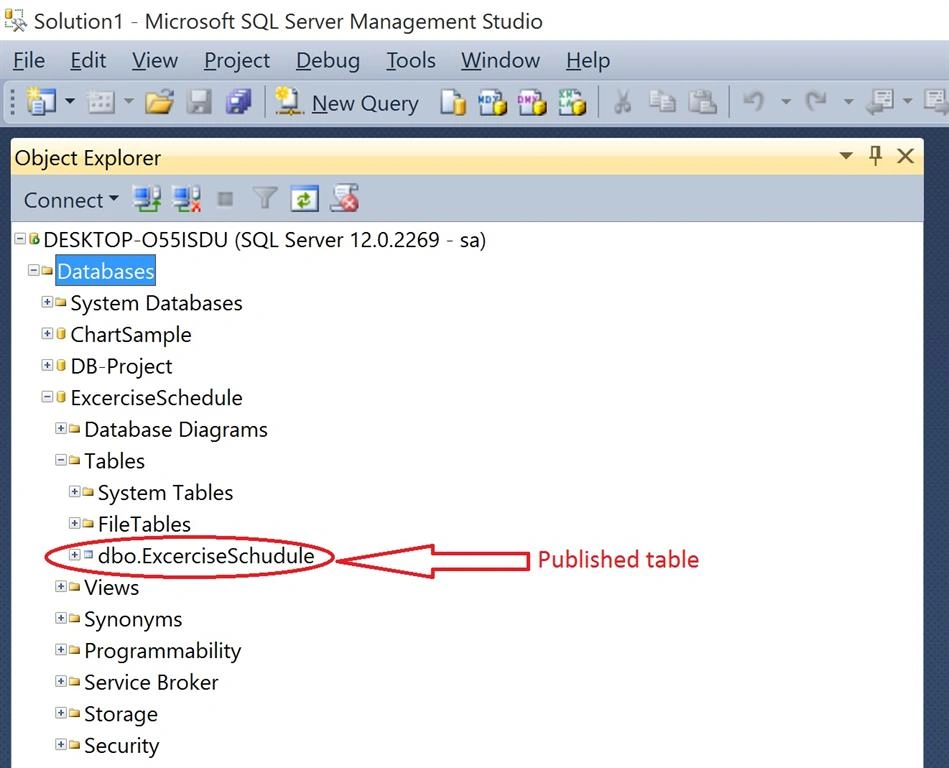
Figure 14
Summary
In this article you learnt how to create database project in Visual Studio 2015 and publish that database in SQL Server 2014. If you have any question drop me a line in comments section.
Ali KeilbachPosted Apr 5, 2018, 10:37 AM
Hi Raj, thank you so much for such an awesome tutorial. I was wondering do you now have a section of how to create data entry forms in Visual Studio 2015 for your newly created database that was created in Visual Studio 2015? Thank you, Ali
Prashant PimpalePosted Apr 22, 2017, 8:19 AM
Hi Raj, i want some more information about SQL Server Project....How to better use it. And some Advanced Features.
Manav PandyaPosted Oct 2, 2016, 3:49 AM
Great
KARAMPosted Aug 12, 2016, 3:47 AM
I have one question here: The publish feature is for first time creating database and tablesWhat about creating more tables and there data later on? I mean how to update the existing data base with new tables with no data lose to the existing tables. Thanks
Omid NasriPosted Dec 4, 2015, 3:20 PM
Nice
kalu singh raoPosted Dec 4, 2015, 10:36 AM
great
Santhakumar MunuswamyPosted Dec 4, 2015, 7:21 AM
Good one
Mohammed IbrahimPosted Dec 3, 2015, 7:38 PM
nice
Ankur MistryPosted Dec 3, 2015, 12:50 PM
nice