

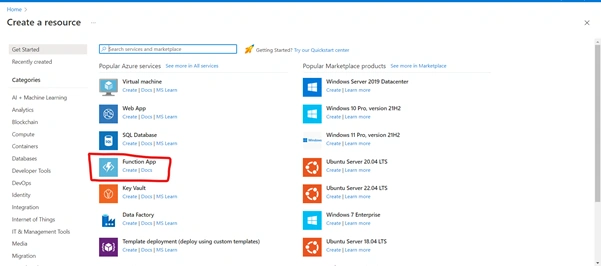
Create Function App
Make a function app to organize functions into logical groups for simpler resource management, deployment, and sharing. Functions enables serverless code execution without initially publishing a web application or establishing a virtual machine.
Project Details
To control costs and deployed resources, choose a subscription. For resource management and organization, use resource groups like folders.
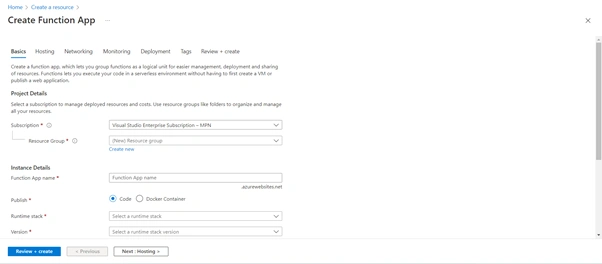
Give the application a name, then choose the development stack to execute it after selecting the Subscription and creating the resource group.

Operating system
The Operating System has been recommended for you based on your selection of runtime stack.

Plan
The plan you choose dictates how your app scales, what features are enabled, and how it is priced.
Select the Hosting Storage Option
When creating a function app, you must build or link to a general-purpose Azure Storage account that supports Blobs, Queues, and Table storage.

Select the Networking Option
Function Apps can be set up with an inbound address either isolated to an Azure virtual network or made public to the internet. Additionally, function apps can be configured to have outward traffic that can reach endpoints in a virtual network, be controlled by network security groups, or be impacted by virtual network routes. Your program can access the internet by default but cannot connect to a virtual network. After the app is provided, these features can also be modified.

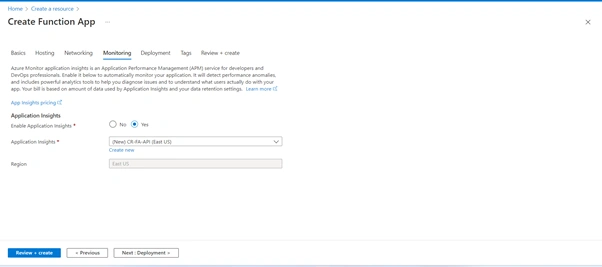
Select the Monitoring Option
Application Performance Management (APM) offering for developers and DevOps experts is Azure Monitor application insights. It has robust analytics capabilities that will help you identify problems and understand how people interact with your app, and it will spot performance anomalies. To automatically monitor your application, turn it on below. The quantity of data Application Insights uses, and your data retention preferences determine your bill.

Select the Deployment Option
To deploy your app continually, enable GitHub Actions. When a new commit is made to your repository, the automation framework GitHub Actions may build, test, and deploy your app. Choose your repository here if your code is stored in GitHub, and we'll add a process file to let you deploy your app-to-App Service automatically. Once the web app has been created, go to the Deployment Center to configure your deployment if your code is not already in GitHub.
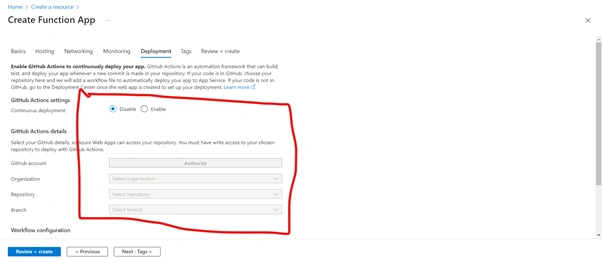
GitHub Actions details
Select your GitHub details so that Azure Web Apps can access your repository. You must have write access to your chosen repository to deploy with GitHub Actions.

Select the Tags Option
By assigning the same tag to several resources and resource groups, tags, which are name/value pairs, allow you to categorize resources and examine consolidated billing.
Note that if you create tags and then change resource settings on other tabs, your tags will be automatically updated.

Review and Create
Now verify all your settings and hit the review and create button.

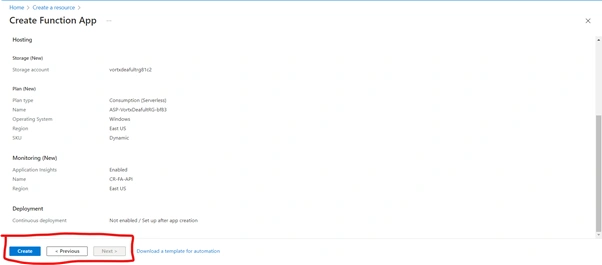
Initial Deployment
In the below figure, you can see the initial development.

Deployment in Progress
Our Application Deployment is in progress.

Deployment Complete
Now you can see that our Deployment has been done.
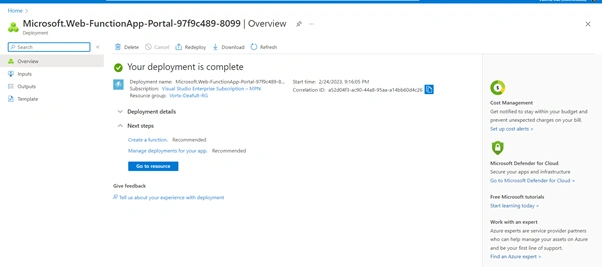
Hit the Application URL
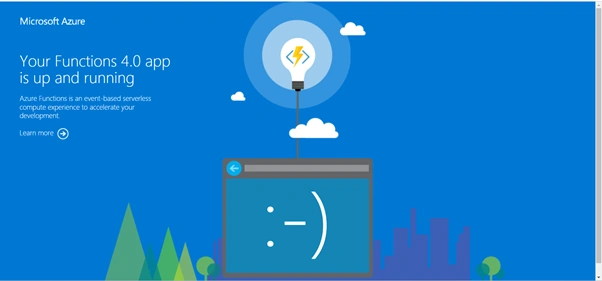
Now after the deployment is done, hit the application URL.

Application Live URL
Now our application is running fine.
Join the conversation! Your thoughts help the community grow.