

Requirements
Visual Studio 2015 or higher version with Windows SDK.
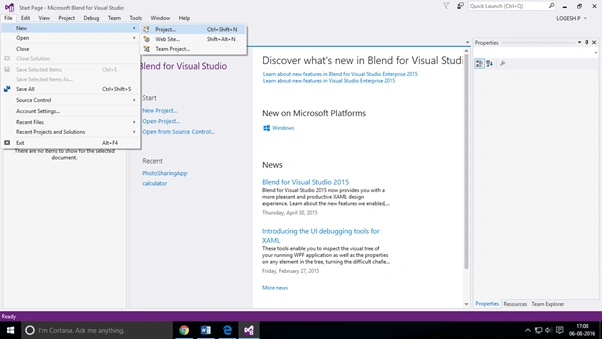
Step 1: Open Visual Studio 2015. Go to File and go to New. Subsequently go to project.
File→New→Project
Step 2: We can choose Visual C# and select Windows. Select the universal and next select the Blank App (Universal Windows).
Visual C#→Windows→universal→Blank App(Universal Windows)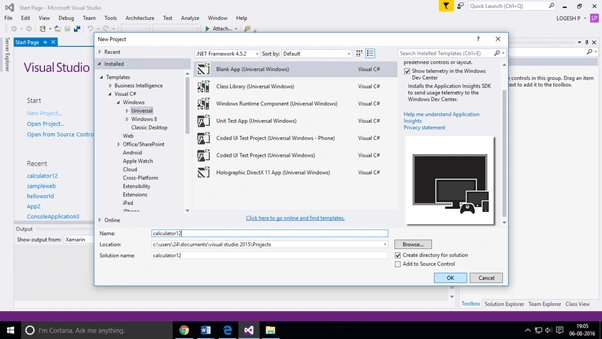
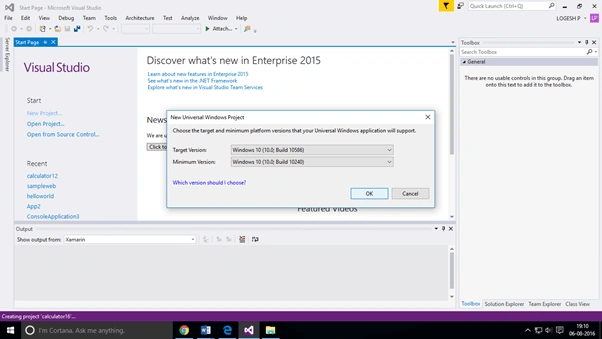
Step 3: Choose the target and the minimum platform version, which your Universal Windows Application will support.
Step 4: Open Mainpage.XAML. Add the following codes, given below:
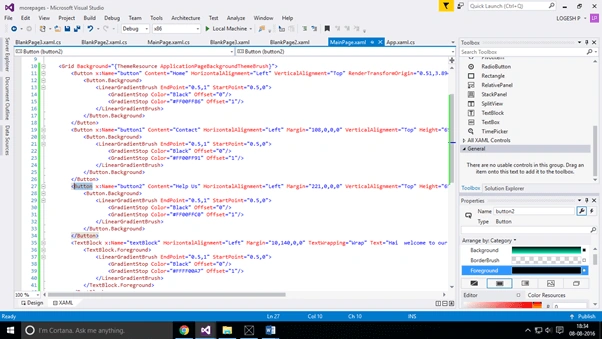
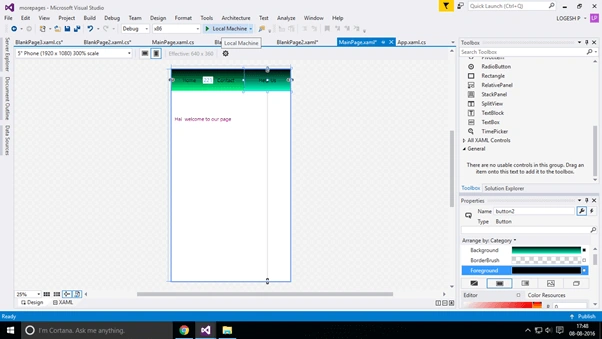
The design page is given below: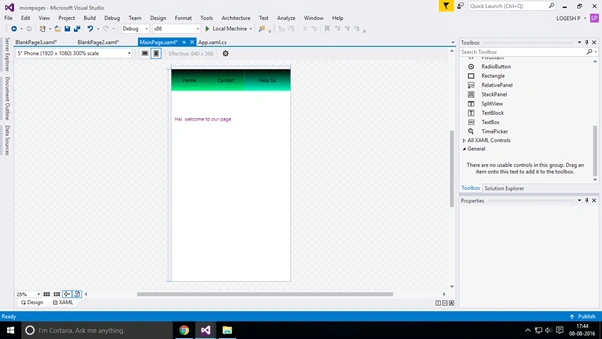
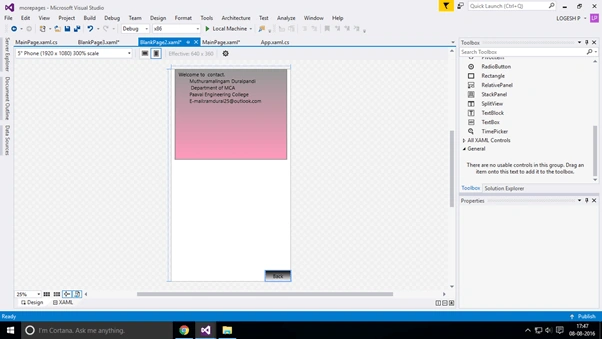
Step 5: Open Mainpage.cs file. Add the codes, given below:
- namespace morepages
- {
- /// <summary>
- /// An empty page that can be used on its own or navigated to within a Frame.
- /// </summary>
- public sealed partial class MainPage: Page
- {
- public MainPage() {
- this.InitializeComponent();
- }
- private void button_Click(object sender, RoutedEventArgs e) {}
- private void button1_Click(object sender, RoutedEventArgs e) {
- this.Frame.Navigate(typeof(BlankPage2));
- }
- private void button2_Click(object sender, RoutedEventArgs e) {
- this.Frame.Navigate(typeof(BlankPage3));
- }
- }
- }
- namespace morepages {
- /// <summary>
- /// An empty page that can be used on its own or navigated to within a Frame.
- /// </summary>
- public sealed partial class BlankPage2: Page {
- public BlankPage2() {
- this.InitializeComponent();
- }
- private void button_Click(object sender, RoutedEventArgs e) {
- this.Frame.Navigate(typeof(MainPage));
- }
- }
- }
- namespace morepages
- {
- /// <summary>
- /// An empty page that can be used on its own or navigated to within a Frame.
- /// </summary>
- public sealed partial class BlankPage3: Page {
- public BlankPage3() {
- this.InitializeComponent();
- }
- private void button_Click(object sender, RoutedEventArgs e) {
- this.Frame.Navigate(typeof(MainPage));
- }
- }
- }
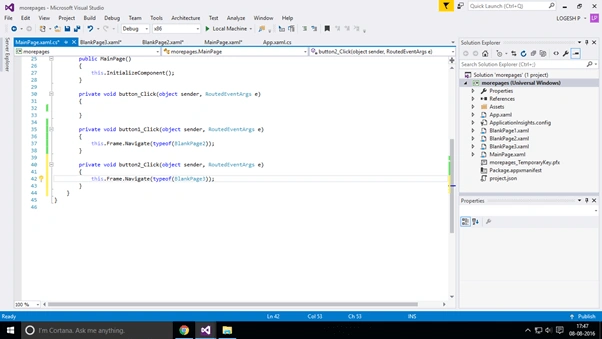
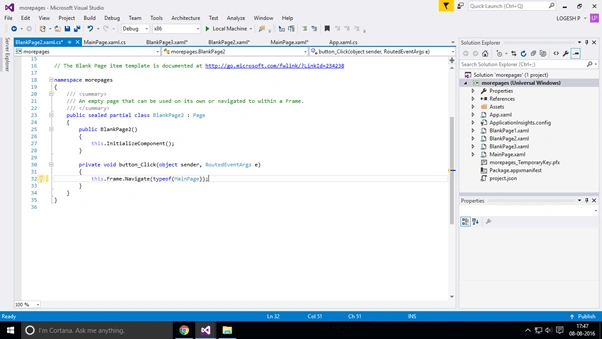
Step 6: You can run the project.
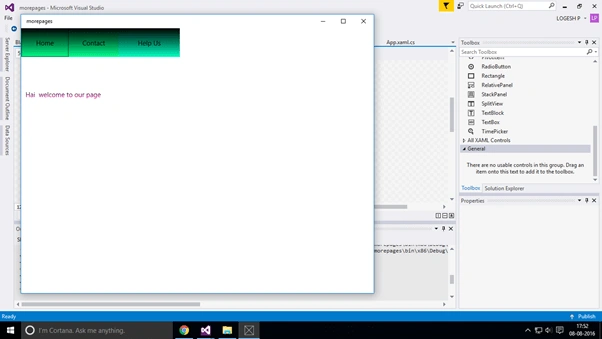
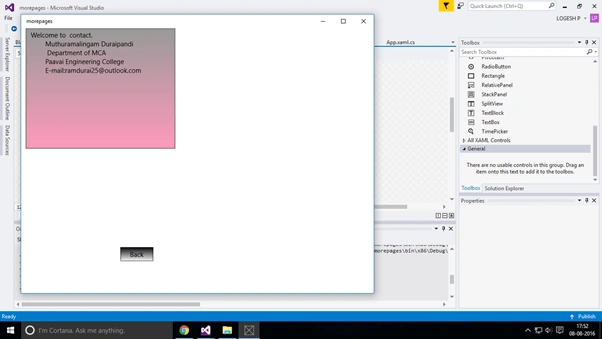
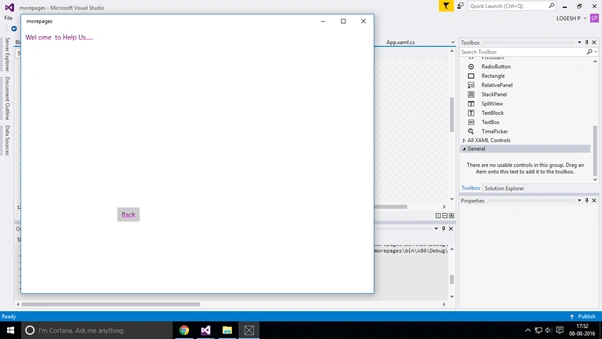
Step 7: You can see the output.
SubashPosted Sep 7, 2016, 7:48 AM
Nice one
Ravi KandelPosted Aug 14, 2016, 2:55 AM
Nice
Delpin Susai RajPosted Aug 13, 2016, 1:26 AM
Nice Article
Vignesh ManiPosted Aug 12, 2016, 12:24 PM
Nice
Suresh MPosted Aug 12, 2016, 6:09 AM
Try to give exact heading, because you are not mention how to create new page. you are only showing how to navigate to new page.
Prasanna MuraliPosted Aug 12, 2016, 2:45 AM
Nice share