

Introduction
In this article I am going to explain how to create a shape in SQL Server 2012. SQL Server 2012 provides the ability to create shapes.
In SQL Server 2012 we can create various types of shapes like triangle, square, pentagon, hexagon, heptagon and octagon. You can create 2 different types of shapes based on your imagination.
First of all to create a shape we declare a variable using the DECLARE keyword. We create this variable as a geometry data type.
We complete declaration of the variable then we execute this variable. To execute this variable we use a SELECT statement.
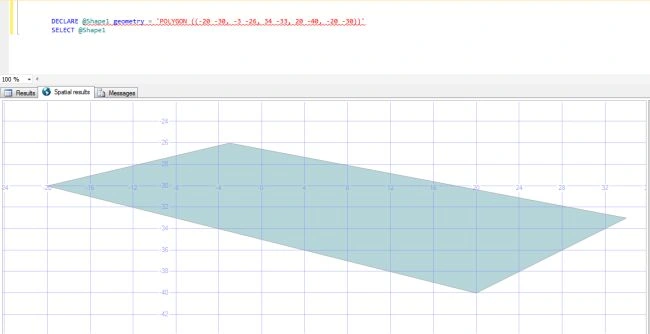
Here we are creating a shape in SQL Server 2012.
Statement that creates a shape in SQL Server 2012:
|
DECLARE@Shape1 geometry = 'POLYGON ((-20 -30, -3 -26, 34 -33, 20 -40, -20 -30))' |
Output
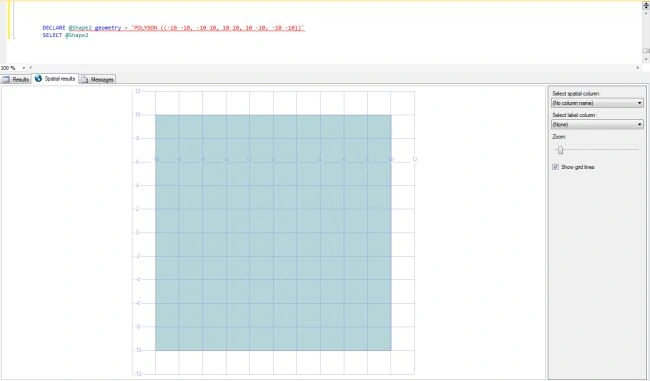
Statement that creates a square in SQL Server 2012:
|
DECLARE@Shape2 geometry = 'POLYGON ((-10 -10, -10 10, 10 10, 10 -10, -10 -10))' |
Output
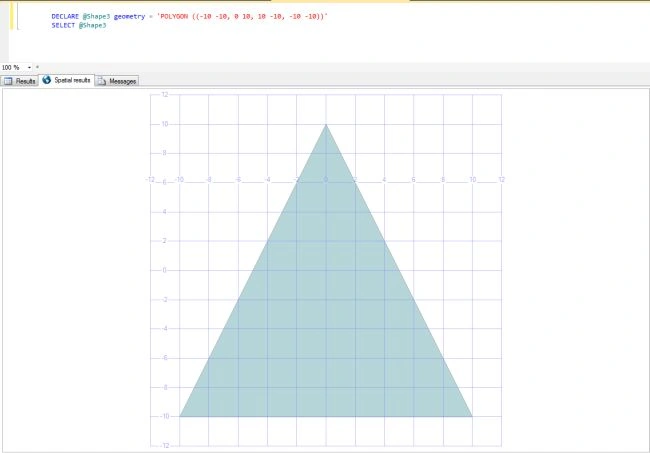
Statement that create triangle in SQL Server 2012:
|
DECLARE@Shape3 geometry = 'POLYGON ((-10 -10, 0 10, 10 -10, -10 -10))' |
Output
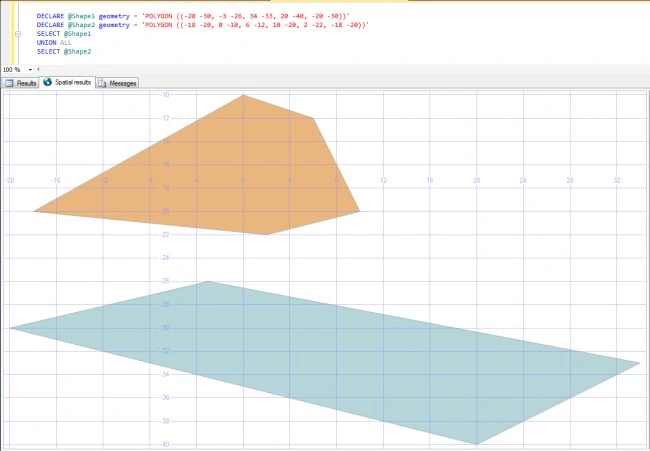
Statement that create two shape in SQL Server 2012:
|
DECLARE@Shape1 geometry = 'POLYGON ((-20 -30, -3 -26, 34 -33, 20 -40, -20 -30))' |
Output
SubashPosted Aug 28, 2016, 10:50 PM
Intresting
Gowtham RajamanickamPosted Jan 6, 2016, 1:21 AM
good article..
Bhimrao RathodPosted Apr 21, 2015, 8:35 AM
nice and helpfully article
Aman SinghaleditedPosted Aug 23, 2012, 9:59 AMEdited Aug 23, 2012, 9:59 AM
Such a wonderful article....
tom linkerPosted Aug 23, 2012, 6:45 AM
Really This is very helpfully article in my project.