

Introduction
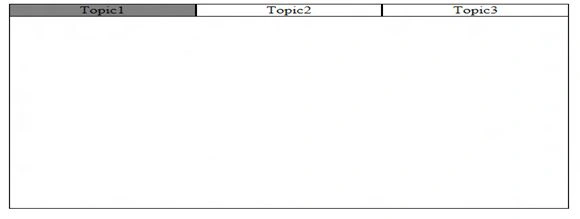
In this article, we will discuss how to create tabs and work with other features of JavaScript. So first we will create tabs like this:
First, we create a table and create two tables in it. One for the tabs and another one is for its contents.
Here we define the JavaScript function, this is because when we hover over the tab it changes its color and content.- <table width="560pt" cellpadding="0" cellspacing="0">
- <tr>
- <td id="tdtopic1" align="center" style="border:1px solid black;" onmouseover="ShowTopic1()" >Topic1</td>}
- <td id="tdtopic2" align="center" style="border:1px solid black" onmouseover="ShowTopic2()">Topic2</td>
- <td id="tdtopic3" align="center" style="border:1px solid black" onmouseover="ShowTopic3()">Topic3</td>
- </tr>
- </table>
- <table cellpadding="0" cellspacing="0" width="560pt" height="300pt" style="border:1px solid black;border-top:none;">
- </table>
- function ShowTopic1()
- {
- document.getElementById('tdtopic1').style.backgroundColor='Gray';
- document.getElementById('table1').style.display='block';
- document.getElementById('table2').style.display='none';
- document.getElementById('tdtopic2').style.backgroundColor='White';
- document.getElementById('tdtopic3').style.backgroundColor='White';
- }
- function ShowTopic2()
- {
- document.getElementById('tdtopic2').style.backgroundColor='Gray';
- document.getElementById('table2').style.display='block';
- document.getElementById('table1').style.display='none';
- document.getElementById('tdtopic1').style.backgroundColor='White';
- document.getElementById('tdtopic3').style.backgroundColor='White';
- }
- function ShowTopic3()
- {
- document.getElementById('tdtopic3').style.backgroundColor='Gray';
- document.getElementById('table1').style.display='block';
- document.getElementById('table1').style.display='none';
- document.getElementById('table2').style.display='none';
- document.getElementById('tdtopic2').style.backgroundColor='White';
- document.getElementById('tdtopic1').style.backgroundColor='White';
- }
- <table cellpadding="0" cellspacing="0" width="300pt" id="table1" style="border:1px solid black">
- <table cellpadding="0" cellspacing="0" width="150pt" >
- <tr><td id="tditem1" style="border:1px solid black" onmouseover="Show1()">Item1</td></tr>
- <tr><td id="tditem2" style="border:1px solid black" onmouseover="Show2()">Item2</td></tr>
- <tr><td id="tditem3" style="border:1px solid black" onmouseover="Show3()">Item3</td></tr>
- <tr><td id="tditem4" style="border:1px solid black" onmouseover="Show4()">Item4</td></tr>
- </table>
- </td>
- <td id="tdmain" width="150pt" align="center" style="border:1px solid black">
- Mahak
- </td>
- </tr>
- </table>
- <script language="javascript">
- function Show1() {
- document.getElementById('tditem1').style.backgroundColor = 'Red';
- document.getElementById('tdmain').innerHTML = 'Item1';
- document.getElementById('tditem2').style.backgroundColor = 'White';
- document.getElementById('tditem3').style.backgroundColor = 'White';
- document.getElementById('tditem4').style.backgroundColor = 'White';
- }
- function Show2() {
- document.getElementById('tditem2').style.backgroundColor = 'Blue';
- document.getElementById('tdmain').innerHTML = 'Item2';
- document.getElementById('tditem1').style.backgroundColor = 'White';
- document.getElementById('tditem3').style.backgroundColor = 'White';
- document.getElementById('tditem4').style.backgroundColor = 'White';
- }
- function Show3() {
- document.getElementById('tditem3').style.backgroundColor = 'Green';
- document.getElementById('tdmain').innerHTML = 'Item4';
- document.getElementById('tditem2').style.backgroundColor = 'White';
- document.getElementById('tditem1').style.backgroundColor = 'White';
- document.getElementById('tditem4').style.backgroundColor = 'White';
- }
- function Show4() {
- document.getElementById('tditem4').style.backgroundColor = 'Purple';
- document.getElementById('tdmain').innerHTML = 'Item4';
- document.getElementById('tditem2').style.backgroundColor = 'White';
- document.getElementById('tditem3').style.backgroundColor = 'White';
- document.getElementById('tditem1').style.backgroundColor = 'White';
- }
- </script>
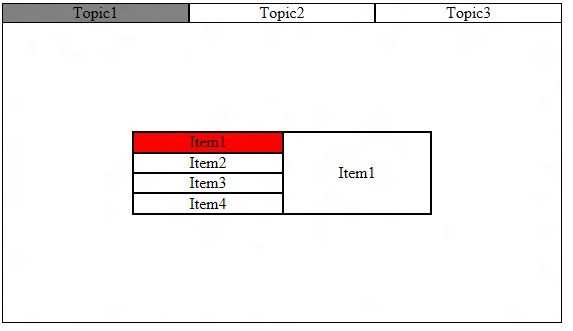
By this when we hover over the Item1 the output will be:
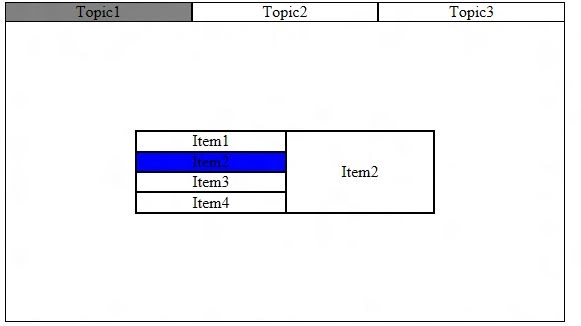
 And on Item 2
 Now we create another Table for the second Tab (Topic2):
- <table id="table2" cellpadding="0" cellspacing="0" Height="150pt" width="400pt" >
- <tr>
- <td ><img id="img1" width="100pt" height="100pt" src="2.jpg" onmouseover="ShowImg1()" /></td>
- <td ><img id="img2" width="100pt" height="100pt" src="3.jpg" onmouseover="ShowImg2()" /></td>
- <td ><img id="img3" width="100pt" height="100pt" src="4.jpg" onmouseover="ShowImg3()" /></td>
- </tr>
- </table>
Now we write the JavaScript function for this:
With the help of this, when we hover the mouse over the images the size of the images will change like this:
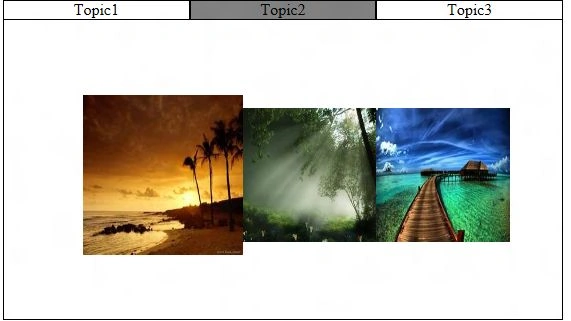
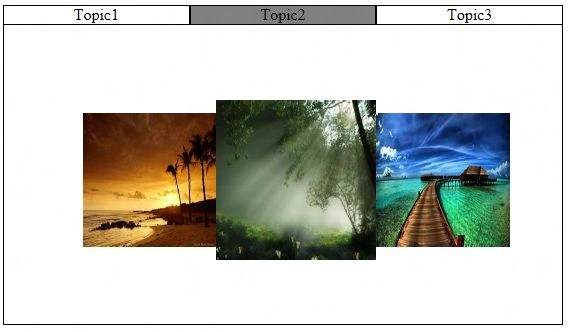 Note: When we write the code for Tabs we set the Tables (table1 and table2) property to none. So when we click on the first tab table1 will be displayed and when we click on tab2 table2 will be displayed.
Complete Program
Note: When we write the code for Tabs we set the Tables (table1 and table2) property to none. So when we click on the first tab table1 will be displayed and when we click on tab2 table2 will be displayed.
Complete Program
- function ShowImg1()
- {
- document.getElementById('img1').style.height='120pt';
- document.getElementById('img1').style.width='120pt';
- document.getElementById('img2').style.height='100pt';
- document.getElementById('img2').style.width='100pt';
- document.getElementById('img3').style.height='100pt';
- document.getElementById('img3').style.width='100pt';
- }
- function ShowImg2()
- {
- document.getElementById('img2').style.height='120pt';
- document.getElementById('img2').style.width='120pt';
- document.getElementById('img1').style.height='100pt';
- document.getElementById('img1').style.width='100pt';
- document.getElementById('img3').style.height='100pt';
- document.getElementById('img3').style.width='100pt';
- }
- function ShowImg3()
- {
- document.getElementById('img3').style.height='120pt';
- document.getElementById('img3').style.width='120pt';
- document.getElementById('img1').style.height='100pt';
- document.getElementById('img1').style.width='100pt';
- document.getElementById('img2').style.height='100pt';
- document.getElementById('img2').style.width='100pt';
- }
- function ShowTopic1()
- {
- document.getElementById('tdtopic1').style.backgroundColor='Gray';
- document.getElementById('table1').style.display='block';
- document.getElementById('table2').style.display='none';
- document.getElementById('tdtopic2').style.backgroundColor='White';
- document.getElementById('tdtopic3').style.backgroundColor='White';
- }
- function ShowTopic2()
- {
- document.getElementById('tdtopic2').style.backgroundColor='Gray';
- document.getElementById('table2').style.display='block';
- document.getElementById('table1').style.display='none';
- document.getElementById('tdtopic1').style.backgroundColor='White';
- document.getElementById('tdtopic3').style.backgroundColor='White';
- }
Join the conversation! Your thoughts help the community grow.