

Introduction
Microsoft has released a new version of ASP.NET Identity, 2.0.0-alpha 1. You can refer to ASP.NET Identity Preview to get an idea of this release.
In that context, we are here today to create an MVC application using ASP.NET Identity to customize the password to provide better security to the application. You'll learn here to modify the minimum length of the password and to make the entering of numeric and special characters in the password mandatory and disallow recently used passwords.
By default, the ASP.NET Identity requires that the minimum length of the password is 6 characters and here we change it to 8. We'll work on the Visual Studio 2013 version and you must update all the assemblies related to the ASP.NET Identity.
So, let's proceed with the following sections:
- Create ASP.NET MVC Application
- Modifying the Minimum Length
- Customize Password Validation
Create ASP.NET MVC Application
Now we create the MVC application using the following procedure.
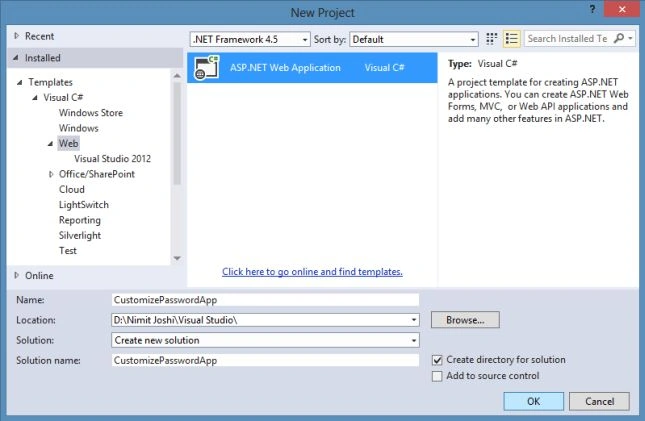
Step 1: Open Visual Studio 2013 and click on "New Project".
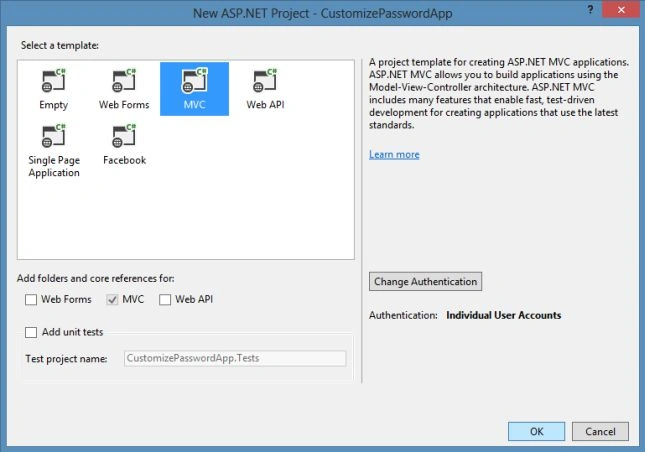
Step 2: Select the MVC Project Template to create the application and click "OK".
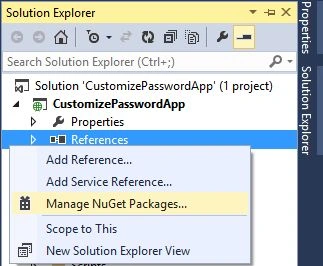
Step 3: In Solution Explorer, right-click on References and click "Manage NuGet Packages...".
Step 4: Select "Include Prerelease" and search for "Identity". Update all the Identity-related packages.
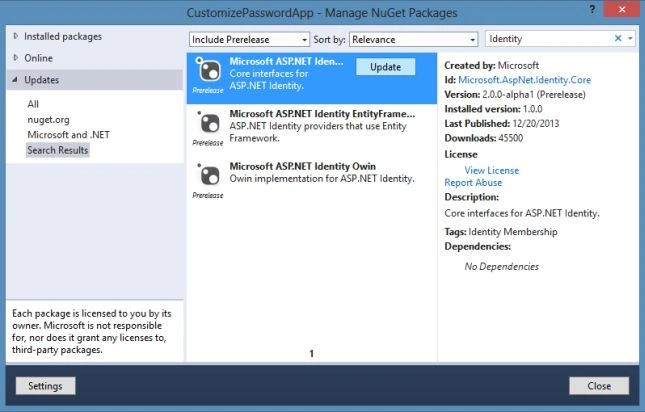
After this, you can see in your Pacakages.Config that all the packages are updated. We can also look at the following points to understand how the user is created in the application. You can see the following code in your AccountController class under the Controllers folder:
- public async Task<ActionResult> Register(RegisterViewModel model)
- {
- if (ModelState.IsValid)
- {
- var user = new ApplicationUser() { UserName = model.UserName };
- var result = await UserManager.CreateAsync(user, model.Password);
- if (result.Succeeded)
- {
- await SignInAsync(user, isPersistent: false);
- return RedirectToAction("Index", "Home");
- }
- else
- {
- AddErrors(result);
- }
- }
- // If we got this far, something failed, redisplay form
- return View(model);
- }
- The Account controller uses an instance of the UserManager class. This takes a UserStore class that has persistence-specific API for user management.
- The preceding method creates a new user. The call to CreateAsync in turn calls the ValidateAsync on the PasswordValidator property for the password validation.
Modifying the Minimum Length
Now in this section, we'll modify the minimum length of the password to 8. The PasswordValidator property is used to set the length, this value can be changed. Proceed with the following procedure.
Step 1: Add a new folder named IdentityExtentions to the project.
Step 2: Add a new class named AppUserManager in this folder.
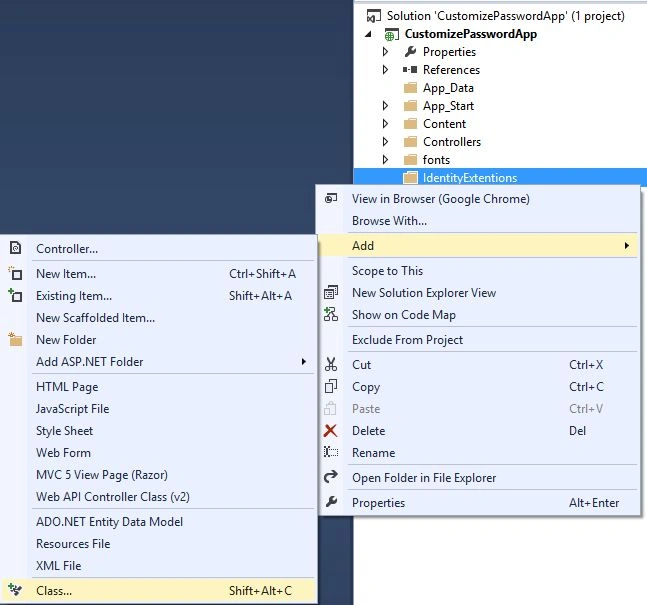
Step 3: Replace the class code with the code below.
First add the following assemblies:
- using CustomizePasswordApp.Models;
- using Microsoft.AspNet.Identity;
- using Microsoft.AspNet.Identity.EntityFramework
- Code:
- namespace CustomizePasswordApp.IdentityExtentions
- {
- public class AppUserManager : UserManager<ApplicationUser>
- {
- public AppUserManager()
- : base(new UserStore<ApplicationUser>(new ApplicationDbContext()))
- {
- PasswordValidator = new MinimumLengthValidator(8);
- }
- }
- }
Step 4: Now we need to change the AccountController to use the AppUserManager class. Change the constructor code and class property with the highlighted code below:
- public class AccountController: Controller {
- public AccountController(): this(new AppUserManager()) {}
- public AccountController(AppUserManager userManager) {
- UserManager = userManager;
- }
- public AppUserManager UserManager { get;
- private set; }
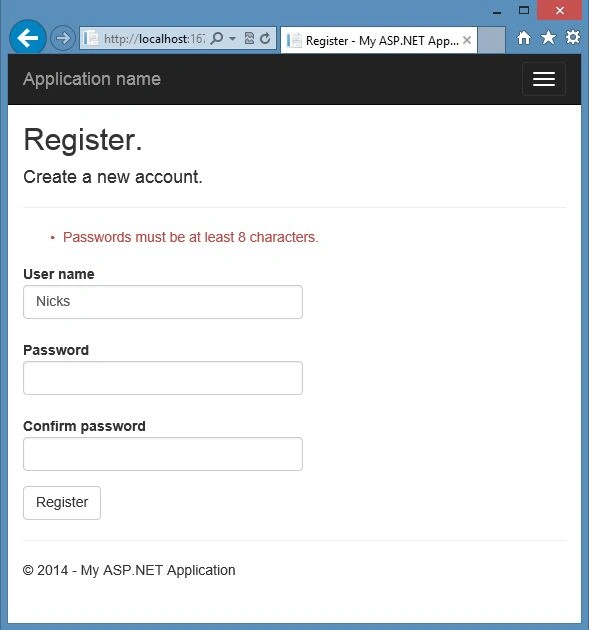
Step 5: Build the solution and run the application. Now try to register a new user. If the password length is less then 8, you'll get the error as shown below:
Customize Password Validation
As mentioned above now we'll customize the password in this section. Use the following procedure to do that.
Password must have one special and one numeric character
Step 1: Add a new class named CustomizePasswordValidation in the IdentityExtensions folder.
Step 2: Replace the code with the code below:
- using Microsoft.AspNet.Identity;
- using System;
- using System.Text.RegularExpressions;
- using System.Threading.Tasks;
- namespace CustomizePasswordApp.IdentityExtentions
- {
- public class CustomizePasswordValidation : IIdentityValidator<string>
- {
- public int LengthRequired { get; set; }
- public CustomizePasswordValidation(int length)
- {
- LengthRequired = length;
- }
- public Task<IdentityResult> ValidateAsync(string Item)
- {
- if (String.IsNullOrEmpty(Item) || Item.Length < LengthRequired)
- {
- return Task.FromResult(IdentityResult.Failed(String.Format("Minimum Password Length Required is:{0}", LengthRequired)));
- }
- string PasswordPattern = @"^(?=.*[0-9])(?=.*[!@#$%^&*])[0-9a-zA-Z!@#$%^&*0-9]{10,}$";
- if (!Regex.IsMatch(Item, PasswordPattern))
- {
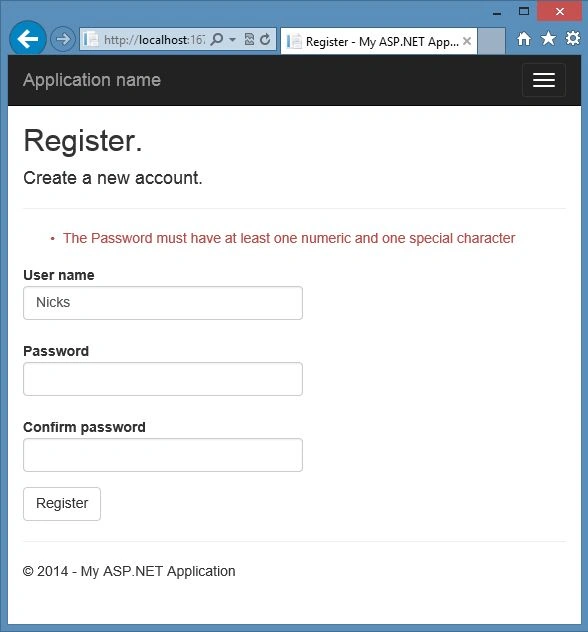
- return Task.FromResult(IdentityResult.Failed(String.Format("The Password must have at least one numeric and one special character")));
- }
- return Task.FromResult(IdentityResult.Success);
- }
- }
- }
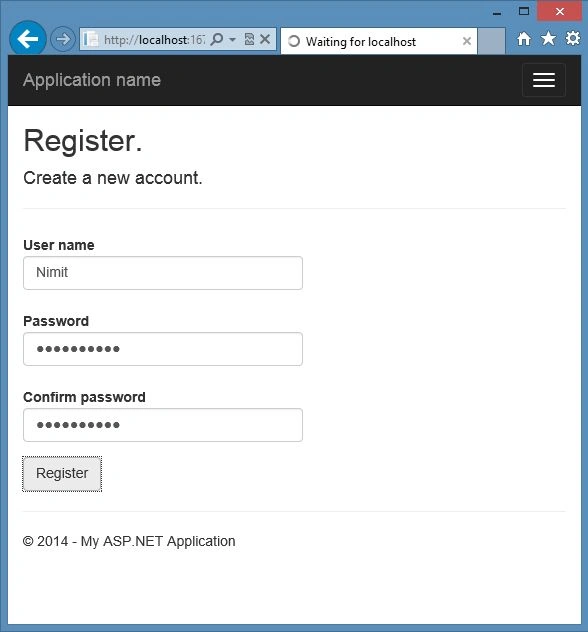
In the code above, the ValidateAsync method is used to check the password length at first, and then by the regular expression, we can check whether or not the password entered to satisfy the requirements.
Paul BartlettPosted Apr 14, 2021, 9:27 AM
If you have modified your ApplicationUser to have an integer Id: public class ApplicationUser : IdentityUser<int>. ApplicationUserStore cannot inherit UserStore public class AppUserStore : UserStore<ApplicationUser> fails with error: The type ApplicationUser cannot be used as type parameter 'TUser' in the generic type or method 'UserStore<TUser>'. There is no implicit reference conversion from ApplicationUser' to 'Microsoft.AspNetCore.Identity.IdentityUser<string>'. How do you get around this?
Pradeep SPosted Nov 13, 2017, 1:01 AM
I didnt follow Step2, creating user store class under Identity Extensions folder. i dont have one. I am using latest version. What am I missing, where i need to create the class. Kindly help on this.
Abhishek KumarPosted Apr 27, 2016, 12:34 PM
But it is not creating table UsedPassword
Abhishek KumarPosted Apr 27, 2016, 12:33 PM
Nice article sr..
Mukesh KumarPosted Oct 22, 2015, 2:16 PM
Good Job
Manish Kumar ChoudharyPosted Nov 28, 2014, 10:55 PM
Nice one Nimit Joshi..
brian streeterPosted Nov 28, 2014, 10:18 PM
I created a class library for global user accounts. I am almost finished with this dll and it seems to work seamlessly. The goal is to migrate older database that used ASP.NET Membership and Simple Membership system. I think OWIN and this authentication system will be here for a while.
moji fakhrPosted Jun 4, 2014, 9:59 AM
how to use asp.net identity in Class Library Projects