

Introduction
Customizing SharePoint forms can significantly enhance the user experience by making data entry more intuitive and visually appealing. SharePoint's out-of-the-box forms are functional, but with a few customizations, you can tailor them to better meet your organization's needs. In this article, we'll guide you through the process of customizing SharePoint forms using Power Apps.
Features
Customizing SharePoint forms allows you to.
- Add custom headers and footers.
- Change the layout and design of the form.
- Include additional fields or remove unnecessary ones.
- Apply custom styles and branding to match your organization's look and feel.
Advantages
- Improved User Experience: Custom forms can be designed to be more user-friendly and visually appealing.
- Enhanced Functionality: Add custom logic and validation to ensure data accuracy.
- Brand Consistency: Apply your organization's branding to the forms for a cohesive look.
- Flexibility: Tailor the forms to meet specific business requirements.
Disadvantages
- Complexity: Customizing forms can be more complex and time-consuming than using the default forms.
- Maintenance: Custom forms may require ongoing maintenance and updates.
- Learning Curve: Users may need to learn how to use Power Apps to make customizations.
Steps to Customize SharePoint Out-of-the-Box Forms
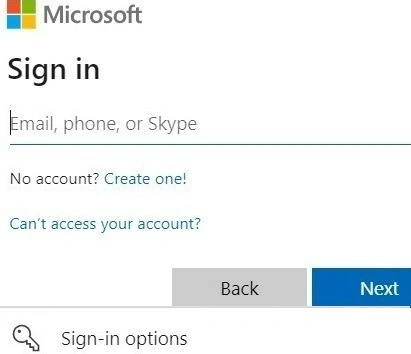
- Login: Start by logging into your SharePoint account with the necessary credentials.
- Open SharePoint Site: Navigate to the SharePoint site where you want to customize the form.
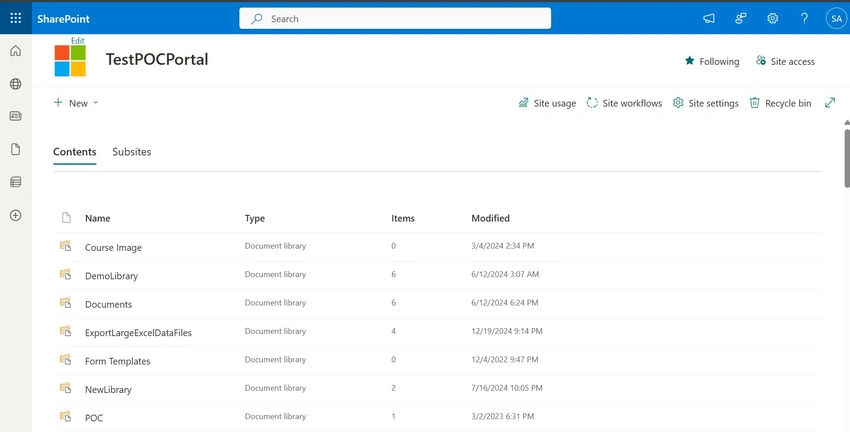
- Open Site Content: Click on "Site Contents" from the left-hand navigation menu.
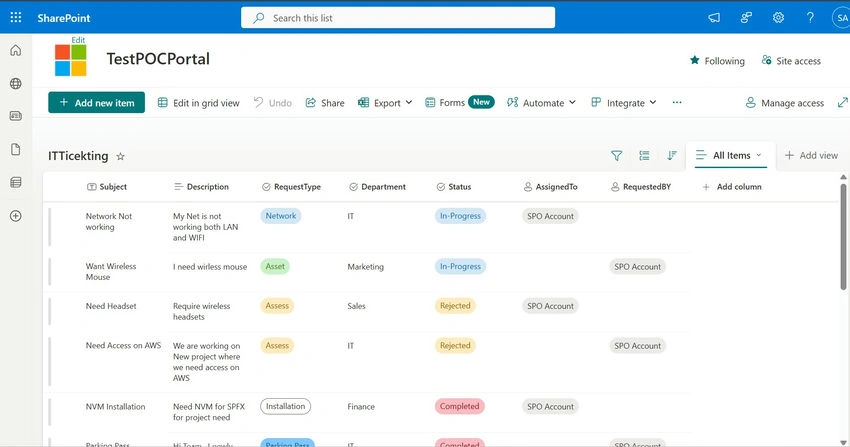
- Open Your List: Select the list for which you want to customize the form.
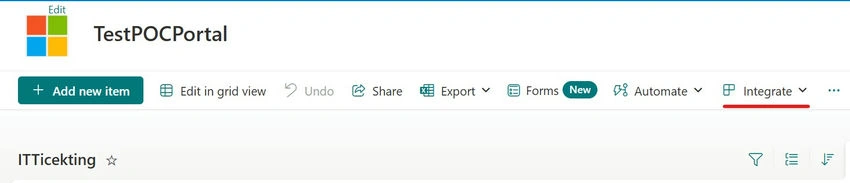
- Click on Integrate: In the list toolbar, click on "Integrate" and then select "Power Apps."
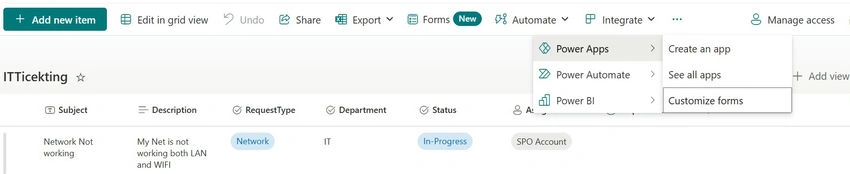
- Customize Forms: Choose "Customize Forms" from the Power Apps options.
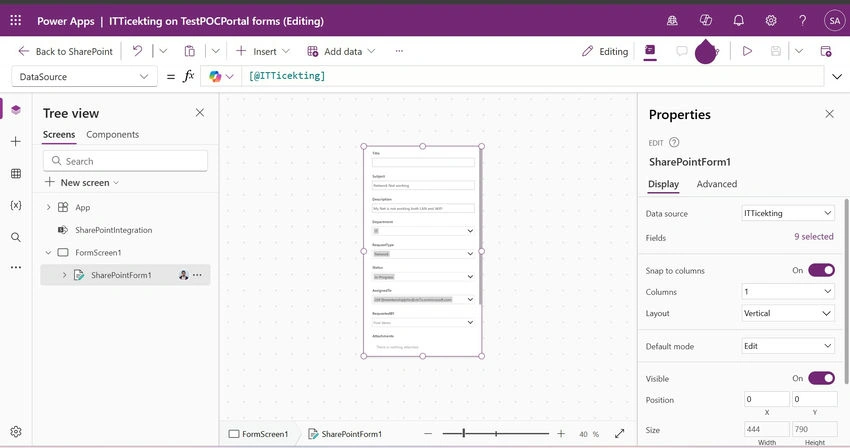
Customization Example
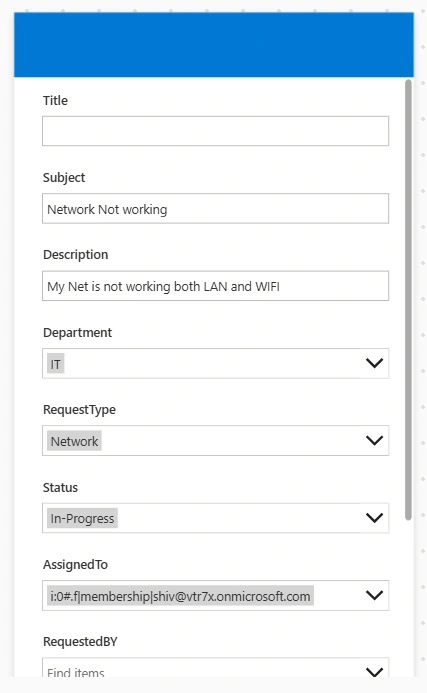
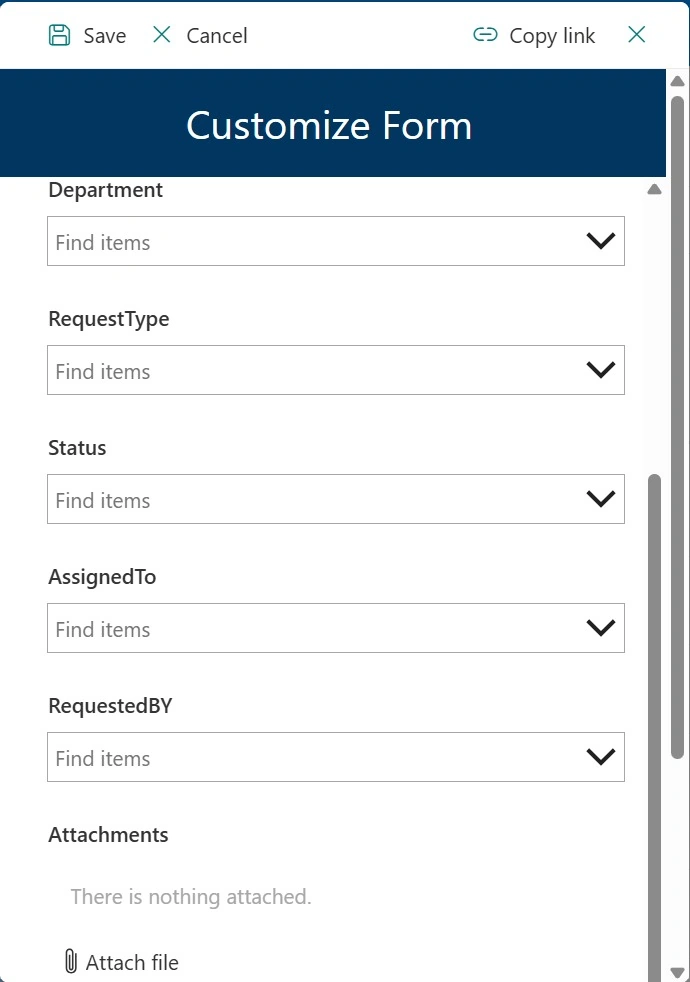
- Add a Header: In Power Apps, add a rectangle to the top of the form to serve as a header.
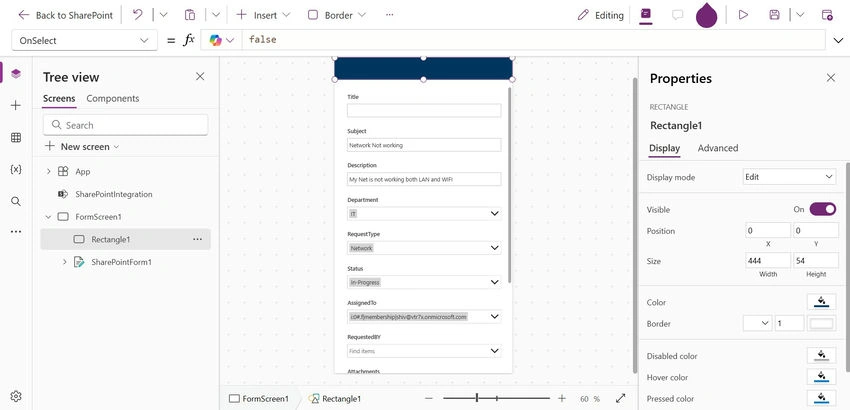
- Set Background Color: Change the background color of the rectangle to match your branding.
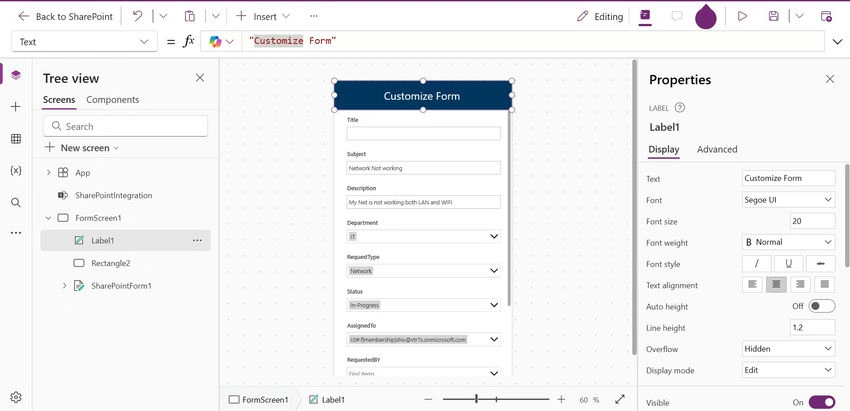
- Add a Label: Insert a label inside the rectangle and set the text to your desired header title. Customize the font color and size to make it stand out.
Save and Publish
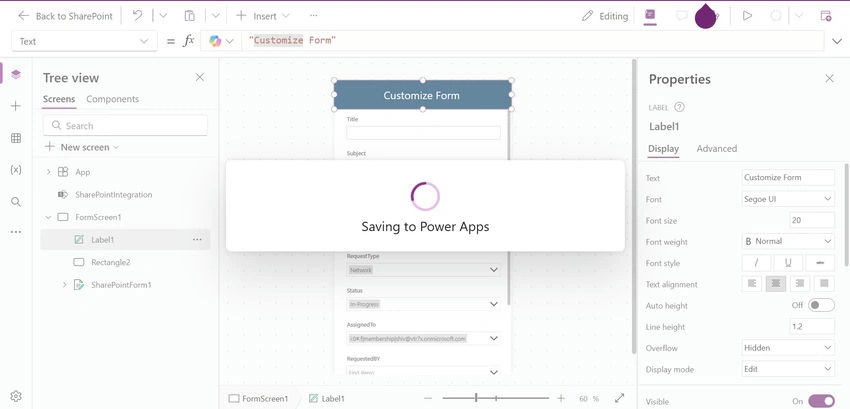
- Save: Once you have made your customizations, click on "Save" in Power Apps.
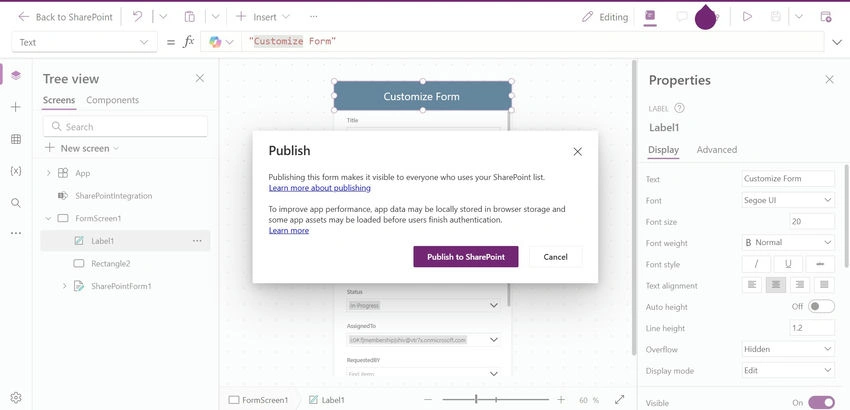
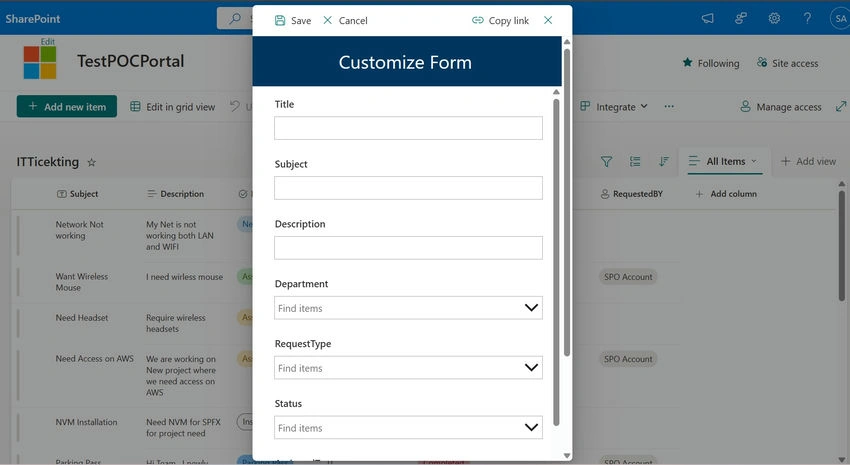
- Publish: After saving, click on "Publish to SharePoint" to apply the changes to your form.

Conclusion
Customizing SharePoint out-of-the-box forms using Power Apps allows you to create a more tailored and user-friendly experience. By following the steps outlined above, you can enhance the functionality and appearance of your forms, ensuring they meet your organization's specific needs. While there may be some complexity involved, the benefits of improved user experience and brand consistency make it worthwhile.
Join the conversation! Your thoughts help the community grow.