

In this article, I will try to make a representation of the Grid object witch is directly derived from the Panel abstract class and we can say that is a flexible area that contains rows and columns, it plays a role of container in a given WPF window. The grid could be found in the PresentationFramework assembly. The grid control could be used to create a complex layout that gives to the application an attractive and ergonomic look. So let's discover how to configure it using XAML in this part and in second part I will illustrate how to perform the same task using the code behind, I mean C#.
At first look, when a new WPF application is defined, we have the impression that there is not controls but the window one, even if the "<Grid></Grid>" tags are presents, and the first question that one can ask is where are the grid lines if it is a grid really?
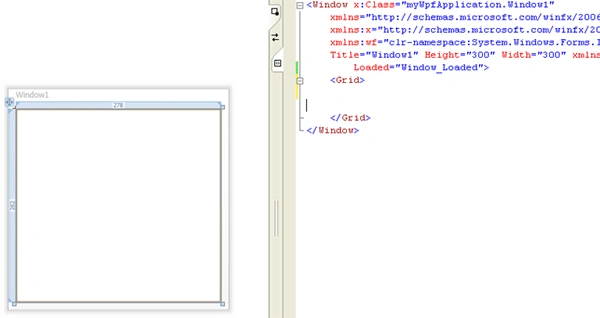
Figure 1
I tell you ok try this code:
<Grid ShowGridLines="True">
<Grid.RowDefinitions>
<RowDefinition></RowDefinition>
<RowDefinition></RowDefinition>
<RowDefinition></RowDefinition>
</Grid.RowDefinitions>
<Grid.ColumnDefinitions>
<ColumnDefinition></ColumnDefinition>
<ColumnDefinition></ColumnDefinition>
<ColumnDefinition></ColumnDefinition>
</Grid.ColumnDefinitions>
</Grid>
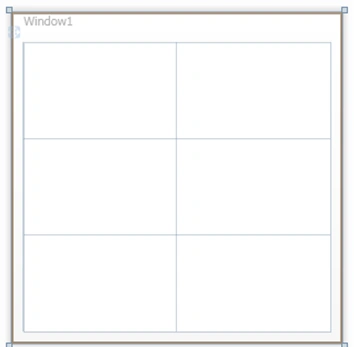
I use the <Grid.RowDefinitions> to define a collection of rows and a <Grid.ColumnDefinitions> to define columns collection. In the other hand I use <RowDefinition> to define a row element within the grid control and <ColumnDefinition> to define a column element, and then I set ShowGridLines property to true, it is very important in order to render columns and rows visible. The result will be as follows:
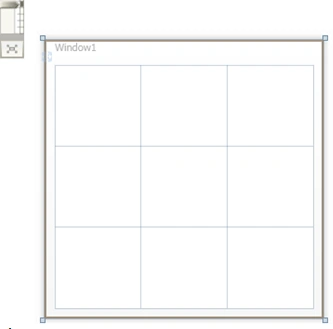
Figure 2
The columns and rows definition mode could be, namely star, Auto or Pixel.
The Star definition
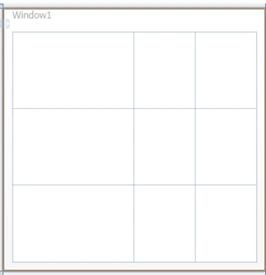
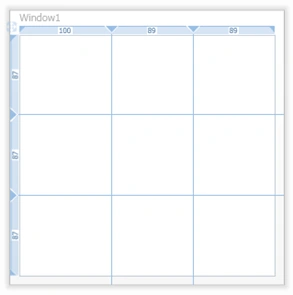
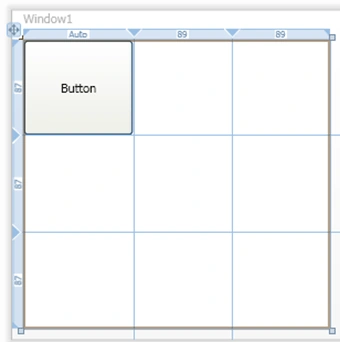
It means that the related size could be expressed as weighted proportion of available space, for example if a size of a given first row is double of a second given row size, then the first one will receive two units of the entire grid size, meanwhile, the second one will have one unit as size. Rows and columns sizes are expressed by this symbol * that represents a unit of size. The XAML code sample illustrates how to define a size based on star definition.
<Grid ShowGridLines="True" >
<Grid.RowDefinitions>
<RowDefinition></RowDefinition>
<RowDefinition></RowDefinition>
<RowDefinition></RowDefinition>
</Grid.RowDefinitions>
<Grid.ColumnDefinitions>
<ColumnDefinition Width="2*"></ColumnDefinition>
<ColumnDefinition></ColumnDefinition>
<ColumnDefinition></ColumnDefinition>
Bechir BejaouiPosted Sep 7, 2010, 9:07 AM
Not at all you're welcome
john peterPosted Sep 7, 2010, 2:10 AM
Thank you very much, very clear explanation. Best Regards, Mustafa