- Back to the Application Management section
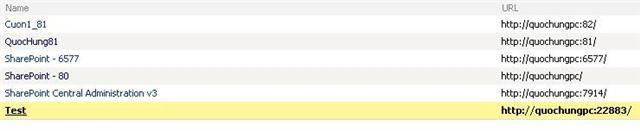
- New Web Application Testing in Web Application List
- Back to the Application Management section
- Click Delete Web application
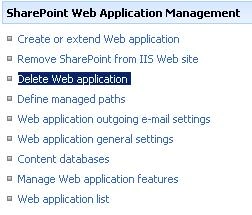
- Select the web application to be deleted
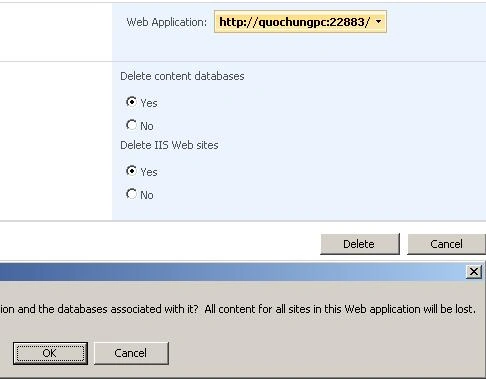
- Select the delete content databases yes
- Select yes delete IIS web sites
- Click the delete button; in the delete dialog box choose OK to accept
Delete Web Application in SharePointDelete Web Application in SharePoint ServerDelete Web Application in SharePoint Server 2007How to Delete Web Application in SharePointHow to Delete Web Application in SharePoint ServerHow to Delete Web Application in SharePoint Server 2007


Join the conversation! Your thoughts help the community grow.