

Introduction
We are unable to forget this network option in Windows 8.1 when WiFi is not connected. We can also delete a WiFi profile using a command prompt.
Right-click on Start and click on cmd admin (run command prompt as administrator).
Use the following command in Windows 8.1 to see all the WiFi profiles.
C:\windows\System32\netsh WLAN show profiles
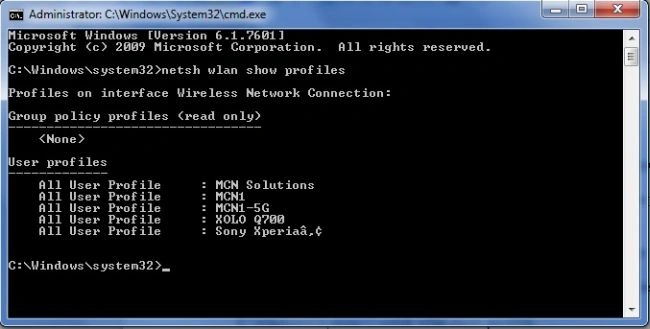
Now we need to select a profile to be deleted.
Command
c:\windows\system32\netsh wlan delete profile name="MCN Solutions"

Now again use this command.
c:\windows\system32\netsh wlan show profiles
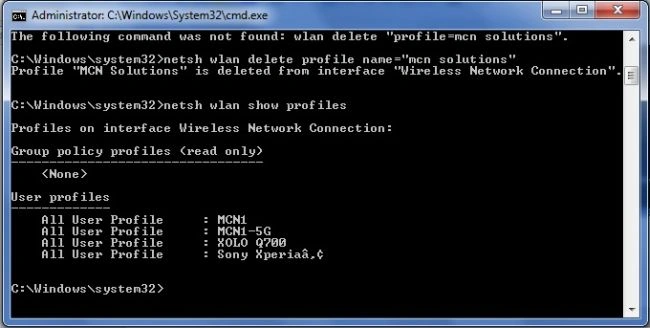
You will not see the deleted profile.
Summary
In this article, we learned about how to Delete WiFi Profiles in Windows 8.1 Using Command Prompt.
Join the conversation! Your thoughts help the community grow.