Introduction
This tutorial will teach you how to deploy the docker using an open source VM (Ubuntu Server 20.04 LTS) in Azure Portal.
Step 1
Navigate to your Resource Group. My resource group is Shanuka-RG
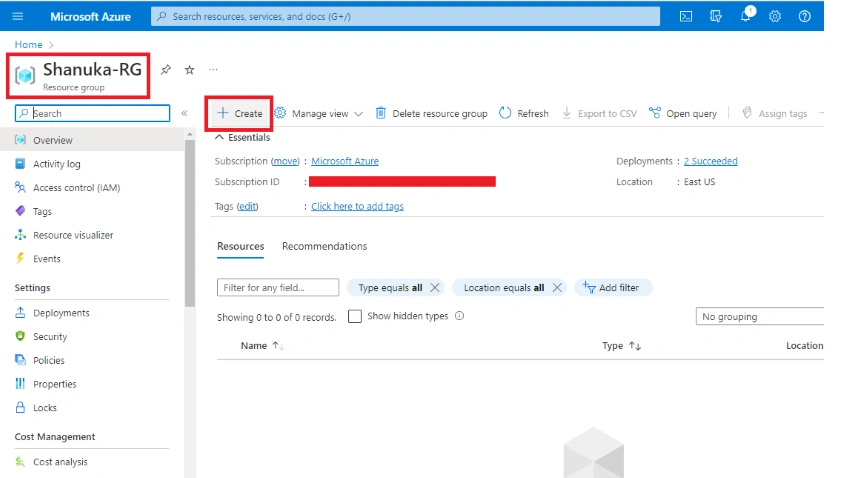
Step 2
In the Azure portal, search for the Ubuntu server and click Create
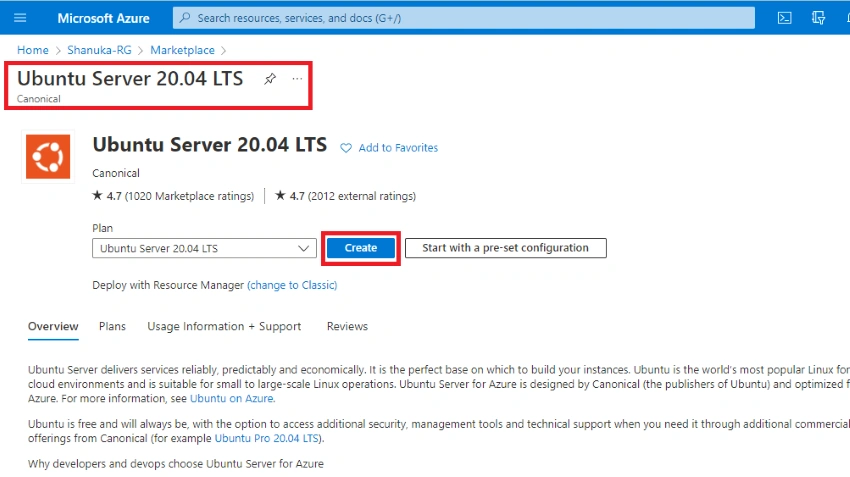
Step 3
I have mentioned all the steps so you can provide the details as per your project.
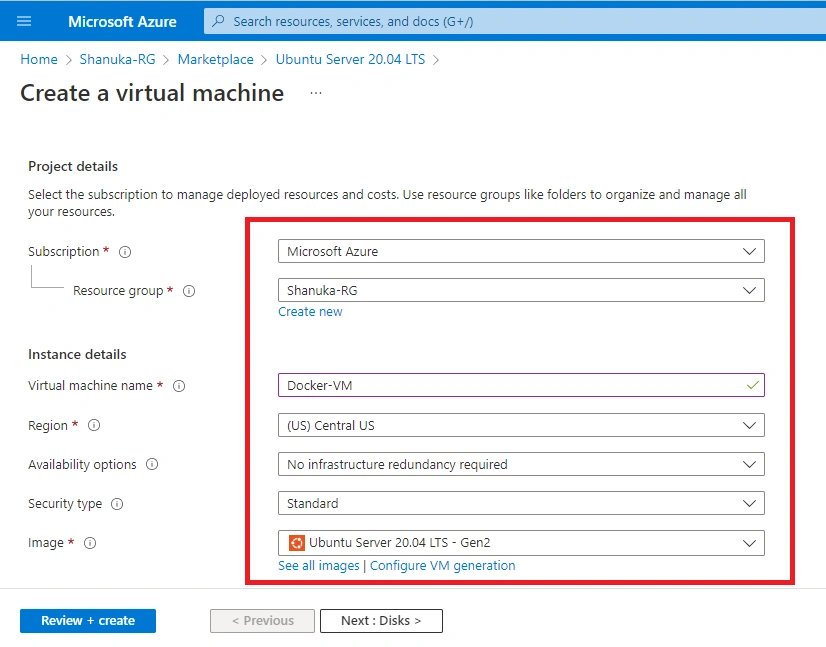
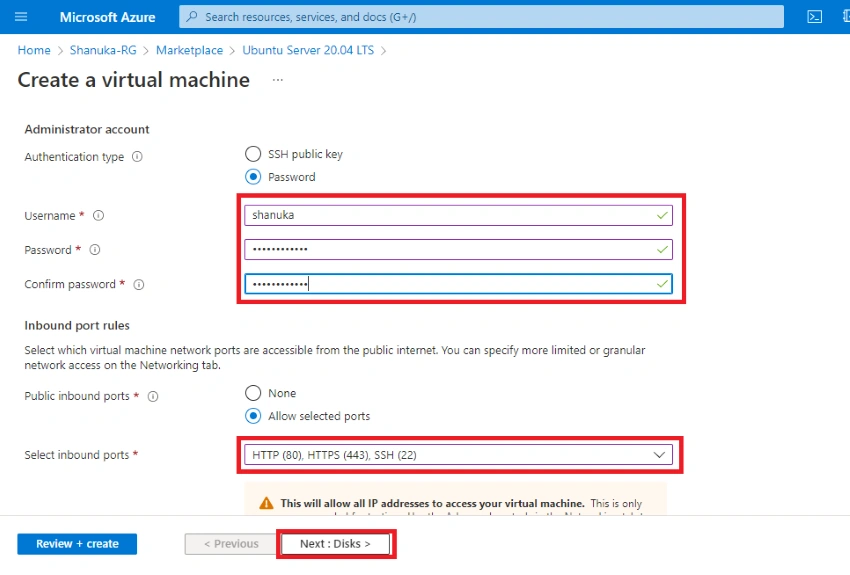
Step 4
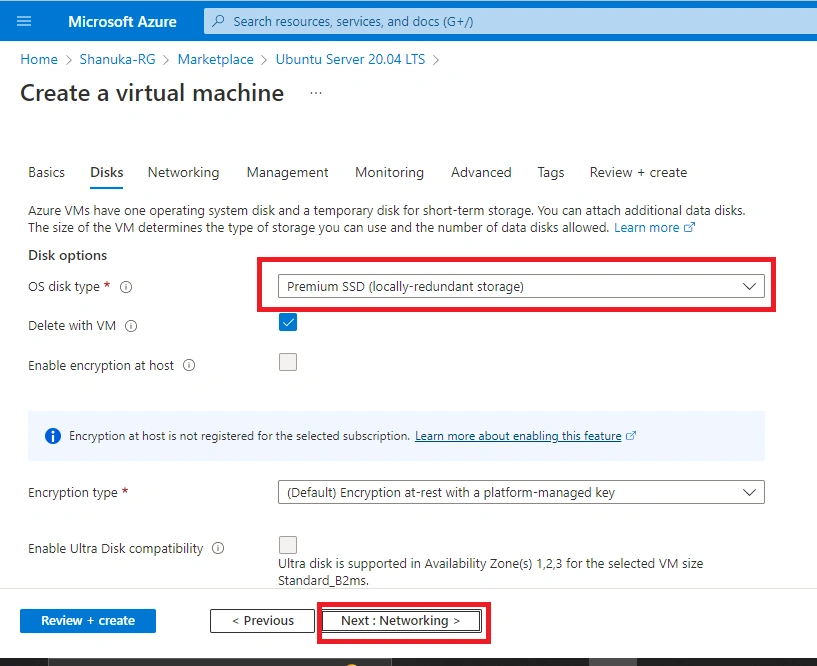
I have Disk type SSD premium. As per your project you can be able to change and click Next: Networking
Step 5
Provide your network details and review and create, once validation passed click to create

Step 6
Deployment in progress

Step 7
My VM has been created successfully

Implement Ngnix service on my Ubuntu VM
Step 1
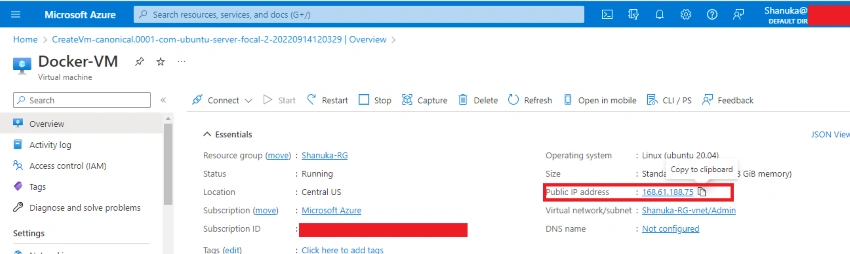
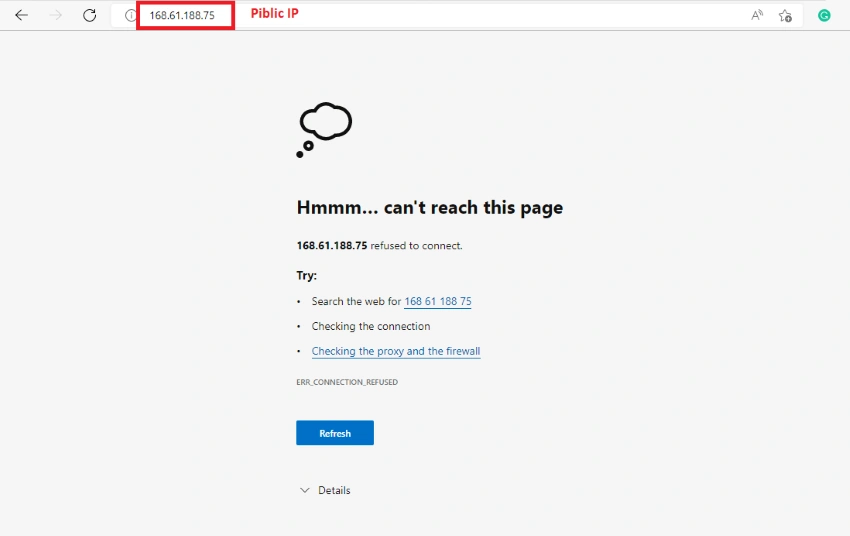
Before implementing the Nginx service I just copy the public IP and check with my browers
Step 2
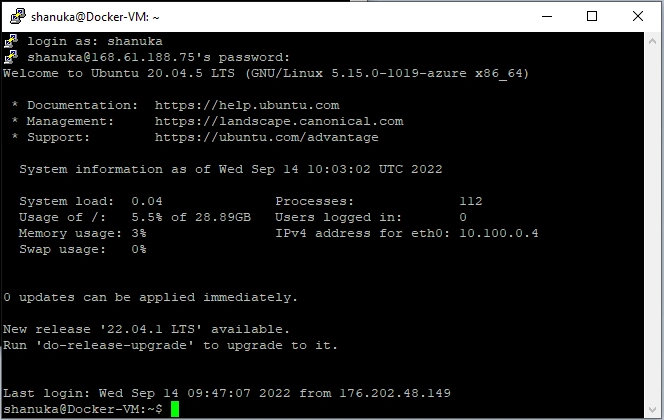
Now I'm going to connect my VM through Putty Open>Putty>type your public ip>open

Step 3
Typ your VM username and password
Step 4
First, update your package using the command
sudo apt-get update

Step 5
This command used for HTTPS allows
sudo apt install apt-transport-https ca-certificates curl software-properties-common

Step 6
This command for docker download
curl -fsSL https://download.docker.com/linux/ubuntu/gpg | sudo apt-key add –
Step 7
This command creates the repository
sudo add-apt-repository "deb [arch=amd64] https://download.docker.com/linux/ubuntu bionic stable"
Step 8
This command for docker installation
sudo apt-get install docker-ce

Step 8
This command for pulling the Nginx service
sudo docker pull nginx:1.17.0
Step 9
This command for a sample project
sudo docker run --name sampleapp -p 80:80 -d nginx:1.17.0
Step 10
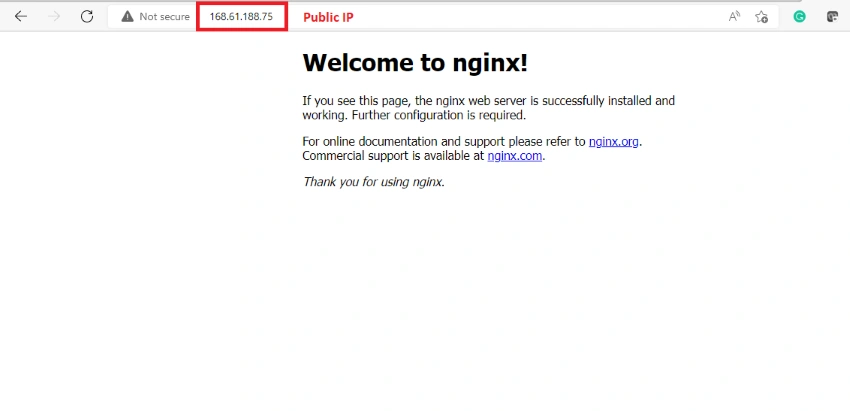
My Nginx service seems working good with public IP
Conclusion
This article taught us how to set up docker using Ubuntu Server 20.04 LTS on Azure portal. If you have any questions, please contact me.
Thanks.


Join the conversation! Your thoughts help the community grow.