

In this article we will learn how to develop an application for Windows Mobile CE. (Pocket PC and all types of scanners and and so on.)
We will use C# for coding and Microsoft SQL Compact Edition as backend tools. Today all over the world all the enterprises are using barcodes for managing warehouses (inventory). And use scanners for scanning the barcode, so this article helps you to make an app for scanning barcodes.
Requirements
Visual Studio 2008, and Active sync should be install in your system.
You can download Active sync using this link.. http://www.microsoft.com/en-in/download/details.aspx?id=15
1. First of all go for Visual Studio 2008 and take a new project.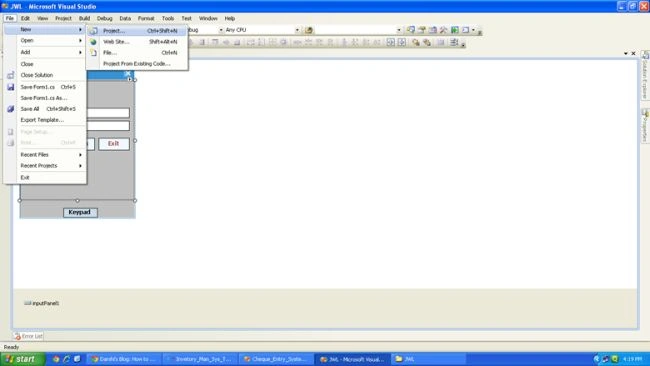
2. Click on Smart Device then click on Smart Device project and provide a name for the app.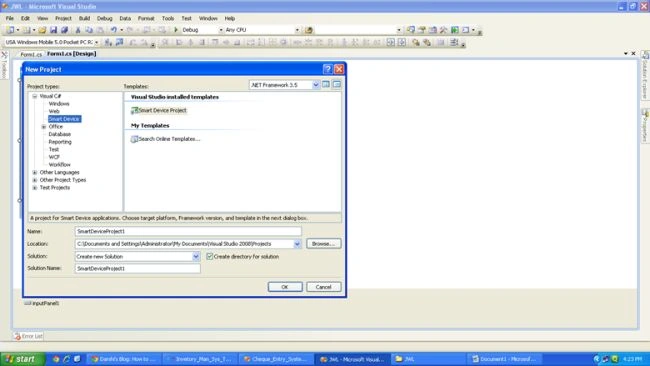
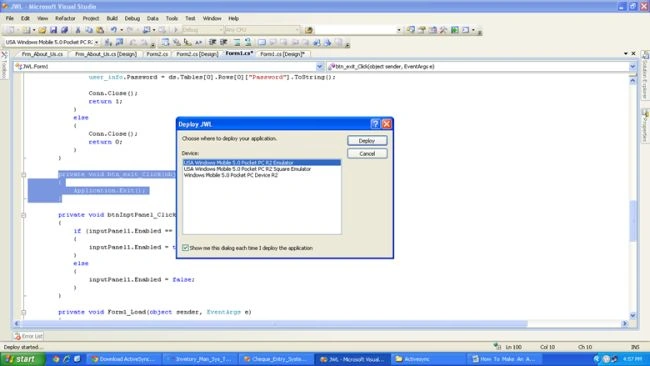
3. Then you will get a screen like this: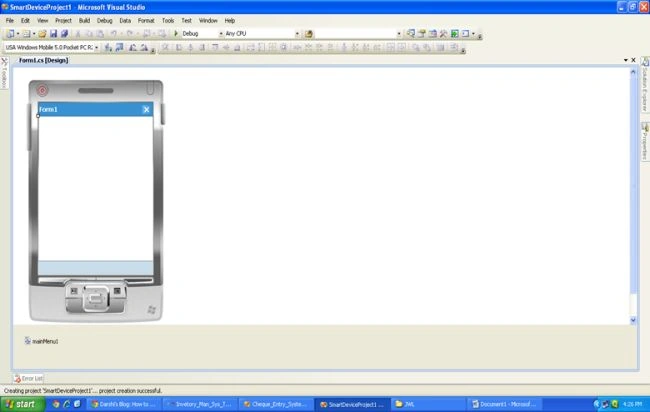
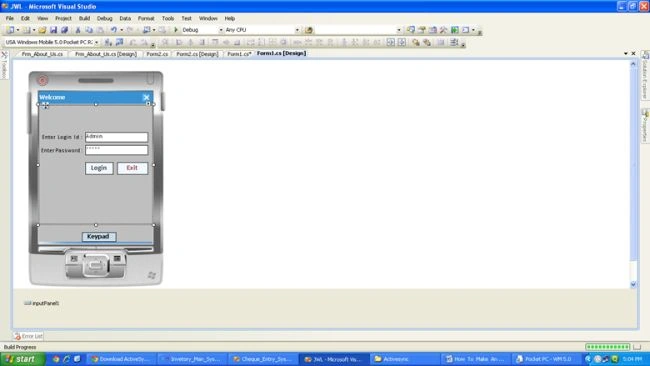
4. First of all design the interface for the login.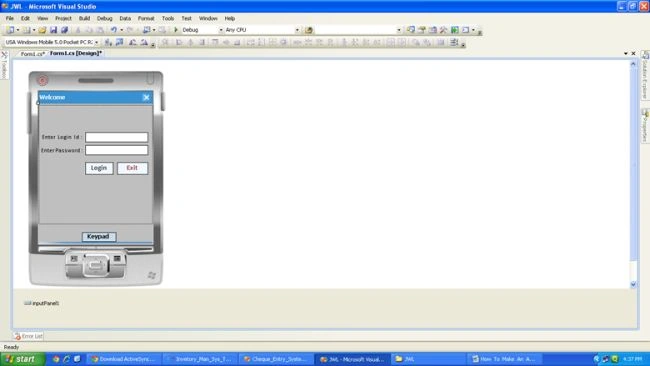
5. At the load event of the login call a function like this:
Public SqlCeEngine engine = new SqlCeEngine("Data Source = \\My Documents\\Test.sdf");
string ConnStr = "Data Source = \\My Documents\\Test.sdf";
SqlCeConnection Conn;
SqlCeCommand Cmd;
SqlCeDataAdapter Adp;
//==========================================================================
private void Frm_Login_Load(object sender, EventArgs e)
{
Create_Databae();
ceate_first_user()
}
//==================================================================================
public void Create_Databae()
{
if (!File.Exists("\\My Documents\\Test.sdf"))
{
try
{
Conn = new SqlCeConnection(ConnStr);
engine.CreateDatabase();
Conn.Open();
string create_table_user_master = "Create table user_master(user_id INT IDENTITY (1,1),login_name NVARCHAR(50),password NVARCHAR(50),
Role NVARCHAR(50))";
Cmd = new SqlCeCommand(create_table_user_master, Conn);
Cmd.ExecuteNonQuery();
//Create Table Inward Detail
Cmd.ExecuteNonQuery();
Conn.Close();
ceate_first_user();
}
catch (Exception ex)
{
MessageBox.Show(ex.ToString());
}
}
//===========================================================================
public void ceate_first_user()
{
string name = "Admin";
nidal ahmadPosted May 14, 2019, 5:18 AM
Kindly,I read the article but it does't contain code about how to read barcodes
Feroz KhanPosted Feb 28, 2018, 1:27 AM
How to use sqlce in hend held scanner and how to install?
Gowtham RajamanickamPosted Apr 18, 2015, 4:08 AM
good
Pravin GhadgePosted Jan 21, 2015, 1:13 AM
No . My OS windows 8 & i am not able to install activesync on it.
Pravin GhadgePosted Jan 20, 2015, 2:11 AM
Hi Mukesh, i am trying to develop application on VS 2008 but at run time it is giving me error. MY OS is Windows 8. "Error 1 ActiveSync bootstrap initialization failed. Please connect/cradle a real device or download the User-level Windows Mobile Device Center Application from http://go.microsoft.com/fwlink?linkid=67763 Device Connectivity Component "
Pravin GhadgePosted Jan 20, 2015, 2:10 AM
Very nice article.
Francisco Franco MartinezPosted Dec 2, 2014, 1:28 PM
It was really interesting article and would like to see the continuation and know which SDK to use handheld scanner for barcode scannig development of your application