

Introduction
Application Isolation is a new feature in Windows 8 and Windows Server 2012. The Application Isolation Feature isolates applications from printing drivers so that the application does not crash if the printing driver crashes. Application Isolation makes every application that interacts with the printer driver more stable.
If your printer driver doesn't have full functionality then you have to change the setting to disable the application isolation. This setting applies to those applications that opted into application isolation and those printer drivers that are loaded by applications. After changing the Local Group Policy setting you most restart the running applications to apply this setting.
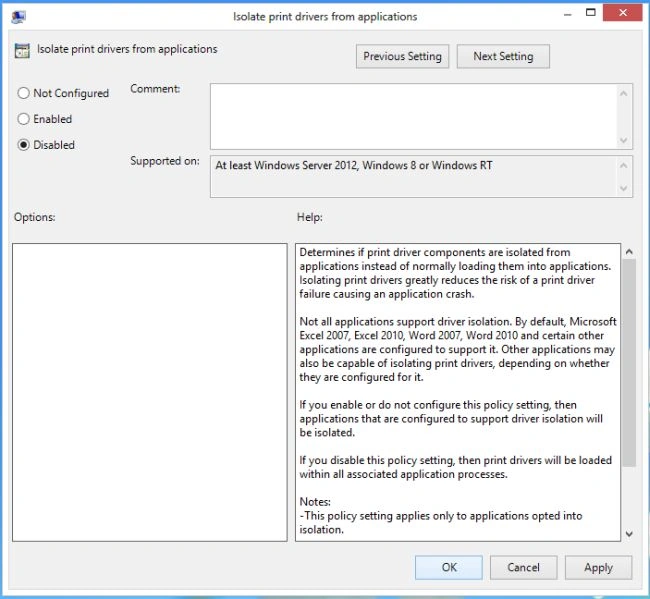
Determines if print driver components are isolated from applications instead of normally loading them into applications. Isolating print drivers greatly reduces the risk of a print driver failure causing an application crash.
If you disable this policy setting, then print drivers will be loaded within all associated application processes.
How to change the setting of application isolation.
Step 1
Move the cursor to the right-button and select Search.
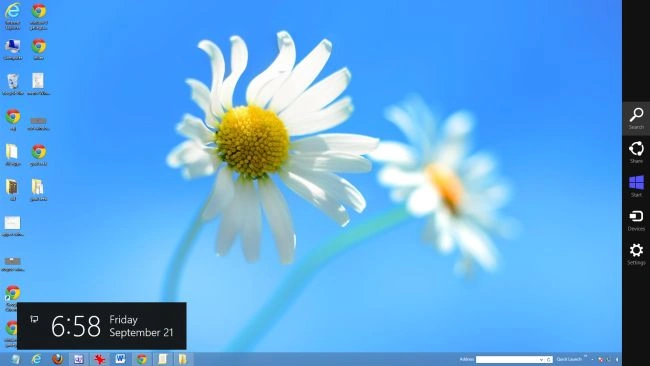
Step 2
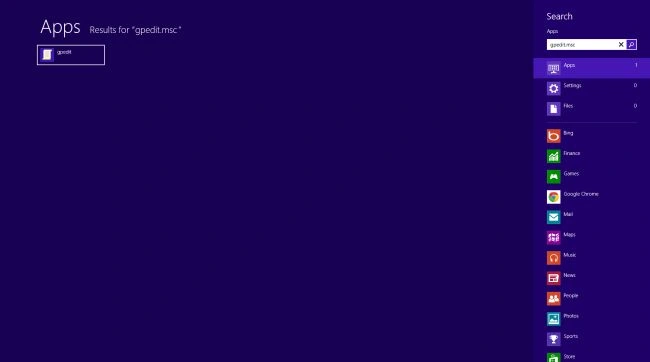
In the Search box type gpedit.msc then click on the application that appears.
Step 3
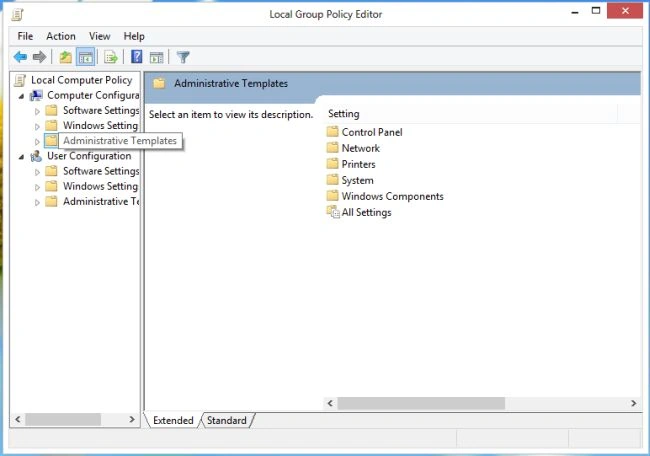
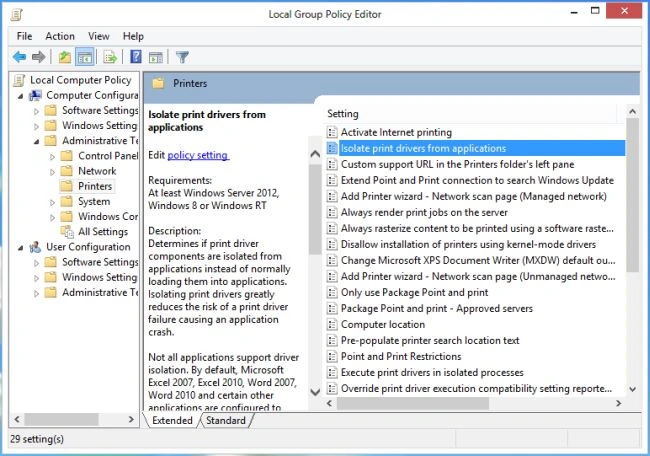
The Local Group Policy Editor window will be opened; click on "Administrative Templates".
Step 4
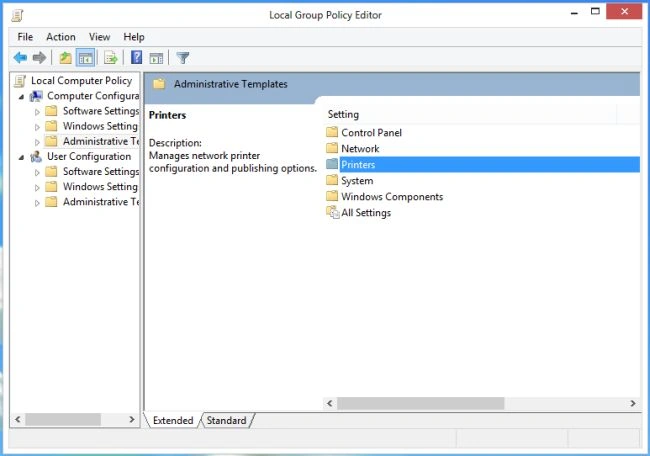
Double-click on "printers".
Step 5
In this window select "Isolate print drivers from application" and click on "policy setting".
Step 6
The isolate printer driver window will be opened wherein select Disable and click "OK".
Step 7
After changing the setting restart all applications to apply this setting.
Summary
In this article, we learned about How to Disable Application Isolation in Windows 8.
Sam HobbseditedPosted Sep 22, 2012, 5:12 PMEdited Sep 22, 2012, 5:13 PM
This sounds strange to me. Applications are already isoalted from printer drivers. Print jobs normally go to the spooler and then just the spooler interacts with printer drivers. The first Windows program I ever wrote was actually a printer driver. So it sounds very strange to me that printer drivers are loaded into applications. I assume there is a little bit more to this story; there might be a little bit of nteraction that sometimes exist between applicatins and priinter drivers. I am curious about that.