

Link for downloading Application Source Code.
In this article, we are going to learn how to perform paging with Web API. In this modern era where there is tons of data to share and consume, we cannot send all the data in one go or to one consumer; we need to slice the data into pieces to share known as paging.
In this era, every next device is consuming API in some way or another. If we consider the iPhone, it consumes API, the Windows Surface tablets consume API, the IoT devices also need API. In other words, API is required everywhere now. With these APIs, we not only send a single row of data, we send large chunks of data. And to display this data, we are going to use paging.

For doing this demo, we are going to use some tools such as:
- Visual Studio 2015
- SQL Server 2008
- Entity Framework 6
Let’s start.
Database first
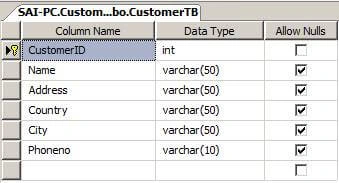
I have created a simple database named CustomerDB for the demo purpose. Inside I have added a table with name CustomerTB.
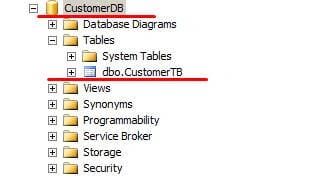
Design of CustomerTB table
After creating customer database and table, now let’s create a simple Web API application in Visual Studio 2015.
Creating Web API Project
Open Visual Studio IDE and on the Start page, select New Project…
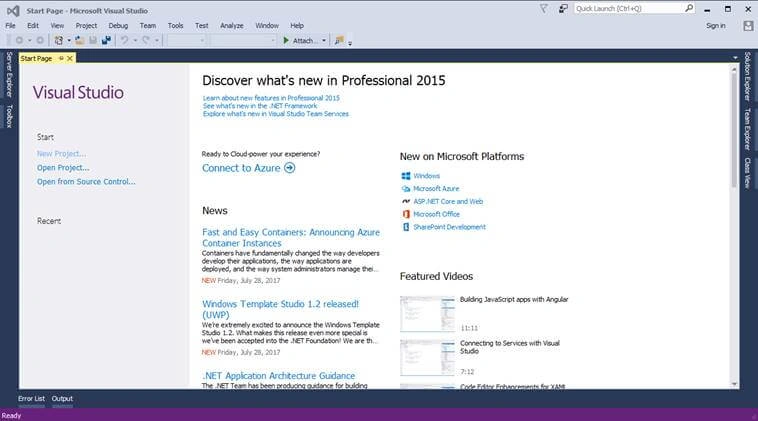
Fig 1. Start page
After selecting New Project link, a "New Project" dialog will appear. Inside that, select Templates >> Visual C#. Inside this, select Web and you will see “ ASP.NET Web Application ”. Now, just name your project as “DemoPaging” and finally, click on OK button to create a project.
Selecting Templates
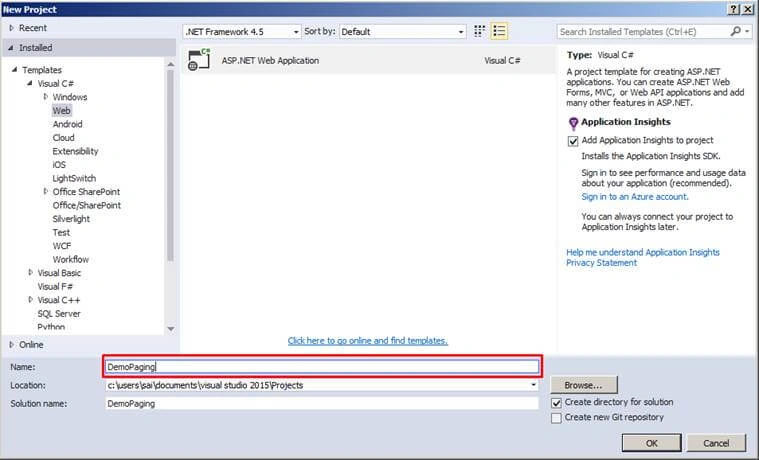
Fig 2. Selecting Template
After clicking on the OK button, another Project Template Selection wizard will pop up named “New ASP.NET Project”. In this template, select Web API Template. We are not going to create unit testing for this project, hence do not check this option and finally, click on OK button.
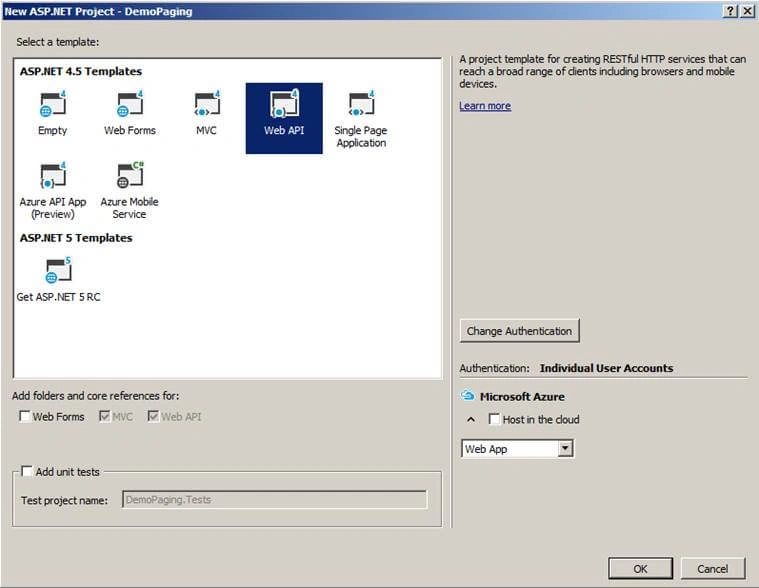
Fig 3. Selecting MVC Project
After selecting all options as described above, click the OK button. Your project will be created.
Project structure after creating DemoPaging project
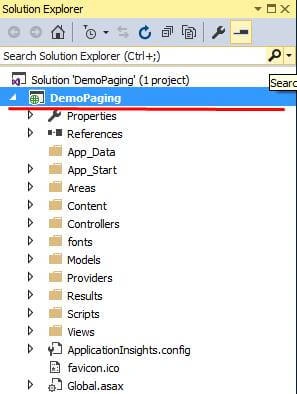
Fig 4. Project Structure
After creating the project, now we are going to add a folder named EFModel in the project. In this folder, we are going to add Entity Framework (Database First).edmx file.
Adding ADO.NET Entity Framework
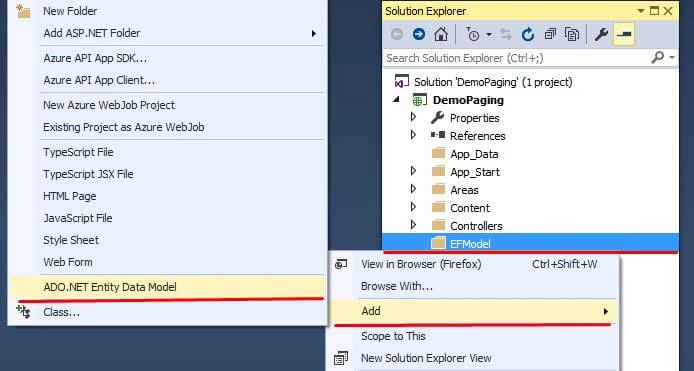
Fig 5. Adding ADO.NET Entity Framework
After clicking on ADO.NET Entity Data Model, it will ask for the name of the ADO.NET Entity Data Model. We are going to name it “EfCustomer”.
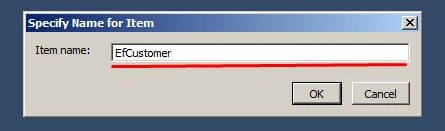
Fig 6. Specify Item Name
As soon as you click on OK button, a new wizard of Entity Data Model will appear. In that, choose the “EF Designer from Database” option from the above options and click on the Next button.
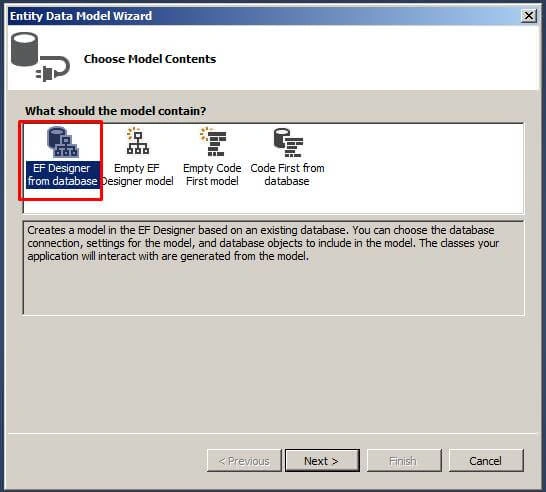
Fig 7. Choosing Model
Then, it will prompt new wizard for your Database Connection.
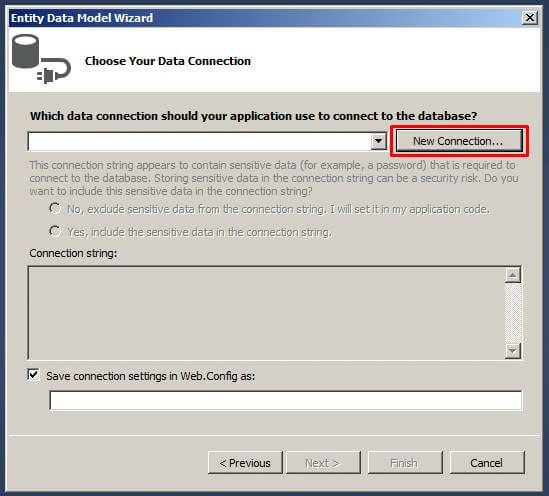
Fig 8. Choosing Data Connection
Click on "New Connection"; a Connection Properties Wizard will pop-up. Here, fill in all your details.
In the following snapshot, you will see where to fill the details.
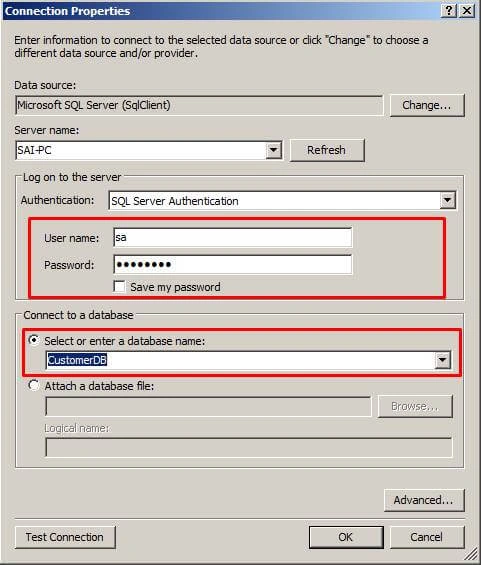
Fig 9. Setting Database Connection
After entering the details of Username and Password, a list of database names will pop up. Here we would normaly select our database, but for this demo, I will select CustomerDB. Click on the "Test Connection" button to validate the database connection setting and finally, click the OK button if the Database connection setting is valid. Then, you can see all the changes in the Entity Connection String that have you chosen.
You can also configure the Web.config Connection String name by changing “Save connection settings in Web.Config” field.
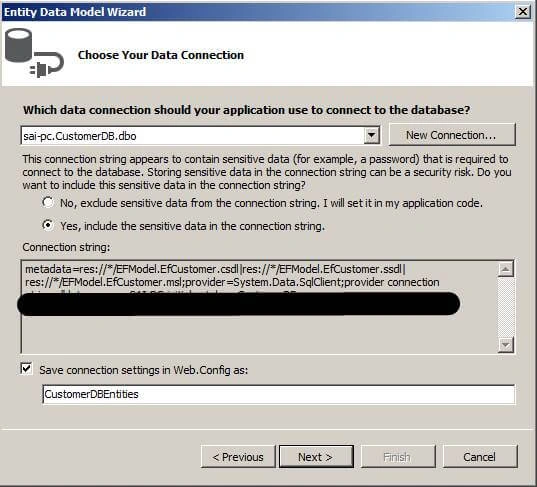
Fig 10.Choose option to Display Sensitive data in Connection String
The last option to choose is to show the sensitive data in the Connection string. Click "Yes".
Select the object to use
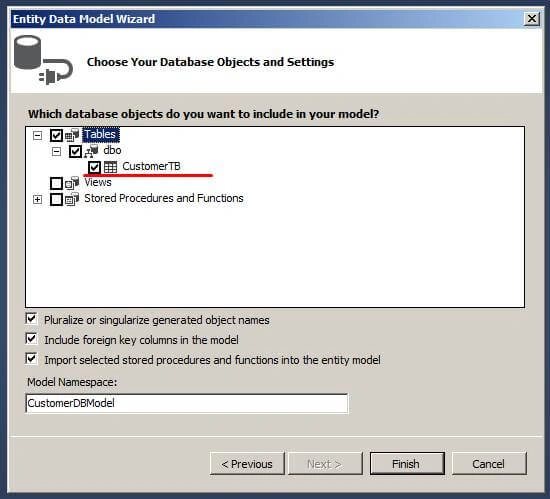
Fig 11.Choosing objects
Select Tables. Inside that, select CustomerTB table and click on "Finish" button.
Now, it will generate EFCustomer Entity Data Model.
EFModel View after adding Entity Data Model
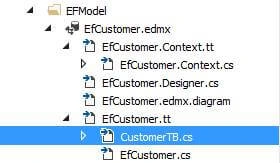
Fig 12. EfCustomer Entity Data Model structure
Next, after adding EFCustomer Entity Data Model, we are going to add API Controller.
Adding API Controller
In this part, we are going to add an Empty API Controller with the name “CustomerInformation”.
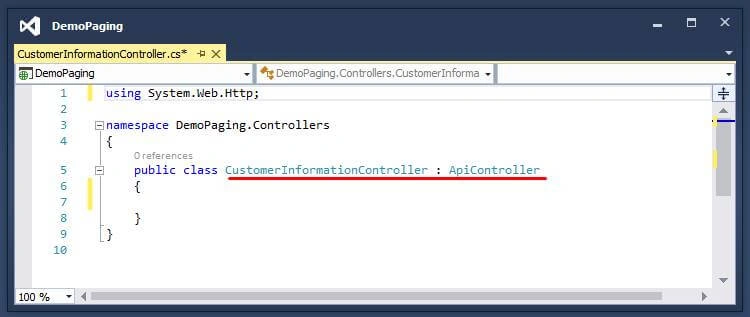
Fig 13.Snapshot after Adding CustomerInformation Controller
After adding API Controller, next, we are going add a Model.
Adding Model (PagingParameterModel)
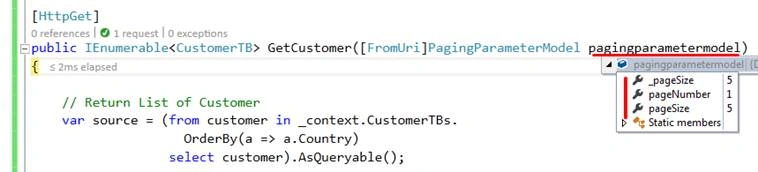
We are going to add a Model named “PagingParameterModel” in the Models folder and it will have the paging property in it.
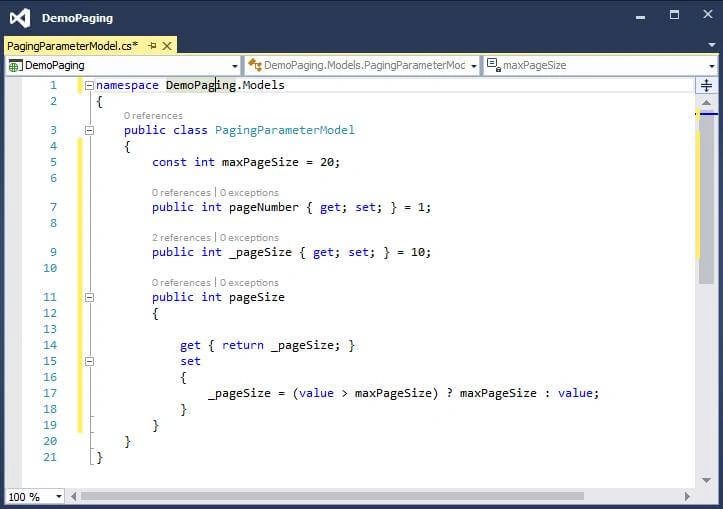
Fig 14.Snapshot after adding PagingParameterModel
Code snippet of PagingParameterModel
- namespace DemoPaging.Models
- {
- public class PagingParameterModel
- {
- const int maxPageSize = 20;
- public int pageNumber { get; set; } = 1;
- public int _pageSize { get; set; } = 10;
- public int pageSize
- {
- get { return _pageSize; }
- set
- {
- _pageSize = (value > maxPageSize) ? maxPageSize : value;
- }
- }
- }
- }
Akash OmrePosted Jun 12, 2019, 6:02 AM
Nice its very Simple Clarification.
Susanta RoutPosted Jan 10, 2019, 11:53 AM
Please share jquery part
ChanikyaGupthaPosted Aug 17, 2018, 10:57 PM
How 'GetCustomer' is calling it self automatically?
Khizar NasirPosted Jun 7, 2018, 5:30 AM
What if we have to use more than one table .. then what are we going to do?
Katz GrumosoPosted Jun 4, 2018, 12:35 AM
Sir thanks for sharing this, its very clear and helpful. just a little question, the query retrive all customer from the database, so when the data contains more than one million of customer, for each request, the query retrive one million of rows and then paginate,is a appropriate workflow? or doesnt matter?, thanks sir for the response :) note:right now I'm inserting one million of customer in the CustomerTB for testing
Tridip BhattacharjeePosted Mar 15, 2018, 3:20 AM
Sir tell me when your following code will execute then it will fetch any data from db or not? see this is your code var source = (from customer in _context.CustomerTBs. OrderBy(a => a.Country) select customer).AsQueryable();
Tridip BhattacharjeePosted Mar 14, 2018, 4:42 AM
I saw your paging code and feel 2 to 3 times database hit will occur...am i right?
Anilananda ChakraborttyPosted Aug 10, 2017, 7:31 AM
How to add a textbox in the pagination so that i jump in a particular page... I want a input field and number type also...
Anilananda ChakraborttyPosted Aug 10, 2017, 7:29 AM
Hello sir, @Saineshwar Bageri
Manav PandyaPosted Aug 10, 2017, 12:24 AM
Thanks for sharing sir ....