

Introduction
HTML5 is awesome when it comes to creating a web page. These days, the web page is no more just a static content holder. It has evolved a lot to produce rich and lively content.
If you want to read about the basics of HTML 5, then please have a look at the following article.
Drag and drop is a very common feature and convenient for users. Simply you need to grab an object and put it at the place you want to. This feature is commonly used by many of the online examination websites wherein you have the options to pick up the correct answer, drag it to the answers place holder and drop it.
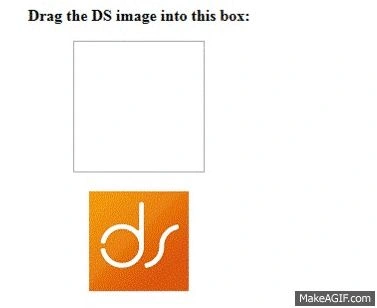
Drag and drop are a part of the HTML 5 standard. Using HTML 5 along with JavaScript you can achieve the desired result. A tested and working example of a drag and drop feature.
- <!DOCTYPE HTML>
- <html>
- <head>
- <style>
- #box {
- width: 110px;
- height: 110px;
- padding: 10px;
- text-align: center;
- margin: 0 auto;
- border: 1px solid #aaaaaa;
- }
- body {
- text-align: center;
- }
- </style>
- </head>
- <body>
- <p><b>Drag the DS image into this box:</b></p>
- <div id="box" ondrop="drop(event)" ondragover="allowDrop(event)">
- <script>
- function allowDrop(ev)
- {
- ev.preventDefault();
- }
- function drag(ev)
- {
- ev.dataTransfer.setData("text", ev.target.id);
- }
- function drop(ev)
- {
- ev.preventDefault();
- var data = ev.dataTransfer.getData("text");
- ev.target.appendChild(document.getElementById(data));
- }
- </script>
- </html>

Bhuvanesh MohankumarPosted Apr 30, 2016, 3:10 PM
Good one...
Dipendra ShekhawatPosted Jan 14, 2016, 6:07 AM
If you guys really like this article then can you please comment on my blog - http://dipendrashekhawat.com/how-to-drag-and-drop-images-using-html-5/. I would really appreciate it.
Imran KhanPosted Jan 14, 2016, 5:58 AM
nice
Santhakumar MunuswamyPosted Jan 13, 2016, 10:28 AM
Thanks for nice share
Ehsan SajjadPosted Jan 12, 2016, 1:10 PM
Well written
Ankur MistryPosted Jan 12, 2016, 12:29 PM
Nice share
Raja TPosted Jan 12, 2016, 10:29 AM
Nice, Thanks for sharing
Mohammed IbrahimPosted Jan 12, 2016, 7:29 AM
nice
Humayun Kabir MamunPosted Jan 11, 2016, 10:59 PM
Nice...
Kumaresh RajalingamPosted Jan 11, 2016, 9:49 PM
Nice