

This sample demonstrates how to drop content in target location on page using
JQuery in web application.
Getting Started
Creating a ASP.NET Application:
- Open Visual Studio 2010.
- Go to File => New => Web Site.
- Select ASP.NET Web Site from the Installed templates
- Enter the Name and choose the location.
- Click OK.
Draggable:
Call .js and .css file inside of page head tag.
<metacharset="utf-8">
<title>jQuery
Droppable Sample</title>
<linkrel="stylesheet"href="theme/jquery.ui.all.css">
<scriptsrc="jquery-1.4.4.js"></script>
<scriptsrc="ui/jquery.ui.core.js"></script>
<scriptsrc="ui/jquery.ui.widget.js"></script>
<scriptsrc="ui/jquery.ui.mouse.js"></script>
<scriptsrc="ui/jquery.ui.draggable.js"></script>
<scriptsrc="ui/jquery.ui.droppable.js"></script>
<style>
#draggable{
width: 100px;
height: 100px;
padding: 0.5em;
float: left;
margin: 10px10px10px0;
}
#droppable{
width: 150px;
height: 150px;
padding: 0.5em;
float: left;
margin: 10px; }
</style>
<script>
$(function () {
$("#draggable").draggable();
$("#droppable").droppable({
drop: function (event, ui) {
$(this)
.addClass("ui-state-highlight")
.find("p")
.html("Dropped!");
}
});
});
</script>
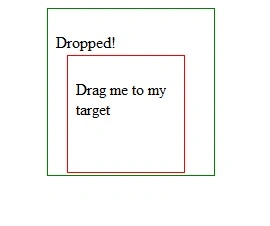
Now put this code inside of form tag.
<divclass="demo">
<divid="draggable"class="ui-widget-content"style="border:
thin solid red;">
<p>Drag
me to my target</p>
</div>

Join the conversation! Your thoughts help the community grow.