

Introduction
Energy Sever Mode is the new feature of Microsoft Windows 10. It can be understood that the Energy Saver mode saves energy when the user is away. When your laptop battery can last only for a few hours and you do not have access to the power terminal then you can choose the energy to sever mode option.
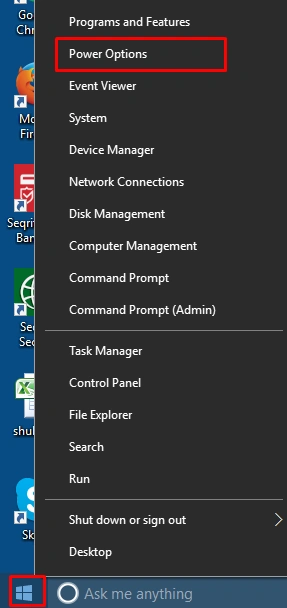
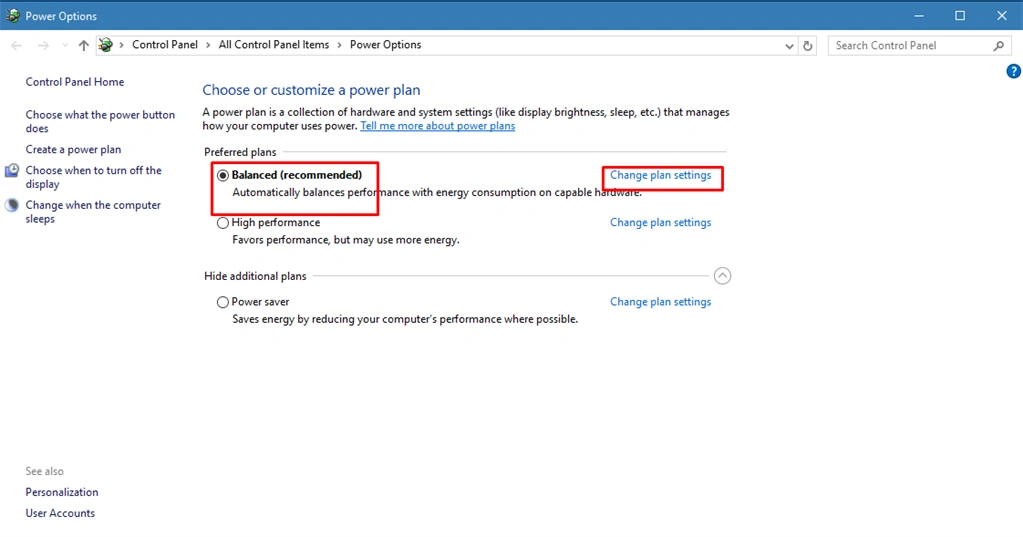
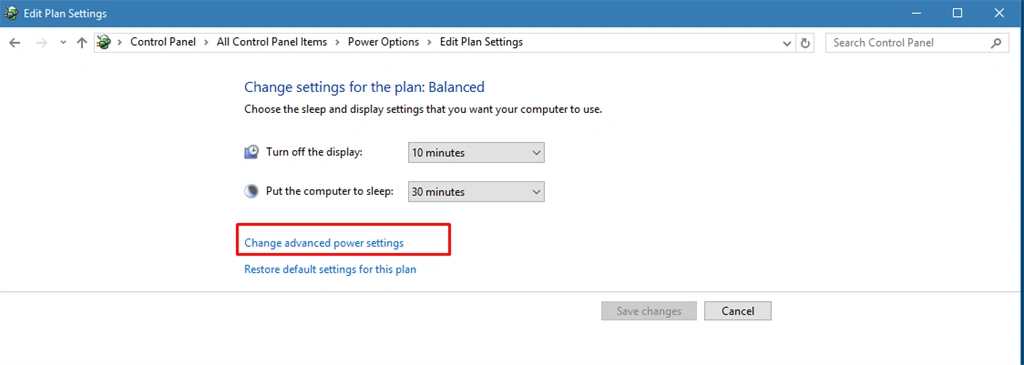
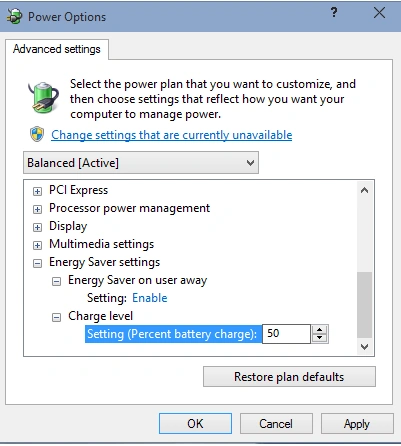
- Energy saver on user away
- Charge level
Choose which energy saver mode is to be enabled and then press ok to apply the changes.
Summary
In this article, we learned about how to enable energy saver mode in Windows 10.
Join the conversation! Your thoughts help the community grow.