

Introduction
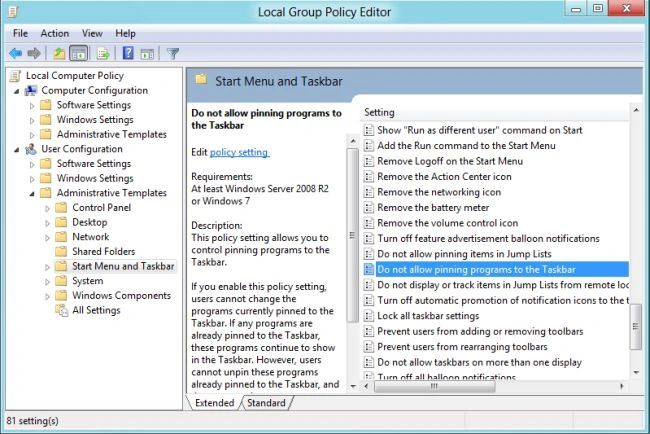
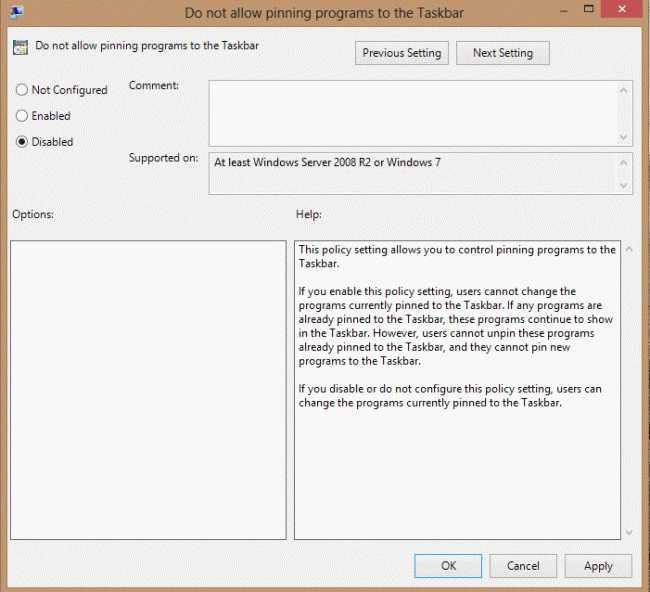
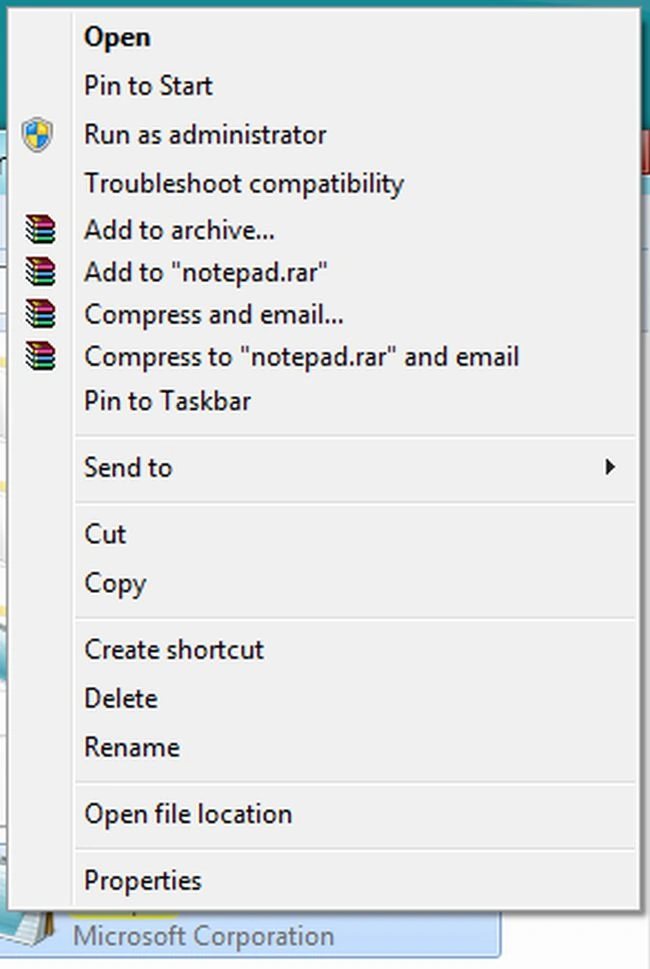
Unlike in Windows 7, Windows XP and earlier operating systems, the Windows 8 operating system is has many special and advanced features. To early recognition of any program for fast use we can pin or unpin that program. Windows 8 provides the "Disable Pinning Programs to Taskbar in Windows 8" option. If someone has selected the "Enable" option then you can't pin any program to the Taskbar. Therefore the "Pin to Taskbar" option would not be seen in the popup window as shown in the figure.
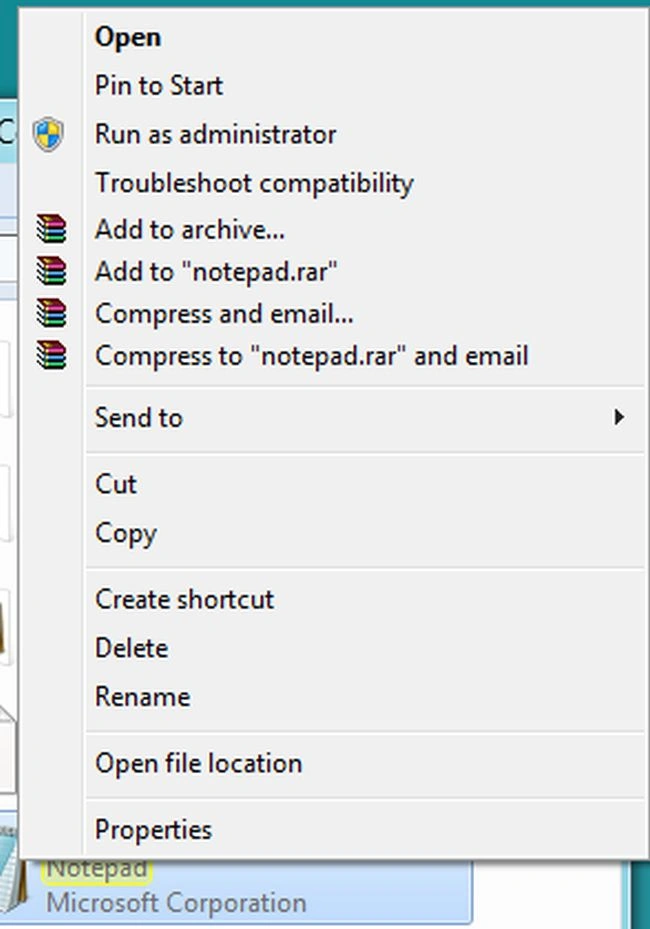
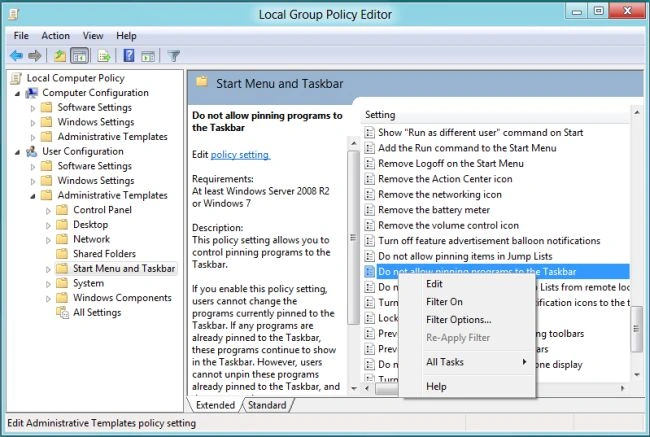
But if you want to enable a user to pin any programs in the Taskbar then you have to select the "Disabled" or "Not Configured" option in the "Do not allow pinning programs to Taskbar" window.
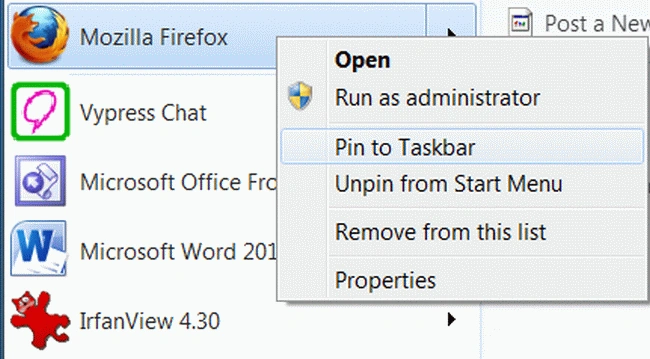
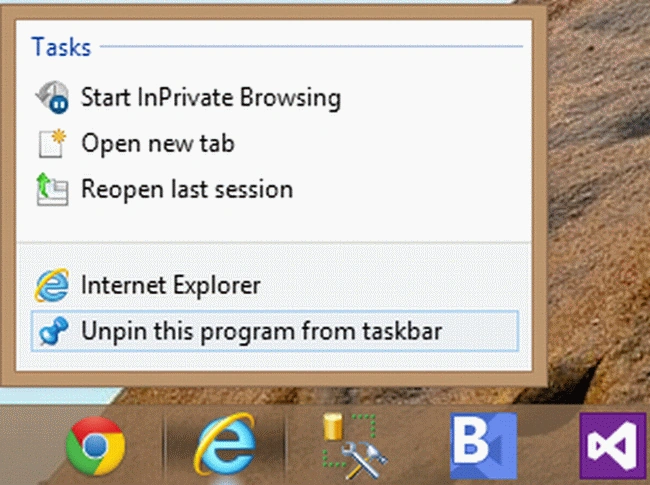
In this article we will learn how to enable pinning of programs to Taskbar. If you want to pin programs to Taskbar then the following two images can help us to complete this task.
If you want to pin any program from the Desktop then just right-click on that folder and select the "Pin to Taskbar" option from drop down list.
And if you want to unpin any program from the Taskbar then just right-click on that folder and select the "Unpin this program from Taskbar" option from the drop down list.
How to enable the user to pin program in Taskbar?
Step 1
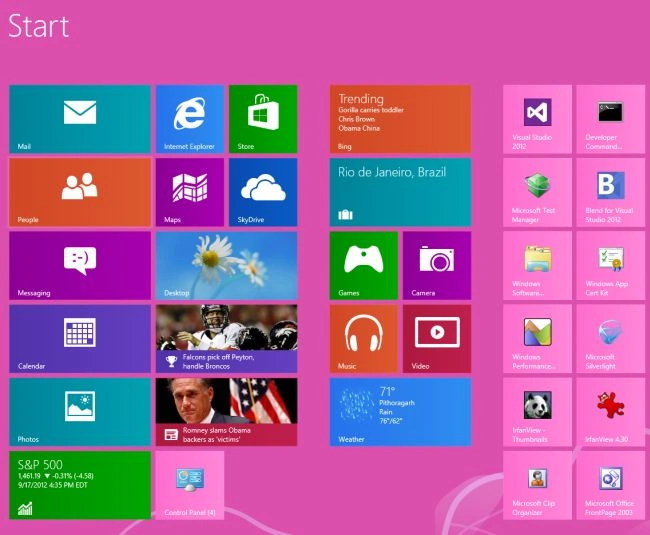
First of all we have to move on the Start screen window of Windows 8.
Step 2
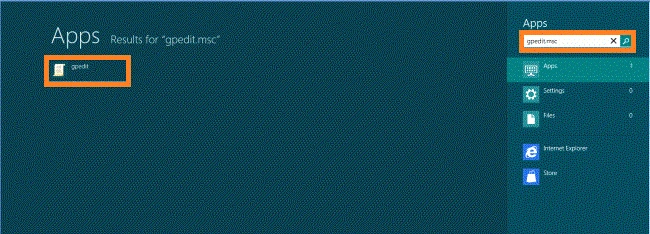
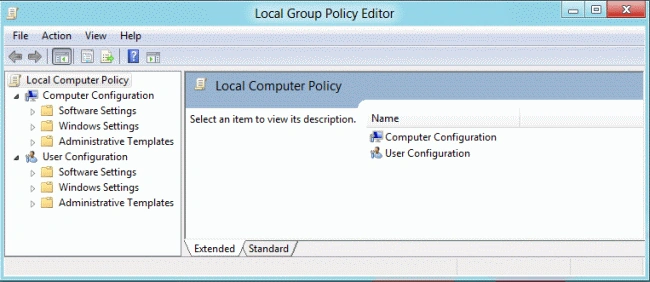
Then move the cursor on the bottom-right of the window screen and click the search box which is helpful to search in Windows 8.

Cuong PhamPosted Jan 17, 2014, 3:46 AM
That's nice... thanks Manish Sharma very much :)