

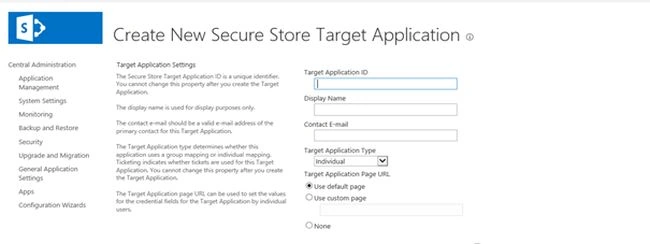
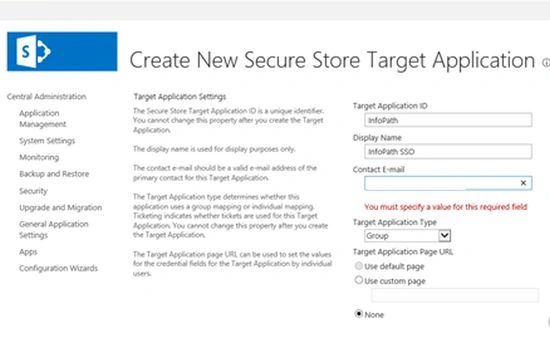
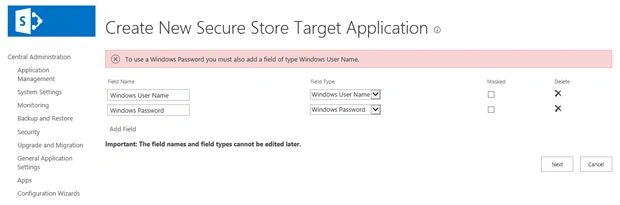
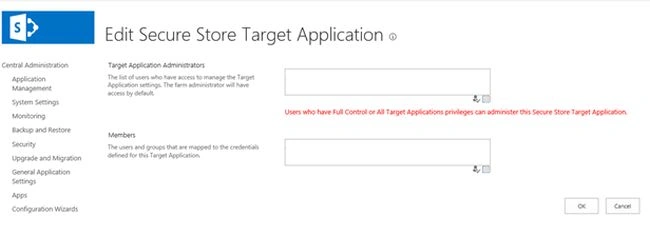
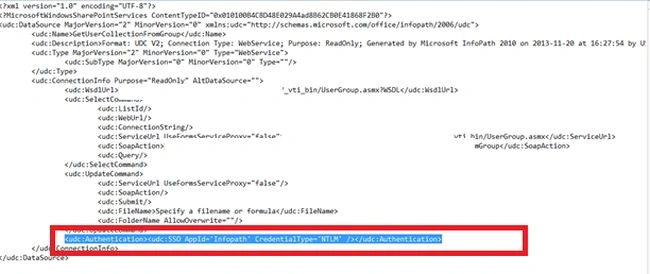
To use SharePoint Web services in an InfoPath form configured using Claim based SharePoint sites we need to create a SSO for the Web Service connection and need to be mentioned in the connection file (.udcx). We can see the detailed steps for that in this article.
1. On the Central Administration home page, in the Application Management section, click "Manage service applications" then click on "Secure Store Services".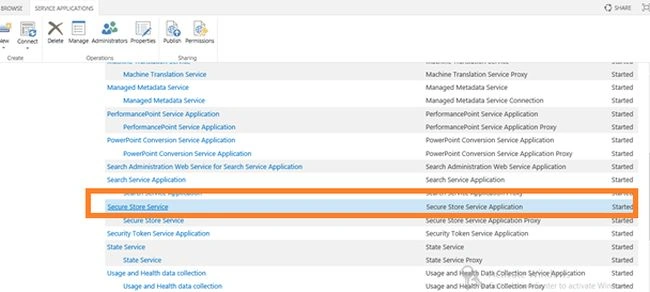
Note: We should configure Secure Store Services before doing this configuration.
Generate Keys
2. Before using the Secure Store Service, you must generate an encryption key. The key is used to encrypt and decrypt the credentials that are stored in the Secure Store Service database.
3. The first time you access the Secure Store Service application, your only option is to generate a new encryption key. Once the key has been generated, the rest of the Secure Store functionality becomes available.
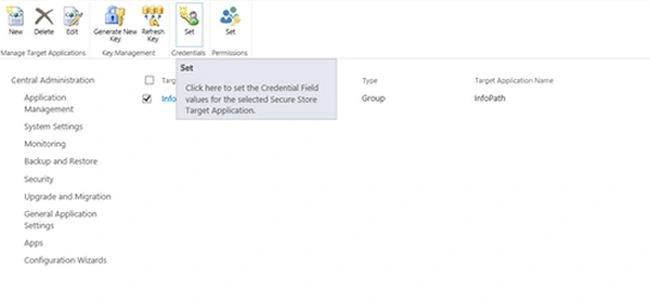
4. In the Key Management group, click "Generate New Key".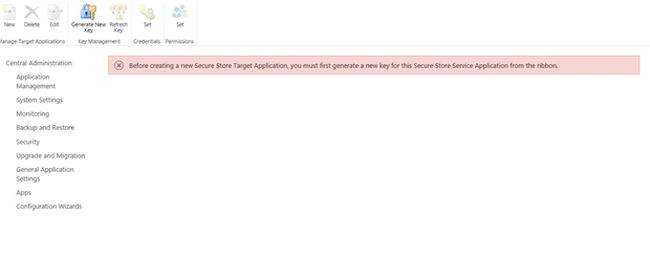
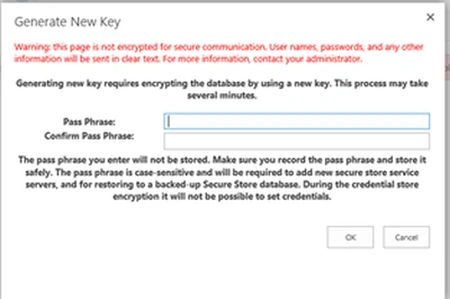
5. On the Generate New Key page, type a pass phrase string in the Pass Phrase box, and type the same string in the Confirm Pass Phrase box. This pass phrase is used to encrypt the Secure Store database. Click "OK".
Note :
A pass phrase string must be at least eight characters and must have at least three of the following four elements:
- Uppercase characters
- Lowercase characters
- Numerals
- Any of the following special characters
"! " # $ % & ' ( ) * + , - . / : ; < = > ? @ [ \ ] ^ _ ` { | } ~


Rajkiran SwainPosted Jul 25, 2016, 3:14 AM
Nice