

In this article, you will learn about how to find the SharePoint document library ID using two simple methods: first, by leveraging Power Automate and its built-in tricks, and second, by utilizing the Network tab in Chrome DevTools. here both methods allow you to retrieve the document library ID without needing to make API calls through Graph Explorer.
1 - By using Power Automate
Go to make.powerautomate.com
Create any flow like instant or automated. (this is only for getting id).
Take an action of excel like get a row or list rows in table.
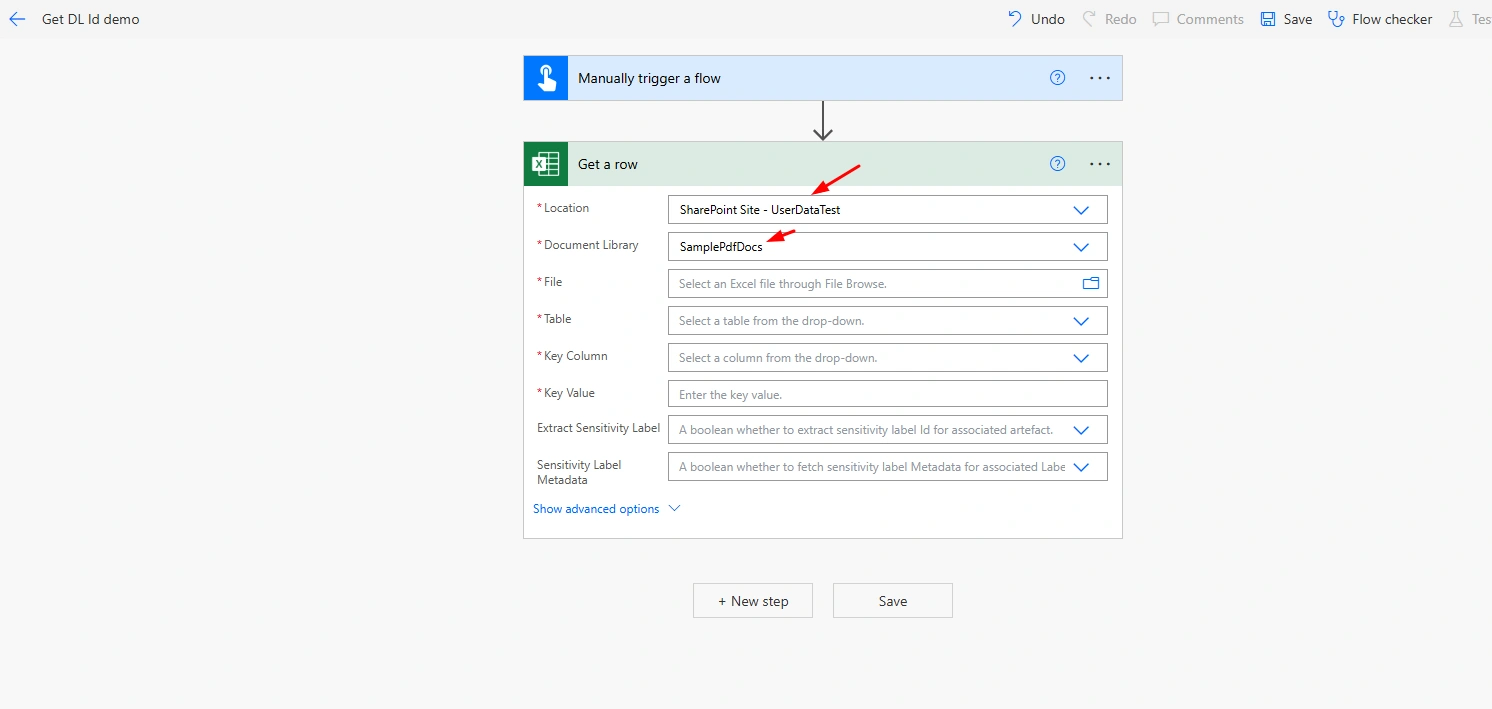
I have take Get a row action of Excel.
First, select that SharePoint site and Document library respectively.
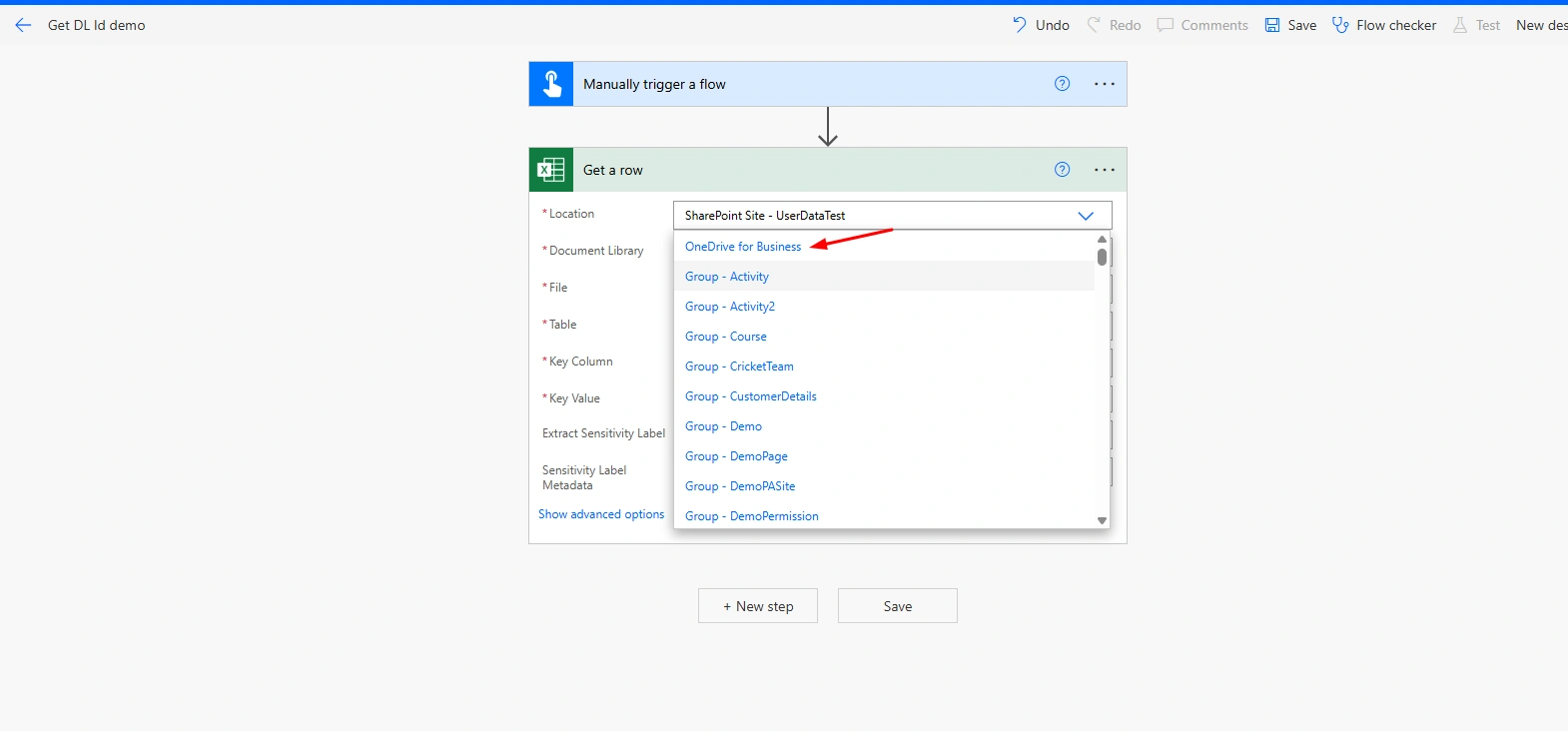
Now, change Location to any of below list as i have changed to OneDrive.
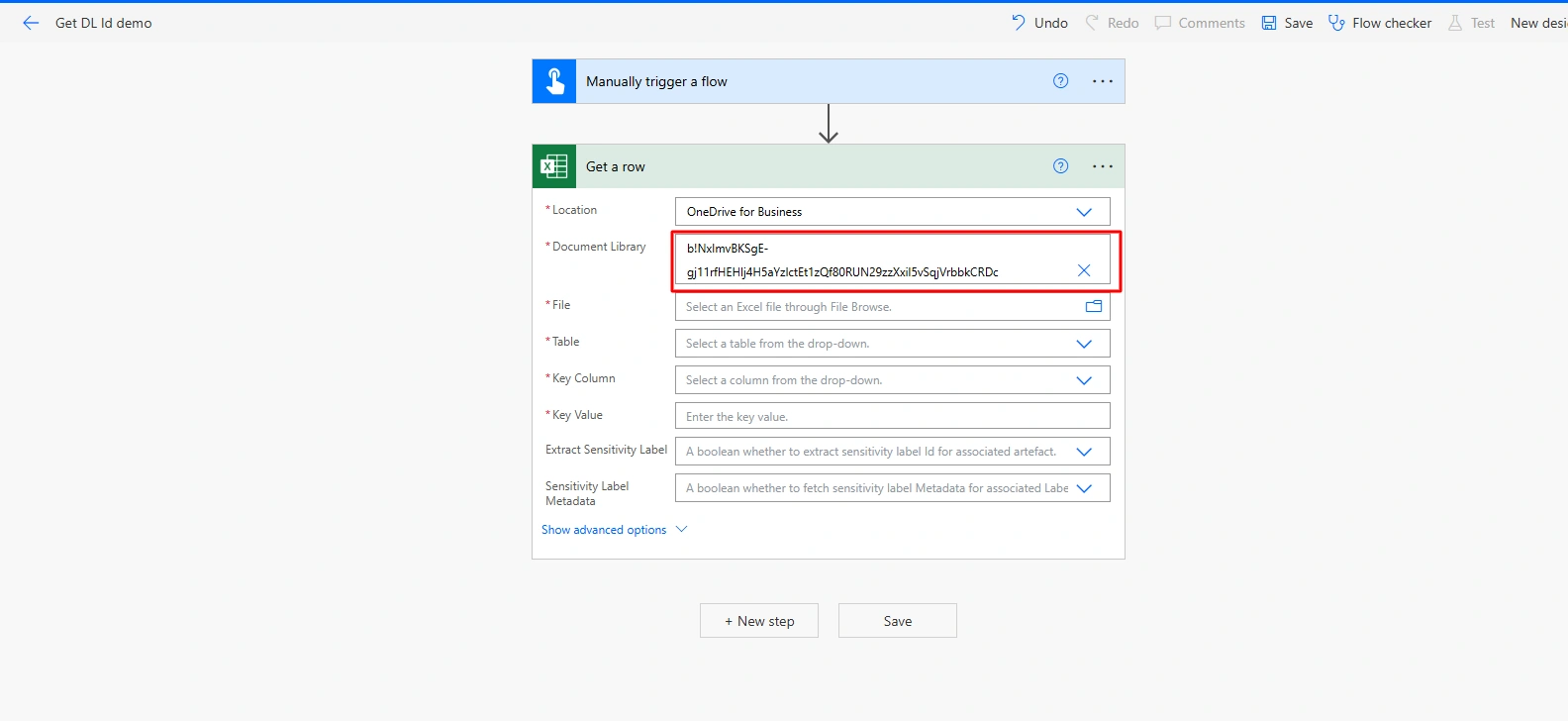
When i changed to OneDrive as it give me id of SamplePdfDocs (Document Library).
2 - By using Chrome DevTools
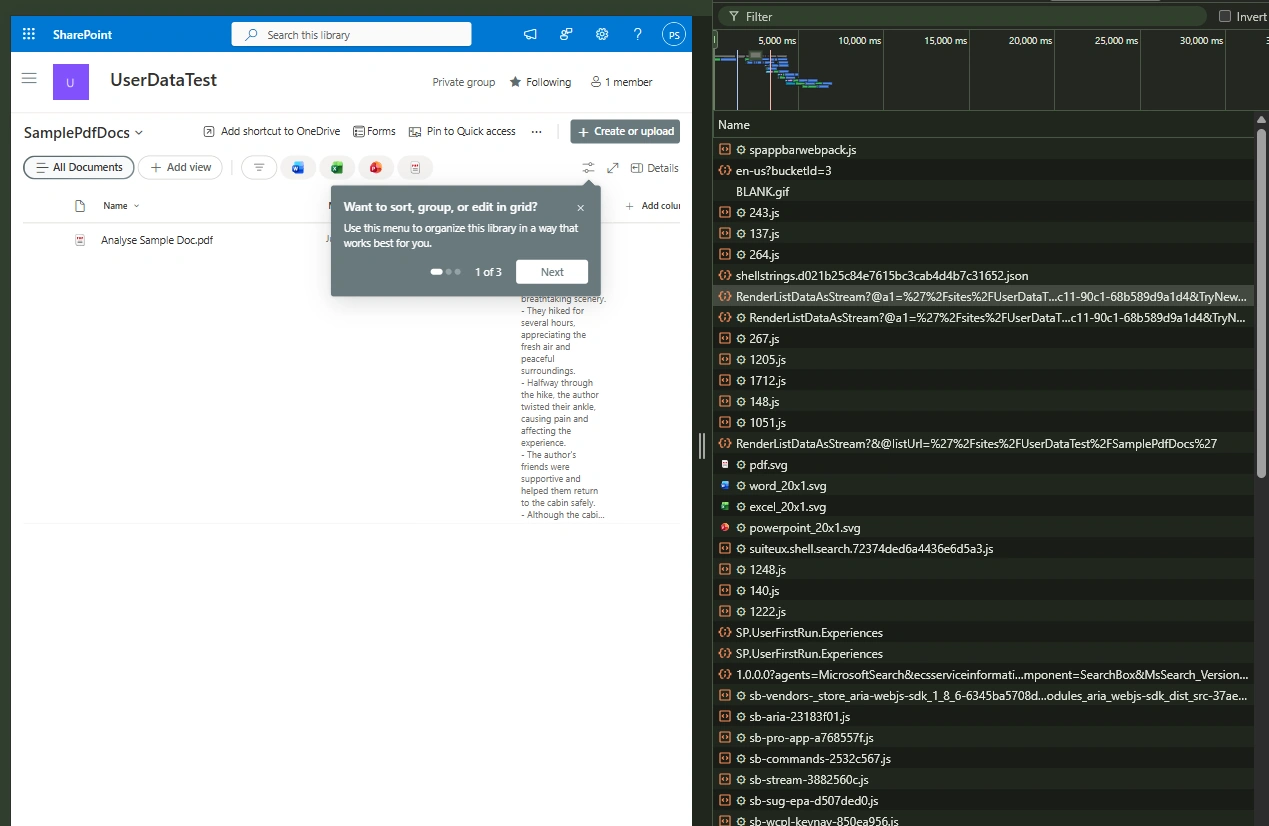
Go to document library -> open Inspect mode (press F12) ->Open Network tab -> Reload page.
You can see this Name startswith - RenderListDataAsStream
Click on this Name then go to Response tab and search for - driveUrl
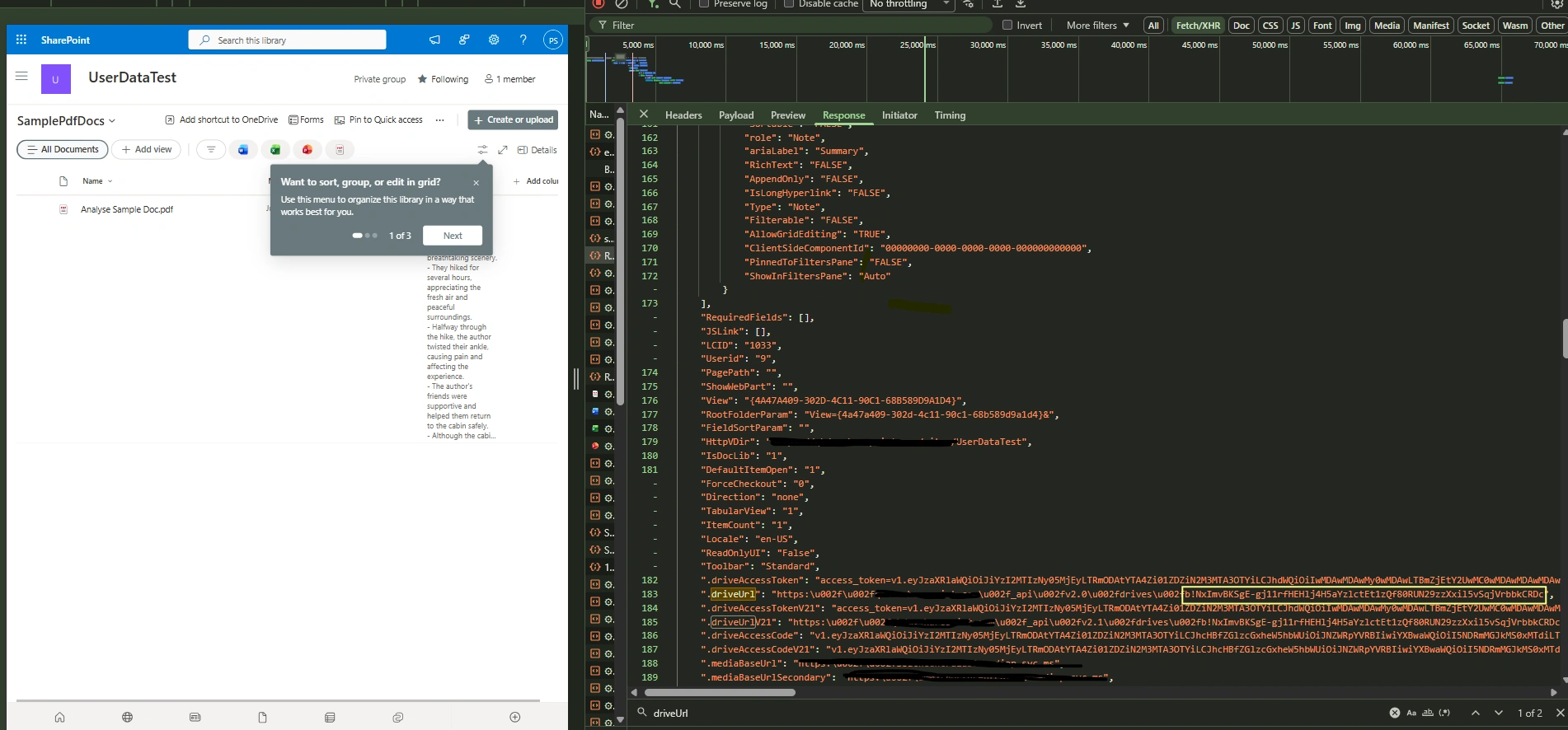
where b!.... is document library id of SamplePdfDocs.
Conclusion
In this article, we’ve explored two efficient ways to find the SharePoint document library ID without using API calls in Graph Explorer like by utilizing Power Automate’s built-in tricks and the Network tab in Chrome DevTools.
Join the conversation! Your thoughts help the community grow.