

Sometimes developers need to generate random numbers in a Web page or website. This article demonstrates how to create a simple Web page using ASP.NET and generates and displays a random number using the Random class available in C# and .NET.
For generating a random number, you can use the Random class in C# that resides in the "System" Namespace.
Random

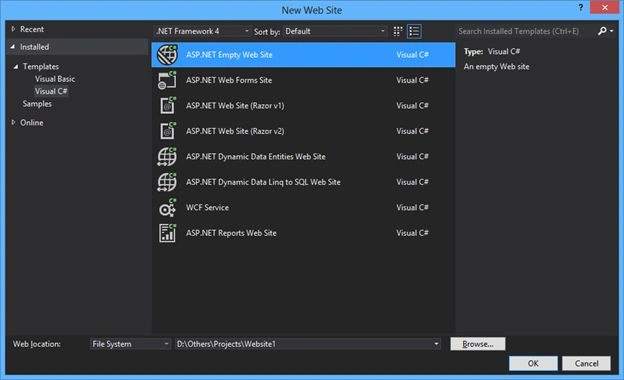
Step 1: Create a new Empty Website named "Website1" using Visual Studio.
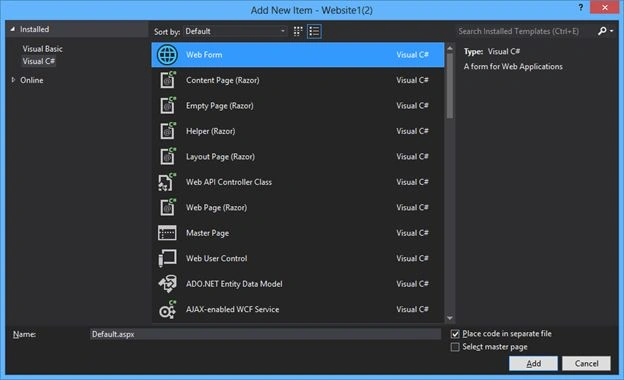
And add the Web form named "Deafult.aspx" into it.
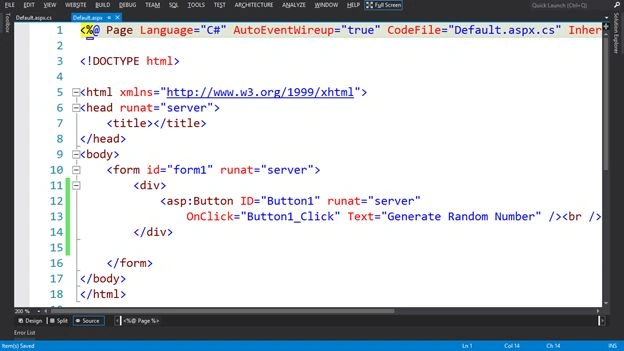
Step 2: Add a button to the "Deafult.aspx" page with the Text "Generate Random Number" and a click event.
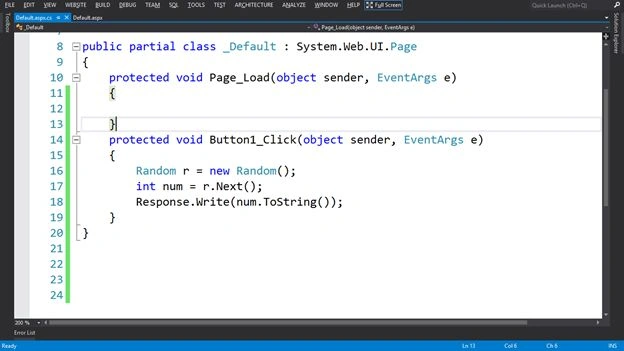
Step 3: Write the code on button click event.
Create an object of the "Random" class.
- Random r = new Random();
To get the next value of the random object and save the output in an int variable named "num".
- int num=r.Next();
- Print the "num" variable.
- Response.Write(num.ToString());
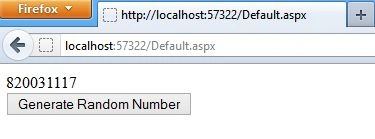
Step 4: After running the page.
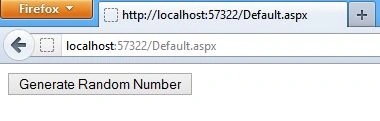
After clicking the button, first I got "369593053" as the random number.
And the second time, I got "820031117" as the random number.
The name of a character array is actually a pointer to the first element of the array.
Note: You can also set the range of random numbers. In my future article you can see that.
Summary
In this article, I demonstrates how to create a simple one page Website that uses and displays a random number.
Saineshwar BageriPosted Sep 10, 2018, 8:54 AM
Hi, Sir, Article is good but ,there are Issues with Random Link:- https://stackoverflow.com/questions/767999/random-number-generator-only-generating-one-random-number