

Introduction
In this article, we will learn how to get a marquee feature without a marquee tag in HTML5. You can also move an image across the screen.
Today I have prepared something really entertaining. Of course, we implement it with our favorite HTML5.
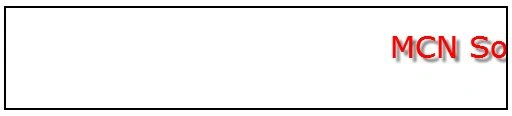
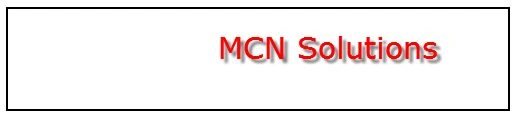
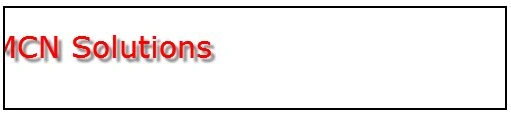
In this animation, the x-coordinate value of the banner decreases as the banner moves from right to left. The screen is cleared between position changes.
Step 1
First of all, we will create a "moveBanner()" method inside the script tag.
- function moveBanner() {
- var canvas = document.getElementById("canvas");
- if (canvas.getContext) {
- var ctx = canvas.getContext("2d");
- // Clear the screen
- ctx.clearRect(0, 0, 500, 100);
- // Display the text in the new position
- ctx.fillText("MCN Solutions", X, 50);
- X -= 3;
- // If the banner has reached the left end of the screen, resent the x-coordinate
- if (X < -30)
- X = 500
- }
- }
Step 2
In the movebanner() method we will clear the screen using:
ctx.clearRect(0, 0, 500, 100);
Step 3
In my next step, in the movebanner() method we will display the text at a new position using:
ctx.fillText("MCN Solutions", X, 50);
X -= 3;
Step 4
In the movebanner() method, we will next check if the banner has reached the left end of the screen, and if it has then we will reset the x-coordinate.
See:
if (X < -30)
X = 500
We must call the moveBanner() function repeatedly at regular intervals. We will use the setInterval() method for this. The setInterval takes the following 2 parameters:
- The function that is to be called at regular intervals
- The interval in microseconds
Step 5
Now we will create the "init()" method:
- function init() {
- var canvas = document.getElementById("canvas");
- if (canvas.getContext) {
- var ctx = canvas.getContext("2d");
- // Set the banner text attributes
- ctx.fillStyle = "red";
- ctx.shadowOffsetX = 4;
- ctx.shadowOffsetY = 4;
- ctx.shadowBlur = 3;
- ctx.shadowColor = "grey";
- ctx.font = "30px verdana";
- // Call the moveBanner() function repeatedly every 40 microseconds
- setInterval(function () { moveBanner() }, 40)
- }
- }
kalu singh raoPosted Jul 4, 2016, 2:16 AM
Nice...
veesam chaitanyaPosted Jul 19, 2014, 1:29 AM
how i scroll two messages one after another using marquee??? please give one example for me
YouriPosted Jul 18, 2013, 3:20 PM
Interesting, thanks. I've expanded on this by having the banner come in a 2nd/3rd/... time if needed based on an interval distance. See http://jsfiddle.net/GLTQ3/
sukanta deyPosted Apr 18, 2013, 3:55 AM
Thank you