
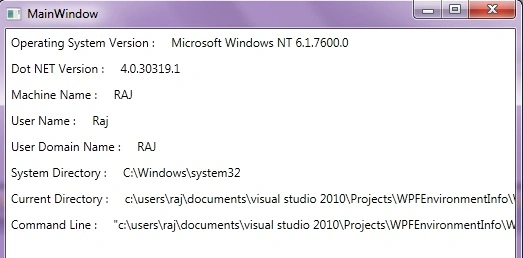
This article demonstrates how to get system environment information like
Operating System,.NET Version, Machine Name, Username, Domain Name, Directory
Name, Command Line using wpf.
Here we go, first of all create a new WPF Project.
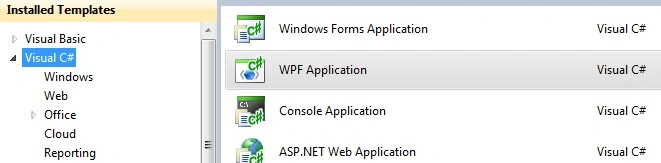
Image1.
By default wpf application has some assembly
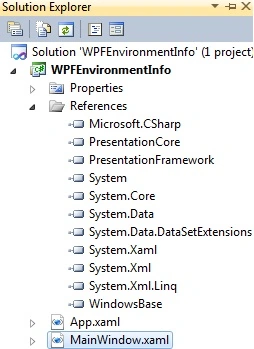
Image2.
Now let's start working on .xaml page. First of all add a namespace for mscorlib
assembly.
xmlns:r="clr-namespace:System;assembly=mscorlib"
MSCorlib- It is special, any compiler needs it because it contains types that
are required to make the language syntax work. System.Array, System.Int32,
System.String, System.Exception, etc.
Write this .xamlcode on page:
<TextBlock>
<Label
Content="Operating
System Version : "></Label>
<Label
Content="{x:Static
r:Environment.OSVersion}"></Label>
<LineBreak></LineBreak>
<Label
Content="Dot
NET Version : "></Label>
<Label
Content="{x:Static
r:Environment.Version}"></Label>
<LineBreak></LineBreak>
<Label
Content="Machine
Name : "></Label>
<Label
Content="{x:Static
r:Environment.MachineName}"></Label>
<LineBreak></LineBreak>
<Label
Content="User
Name : "></Label>
<Label
Content="{x:Static
r:Environment.UserName}"></Label>

Join the conversation! Your thoughts help the community grow.