


XrmToolBox is a widely used Tool in Dynamics 365 CRM and it has many Tools, which help us in our day-to-day activities in Dynamics.
In this article, I will explain how to get the Connection String of the required Dynamics 365 CE/ Dataverse Environment.
Follow the below steps for the same.
Step 1
Open XrmToolBox.
Step 2
Open Connections Manager and Choose your required Connection File.

Step 3
Click on the Database icon as shown below.

You can see the below Connection string of the selected Dataverse Environment.
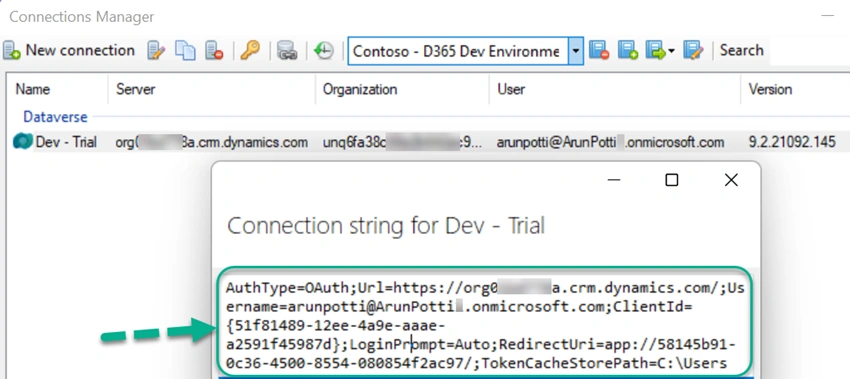
I hope you have successfully got the Connection String for the required Dynamics CE environment to use in your C# code for connecting to the Dataverse.
Please like and share your valuable feedback on this article.
Join the conversation! Your thoughts help the community grow.