

Introduction
In Power Automate, flows can fail due to missing data, service outages, or unexpected inputs. Error handling lets your automation detect and respond to failures using Scopes, Run After, Terminate actions, and retry policies, making flows more reliable and maintainable. It also enables logging, notifications, and prevents cascading errors.
Lets first understand what is Try, Catch and Finally block:
Try
The block where you put the main actions you want to run.
If everything works, it completes normally.
In Power Automate, this is usually a Scope named "Try".
Catch
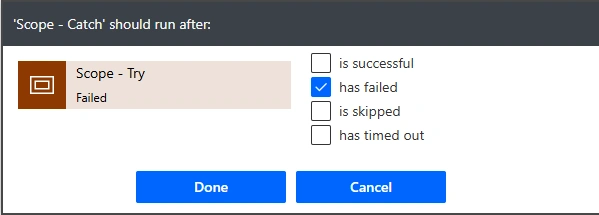
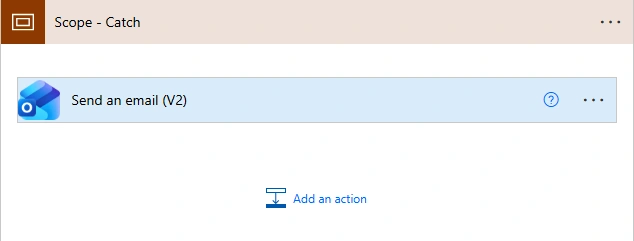
The block that runs only if something in Try fails.
Used to handle errors, log them, or send notifications.
In Power Automate, it's another Scope with "Configure Run After → has failed".
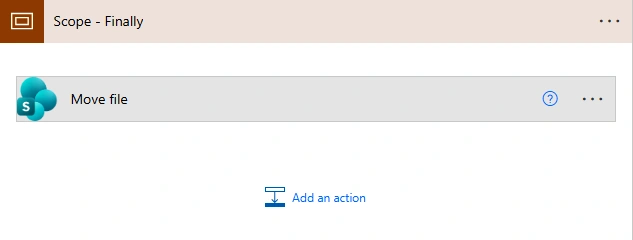
Finally
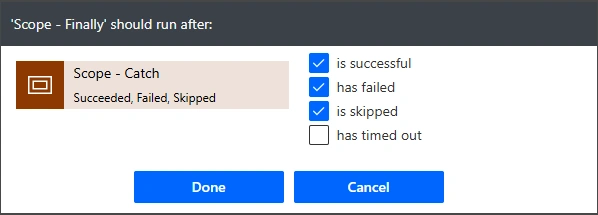
The block that runs no matter what—whether Try succeeded or Catch ran.
Useful for cleanup actions, closing resources, or sending final notifications.
In Power Automate, it's a Scope with "Configure Run After → has succeeded, has failed, or is skipped".
Understand this with a power automate Use Case:
Use Case
Flow tries to read excel and move it to another folder on success else will send email notification that flow failed.
Below are the flow design steps:
Step 1. Trigger: You can trigger your flow in different ways: like manually, on file creation, on modification or schedule flow.

Step 2. Configure try block.
What are we doing here. Similarly you can put all your main actions in the Try block:
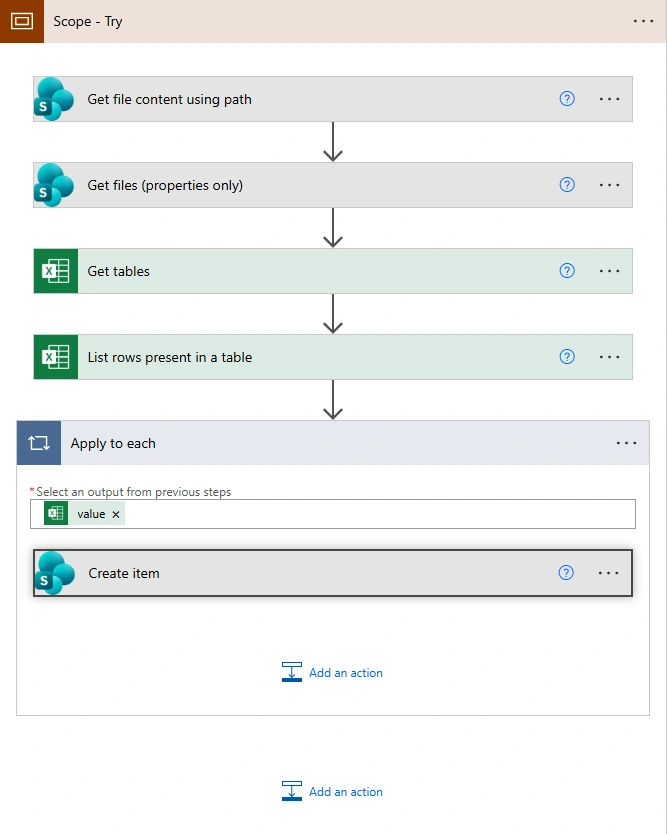
Scope – Try
Groups all main actions.
Used as part of a Try–Catch error handling pattern.
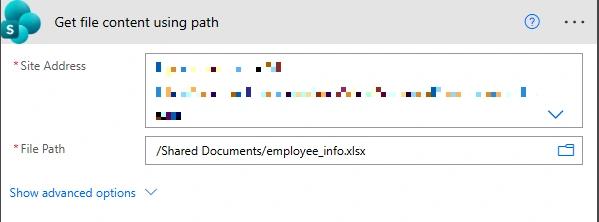
Get file content using path
Retrieves the Excel file from SharePoint.
Confirms the file exists and is accessible for further actions.
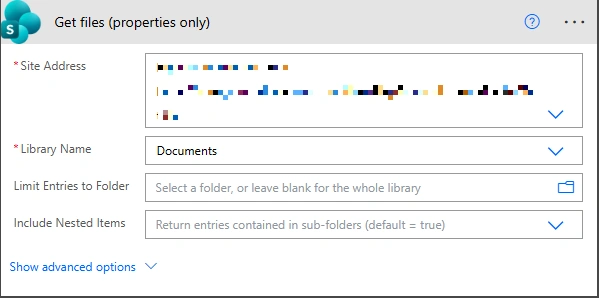
Get files (properties only)
Fetches file metadata, including the File Identifier.
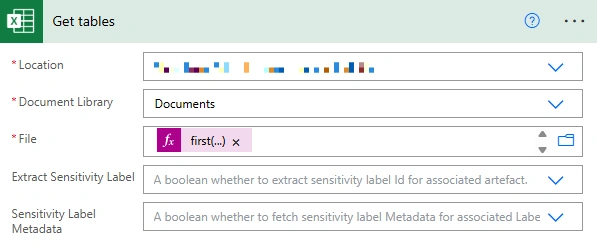
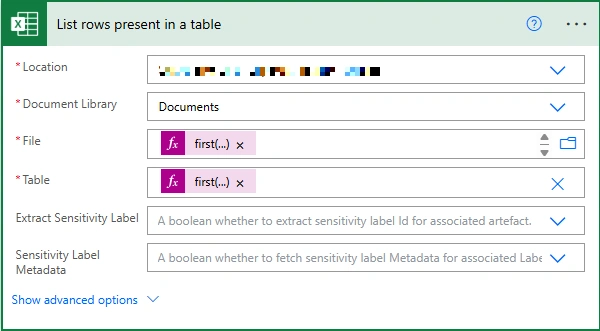
This Identifier is reused in later Excel actions to consistently reference the same file.
Join the conversation! Your thoughts help the community grow.