

Introduction
If you want to hide (disable) your personal information on the Windows 10 login screen, you follow the steps, given below-
Step 1
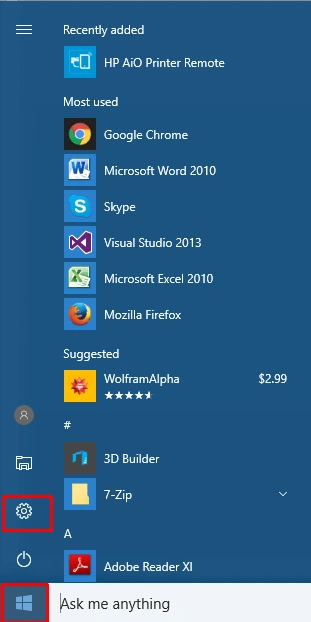
Go to the settings option from the Start menu.
Step 2
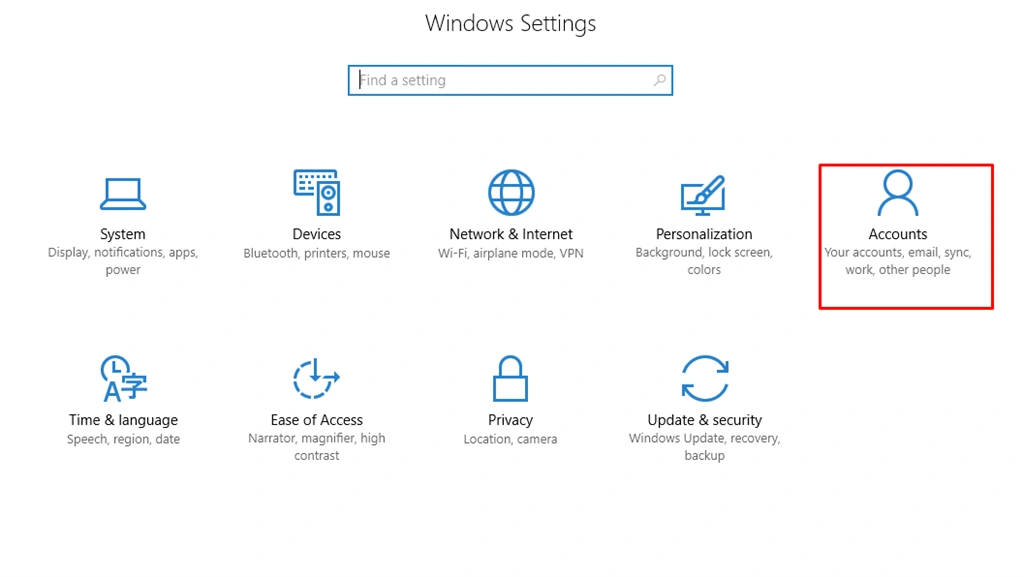
When you select the setting option, you chose the accounts options, as shown below-
Step 3
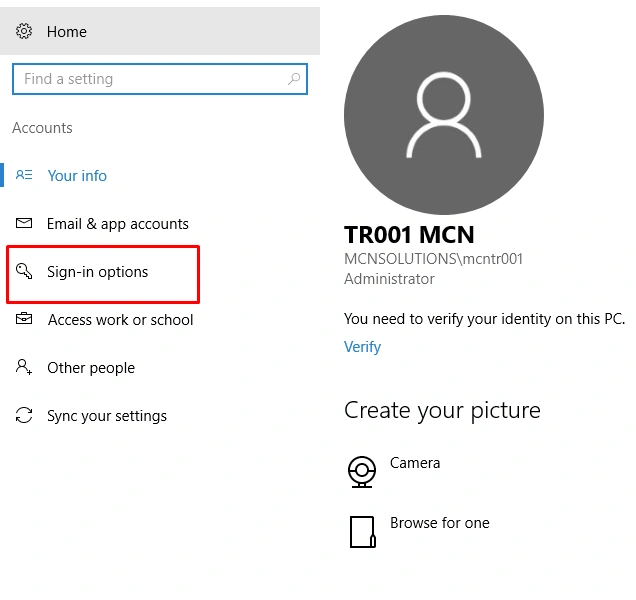
When you chose the account option, you will get the new dialogue with new settings and you will select the sign in options, as shown below-
Step 4
When you select the sign in, you will get the new setting with a new box, which needs to be opened. You will select the privacy and press the click for off, as shown below-
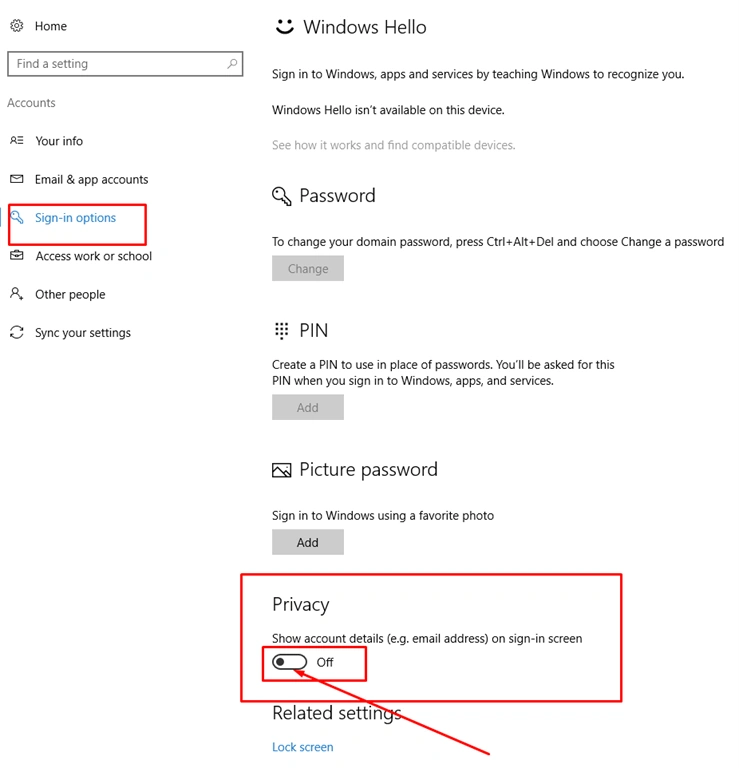
Now, after this process, your login screen personal details are turned off. If any other user uses your systems, the other user is not able to see your personal details.
Summary
I hope you enjoyed, how to hide (disable) your personal information on the Windows 10 login screen. Follow C# Corner to learn more new and amazing things about Windows 10.
Join the conversation! Your thoughts help the community grow.