

This article shows how to hide your web service, but before that I will tell you what the problem behind it is.
Use the following procedure to understand this in detail.
Step 1: Create a web application and add a web service with some code to it.
Create a web application named "WebApplication1" as in the following:
Create a Web Service named "Web Service 1" in the web application.
Step 2: Write a web method in the service and run it.
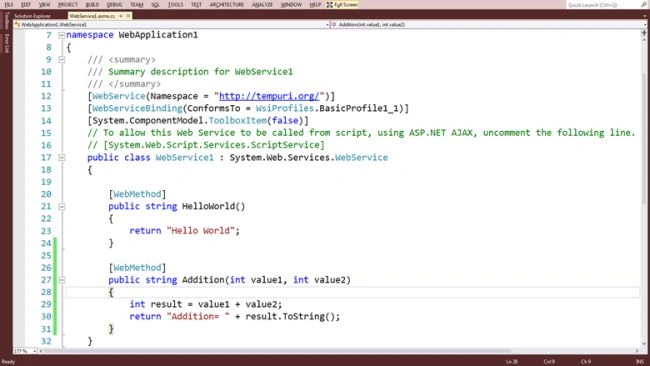
Write a web method in the service that accepts 2 int values as input parameters and after addition of both values, return a string value that contains the addition.
[WebMethod]
public string Addition(int value1, int value2)
{
int result = value1 + value2;
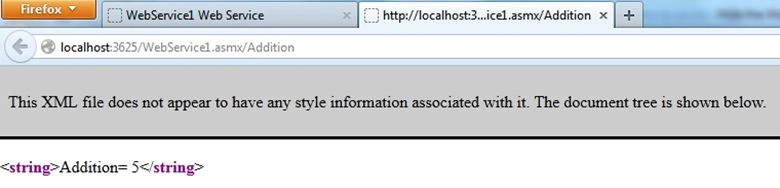
return "Addition= "+ result.ToString();
}
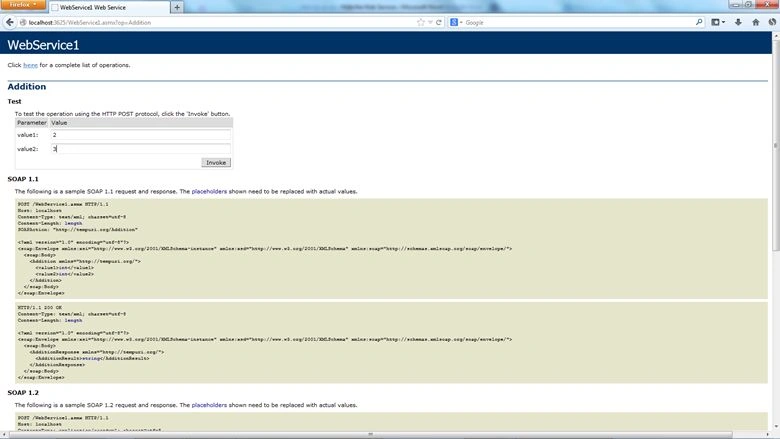
Run the web service and note the URL of the service.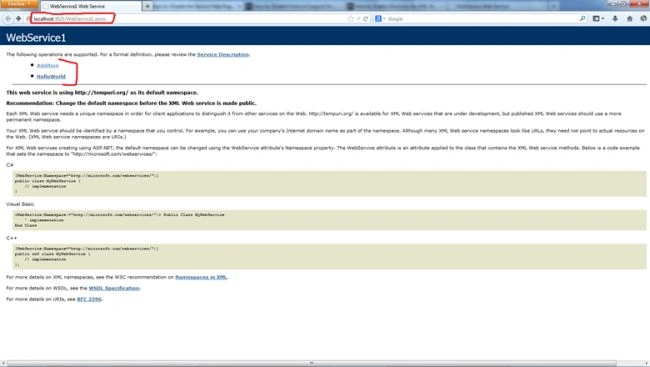
Step 3: Create a Console application and add a reference of the web service in it.
Add a new project by right-clicking on the solution file then select "Add" -> "New Project..." as in the following:
Note: You can also create a new project in a new Solution file.
Create a console application named "ConsoleApplication1" as in the following: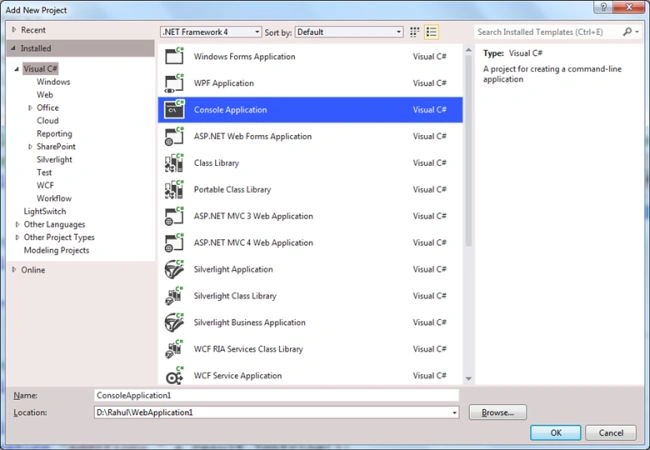
Now you have 2 two projects in your solution file.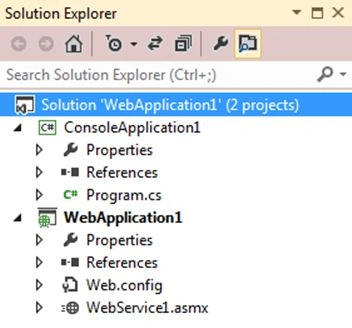
Now add the reference of the web service to the console application. To do that, right-click on the console application and then seelct "Add Service Reference..." as in the following: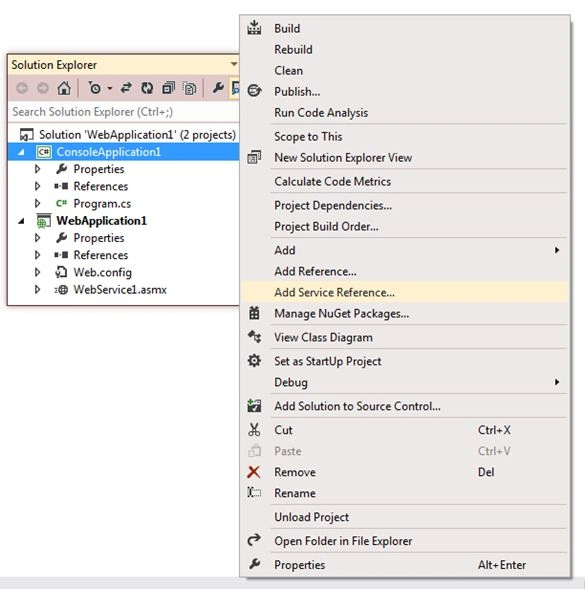
Click on the "Advanced..." button.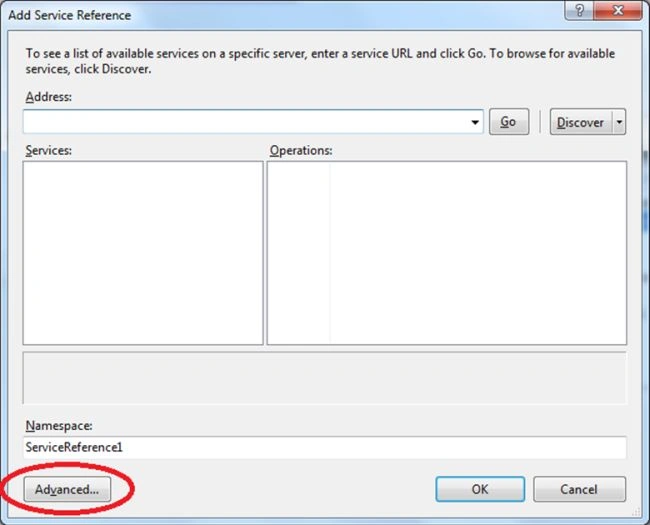
Click on the "Add Web Reference..." button.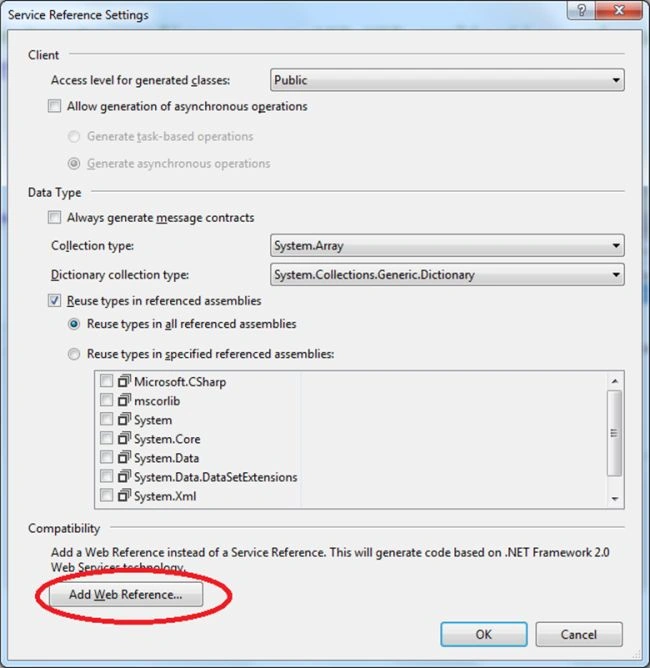
Provide the URL of the web service that you have noted previously after running the web service and click on the arrow ("->") button.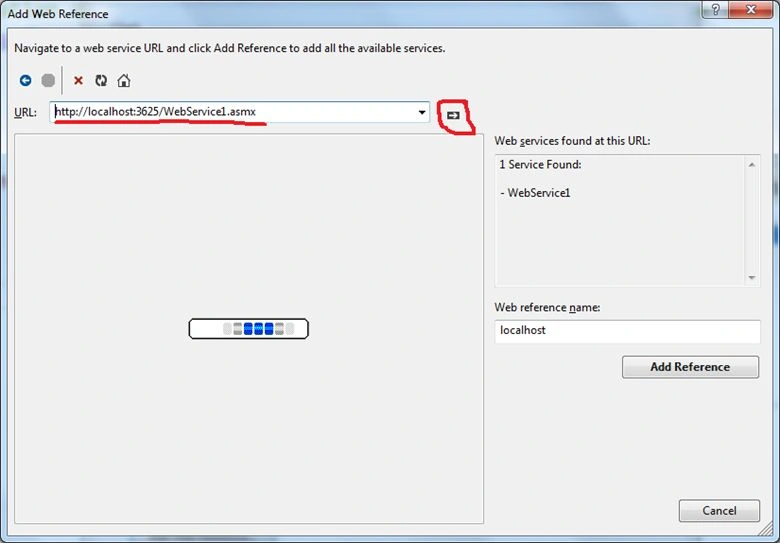
You can see both web methods of your web service. Before adding the reference, you can change the web reference name as you prefer or need to; here I used "MyService". Now click on "Add Reference".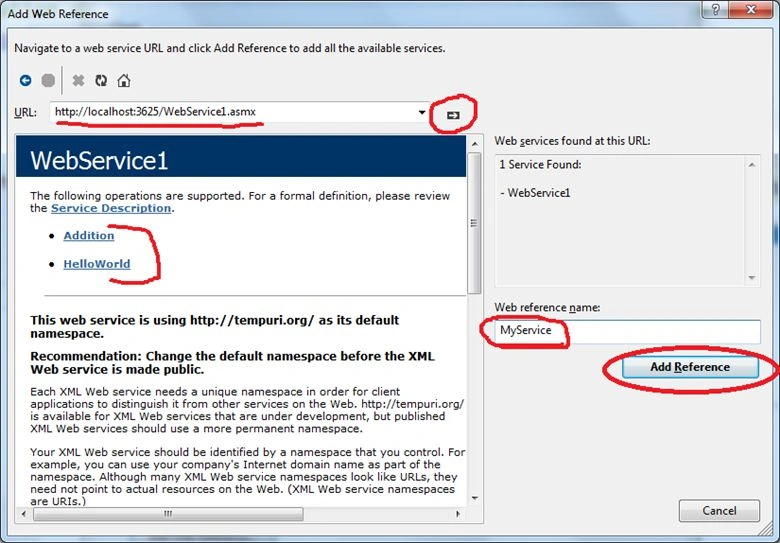
Step 4: Write some code in the console application for calling the web method of the web service and run it to see the output.
Write the code
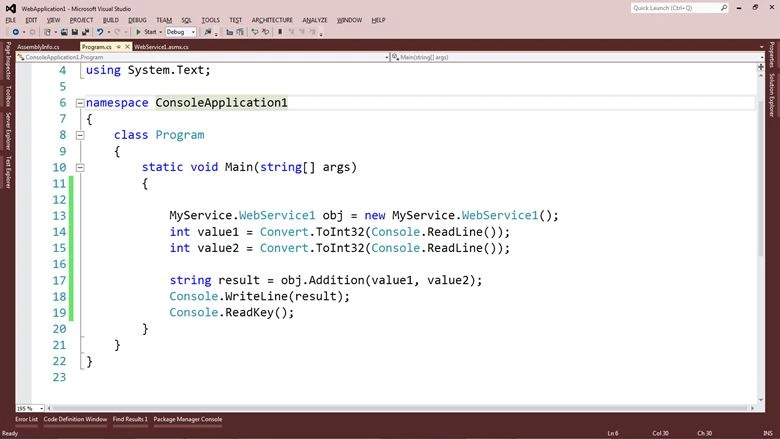
Create an object of your service that will be accessed by the web reference name. The web service name is like here:
‘MyService.WebService1’.MyService.WebService1 obj = new MyService.WebService1();
Read the 2 int values from the user with the following:
int value1 = Convert.ToInt32(Console.ReadLine());
int value2 = Convert.ToInt32(Console.ReadLine());




Akshay DalviPosted Jul 14, 2014, 10:15 AM
Similar effect of hiding WSDL document in WCF service can be achieved by just changing 1 property in web.config under <serviceBehaviour> as <serviceMetadata httpGetEnabled="false" />
Priti KumariPosted Apr 11, 2014, 2:36 AM
How to restrict web service using Windows Authentication: By retracting it with a specific User ID and password.?
Rahul BansalPosted Mar 2, 2014, 10:53 PM
:)
Priti KumariPosted Mar 2, 2014, 10:15 AM
Thanks for info...