

Introduction
In this article, I show how to host our ASP .NET Web API on an Internet Information Services (IIS) server. This is useful when we want to host our Web API application in localhost.
Internet Information Services (IIS)
IIS is the acronym for Internet Information Services. It is the set of feature extension modules that are created by Microsoft. IIS is an integral part of the Windows Server products. It supports the Hyper Text Transfer Protocol (HTTP), File Transfer Protocol (FTP), Simple Mail Transfer Protocol (SMTP) etc. IIS is not turned on automatically when Windows is installed.
Benefits of IIS Hosting
- When we host the Web API in IIS, it is deployed and managed like other IIS applications.
- When we host the application on IIS, it can provide the process activation and recycling capabilities that increase the reliability of the hosted application.
- The Web API is hosted on IIS, that simplifies the development and deployment of hosted services.
Hosting Web API on IIS Server
Step 1
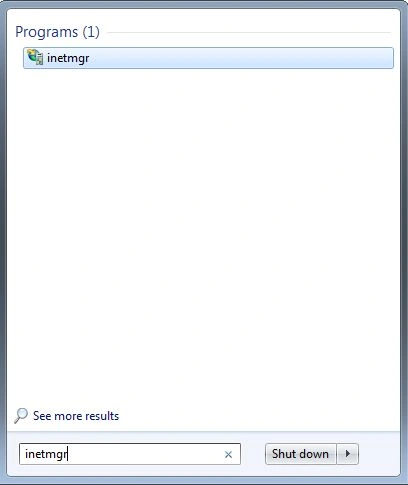
First open IIS. We can start it from the Start menu; enter "inetmgr" into the search box. The image looks like this:
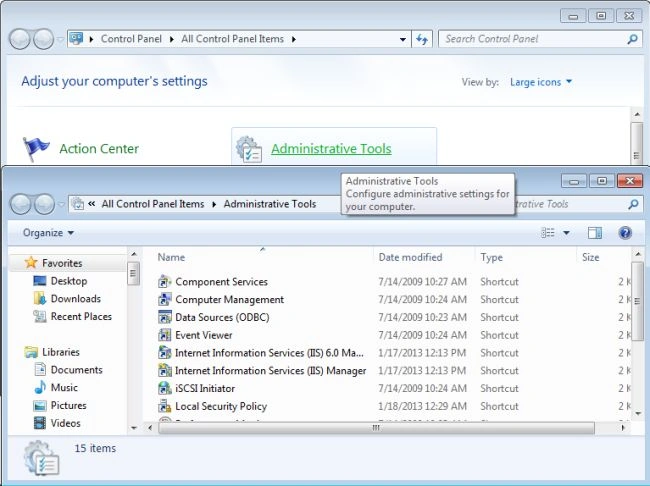
We can open it using the Control Panel.
- In the "Control Panel".
- Click on "Administrative Tools" -> "Internet Information Services (IIS) manager".
- The image is displayed in the following picture.
If you are not able to see the IIS manager then your system might not have IIS installed. For the installation follow this procedure:
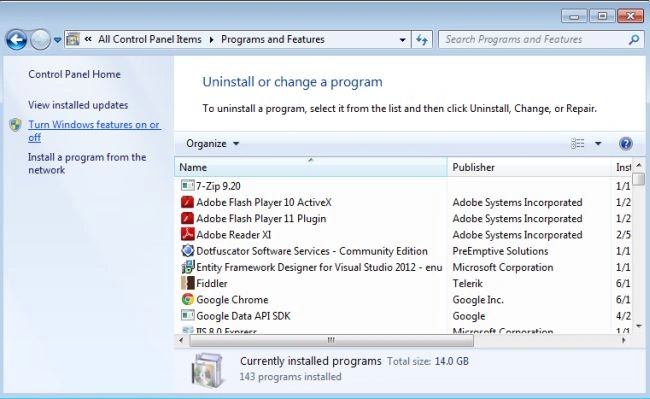
- Open the "Control Panel".
- "Programs and Feature" -> "Turn Window features on or off".
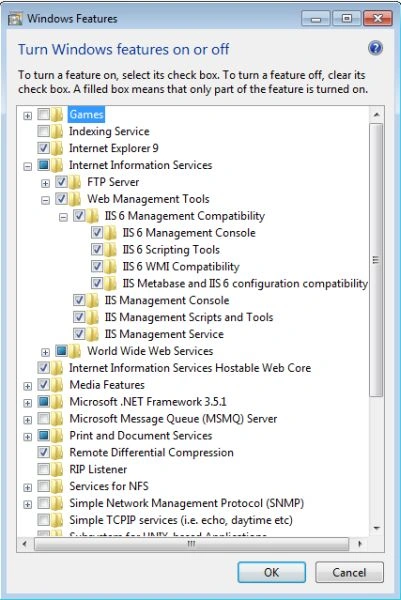
- There is open the "Windows Feature" window in "tree view".
- There are checkboxes for installation; select the checkboxes.
Step 2
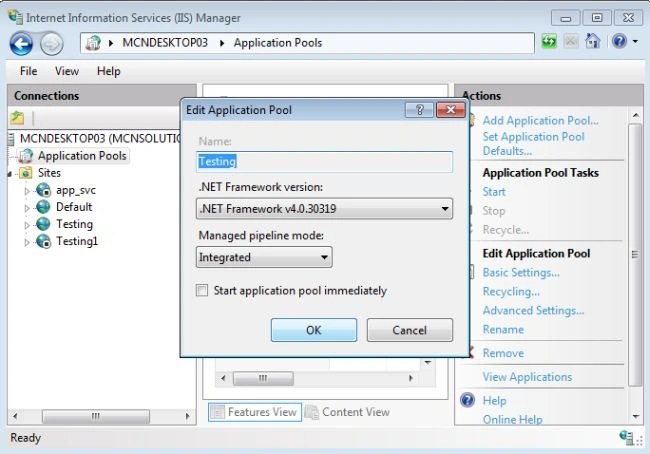
When you will open the Internet Information Services (IIS) manager, the window looks like this:
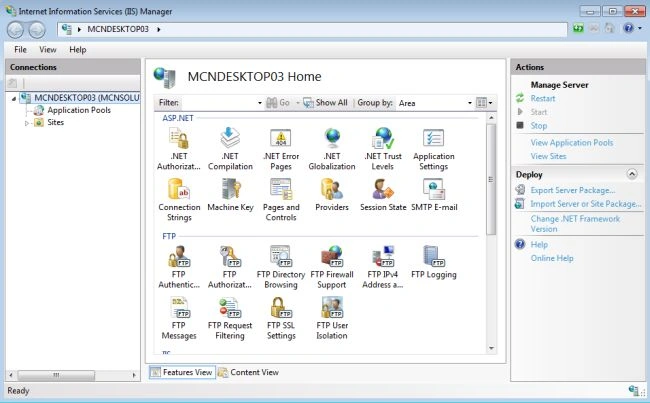
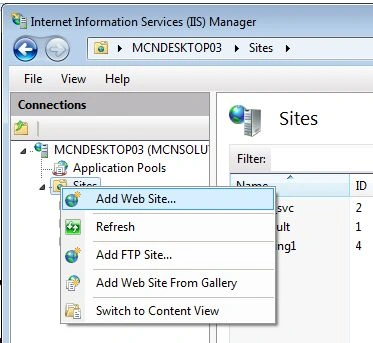
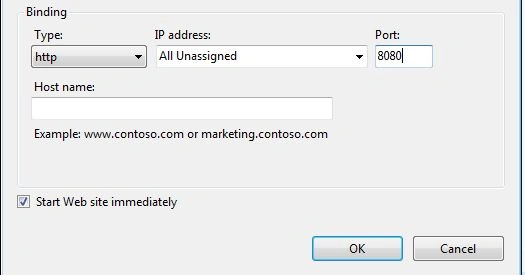
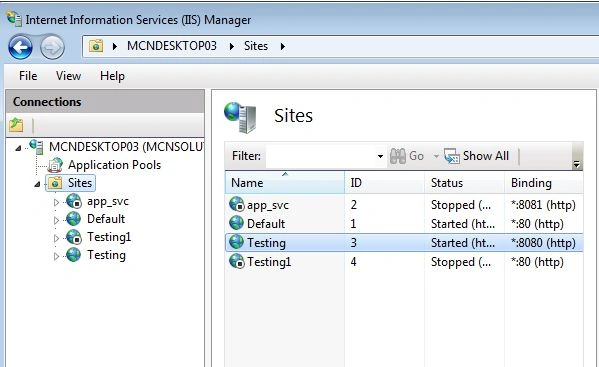
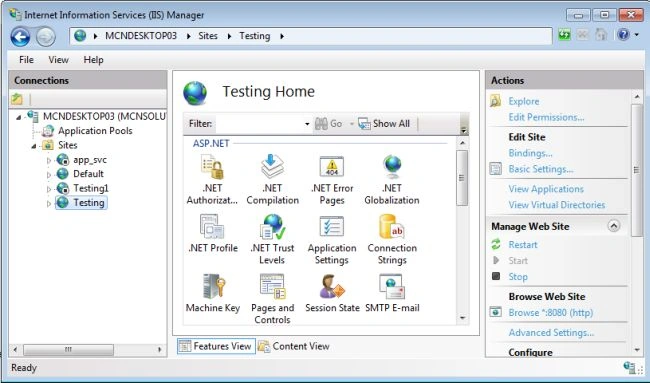
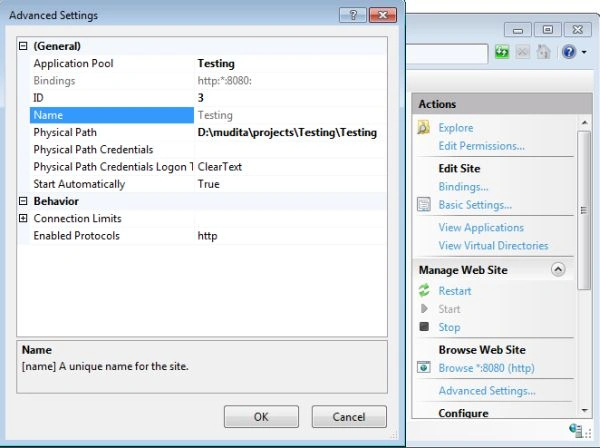
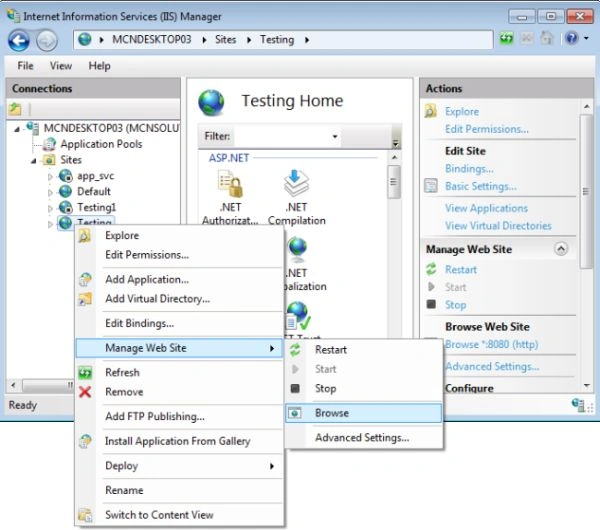
- Now, right-click on the sites.
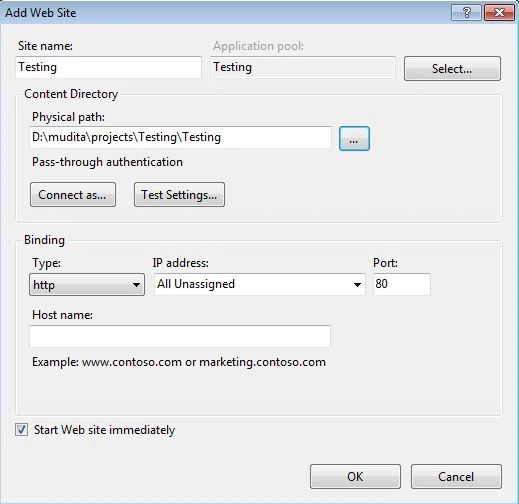
- "Sites" -> "Add Web Site".
Lalan KumarPosted Apr 27, 2021, 12:23 PM
Also open port 8080 for public access
Ankit SahuPosted May 14, 2019, 3:47 AM
Error 500.19
DavePosted Feb 28, 2019, 2:19 PM
Great, unfortunately, this doesn't work on IIS 8 (on a server, not a desktop machine) without a 404 error when you call the service
Pranoti BoratePosted Dec 10, 2018, 12:59 AM
Thank you so much!
Amit Kumar SinghPosted Nov 26, 2018, 2:38 AM
Thanks Mudita for sharing !!!
mutiba shakirPosted Oct 10, 2018, 5:16 AM
I am getting this error while runnung in browser plz help HTTP Error 500.21 - Internal Server ErrorHandler "ExtensionlessUrlHandler-Integrated-4.0" has a bad module "ManagedPipelineHandler" in its module list
Sagar Pandurang KapPosted Mar 5, 2018, 5:42 AM
Thanks you so much .Helpful..
Ray TorresPosted Feb 22, 2018, 12:05 PM
I'm having a trouble, in aplication pool i don't have the option the select .NET Framework, only appears .NET CLR options, and obviously the web api doesn't work, I hope you help me with this, how can i do to .NET Frameworks options appears in IIS Manager? thank you!
Yaniv CPosted Dec 25, 2017, 12:00 PM
Wow... what a terrible article. This was more an article of how to create a website in IIS. Truly disappointing.
yu JianPosted Sep 13, 2016, 5:28 AM
Thank you very much. the question above maybe there's way called "Host ASP.NET Web API in IIS using Visual Studio Publish method ..."
AmitPosted Dec 30, 2015, 2:06 AM
Nice article... I have deployed API.. How can I deploy changes in Web API every time I need to replace the entire project to reflect the changes.. Please Help
Amit KrishnanPosted Oct 23, 2015, 8:55 AM
It was a nice article, i could able to host my Web Api Application, Thanks A lot Mudia.:)
Vipul MalhotraPosted Jul 3, 2015, 5:22 PM
Great Article...Thanks for writing
Dipendra ShekhawatPosted Apr 6, 2015, 7:40 AM
Nice article...
share kolliPosted Nov 19, 2014, 7:21 AM
How to host ASP.NET Web API Services in IIS with Data base script(DB) ?
Dharmar NPosted Sep 16, 2014, 5:37 AM
like very usefully .................