

Prerequisites
- Installed DotNetCore.1.0.4_1.1.1-WindowsHosting.exe
- Installed dotnet-dev-win-x64.1.0.0-preview2-1-003177.exe (for 64-bit system) or dotnet-dev-win-x86.1.0.0-preview2-1-003177.exe (for 32-bit system).
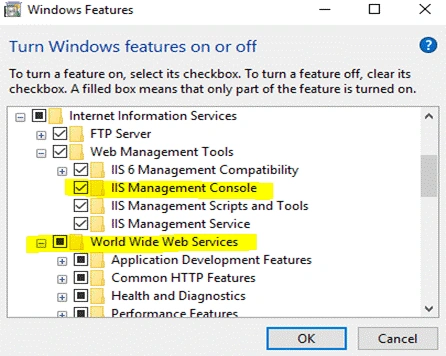
- Turn Windows Features On
- Open Control Panel.
- Click on "Programs and features".
- Click on "Turn On or Off Windows Features".
- Check if the below-highlighted folders are checked. If not, make them checked and apply changes.
- Create an Empty Folder
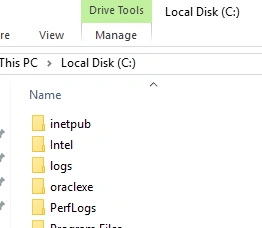
- Open C drive.
- Open the inetpub folder.
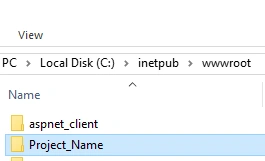
- Open the wwwroot folder.
- Create an empty folder in it with the folder name respective to your solution name.


STEP 1
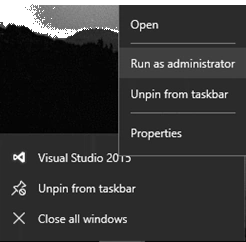
- Open Visual Studio in Administrator mode.
- Right-click on Visual Studio and you will see an option of "Run as administrator". Just click on it.
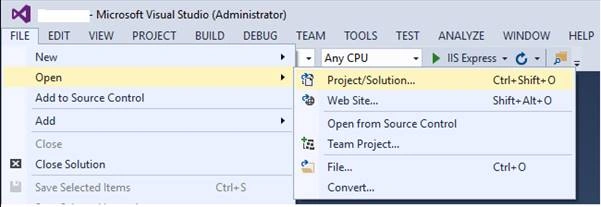
- Open your ASP.NET Core solution.
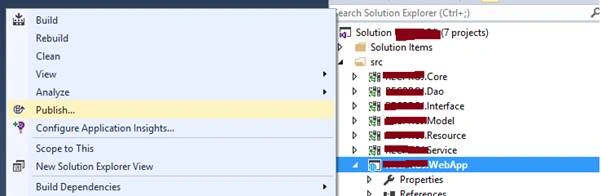
- Right-click your WebApp project.
- You will see an option to "Publish". Click on it.
- This pop-up window will appear.
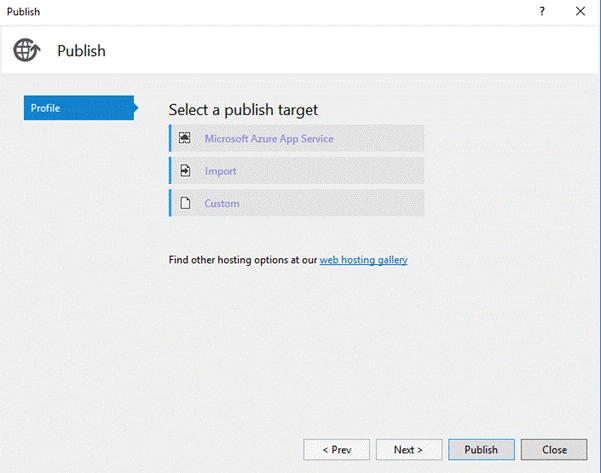
- Select a Custom Profile.
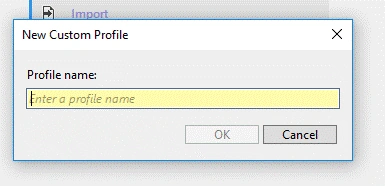
- Create a Publish profile giving the profile name according to your application.
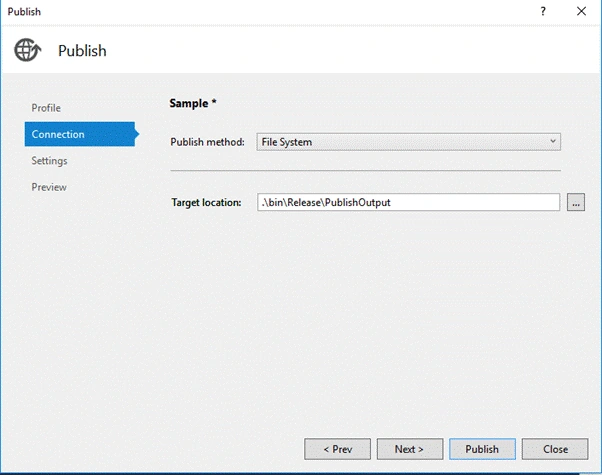
- Click "Next".
- Change Publish method to "File System".
- Change Target location to the empty folder path you created.
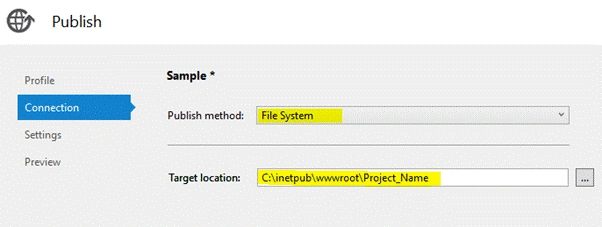
- Click "Next".
- Change the Target Runtime based on the Operating System you want to host the app upon.
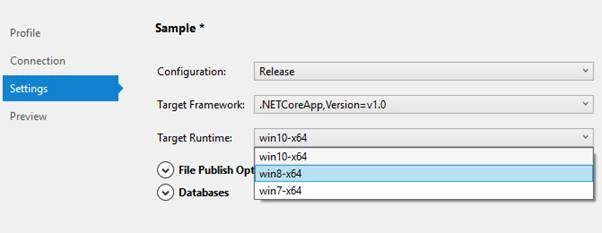
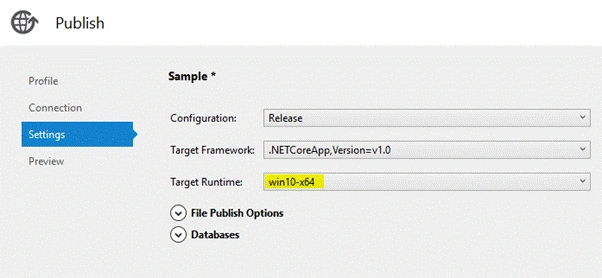
- Click "Next".
- Check the preview and publish.
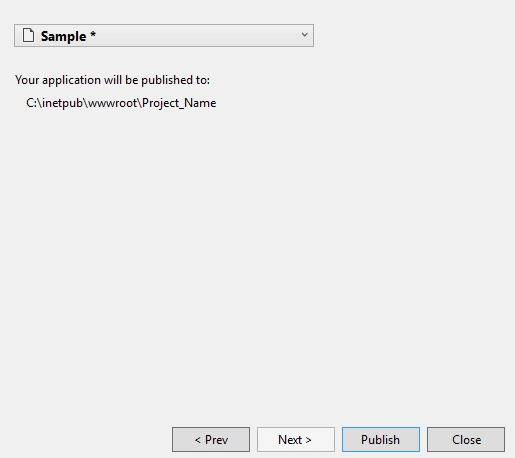
- It will start publishing and you will get a message.

STEP 2
- Open IIS Manager.
- You will find a default website there.
- Refresh it and you will see the Project_Name folder.
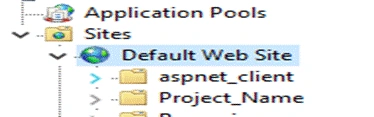
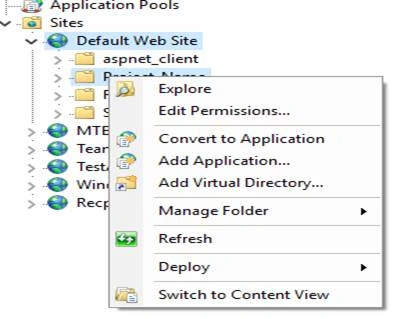
- Right-click the Project_Name folder.
- You will see an option of "Convert to Application".
- Again, right-click on Project_Name folder and hover over "Manage Application".
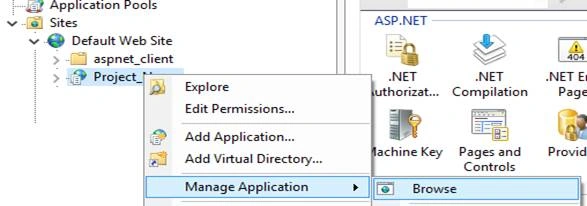
- Click on "Browse" and your application gets hosted with localhost/Project_Name.
- To access the website on other system's browser, you need to run it with IPAddress/Project_Name. (Example: http://10.17.1.191/Sample)
Sunil RaskarPosted May 25, 2018, 1:30 AM
Here is the article which explains how to deploy asp.net core app on IIS https://stackify.com/how-to-deploy-asp-net-core-to-iis/\
Osama YounusPosted May 7, 2018, 9:31 AM
This is not working in my pc I have error HTTP Error 500.19 - Internal Server ErrorThe requested page cannot be accessed because the related configuration data for the page is invalid.
monisha dpPosted Apr 30, 2018, 1:20 AM
Nice article vinu..... :)
Priyanka KalePosted Feb 22, 2018, 1:47 AM
Hosting in ASP.NET Core is different as compare to ASP.NET ?
Li FengPosted Feb 19, 2018, 7:51 AM
Why do I get 403.14 forbidden when I access to my website? Why does this happen? How should I solve this?
Dharmraj ThakurPosted Dec 25, 2017, 12:06 AM
Nice one......................................