

Introduction
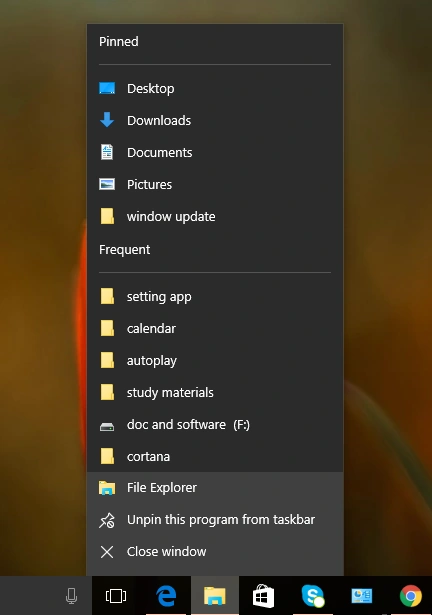
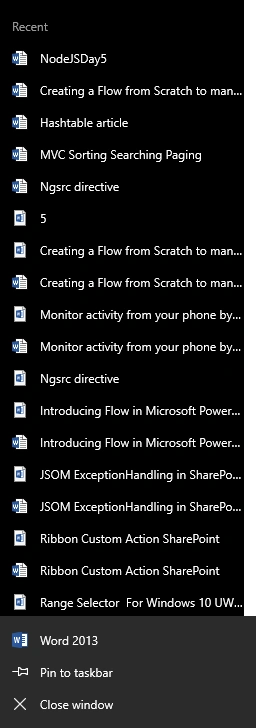
You have to increase your jump list follow these steps,
Step 1
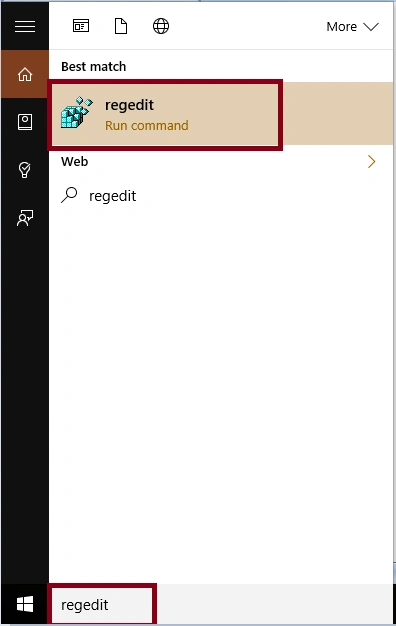
Open the Registry Editor, you will write on the taskbar search box “regedit”.
Step 2
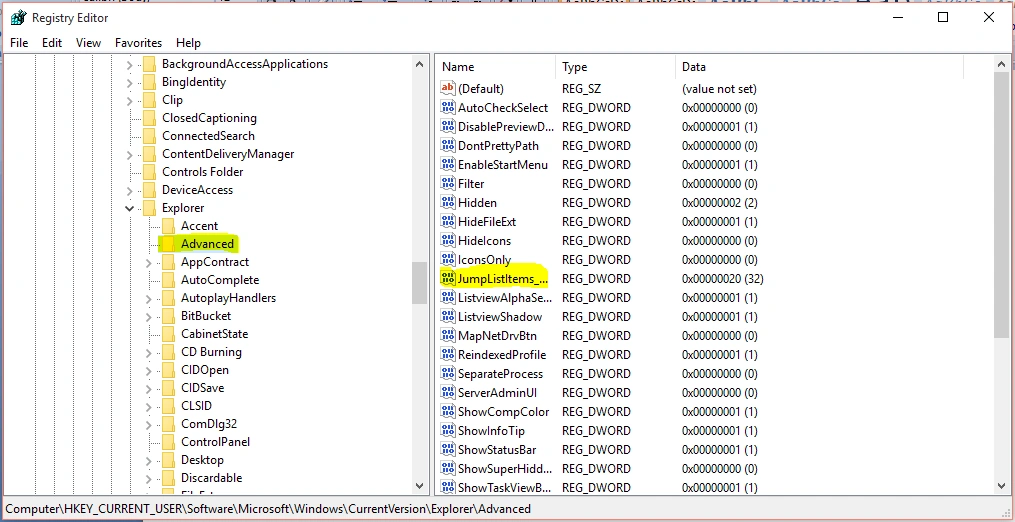
In the Registry Editor, use the left side panel and navigate to the key, given below-
Computer\HKEY_CURRENT_USER\Software\Microsoft\Windows\CurrentVersion\Explorer\Advanced.
Step 3
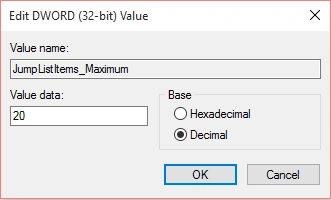
Click Start_JumpListItems and click Modify. Select Decimal and enter how many recent items, you want to display in Jump List and click OK button.
Step 4
Close Registry Editor.
Now, you may restart your system to complete the change and you will see the increasing number of Jump Lists.
Summary
In this article, we learned about how to increase the number of jump lists in Windows 10.
Delpin Susai RajPosted Aug 30, 2016, 3:35 AM
Nice one