

Step 1: Finding the columns of the source tables from which we can determine that a particular records is a new record or it is the old one.
For e.g. I am taking a Student (Source) table. It's structure is:
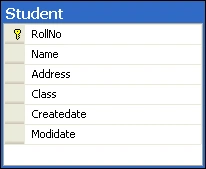
By looking at it's table structure we easily find that we can determine whether a record is old/new by the createdate and modidate.
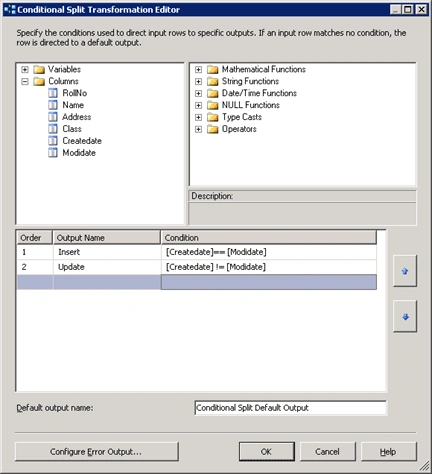
New record -> Createdate = Modidate
Old Record -> Createdate <> Modidate
Step 2: Create an SSIS Package
- Open BIDS
- File – New Project
- Name - InsertUpdate
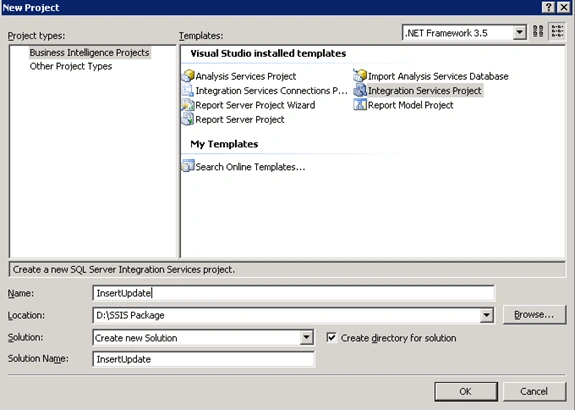
- Click Ok
Step 3: Add Oledb connection for source and destination
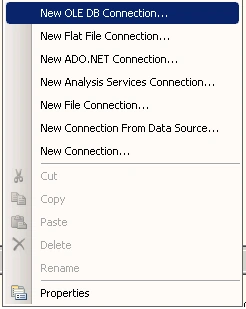
- Right click on connection manager pane and select new OLE DB Connection
- Enter Server name or IP and then select database name
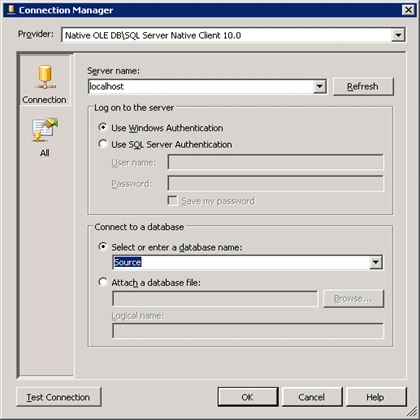
- Click on Test Connection
- Click OK.
- Repeat step (a) to step (d) to create an OLE DB connection for the destination
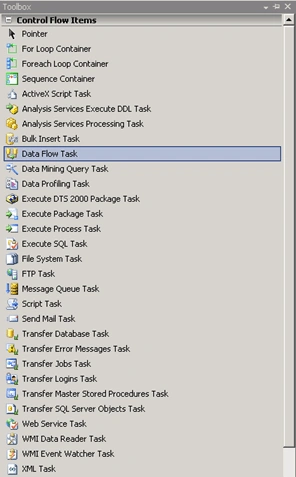
Step 5: Rename it to Student_incr
Step 6: Add three variable of the package level scope
Date_From : Int32,
Date_To: Int32
Query_Student: String
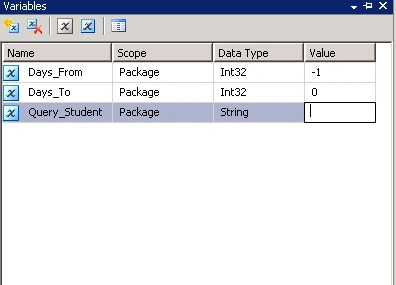
Set the value of package variable as shown above.
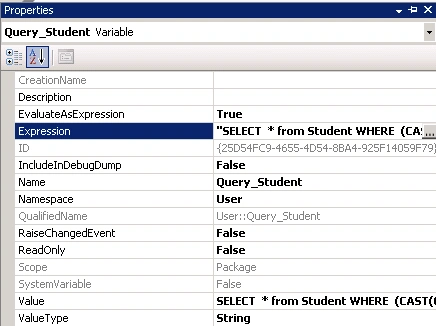
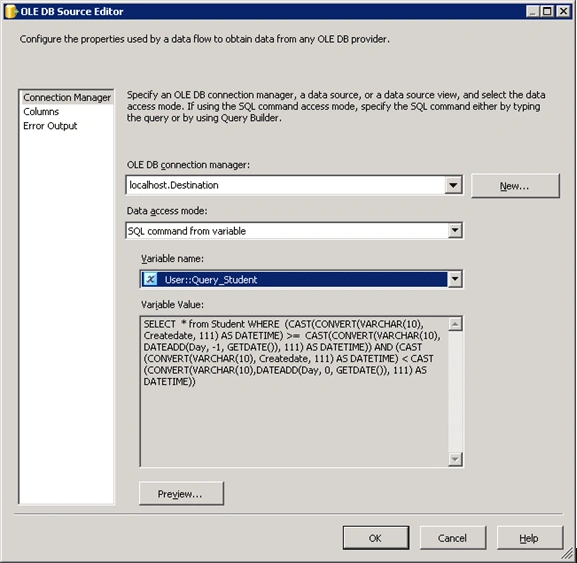
Here Query_Student variable will contain the SQL incremental query:
- SELECT * from Student
- WHERE (CAST(CONVERT(VARCHAR(10), Createdate, 111) AS DATETIME) >= CAST(CONVERT(VARCHAR(10), DATEADD(Day, " +(DT_WSTR,50)@[User::Days_From]+", GETDATE()), 111) AS DATETIME)) AND (CAST(CONVERT(VARCHAR(10), Createdate, 111) AS DATETIME) < CAST(CONVERT(VARCHAR(10),DATEADD(Day, "+(DT_WSTR,50)@[User::Days_To]+", GETDATE()), 111) AS DATETIME))
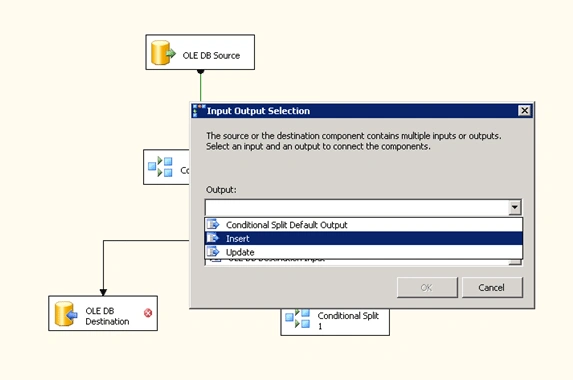
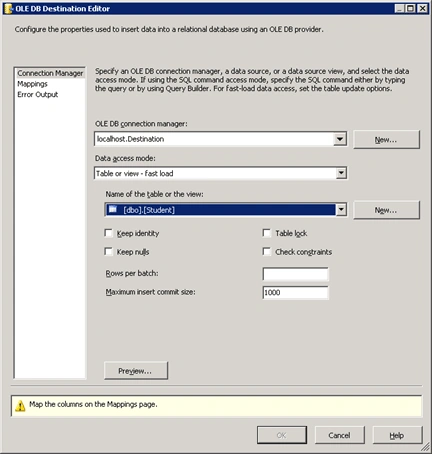
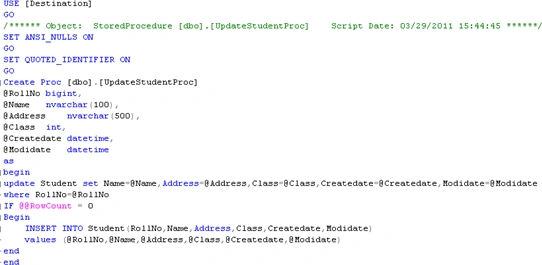
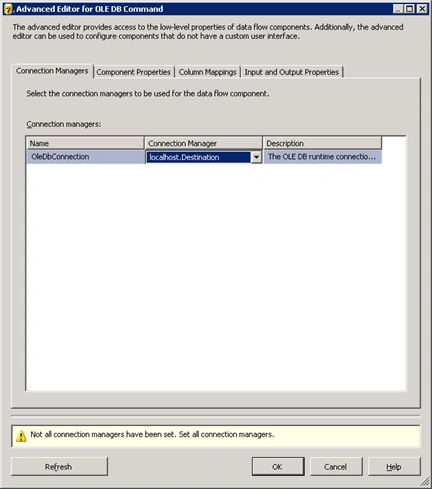
A JPosted Jun 25, 2019, 9:35 AM
Good article. However, for a newbie reading and working through it, there can be more details added. I had to spend a lot of time trying to figure out how some of the actions could be added to the data package. I have finally been able to save and compile the package. Can you please add some steps on how to run this package in Visual Studio 2017 and SSIS? Thanks.
Raja TPosted Jul 30, 2016, 4:50 AM
Nice one...Thanks for sharing..