

Introduction
Sometimes you would like to add a new icon
created by yourself or seen in a Windows library.You can easily apply your own customized icon. There are some steps that you have to use and they are.
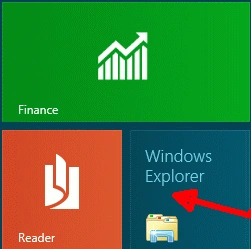
Move to METRO
UI and search "Windows
Explorer" icon.
Step 2
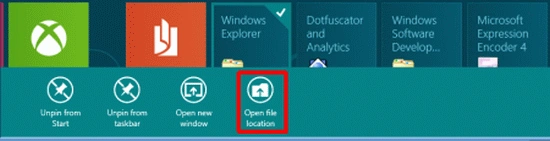
Then right-click on
the "Windows Explorer" icon
and click on "Open
File Location".
Step 3
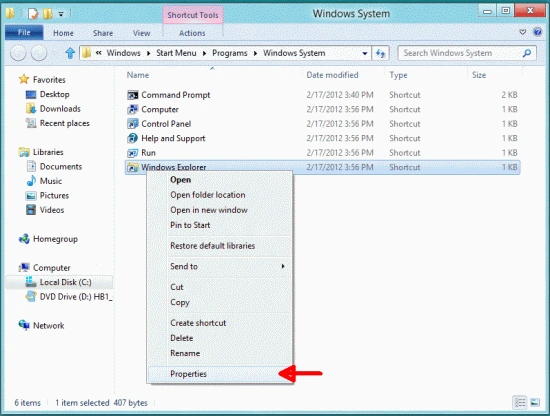
A new window
will pop up and there right-click on "Windows
Explorer" and click to "Properties".
Step 4
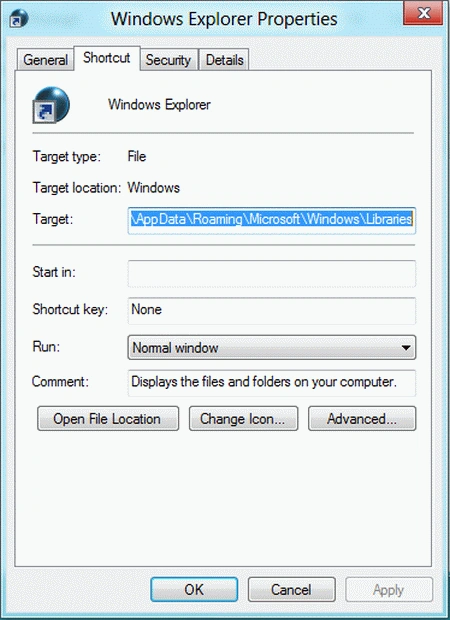
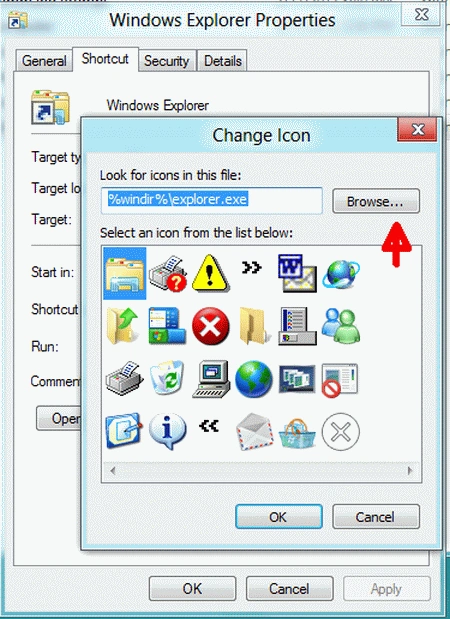
In the properties go
to the "Shortcut" tab and
there click on "Change
Icon".
Step 5
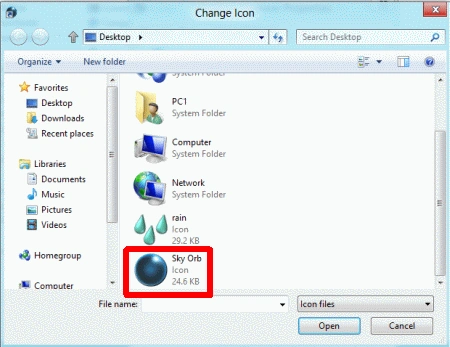
Browse the drives & select
"Sky Orb" from the Desktop and
open it and click the OK button.
Step 6
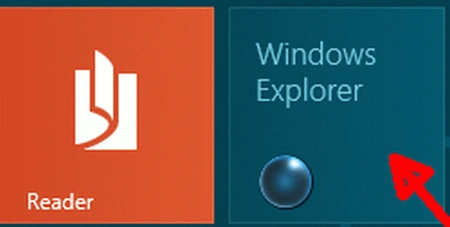
Close all the
windows & open Metro UI there. You will find that the icon of "Windows
Explorer" has been changed.
Summary
In this article, we learned about How to Install Custom Icons in Windows 8.
Christopher JohnsPosted Mar 1, 2020, 8:35 AM
This does not inform me of 'where do i put newly downloaded ico./icon files' i just cannot remember(age related). this is a win 8.1 factory reset and of course everything was lost.. any help?? i thank you for your time. christopher