

Today, when I created an app in Windows Phone 8, I had the requirement to to make a call in Windows Phone.
Code of xaml.cs
- private void PhoneCall_Click(object sender, RoutedEventArgs e)
- {
- PhoneCallTask phoneCallTask = new PhoneCallTask();
- phoneCallTask.PhoneNumber = "9717098666";
- phoneCallTask.DisplayName = "Dhananjay";
- phoneCallTask.Show();
- }
- <Button x:Name="PhoneCall" Content="Button" HorizontalAlignment="Left" Margin="247,464,0,0" VerticalAlignment="Top" Click="PhoneCall_Click"/>
The error was: “An unhandled exception of type 'System.UnauthorizedAccessException' occurred in System.Windows.ni.dll”.
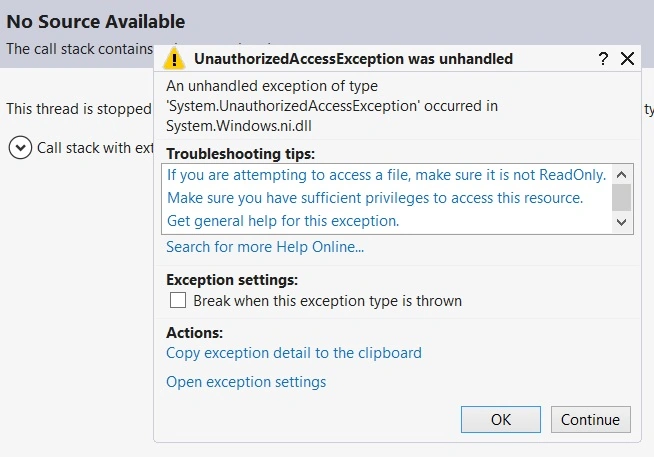
After some time I solved the error. I simply checked this Windows Phone Project by enabling (checking) the option ID_CAP_PHONEDIALER in the WMAppManifest.xml file of the Windows Phone Project to enable the option.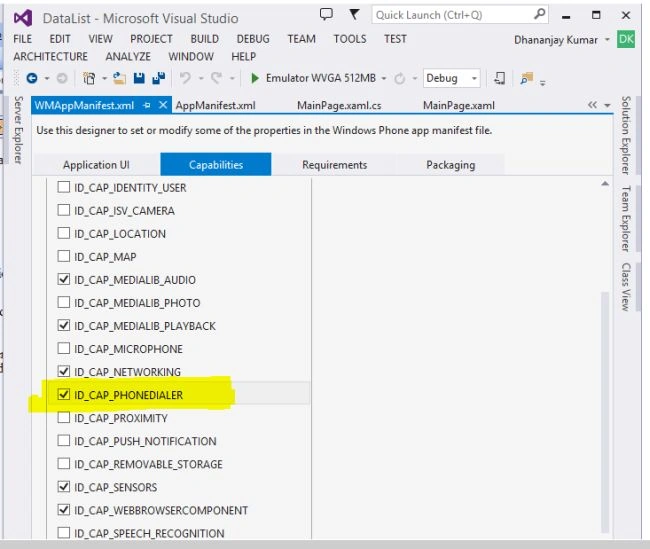
After that, I again ran the application and made a call.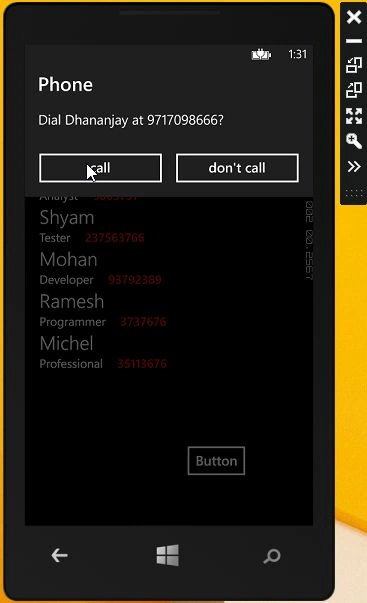
Then: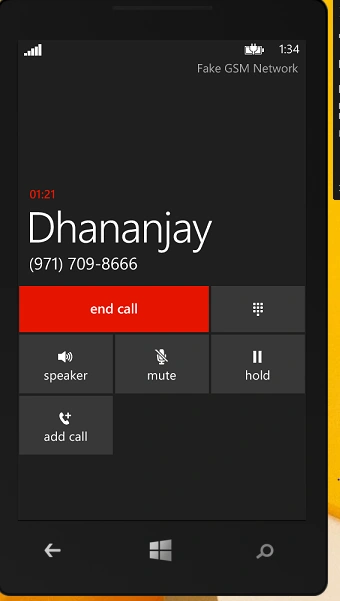
Summary
This article described how to make a call in Windows Phone 8.
SubashPosted Sep 15, 2016, 8:00 AM
Nice one
Shamim UddinPosted Sep 7, 2016, 10:09 PM
Good one.. well Explained
Srinivasan K KPosted Mar 3, 2015, 7:01 AM
I was searching this quick implementation of phone call in windows phone development, finally I got it. Thank you @ Prerana Tiwari :)
Carmelo La MonicaPosted Dec 29, 2014, 6:15 PM
Good article!
Guest UserPosted Jul 27, 2014, 11:47 PM
nice explanation!
vinit singhPosted Jul 26, 2014, 12:33 PM
Is there any API for call Recording in windows phone 8/8.1 ????