

This article explains how to map a custom domain with the Azure App Service, Web Apps. When you create a web app, Azure assigns it to a sub-domain of Azurewebsites.net.
In this article we assume you already have a registered domain name.
Here we will create a web app in Azure portal for managing custom domains.
- Open a web browser and type “portal.azure.com”.
- Go to to the “BROWSE ALL” blade.
- Click on "Web Apps" and then "+ Add".
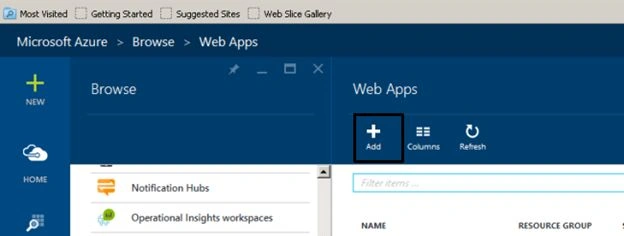
Figure: Add an app - Type your app name and then click on create and your app will be created.
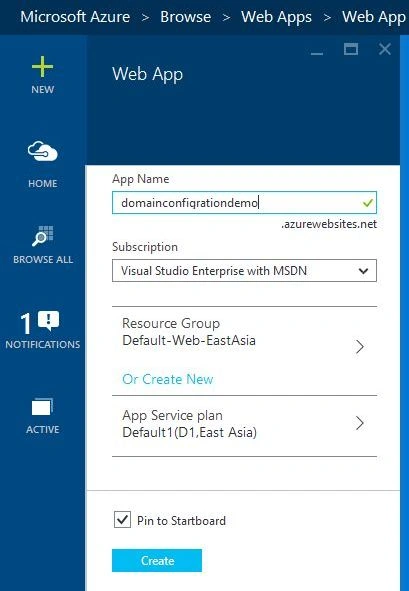
Figure: Create a web app
Our application will look like:
Figure: Complete application.
Manage Custom Domain Name
Here are a few steps to manage our custom domain name.
Step 1
Open a Web Browser and type manage.windowsazure.com and login to our account then select web app to all items.
Figure: Selection of web app from all items.
Step 2
After choosing web app, click on our web app name domainconfigrationdemo.com.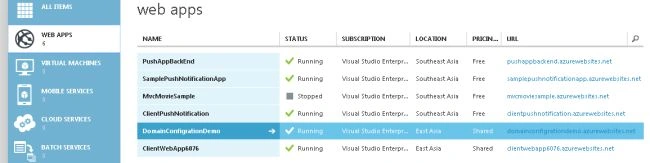
Figure: Choose your web app.
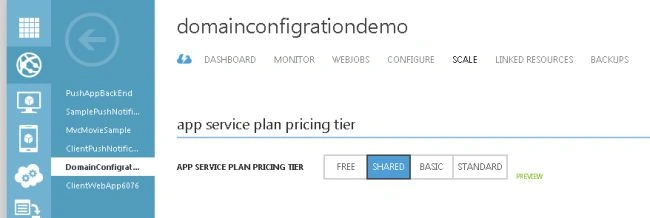
Step 3

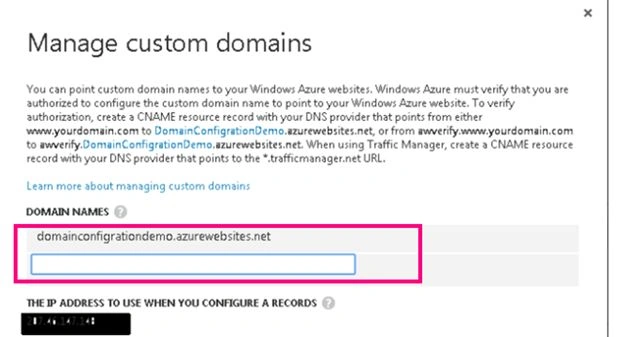
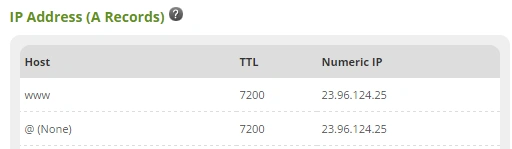
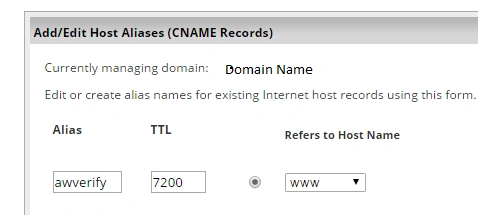
Debasis SahaPosted May 20, 2016, 10:52 AM
Nice One..
Hashim ShafiqPosted Aug 30, 2015, 9:43 PM
nice
Santhakumar MunuswamyPosted Aug 29, 2015, 4:41 AM
Nice article. Thanks for sharing
Yashwanth MuthineniPosted Aug 29, 2015, 3:08 AM
Nice Share
Manas MohapatraPosted Aug 28, 2015, 5:11 AM
Informative one...Thanks for Sharing.
RakeshPosted Aug 28, 2015, 4:37 AM
Good work
Gowtham KPosted Aug 28, 2015, 3:40 AM
Good one
Pankaj Kumar ChoudharyPosted Aug 28, 2015, 2:37 AM
Nice Explain.......
Rajeesh MenothPosted Aug 28, 2015, 12:52 AM
Thank you for sharing
Karthikeyan KPosted Aug 28, 2015, 12:05 AM
Good one sir...Thanks for share
Mohammed IbrahimPosted Aug 27, 2015, 11:57 PM
nice