In this article, we will see how to migrate list-based power apps from one tenant to another tenant. In the previous article, we learned how to migrate standalone power apps. List based power apps cannot be migrated in a straight way like standalone apps.
Follow the below steps to migrate the app across the tenant,
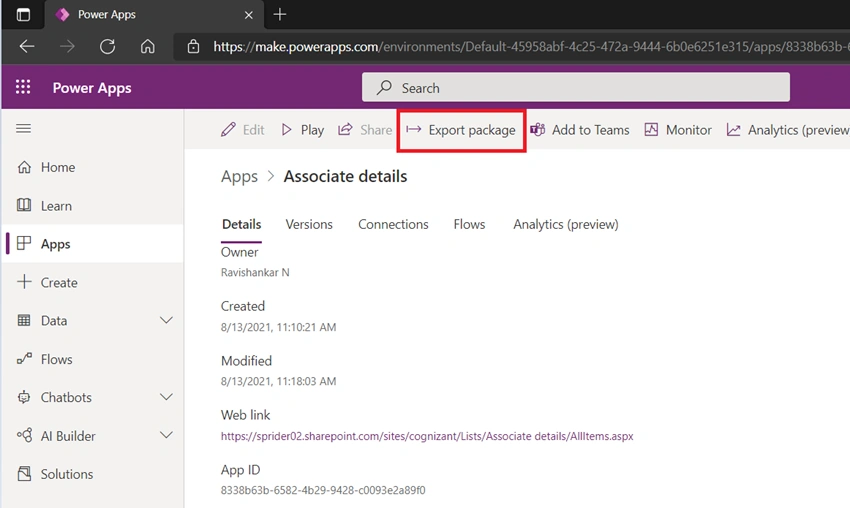
Go to the source power app that you want to export. Click Export package as shown in the below screenshot.
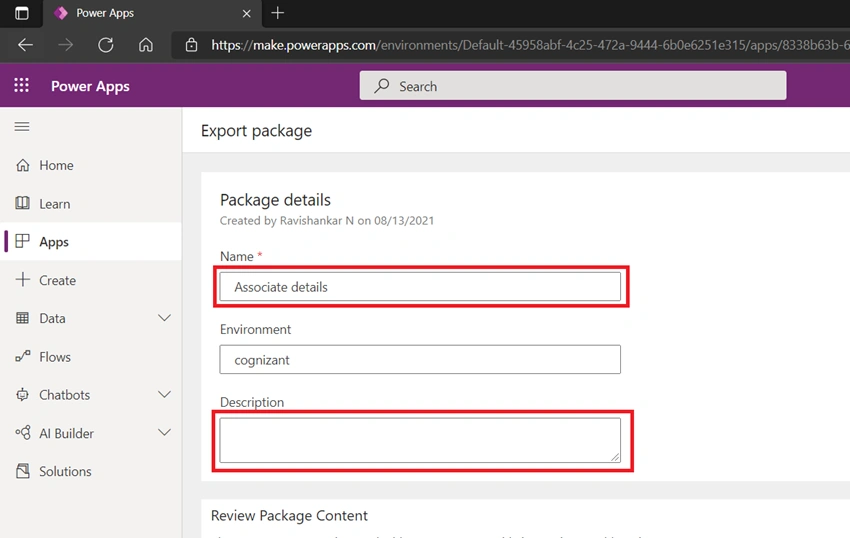
In the Export package page, Enter the Name and Description for the Power app and then click on Export.
While exporting the app, it will ask you to save the app in your local system, Just Save the app as it is.
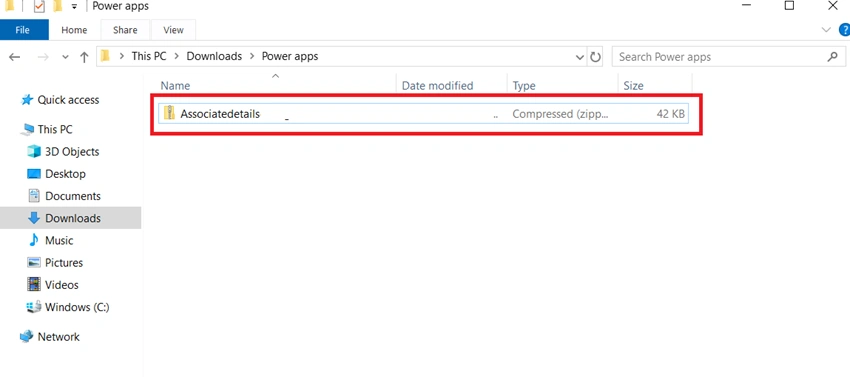
Now unzip the exported package from where you save it, it contains 2 items,
Microsoft.PowerApps & manifest.json
Navigate to Microsoft.PowerApps folder structure deep down “Microsoft.PowerApps\apps\” and open ‘.json’ file available.
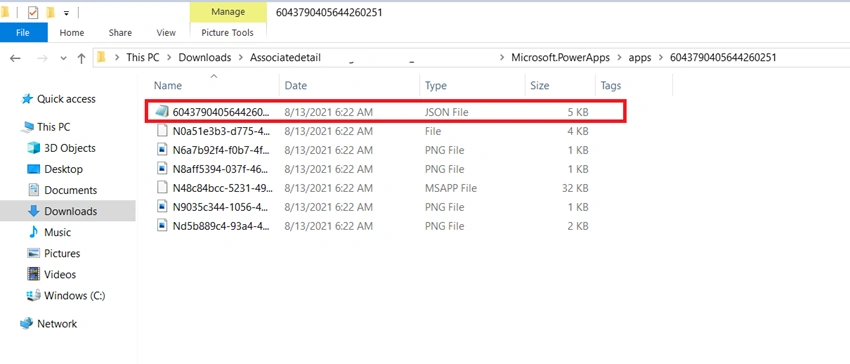
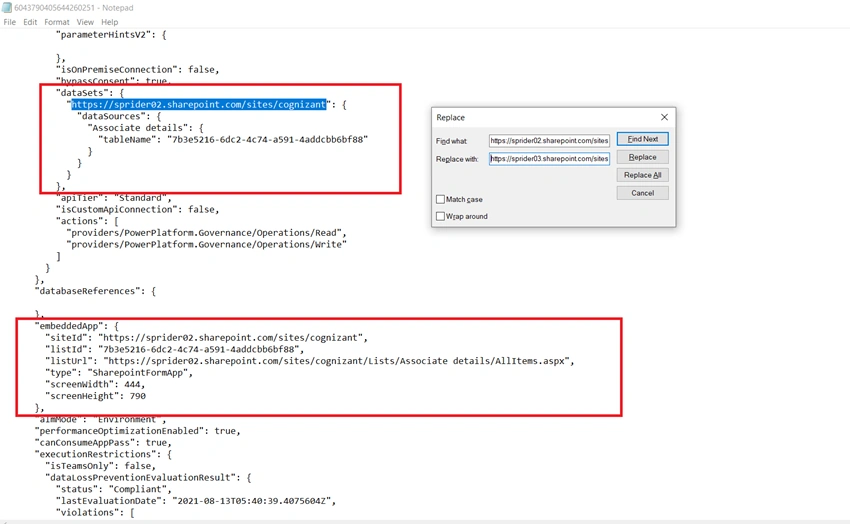
Now open the ‘.json’ file in a text editor and update the below-mentioned sections by using Ctrl + H,
- “dataSource”
- “dataSets”
- “embeddedApp”
Just replace all the Site URL, List URL, List ID with your target list details after searching the above-mentioned sections and save the File.
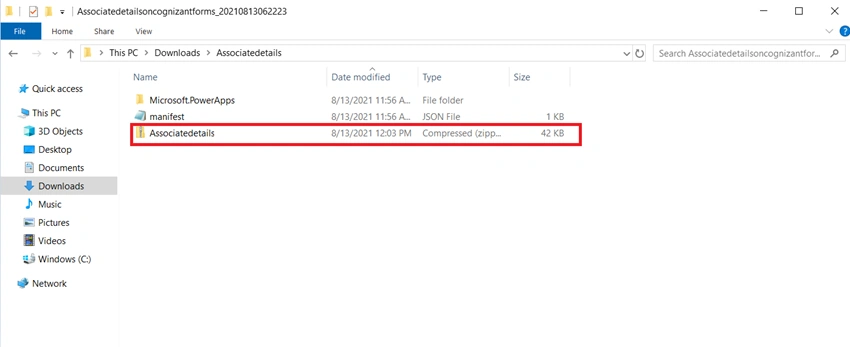
Now zip the above files and folder structure (which has the modified JSON file). Make sure the hierarchy remains the same in the zipped file.
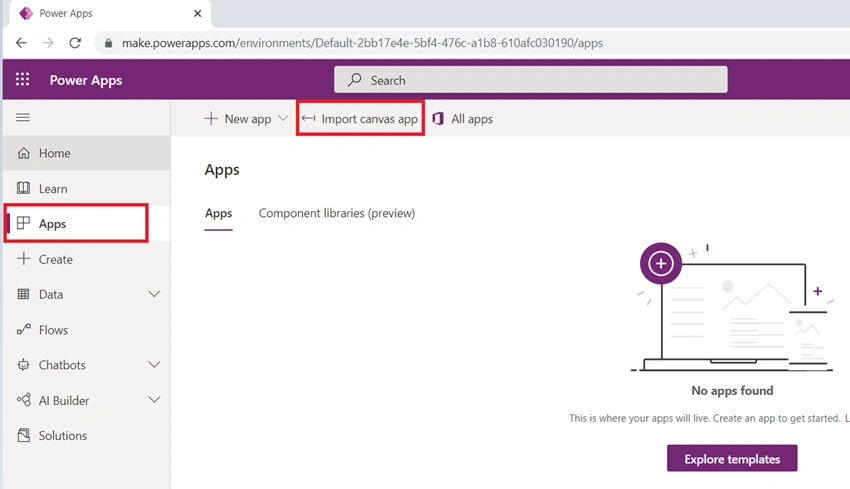
Now go to the destination tenant site where you want to import the specific app. Click on Apps in the left navigation and then click on the Import canvas app from the top as shown below.
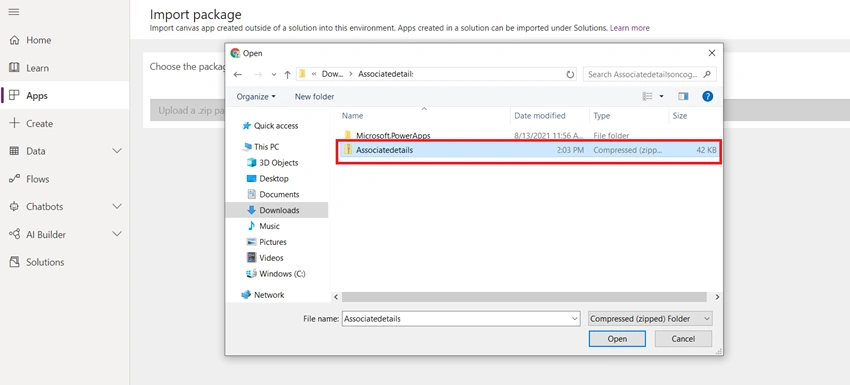
- In the Import package page, click on the Upload button.
- Now select the updated Zip file from your local system which we want to import. Click on Open.
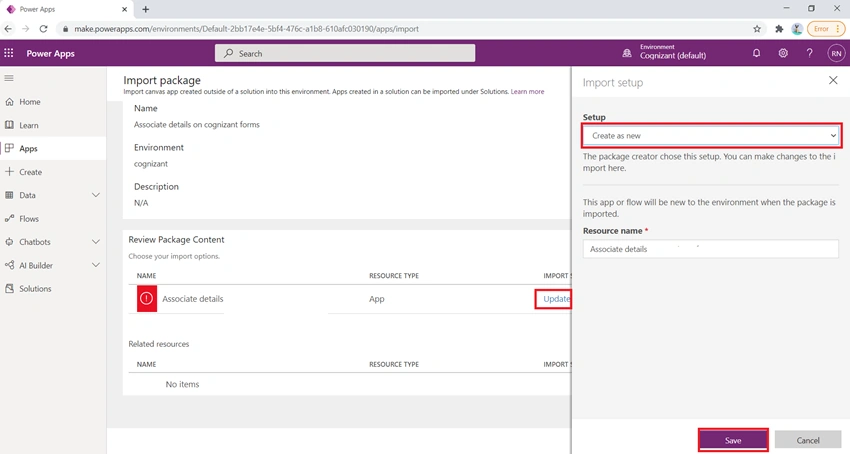
On the Package Details page, click on the Update of the import app. Select the Setup as Create as new from the right section of the page and click on the Save button as below screenshot.
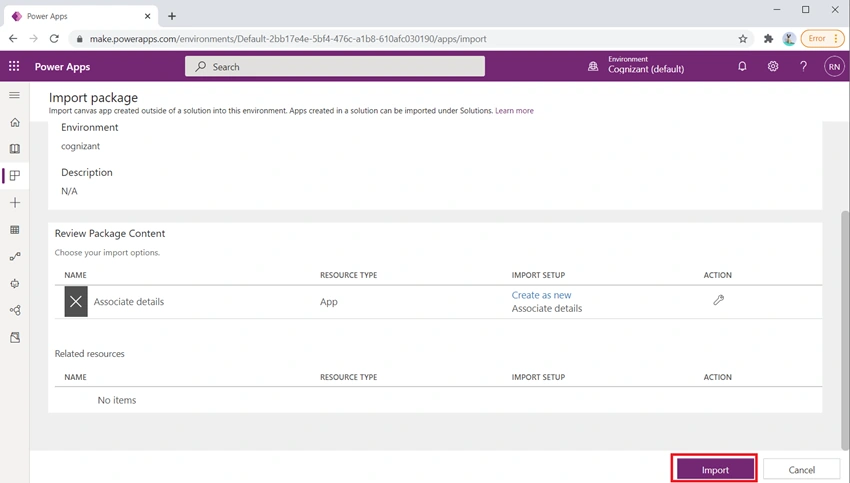
Click on the Import button on the Review Package Content page.
- Once we imported the Power apps in the destination tenant, then you will get a successfully imported message on the screen.
- Now click Open app to open the app in Power App Studio to re-configure the connectors.
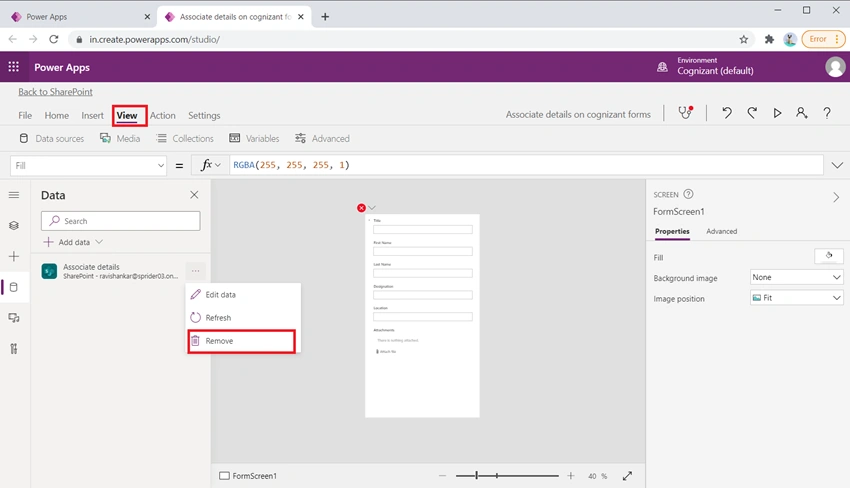
- Then, open the Data pane by selecting View > Data source, and select the connector and click remove as shown in below screenshot
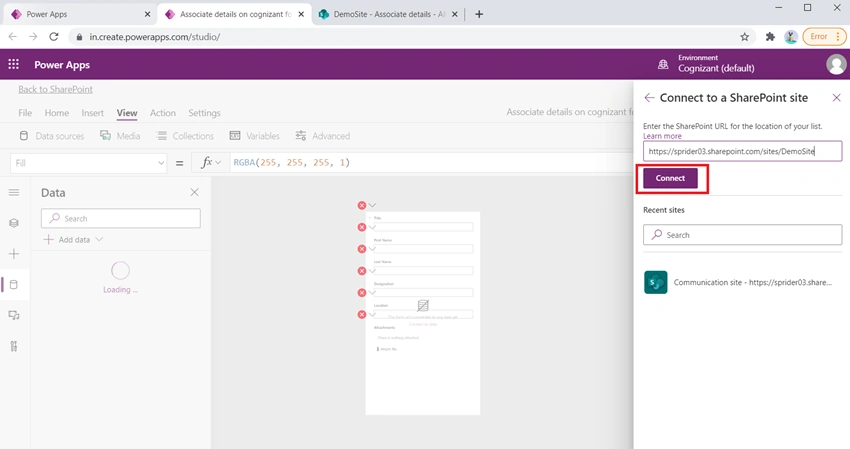
- Now select Add data > Connectors > SharePoint.
- Under Connect to SharePoint site, enter the site URL that you want to use, and then click Connect.
Under Choose a list, select the checkbox for the list that you want to use, and then click Connect as below.
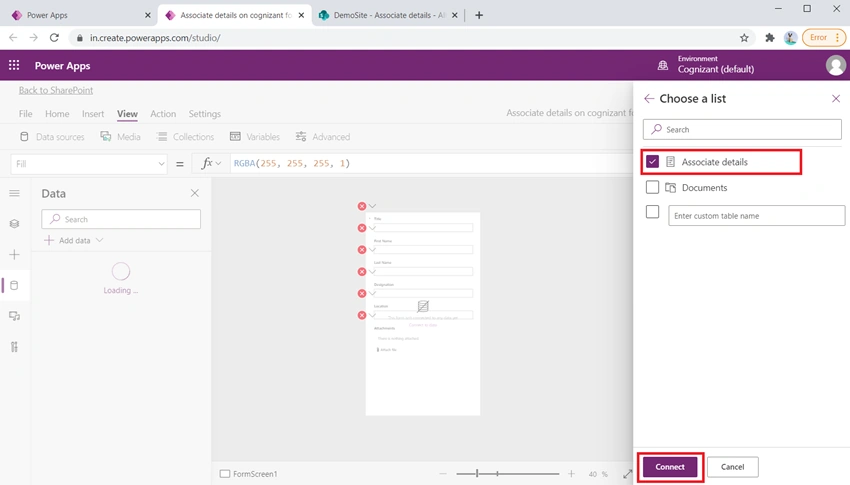
- Then Save the app and Publish to SharePoint
- Now go to the target list and click New and check the Power app form loads properly.
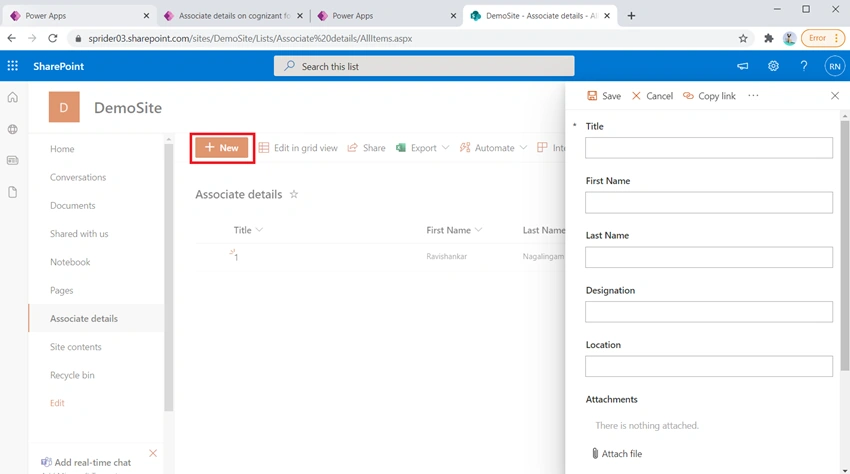
That’s it, these are the steps to migrate and configure the List based Power apps across the tenant and configure the connectors. Feel free to fill up the comment box below if you need any further assistance.


Join the conversation! Your thoughts help the community grow.