

Introduction
In this tutorial, we will learn how to pass data from one form to another form in Windows Forms applications using C#.
Let's use the following procedure to create a Windows Forms application.
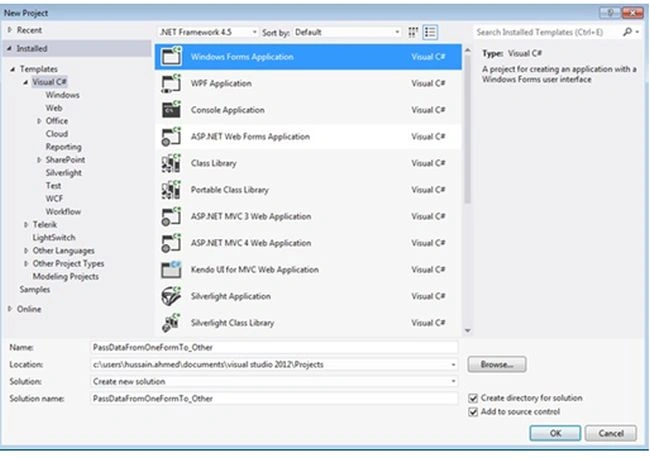
Step 1. In Visual Studio, select "File" -> "New" -> "Project..." then select C# Windows Forms Application, then click OK.
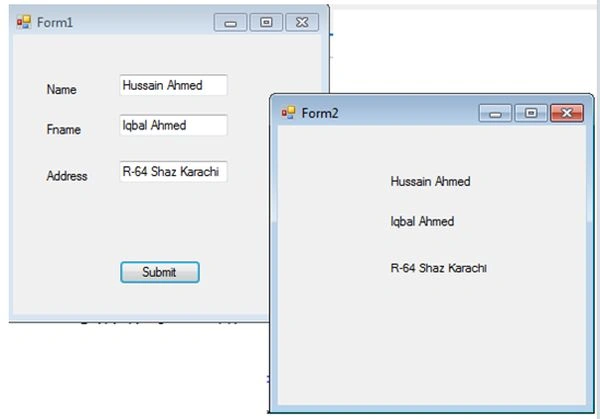
Step 2. Drag and drop a Label and a TextBox from the Toolbox. I created a Form with 3 Labels and a TextBox as shown in the following figure.
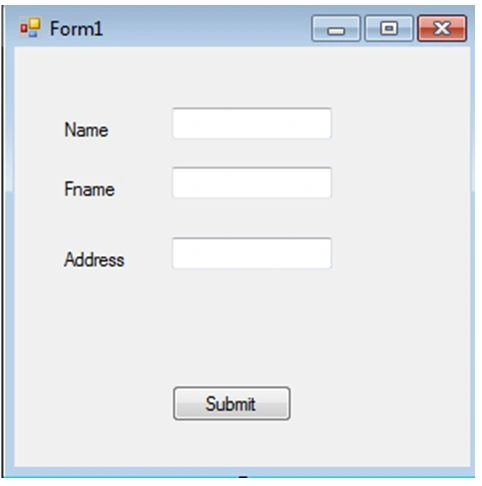
Step 3. I have a Name, Name, and Address Label on the form. So I use three global variables. Write the following code in the Form1.cs.
public static string SetValueForText1 = "";
public static string SetValueForText2 = "";
public static string SetValueForText3 = "";
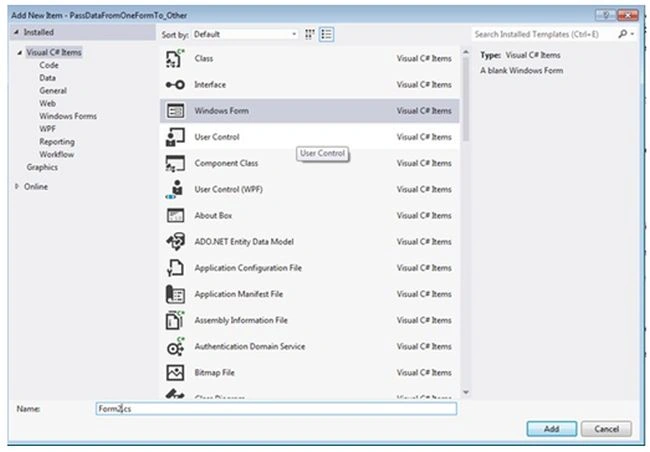
Step 4. Add another Windows Forms form using Project --> Add Windows Form, then click on Add.
Step 5. After creating the form, double-click on the Submit button on the Windows Form1 and write the code:
private void button1_Click(object sender, EventArgs e)
{
   SetValueForText1 = textBox1.Text;
   SetValueForText2 = textBox2.Text;
   SetValueForText3 = textBox3.Text;

   Form2 frm2 = new Form2();
   frm2.Show();
}
Step 6. Drag and Drop 3 Labels from the Toolbox onto Form 2.
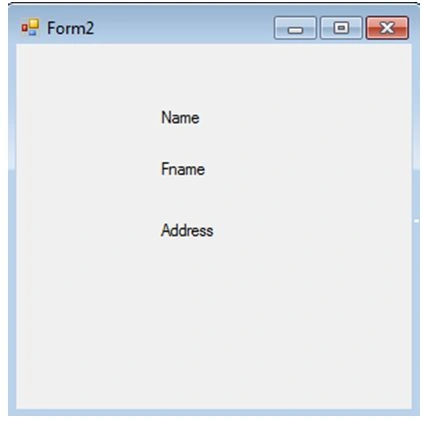
Step 7. Double-click on Form 2 and write the code.
private void Form2_Load(object sender, EventArgs e)
{
   label1.Text = Form1.SetValueForText1;
   label2.Text = Form1.SetValueForText2;
   label3.Text = Form1.SetValueForText3;
}
Step 8. Now press F5 to run the application.
Fill in Form 1 and click on Submit. The data will pass from Form 1 to Form 2.
Rahul ChauhanPosted Mar 18, 2021, 10:42 AM
Thank you sir your blog saves my time.
Aman MaruPosted Jan 9, 2021, 6:14 PM
I'm wanting to pass all of the checkboxes that are checked in my first form and autopopulate my second form which is a tablelayoutpanel. So if one checkbox is checked in form 1, form 2 would show value pass and fail if unchecked
Paul MiedemaPosted Feb 28, 2020, 8:30 AM
Two Forms. Form1 and Form2. Button on Form1 with : Private Sub Button1_Click(sender As Object, e As EventArgs) Handles Button1.Click Form2.frm2 = New Form2() Form2.Show() End Sub
arslan javedPosted Sep 12, 2018, 1:27 PM
Thanks bro its working and it is self explanatory and so so simple.
Rajeev RanjanPosted Jan 20, 2018, 1:46 PM
What if i want to form2 data back in form1 in the same form as it was entered(suppose data is in datagridview in form2, i want the data back in form1 on double click on any row)
Empiyar EmpiyarPosted Aug 3, 2017, 8:29 AM
It shows error: string is inaccessible due to protection level
Christopher ReyesPosted Dec 20, 2016, 10:06 PM
Not working waste of time
Danny SchneiderPosted Jul 10, 2015, 1:44 AM
Mhh, that's a very simple and for me unlike way. I prefer using data class objects to communicate. I think no form should interact with another form directly. Communication should be handled by underlaying layer
Nitin PanditPosted Feb 19, 2015, 5:06 AM
:(